
Select the model you want to generate your image with.
Free AI LinkedIn Profile Picture Generator
Transform your photos into stunning LinkedIn profile pictures with AI - Fast, Free, and Effortless.
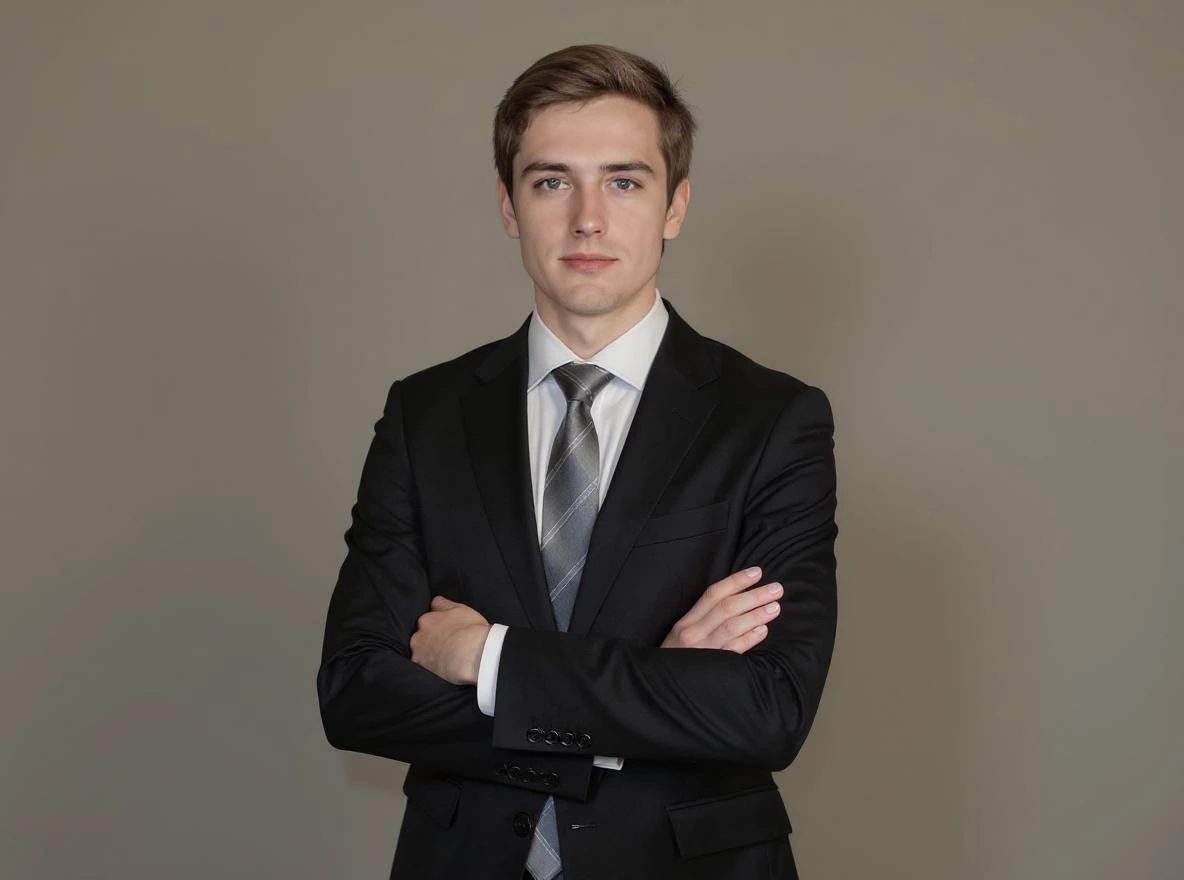
Your Generated Images
Key Features of the AI LinkedIn Photo Generator by Bylo.ai
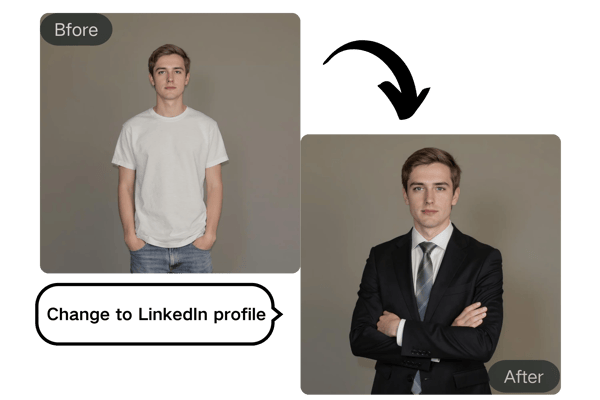
Instant AI LinkedIn Photo Generator Conversion
Upload your photo, and our AI automatically generates a LinkedIn-style profile picture tailored to your professional image. Whether you need a corporate headshot or a more relaxed appearance, Bylo.ai makes it effortless to get the perfect LinkedIn profile photo.

Industry-Specific Styles with AI LinkedIn Headshot Generator
Bylo.ai adapts your LinkedIn photo based on your industry. From sharp suits for finance professionals to minimalist looks for tech experts, our AI ensures your profile photo aligns with your profession and brand.
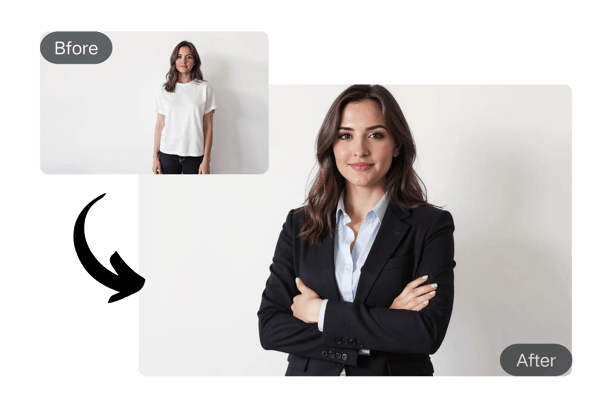
Customize Your LinkedIn Profile Picture with AI
Adjust your pose, smile intensity, gaze direction, and even collar style as the AI LinkedIn Photo Generator works, fine-tuning your image to perfection. Make sure your photo reflects the professional version of you that aligns with your goals.
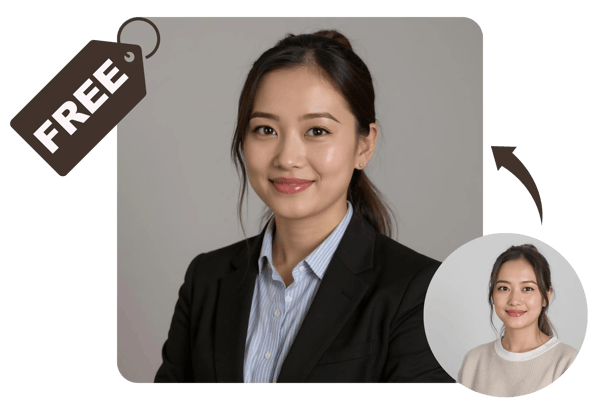
Try Our AI LinkedIn Photo Generator Free Online
Get started instantly with Bylo.ai’s AI LinkedIn Photo Generator—no sign-up required! Enjoy a free trial for your initial image, allowing you to experience how the service can enhance your professional image with ease.
How to Use the AI LinkedIn Photo Generator by Bylo.ai
Step 1: Upload Your Photo
Select the photo you'd like to transform. Whether it’s a casual selfie or a professional image, our AI will take care of the rest.
Step 2: Choose Your Industry
Select your industry (finance, tech, creative, etc.) and the AI LinkedIn Photo Generator will automatically adjust your photo to match your professional style. You can also add extra details in the "Other Ideas" section, such as attire, expression, and pose to further customize your LinkedIn profile picture.
Step 3: Download Your AI LinkedIn Photo Free
Make any final adjustments to your image using our free AI LinkedIn Photo Generator. Once satisfied, download your polished, LinkedIn-ready photo instantly.
AI LinkedIn Photo Generator Use Cases for Every Professional
AI Headshot Generator for LinkedIn: Job Seekers' First Impression
Looking for a new job? Enhance your LinkedIn profile with a professional-looking headshot that helps you stand out to recruiters and hiring managers. With Bylo.ai, you can transform a casual photo into a job-ready image in minutes.
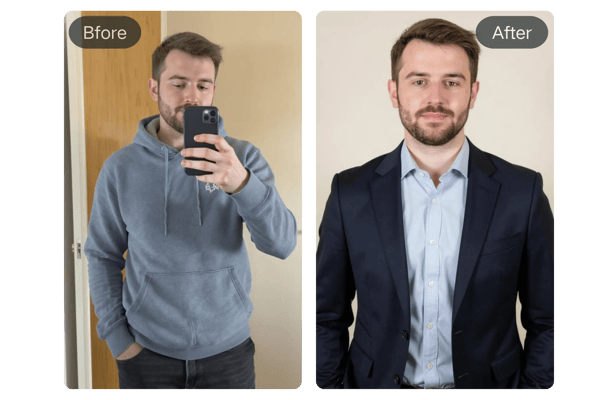
Free AI LinkedIn Photo Generator for Networking Professionals
When attending virtual conferences or connecting with new contacts online, your profile picture serves as your visual identity. Our generator helps you project an approachable yet professional image, encouraging more meaningful connections and expanding your professional network.
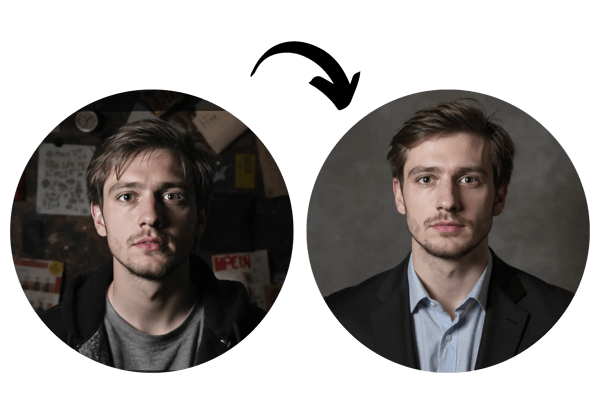
AI LinkedIn Photo Free for Freelancers & Consultants
For freelancers and consultants, your professional image is crucial for attracting clients. A polished AI headshot generator for LinkedIn profile picture builds trust and professionalism, signaling to potential clients that you are serious about your work and committed to quality.
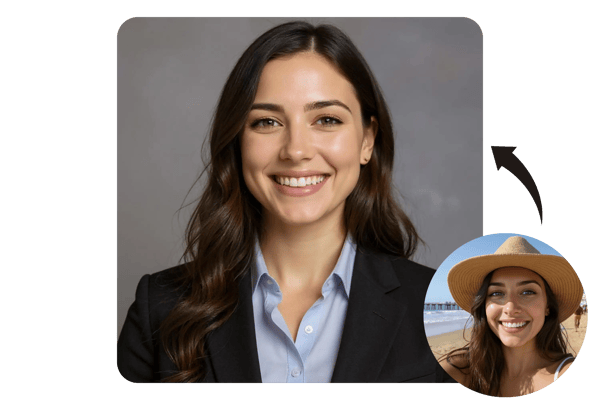
AI LinkedIn Photo Generator Free for Entrepreneurs & Founders
As an entrepreneur, your personal brand is often intertwined with your business. A compelling and consistent professional image across platforms, easily achieved with our generator, helps reinforce your brand identity and attract investors or collaborators.

Feedback on the AI LinkedIn Photo Generator by Bylo.ai
I needed a quick professional photo for my LinkedIn profile and didn’t have time for a photoshoot. This AI tool saved me hours! I uploaded a casual photo and got a crisp, professional headshot in minutes. It's perfect for busy professionals like me!
John D.
Finance Professional
As a startup founder, I needed something that wasn’t just corporate but also reflected my innovative side. The AI LinkedIn Photo Generator gave me exactly what I wanted—sleek, professional, and with a touch of personality. Highly recommend it!
Sarah L.
Tech Entrepreneur
I was amazed by how this tool turned a photo of my dog into a professional-looking LinkedIn headshot! It’s fun and functional—perfect for pet influencers who want to keep things professional while showing off their pets.
Toby W.
Pet Influencer
This tool gave me the creative freedom to adjust my look until I was completely satisfied. I especially love the pose and background customization options. It made my LinkedIn profile pop!
Jessica M.
Freelance Designer
Frequently Asked Questions
How to get AI LinkedIn photo free?
Getting a professional LinkedIn photo is easy with Bylo.ai’s free trial. Simply upload a casual photo, choose your industry (e.g., corporate, tech, creative), and let our AI adjust your image to match a polished, business-ready style. The process is quick and requires no login or payment.
Is there a free headshot AI generator?
Yes! Bylo.ai offers a free trial of our AI headshot generator. Simply upload your selfie, and our tool will automatically enhance your image into a professional, high-resolution headshot. It adjusts lighting, adds a clean background, and refines framing to match LinkedIn’s profile standards. Perfect for job seekers, freelancers, or anyone updating their professional image. No sign-up or payment is required to try it out!
How to use AI to generate LinkedIn photos?
Using Bylo.ai to generate LinkedIn photos is easy. Simply upload a clear selfie with good lighting, and let our AI enhance your photo. It adjusts the background, lighting, and facial clarity to create a polished, professional headshot. No need for photoshoots or complex editing. You can download your AI-generated LinkedIn photo instantly—perfect for busy professionals, remote workers, and students.
Is the AI LinkedIn Photo Generator free to use?
Yes! You can start using the AI LinkedIn Photo Generator for free, and no sign-up is required.
How do I upload my photo?
Simply click on the 'Upload Photo' button and select the image you want to transform. It's quick and easy!
Can I adjust my LinkedIn photo after it's generated?
Yes, you can adjust various aspects of your photo, such as your pose, smile intensity, and gaze direction. Simply specify your adjustments in the "Other Ideas" section.
What industries can the AI generate photos for?
The AI is designed to adapt to a wide range of industries, including finance, tech, healthcare, creative fields, and more.