
Select the model you want to generate your image with.
Try Tattoo on Your Body with Bylo AI Tattoo Simulator
Upload a body photo and tattoo design to instantly preview tattoo placement. Try on tattoo online free with realistic tattoo simulator on Bylo AI.

Your Generated Images
Key Features of Bylo AI Tattoo Simulator
Photo Tattoo Simulator for Realistic Tattoo Preview
Photo tattoo simulator on Bylo AI allows users to upload a photo and instantly preview tattoo designs on their body. The tattoo simulator adjusts size, perspective, and skin tone so tattoo preview appears natural and realistic.
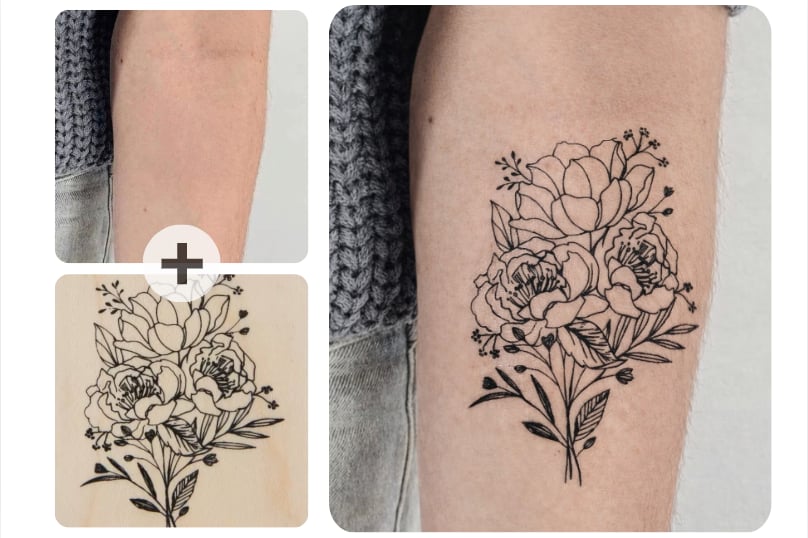
Tattoo Placement Simulator for Accurate Body Position
Tattoo placement simulator helps users test how tattoos look on different body areas such as arm, wrist, shoulder, chest, or back. This tattoo simulator on body makes it easier to compare placements before getting a real tattoo.
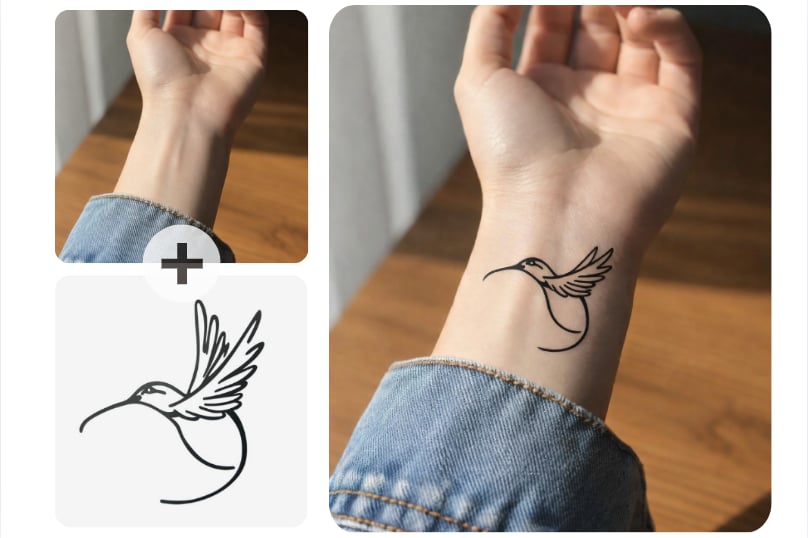
Tattoo Simulator on Body with Natural AI Skin Blending
AI tattoo simulator on body blends tattoo designs naturally with skin texture and lighting. The tattoo simulator creates realistic tattoo previews so users can clearly visualize how the tattoo would appear on their body.
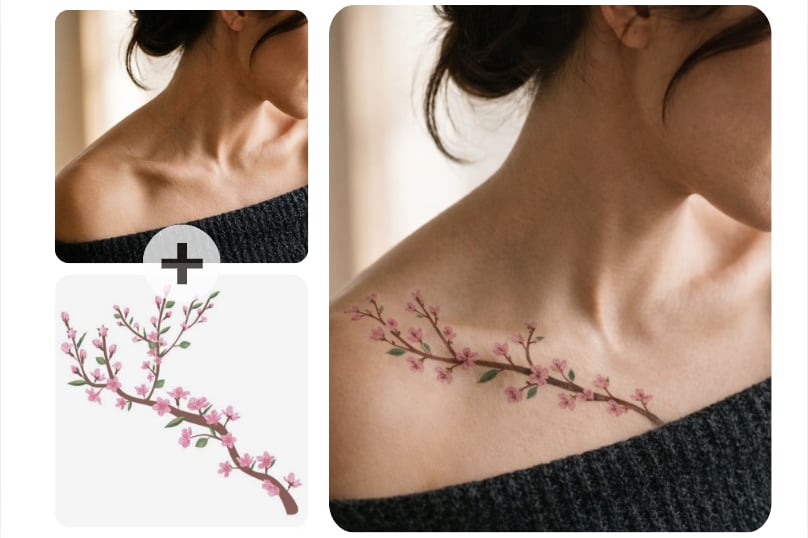
Tattoo Simulator Online Free to Try Tattoo Designs Instantly
Tattoo simulator online free on Bylo AI lets users try tattoo designs directly in the browser. Upload a photo, generate tattoo preview, and try on tattoo online free without editing skills or design software.
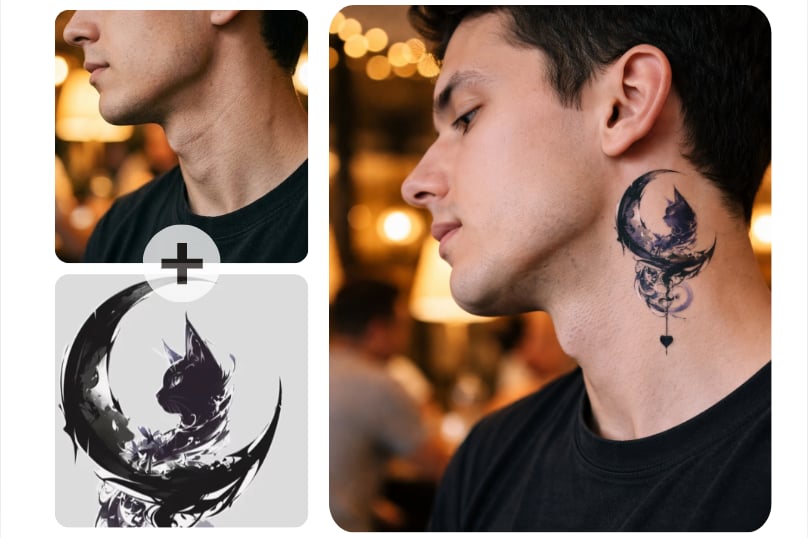
Try On Tattoos with Tattoo Simulator on Different Body Areas
Arm Tattoo Simulator to Preview Tattoos on Arms
Use the arm tattoo simulator to try tattoo designs on your arm before getting real ink. Upload a body photo and tattoo design, then preview how the tattoo would look on your arm using the tattoo simulator on body.
Face Tattoo Simulator to Test Facial Tattoo Ideas
The face tattoo simulator lets users experiment with tattoos on the face using a photo tattoo simulator. Try on tattoo online free and see how small face tattoos or symbolic designs might look before making permanent decisions.
Body Tattoo Simulator to Try Tattoos on Different Body Areas
Body tattoo simulator helps users preview tattoo designs on multiple body areas such as chest, shoulder, back, or leg. Use tattoo simulator online free to test placement and visualize tattoo ideas directly on your body photo.
How to Use Tattoo Simulator Online Free on Bylo AI
Upload Body Photo to Photo Tattoo Simulator
Upload a clear photo of the body area where you want to place the tattoo, such as arm, wrist, shoulder, or chest. The photo tattoo simulator detects skin surface and prepares the image for accurate tattoo simulator on body preview.
Upload Tattoo Design to Tattoo Placement Simulator
Upload the tattoo design image you want to test. The tattoo placement simulator places the tattoo on your body photo and generates a realistic preview using the tattoo simulator on body.
Try On Tattoo Online Free with Tattoo Simulator
Click generate to try on tattoo online free. The tattoo simulator blends the design with skin texture and lighting to create realistic tattoo simulator on body result you can preview or download.
Popular Ways to Use Tattoo Simulator on Body
Preview Tattoo Placement with Tattoo Placement Simulator
Use tattoo placement simulator to see how tattoo designs look on different body areas such as arm, wrist, shoulder, or chest. This tattoo simulator on body helps users visualize placement before getting a real tattoo.
Test Tattoo Designs with Photo Tattoo Simulator
Photo tattoo simulator allows users to upload their body photo and try different tattoo designs. The tattoo simulator creates realistic previews so users can evaluate tattoo ideas before making permanent decisions.
Try On Tattoo Online Free Before Visiting Tattoo Studio
Try on tattoo online free to explore how a tattoo will look on your body before visiting a tattoo artist. Tattoo simulator online free helps users experiment with placement and style safely.
Create Tattoo Mockups with Tattoo Simulator on Body
Tattoo simulator on body can generate realistic tattoo previews for personal inspiration or social media content. Users can quickly visualize tattoo concepts using tattoo simulator online free tools.
Why Choose Bylo AI Tattoo Simulator
Tattoo Simulator Online Free with Instant Tattoo Preview
Tattoo simulator online free on Bylo AI allows users to preview tattoo designs without design skills or software. Upload a body photo and try on tattoo online free directly in browser using the photo tattoo simulator.
Realistic Tattoo Simulator on Body with AI Skin Blending
The tattoo simulator on body uses AI to blend tattoo designs naturally with skin texture and lighting. This creates realistic tattoo previews so users can clearly see how tattoo would look on their body.
More AI Tools Beyond Tattoo Simulator on Bylo AI
Bylo AI provides more creative tools beyond tattoo simulator, including AI tattoo generator and other image editing features. Users can design tattoos, test placement, and explore tattoo ideas in one platform.