
Select the model you want to generate your image with.
Free JoJo AI Filter: Turn Photos to JoJo Style
Turn your photos to vibrant JoJo style with Bylo.ai’s JoJo AI filter free online. Fast, fun, and fully customizable for stunning results!
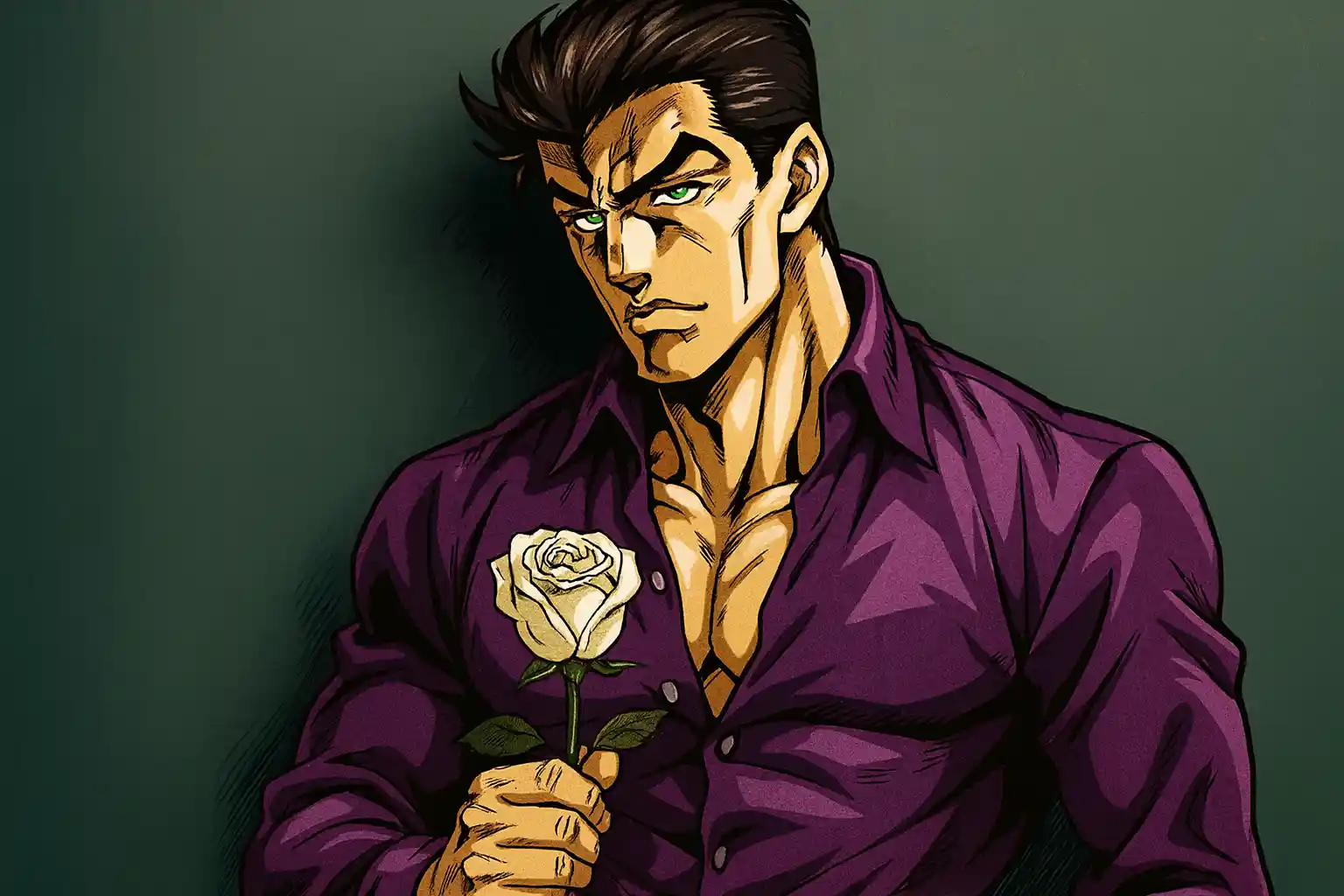
Your Generated Images
What is JoJo AI Filter? Discover the Power of JoJo Style AI
JoJo AI filter is an innovative, AI tool from Bylo.ai that reimagines your photos in the legendary style of JoJo's Bizarre Adventure. Think exaggerated poses, vibrant colors, sharp lines, and that signature dramatic flair – all applied seamlessly to your images. As a leading JoJo AI generator, Bylo.ai uses advanced machine learning to analyze your photo and generate a custom JoJo style AI version. Perfect for fans who want to see themselves as Jotaro, Dio, or their own original character.
Features of JoJo AI Generator for Photo to JoJo Style Transformations
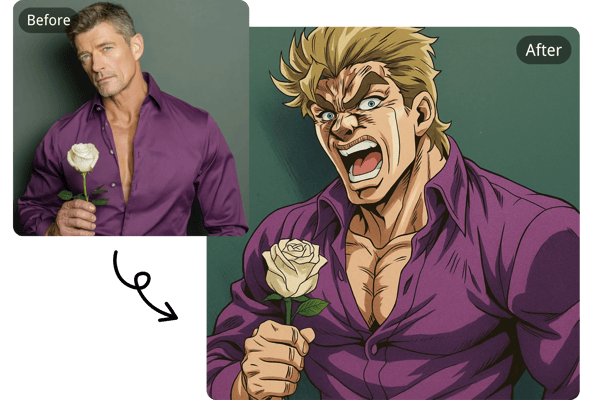
Instant Photo to JoJo Style Conversion
Upload any JPEG, PNG, or WEBP file, and our JoJo AI generator delivers stunning results in under a minute, complete with high-resolution outputs ready for sharing. This rapid photo to JoJo style process maintains exceptional quality, ensuring crisp lines and vibrant colors without compromising speed.
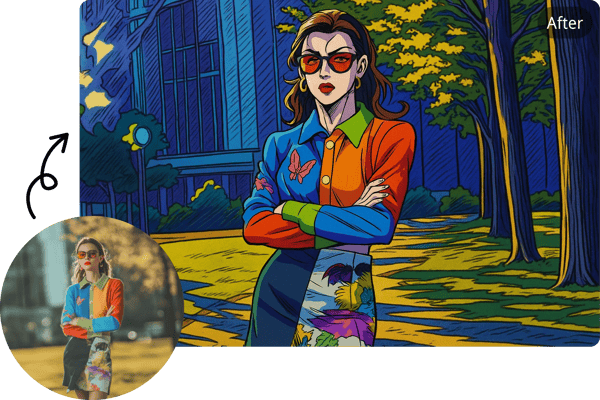
Realistic Facial Preservation with Exaggerated Expressions
Our JoJo style AI expertly retains facial details from your original photo while blending in natural, slightly dramatic JoJo expressions. This balance keeps your likeness intact, avoiding unnatural distortions, so your JoJo AI generator outputs feel personal and immersive.
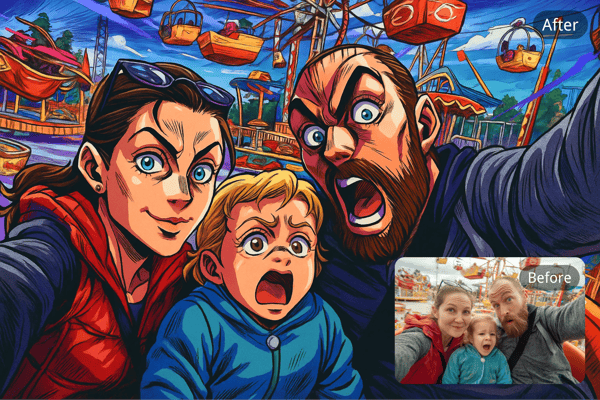
Customizable Ideas for Endless Creativity
Enhance your transformations by inputting additional ideas directly in the "Other Idea" field—swap backgrounds, outfits and hairstyles. This feature empowers you to tailor every photo to JoJo style conversion, turning simple uploads into personalized masterpieces.
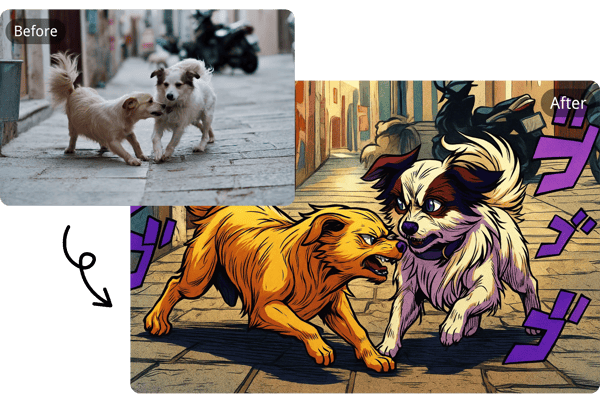
JoJo AI Filter Free Online Access
Experience the JoJo AI filter free online right from your browser—no downloads or credit card required to get started. Dive into basic AI manga generator. instantly, and for more generations or advanced tools, upgrade to our flexible subscription plans.
How to Use JoJo AI Filter Free Online
Upload Your Photo or Add Custom Ideas
Begin by uploading a clear image in JPEG, PNG, or WEBP format. For personalized twists, input "Other Ideas" like changing backgrounds, outfits, or adding dramatic elements—our JoJo style AI incorporates them effortlessly to enhance your vision.
Wait for Photo to JoJo Style Conversion
Once uploaded, relax as the JoJo AI generator processes your request in under a minute. It analyzes details and applies bold, authentic JoJo aesthetics, ensuring high-quality outputs that blend realism with anime flair.
Download or Share Your Image
Preview the result, then download the image for keepsakes or instantly share it on social platforms. With Bylo.ai's JoJo AI filter, you can iterate quickly for even more photos of JoJo style variations.
Creative Use Cases for JoJo AI Generator
Cosplay and Fan Art Inspiration
Turn your selfies into JoJo style AI previews to plan costumes or digital artwork, visualizing characters like Jotaro with exaggerated poses and vibrant details for conventions or online portfolios.
Viral Social Media Content
Grab attention on TikTok or Instagram by turning selfies into bold JoJo-style edits with the AI filter. From dramatic before-and-after reveals to trending meme formats, it’s a fast way to boost views and stand out.
Personalized JoJo Avatars and Profiles
Upgrade your gaming or social avatars using the JoJo AI filter free online, blending your face with muscular, dramatic features for a unique online identity that stands out in communities.
Custom Gifts for Fellow Fans
Generate JoJo AI portraits of friends or family in anime form, perfect for prints, cards, or digital surprises that celebrate shared love for the JoJo adventure universe.
What Users Are Saying About the JoJo AI Filter on Bylo.ai
I used the JoJo AI filter free online to preview costume ideas and it saved me hours of design work. The expressions and details are incredibly faithful to the JoJo aesthetic.
Alex Rivera
Cosplay Designer
The JoJo style AI is a goldmine for TikTok content. I made a before-and-after transformation video and it blew up overnight!
Kevin Brooks
Social Media Creator
The photo to JoJo style conversion is fast and surprisingly accurate. Being able to add background or outfit ideas makes it super versatile for creative projects.
Rahul Mehta
Graphic Designer
I created JoJo-style portraits of my customers as gifts, and they were thrilled. The JoJo AI generator is now part of my product lineup—it’s that good.
Sofia Park
Anime Merch Seller
The JoJo AI generator from Bylo.ai nails the dramatic art style perfectly. I used it to create references for my fan art and the results were high-res and spot on.
Mia Chen
Digital Artist
I used the JoJo AI filter to create a new profile avatar, and all my friends loved it. They kept asking how I made it—it really stands out with that classic JoJo style.
Lena Otsuka
Game Streamer
Frequently Asked Questions About JoJo AI Filter
Can I use the JoJo AI filter for free online?
Yes, our JoJo AI filter free online is free for basic use—no signup or credit card needed. Create stunning photo to JoJo style transformations instantly, with optional premium subscriptions for more generations and advanced features.
What are the photo upload requirements for photo to JoJo style conversion?
You can upload images in JPEG, PNG, or WEBP formats for photo to JoJo style conversion, with each file capped at 5 MB. Clear, well-lit portraits or full-body shots yield the best results with our JoJo AI filter.
How fast is the JoJo style AI photo transformation process?
Bylo.ai JoJo style AI transformation takes under a minute per image. Simply upload, customize, and watch the JoJo AI generator deliver high-quality, vibrant results ready for instant download or sharing.
Can I customize my JoJo AI photo effects?
Absolutely! With JoJo AI filter, you can input ideas like new backgrounds or outfits via the “Other Idea” field, giving you creative control over every photo to JoJo style output.
Does the JoJo AI generator for anime style work on group photos?
Yes, the JoJo AI generator for anime style handles group photos, pets, or single portraits with ease. For optimal results, ensure images are clear, as our JoJo AI filter excels with defined facial features.
What makes Bylo.ai’s JoJo AI filter unique?
The JoJo AI filter for photo blends realistic facial preservation with dramatic JoJo aesthetics, offering high-quality outputs that stand out. Unlike generic editors, it’s tailored for authentic JoJo style AI transformations.
Can images created with Bylo.ai JoJo AI generator be used commercially?
Images created with the free JoJo AI generator are for personal use only. However, during an active subscription, outputs from our JoJo style AI can be used commercially, perfect for creators designing merchandise or promotional content.
Is my data safe with the free JoJo AI photo filter?
Your privacy is our priority. The free JoJo AI photo filter processes uploads securely, deleting them after generation. No personal data is stored, ensuring safe photo to JoJo style creations.