
Select the model you want to generate your image with.
Create Free Instagram Flash Filter Photos On Bylo.ai
Create realistic Instagram flash effect photos with Bylo.ai. Upload your selfie, portrait, mirror photo, or party shot, then enter a prompt to add Y2K direct flash, retro CCD camera texture, paparazzi lighting, neon club mood, or vintage flash-photo style.
Your Generated Images
How To Create Free Instagram Flash Filter Photos with Bylo.ai
Follow these simple steps to get started with our platform.
Step 1: Upload Your Original Photo
Start by uploading a selfie, portrait, mirror selfie, party photo, night shot, or lifestyle image you want to edit. Clear photos with visible faces, outfits, and backgrounds usually work best because the Instagram Flash Filter can keep the original subject recognizable while adding a stronger flash-photo look.
Step 2: Enter Your Instagram Flash Filter Prompt
Type a prompt that describes the flash style you want, such as Y2K direct flash, retro CCD camera flash, paparazzi flash effect, neon club lighting, or classic frontal flash. You can also ask the AI to preserve the face, pose, outfit, hairstyle, and background while only changing the lighting, contrast, grain, shadows, and camera texture.
Step 3: Generate and Download Your Flash Effect Photo
Click generate to create your Instagram flash effect image online. Once the result is ready, download the finished photo and use it for Instagram posts, Reels covers, TikTok content, profile pictures, party edits, or other social media visuals.
Key Features of Bylo AI Instagram Flash Filter
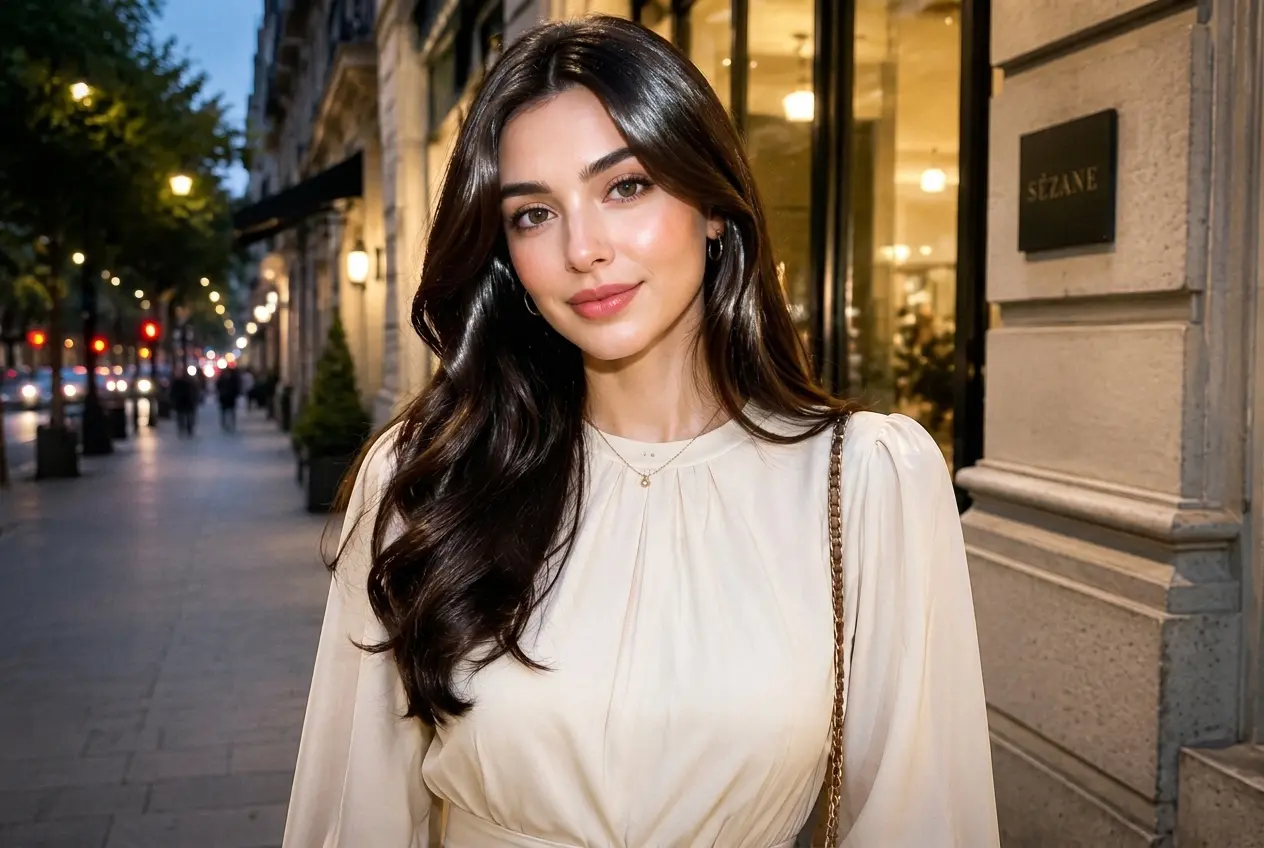
Keep the Original Look While Applying Instagram Flash Filter
Instagram Flash Filter should make the photo brighter and more stylish without turning the subject into a different person. With Bylo.ai’s Instagram Flash Filter, users can preserve facial features, expression, hairstyle, outfit, pose, and background while adding direct flash lighting, stronger contrast, darker shadows, and a polished social-photo finish.
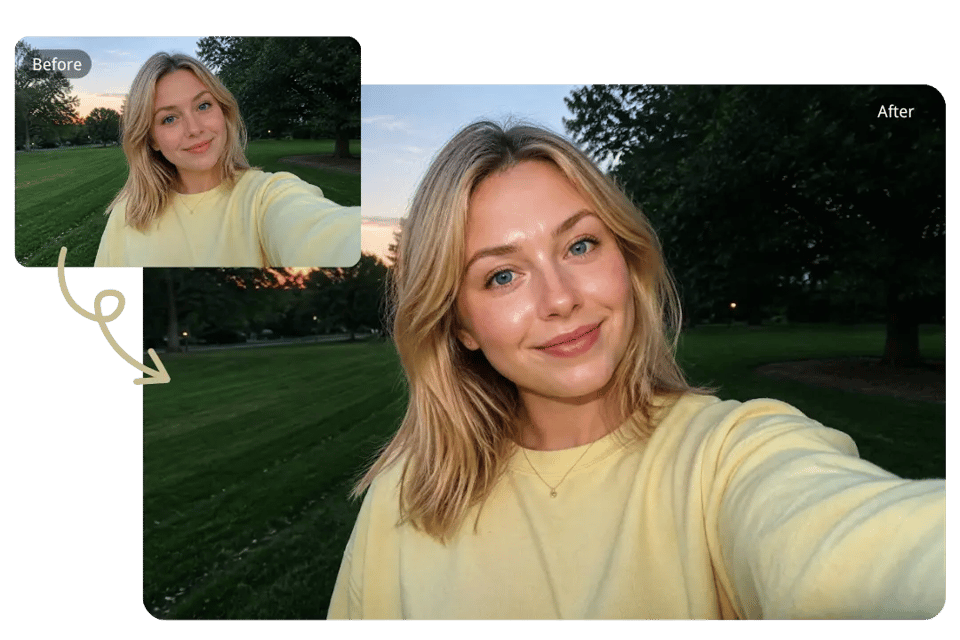
Guide Custom Looks with Instagram Flash Filter Prompts
Instagram Flash Filter Prompts give users more control than fixed photo presets. With Bylo.ai’s Instagram Flash Filter, users can describe Y2K direct flash, retro CCD camera texture, paparazzi flash, neon club lighting, or soft vintage flash while keeping the edit focused on lighting, contrast, grain, shadows, and camera mood.
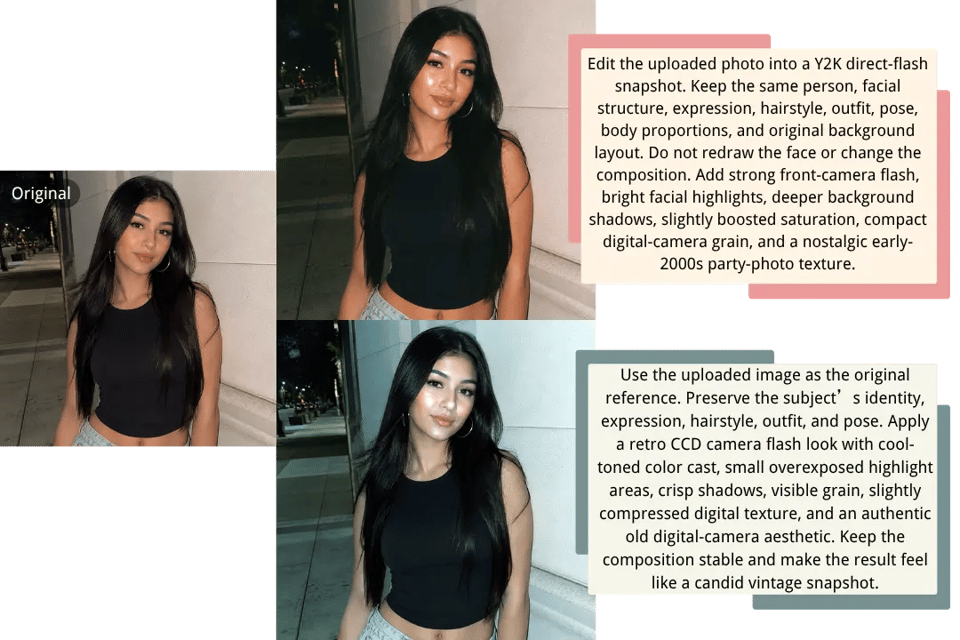
Make Instagram Flash Filter Photos Look Like Real Camera Flash
A strong Instagram Flash Filter should feel closer to real direct-flash photography than a simple brightness overlay. Bylo.ai’s Instagram Flash Filter can add harsh frontal light, glossy highlights, hard-edged shadows, slight overexposure, saturated tones, and visible digital grain to create a more authentic camera-flash effect.
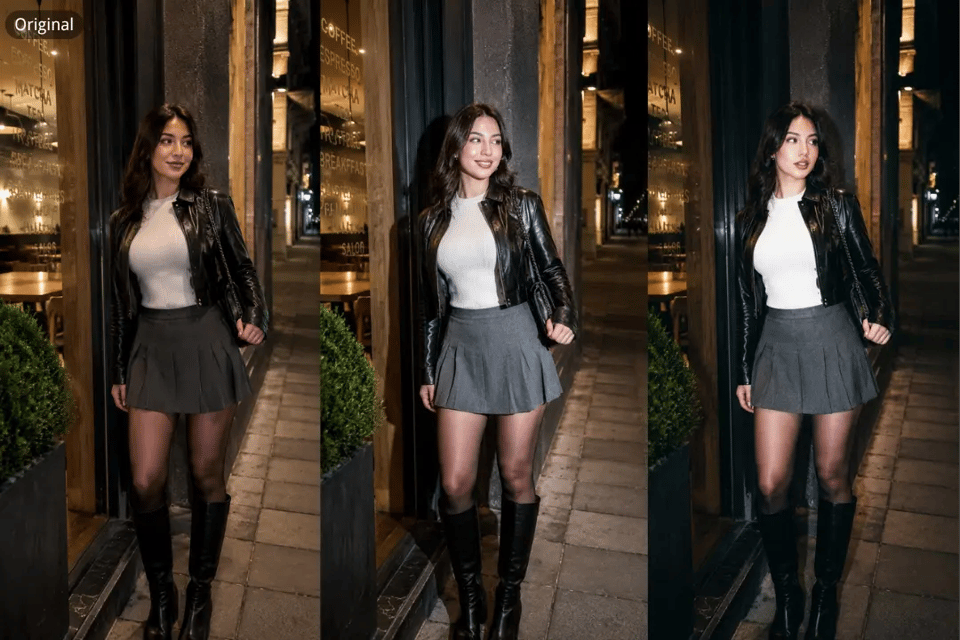
Turn Social Photos into Scroll-Stopping Instagram Flash Filter Edits
Instagram Flash Filter is ideal for selfies, mirror photos, party shots, night portraits, Reels covers, TikTok posts, and profile images that need stronger visual impact. With Bylo.ai’s Instagram Flash Filter, users can create high-contrast flash effect photos that look sharper, brighter, and more ready for social sharing.
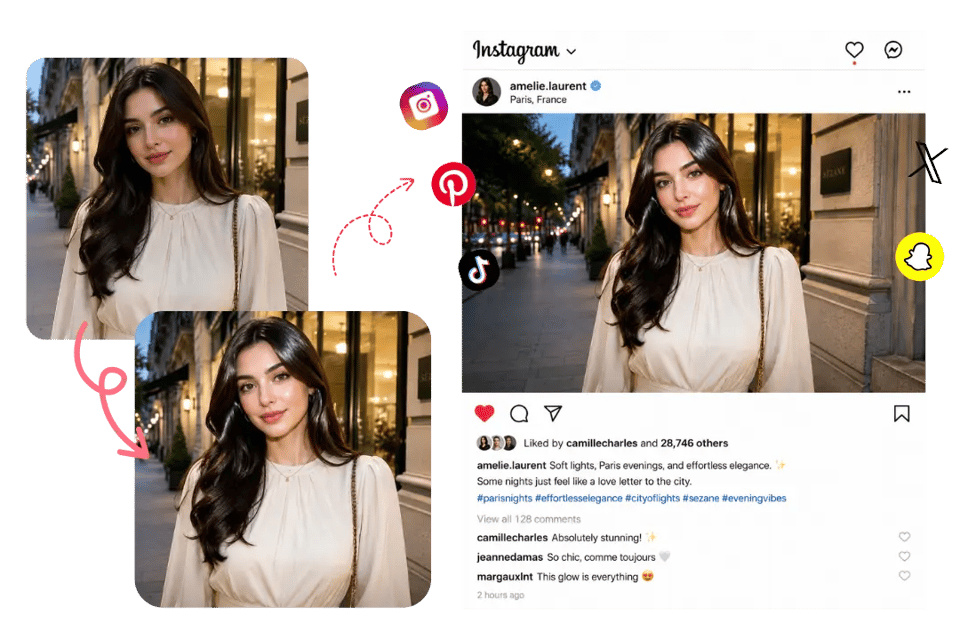
Copy Instagram Flash Filter Prompts to Create Real Flash Looks on Bylo.ai
Instagram Flash Filter Prompts make it easier to guide the final photo instead of applying the same preset to every image. Users can describe the flash strength, lighting direction, camera texture, background mood, and color tone while keeping the original person, pose, outfit, and scene recognizable.
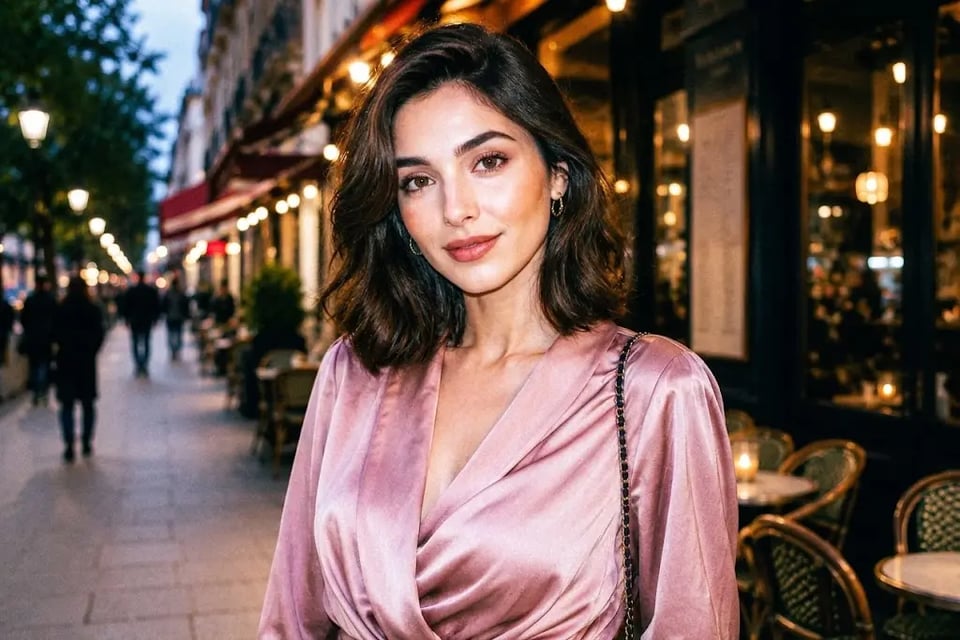
Y2K Direct Flash Instagram Flash Filter
Create an early-2000s snapshot look with strong front-facing flash, punchy contrast, darker surroundings, and a slightly imperfect digital-camera finish. This style works well for selfies, close-up portraits, casual photos, and profile images. 📸 Instagram Flash Filter Prompt: Edit the uploaded photo into a Y2K direct-flash snapshot. Keep the same person, facial structure, expression, hairstyle, outfit, pose, body proportions, and original background layout. Do not redraw the face or change the composition. Add strong front-camera flash, bright facial highlights, deeper background shadows, slightly boosted saturation, compact digital-camera grain, and a nostalgic early-2000s party-photo texture.
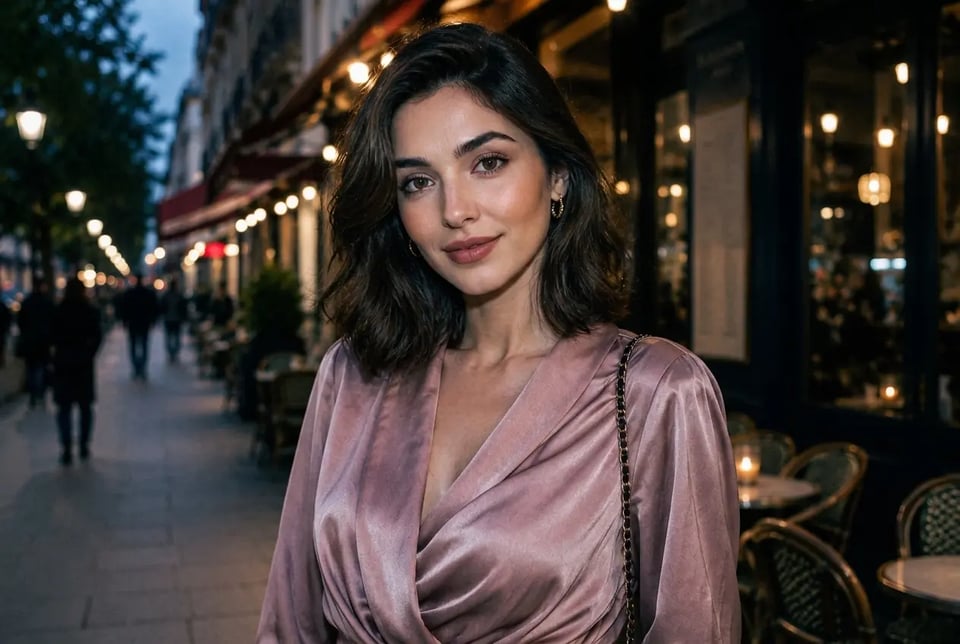
Night Street Instagram Flash Filter
Build a sharper city-night photo style with direct flash lighting, dark urban depth, cool tones, and a candid street-photography feeling. This style fits night walks, travel photos, outdoor portraits, and moody social posts. 🌃 Instagram Flash Filter Prompt: Transform the uploaded image into a night street flash photo. Keep the subject’s identity, face, expression, clothing, hairstyle, posture, and surrounding street scene unchanged. Add a crisp direct-flash beam on the subject, darker ambient background, cool city tones, stronger edge contrast, subtle reflective highlights, mild digital noise, and a realistic late-night urban snapshot atmosphere.
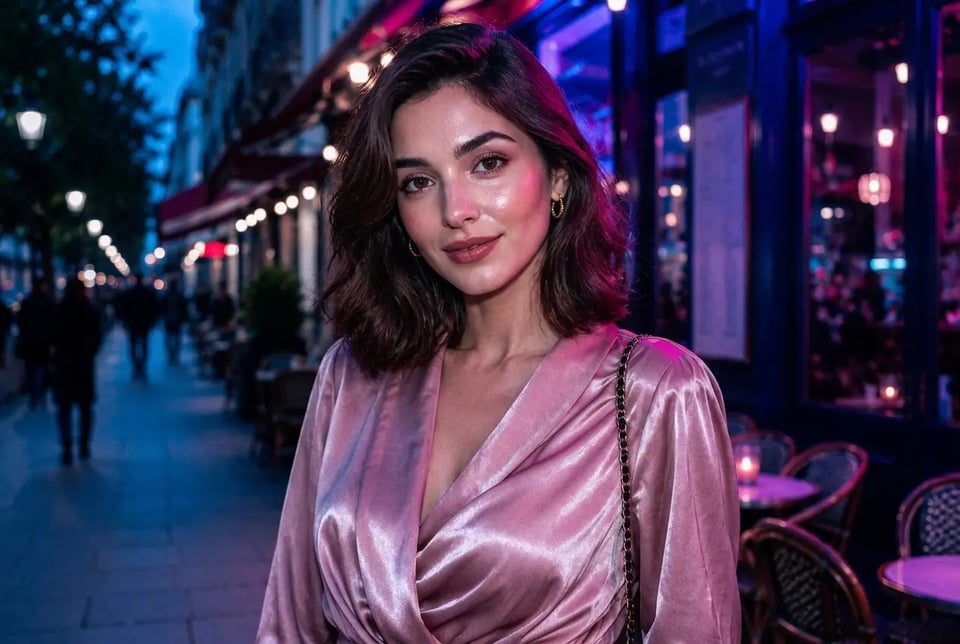
Neon Club Instagram Flash Filter
Add nightlife energy with direct flash, glossy highlights, darker club surroundings, and colored neon reflections. This style suits party photos, concert images, DJ-event portraits, and bold social-media visuals. 🪩 Instagram Flash Filter Prompt: Apply a neon nightlife flash style to the uploaded photo. Keep the original subject, facial details, expression, outfit, pose, body shape, and scene structure intact. Add bright frontal flash on the subject, moody low-light surroundings, blue and magenta neon spill, glossy skin and fabric highlights, stronger contrast, faint high-ISO grain, and a lively club-camera snapshot mood.
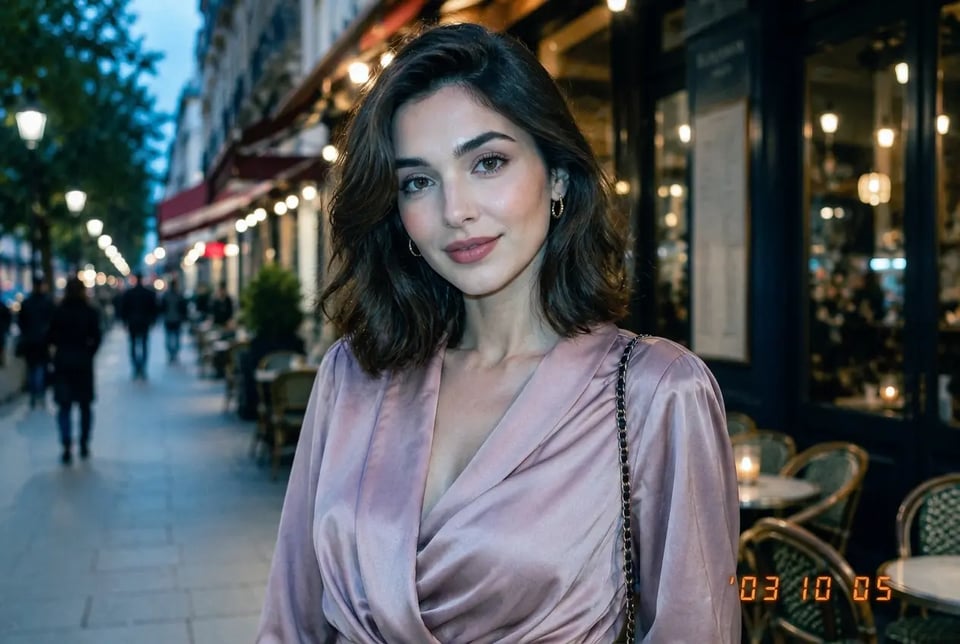
Retro CCD Instagram Flash Filter
Give portraits and lifestyle photos a vintage compact-camera finish with cool color shifts, bright flash highlights, visible grain, and slightly raw digital texture. This style is useful for nostalgic edits, casual outfit photos, and retro social content. ✨ Instagram Flash Filter Prompt: Convert the uploaded photo into a retro CCD flash-camera image. Preserve the person’s face, expression, hairstyle, outfit, pose, body proportions, and background details without altering identity or layout. Add direct built-in-camera flash, cool bluish color cast, small overexposed highlight areas, crisp shadow edges, visible sensor noise, slightly compressed digital texture, and an authentic old compact-camera snapshot feel.
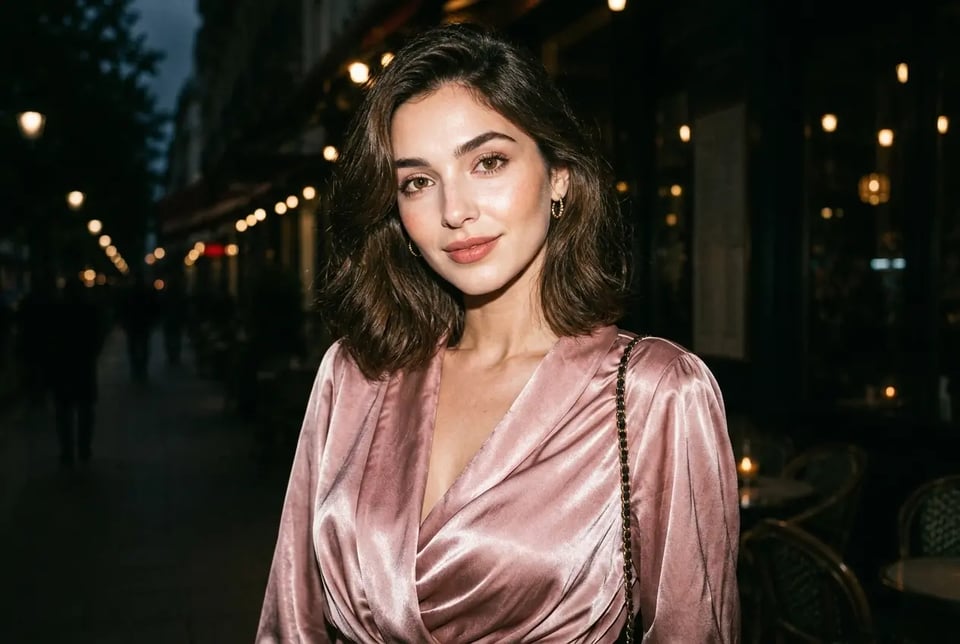
Paparazzi Instagram Flash Filter
Create a celebrity street-shot mood with intense flash, dramatic shadows, sharp contrast, and a spontaneous camera-caught feeling. This style works for fashion portraits, night images, travel shots, and cinematic lifestyle edits. 🚗 Instagram Flash Filter Prompt: Turn the uploaded image into a paparazzi-style flash photo. Maintain the same subject, facial features, expression, hairstyle, outfit, pose, body shape, and environment. Add sudden aggressive camera flash, bright blown highlights, strong shadow falloff, dark background separation, glossy reflections, high-contrast realism, and a candid celebrity-arrival atmosphere without changing the original scene.
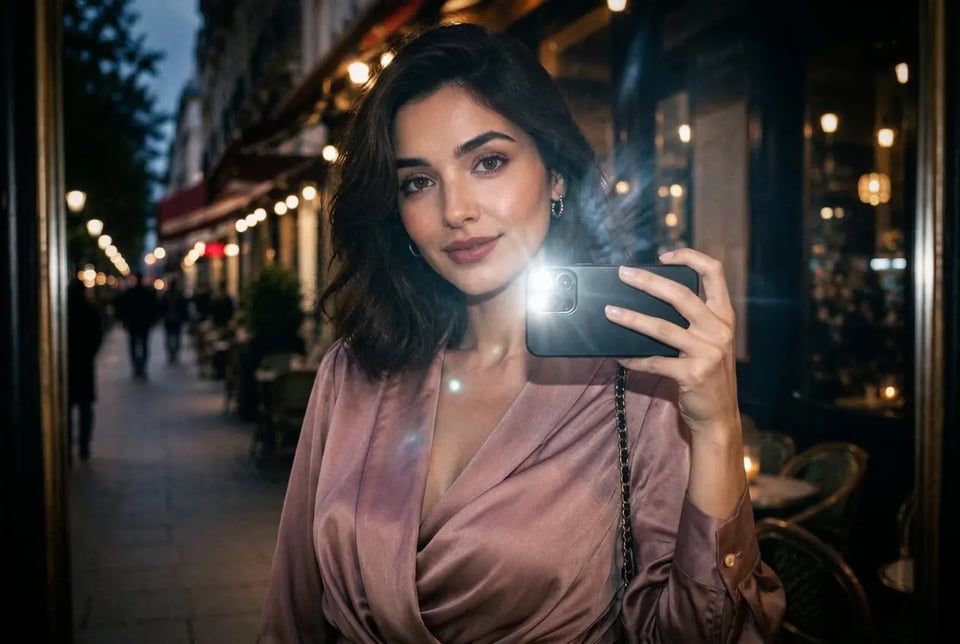
Mirror Selfie Instagram Flash Filter
Create a trendy mirror-photo look with phone-flash glare, brighter subject lighting, reflective highlights, and stronger social-media contrast. This style fits outfit checks, bedroom selfies, bathroom mirror photos, and creator-style portraits. 🪞 Instagram Flash Filter Prompt: Enhance the uploaded mirror selfie with an Instagram flash filter look. Keep the face, phone placement, mirror angle, outfit, hairstyle, pose, body shape, room layout, and background objects consistent with the original image. Add visible phone-flash glow, mirror glare, brighter frontal illumination, darker ambient corners, sharper contrast, light digital grain, and a casual influencer-style snapshot finish.
Why Creators Use Bylo.ai for Instagram Flash Filter Photos
Try Instagram Flash Filter Free Before Creating More Edits
Bylo.ai gives users a simple way to try Instagram Flash Filter free before committing to more photo edits. Upload a portrait, selfie, mirror shot, or lifestyle image, enter the flash style you want, and test how direct flash lighting, stronger contrast, darker shadows, and retro camera texture can change the final photo.
Create Instagram Flash Filter Photos with Simple Prompt Input
Instagram Flash Filter should not require complicated editing software, lighting adjustment, or manual retouching. With Bylo.ai’s Instagram Flash Filter, users only need to upload an image and enter a clear prompt to create Y2K flash photos, CCD-style edits, paparazzi looks, club flash portraits, or social-ready flash images online.
Make Instagram Flash Filter Results Look More Realistic
A convincing Instagram Flash Filter needs more than extra brightness. Bylo.ai’s Instagram Flash Filter can add realistic direct-flash lighting, glossy highlights, stronger shadow depth, visible digital grain, and natural camera texture while keeping the original subject recognizable, making the final image feel closer to a real flash photo.
Explore More Trending Image Effects After Instagram Flash Filter
After creating an Instagram Flash Filter photo, users can continue building different visual styles with more trending image effects on Bylo.ai. From retro portraits and social media filters to creative AI photo edits, Bylo.ai makes it easier to test multiple looks and keep improving the same image for different platforms, moods, and content ideas.