
Select the model you want to generate your image with.
AI Image Denoiser Free Online
Remove noise from image files, reduce grain, and restore natural detail instantly with Bylo.ai’s AI denoiser. Clean up low-light, compressed, and noisy photos in one click.

Your Generated Images
How to Remove Noise from Image Free with Bylo.ai
Follow these simple steps to get started with our platform.
Upload the Image You Want to Denoise
Upload the image you want to clean up and get started in seconds. If your photo looks grainy, rough, or unclear, Bylo.ai makes it easy to begin the denoise process online without any complicated steps.
Let Bylo AI Image Denoiser Remove Noise Automatically
Once your image is uploaded, Bylo.ai will automatically detect visible grain, digital noise, and unwanted artifacts. The tool then removes noise from image areas while preserving natural detail, texture, and overall clarity.
Preview the Result and Download Your Cleaner Photo
After the image has been processed, preview the result and check the improvement. Bylo.ai helps reduce image noise and remove grain from photo details so your final image looks cleaner, sharper, and more polished.
Key Features of Bylo AI Image Denoiser
Automatic AI Image Denoiser for Cleaner Photo Enhancement
Bylo.ai’s AI Image Denoiser automatically detects grain, digital noise, and unwanted artifacts, then cleans them up in just a short time. It simplifies the denoising process and helps turn rough, noisy photos into cleaner, smoother, and more polished images without adding unnecessary editing complexity.
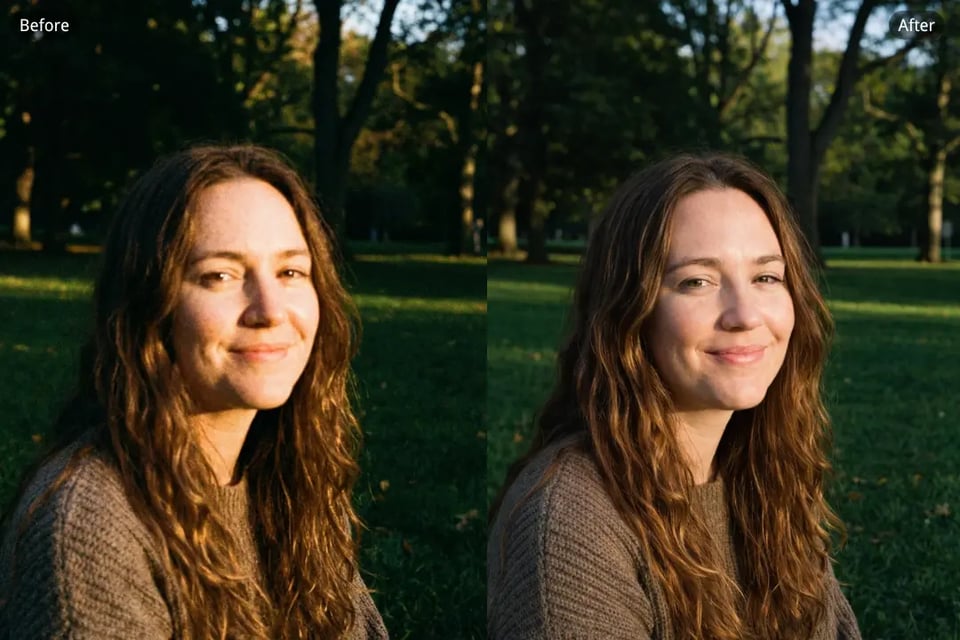
Remove Noise from Image Without Losing Natural Details
Our AI Image Denoiser is designed to remove noise from image areas while preserving the details that make the photo look natural. Edges, textures, facial features, and lighting transitions stay clearer and more balanced, so the final result looks refined instead of overly soft or artificial.
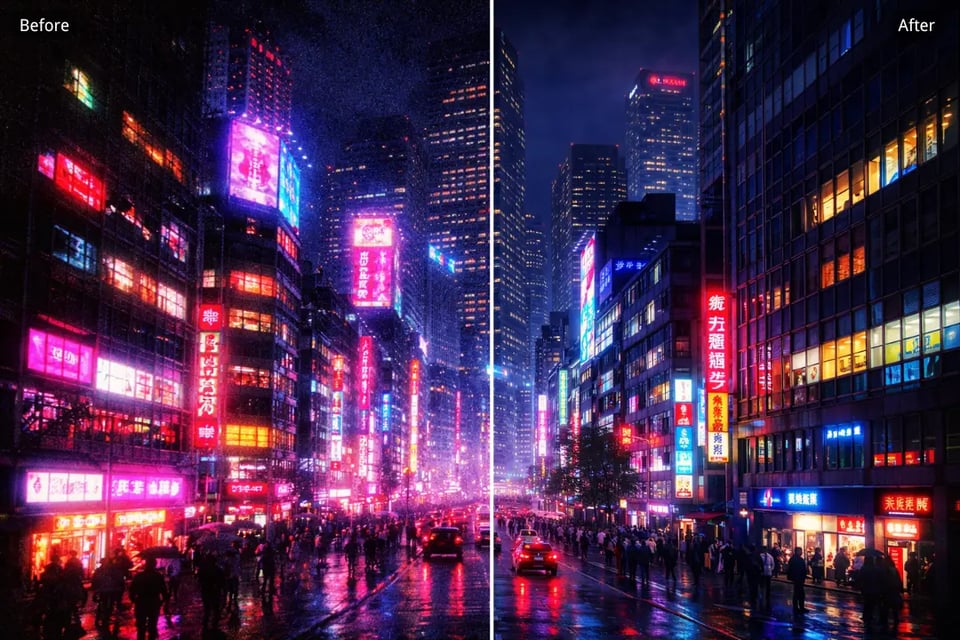
Reduce Image Noise in Low-Light and Night Photos
Low-light images often show visible grain in shadows, darker backgrounds, and fine details. Bylo.ai’s AI Image Denoiser helps reduce image noise in night photos and dim scenes, making the overall image look cleaner and less rough while keeping the original atmosphere more intact.
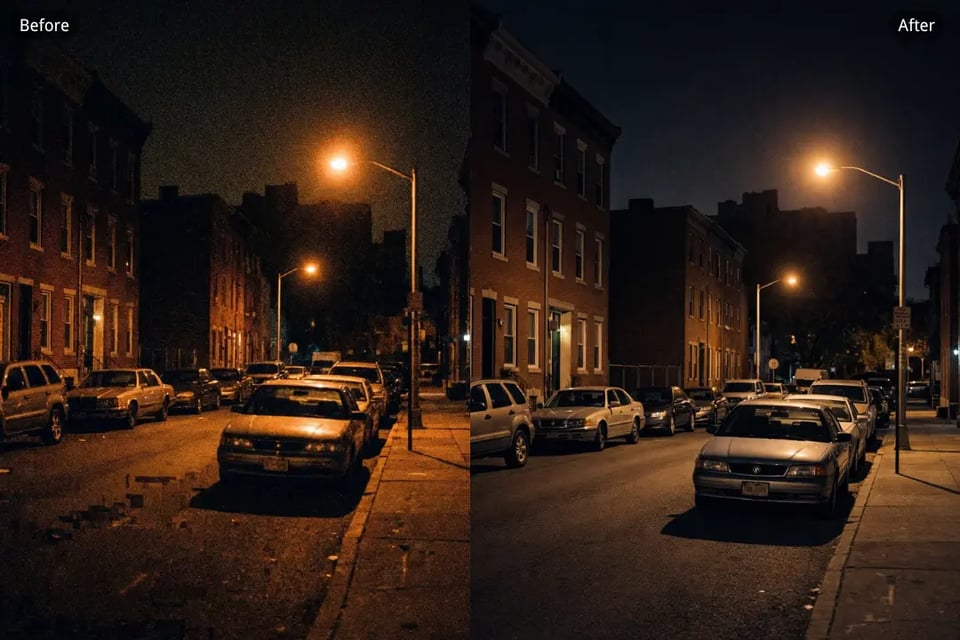
Remove Grain from Photo Caused by Compression and Artifacts
Compressed images and repeatedly saved photos often develop rough texture, grain, and distracting artifacts. Our AI Image Denoiser helps remove grain from photo areas affected by compression damage, improving clarity and giving the image a cleaner and more visually polished appearance.
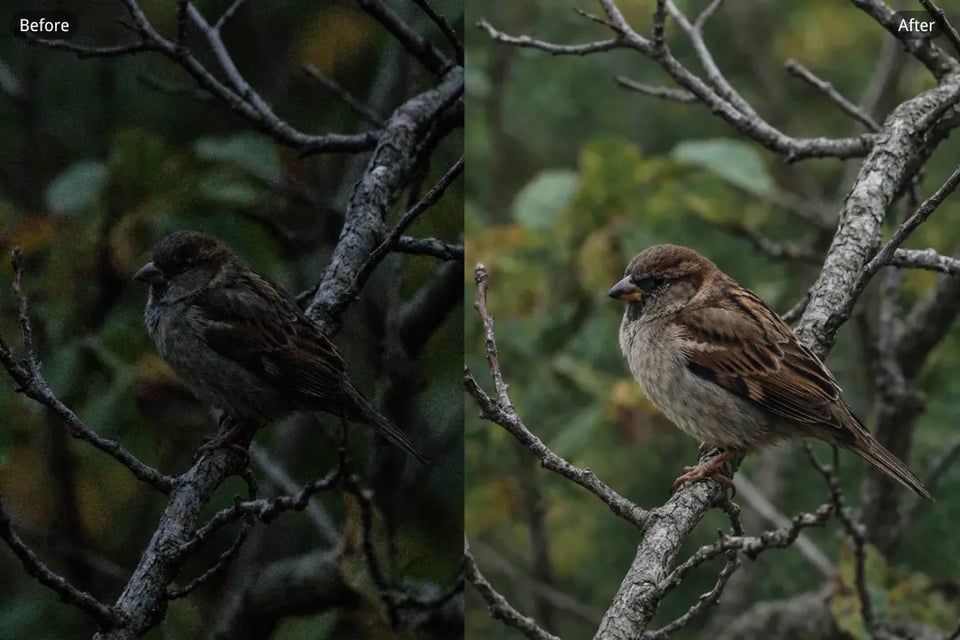
Denoise Image Online for Free with a Simple AI Workflow
Bylo.ai’s AI Image Denoiser makes it easy to denoise image content online for free with a quick and straightforward process. You can clean up noisy visuals, improve clarity, and get a smoother final image without dealing with complicated settings or manual adjustments.
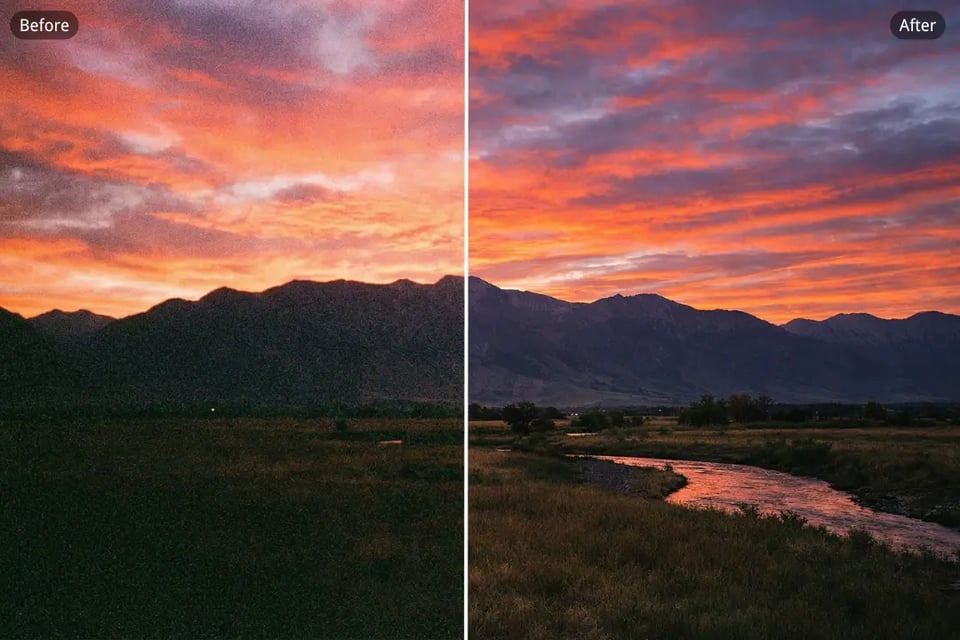
AI Image Denoiser Free Online for Clearer Results in More Photo Situations
Bylo.ai’s AI Image Denoiser Free Online helps clean up noise across many kinds of photos, from dim portraits and night scenes to product images, travel shots, and older scans. It reduces grain, softens rough noise, and restores a cleaner look while keeping important details more natural and clear.
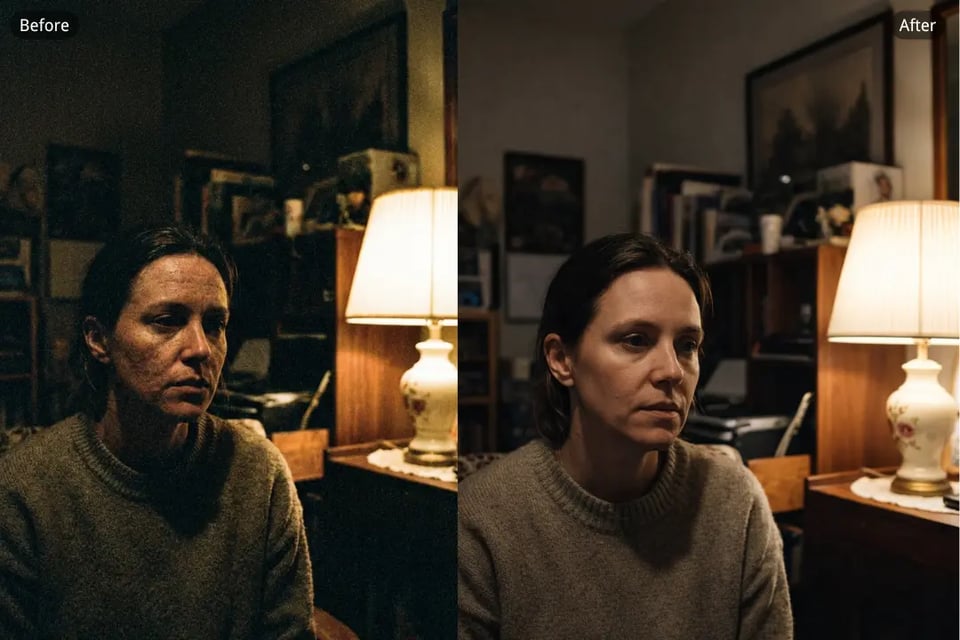
Remove Noise from Low-Light Portrait Photos
Low-light portraits often show visible grain across the skin, background, and shadow areas, making the whole image look rougher than expected. Bylo.ai’s AI Image Denoiser helps clean up that unwanted noise while keeping facial details, lighting transitions, and natural texture looking soft, clear, and balanced.
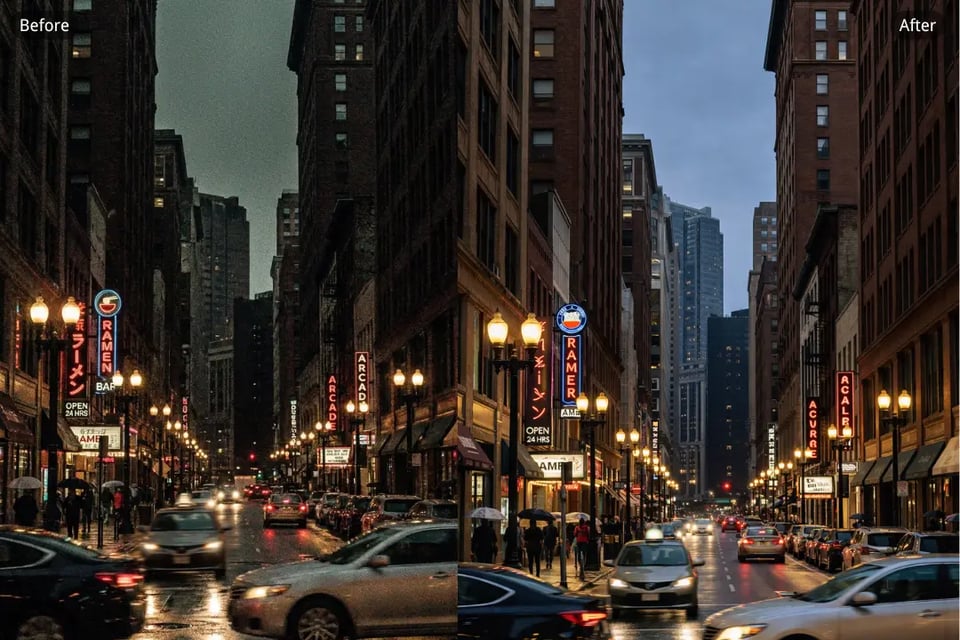
Reduce Image Noise in Night Street Photography
Night street photos can easily pick up noise from dark backgrounds, neon lights, and high ISO settings. With Bylo.ai, you can reduce image noise in these scenes so city lights, reflections, and street details look cleaner and more defined without losing the original nighttime atmosphere.
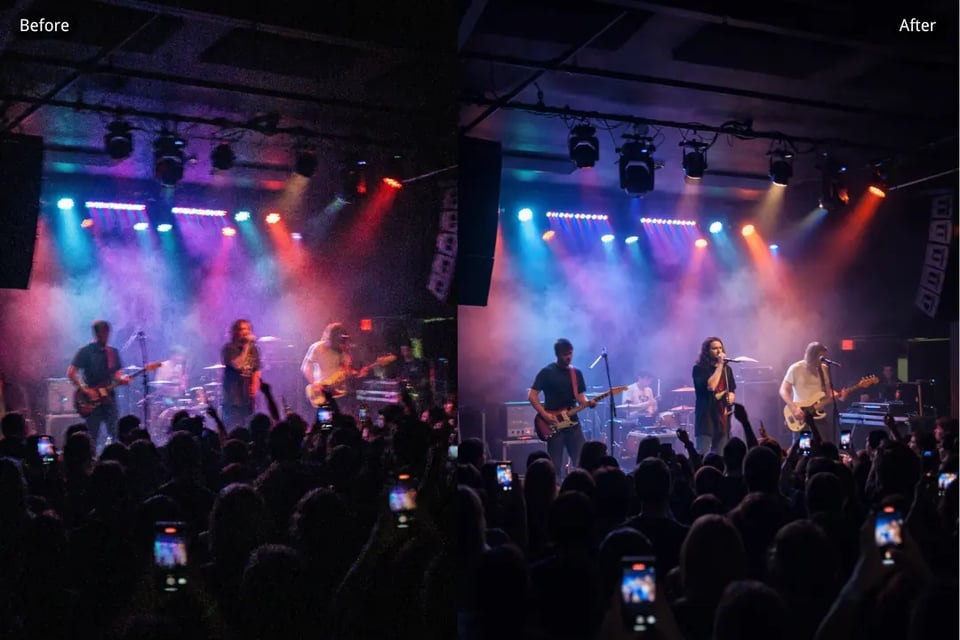
Remove Grain from Indoor Event Photos
Photos taken at parties, concerts, dinners, or indoor gatherings often become grainy because of limited light and fast shooting conditions. Our AI Image Denoiser helps remove grain from photo details and improve clarity, making event images look smoother, sharper, and easier to share.
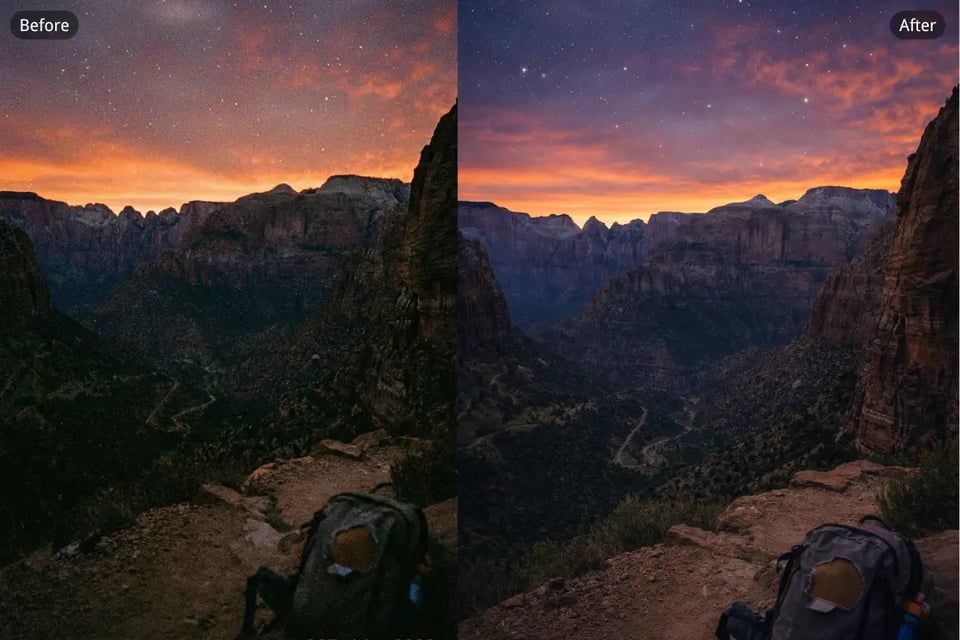
Denoise Travel Photos Captured in Challenging Light
Travel photos are often taken quickly in mixed lighting, cloudy weather, or dim interiors, which can lead to visible noise and rough textures. Bylo.ai’s AI Image Denoiser helps denoise image details while preserving the mood and composition, so your travel shots look cleaner without losing their sense of place.
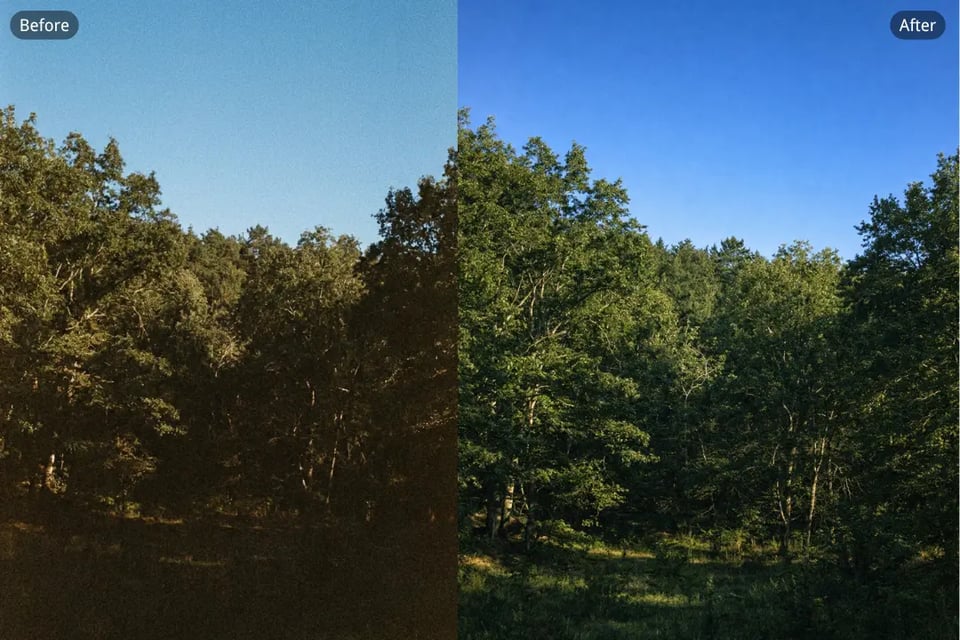
Clean Up Noise in Landscape and Nature Photography
Landscape and nature photos can show unwanted grain in skies, shadows, distant trees, and darker foreground areas. Bylo.ai helps clean up image noise and restore a clearer look, allowing natural textures and scenic details to stand out more beautifully.
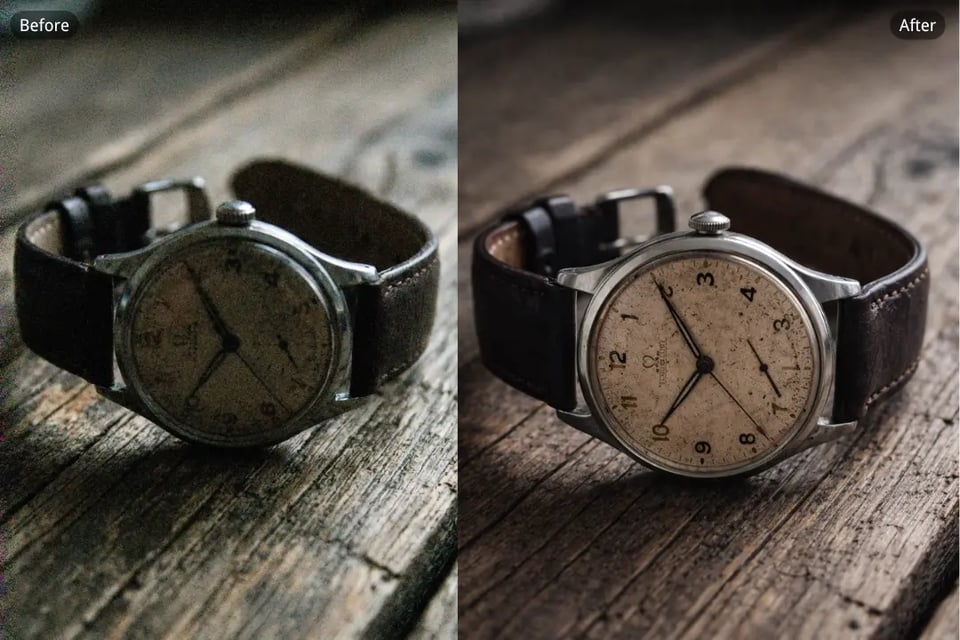
Remove Noise from Product Photos for a Cleaner Look
Product photos need to look clean and professional, but image noise can make surfaces, edges, and colors appear less polished. Our AI Image Denoiser helps remove noise from image areas across product shots so your visuals look sharper, smoother, and more suitable for online stores, ads, and branding materials.
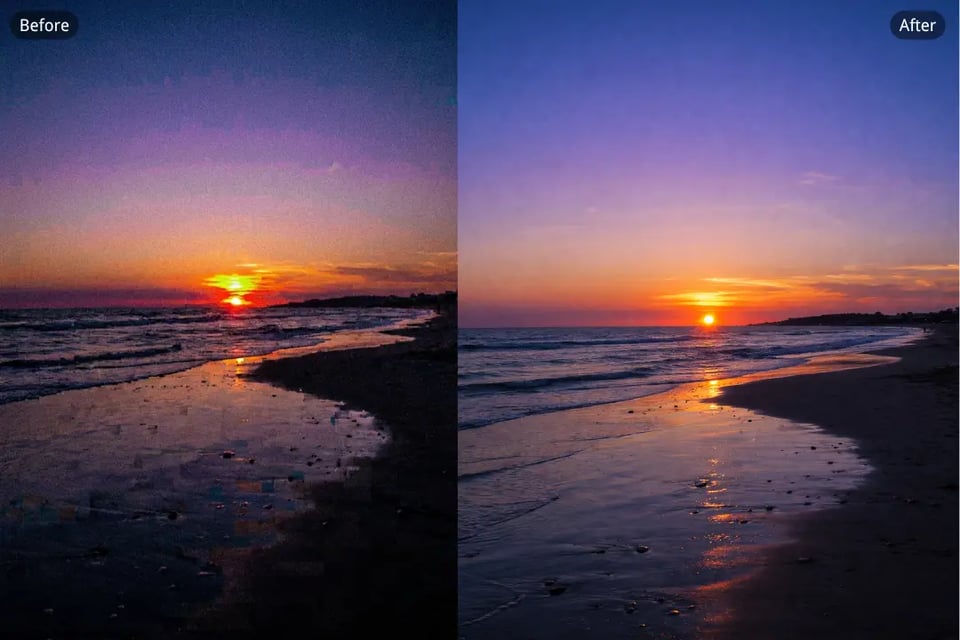
Restore Clarity to Compressed Social Media Images
Images downloaded from social platforms or saved multiple times often develop visible grain, artifacts, and rough textures. Bylo.ai’s AI Image Denoiser helps restore clarity by reducing noise and cleaning up compression damage, giving social media visuals a cleaner and more refined appearance.
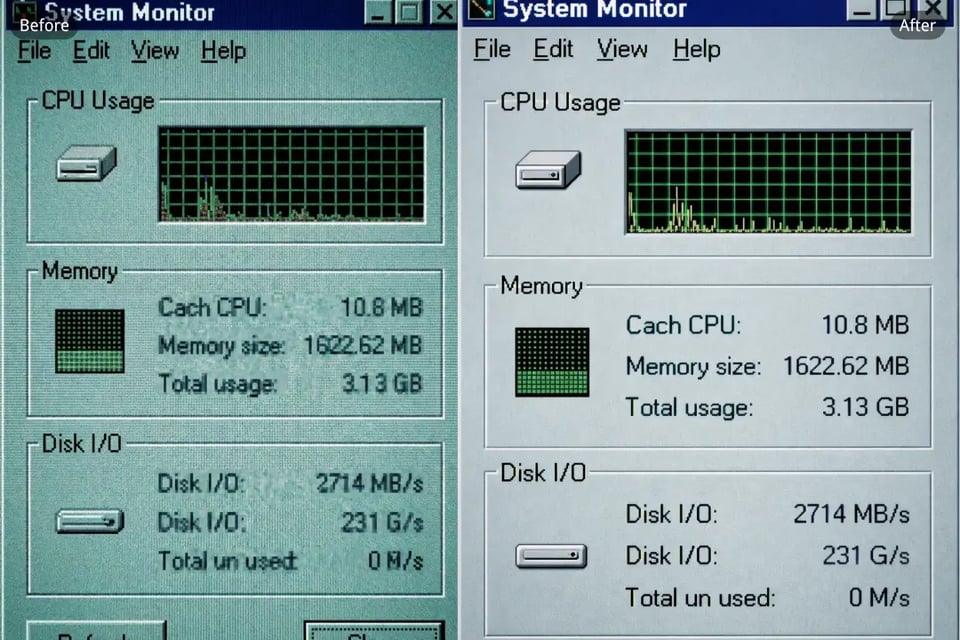
Fix Noisy Screenshots and Digital Visuals
Screenshots, app captures, and other digital visuals can sometimes appear rough, compressed, or filled with distracting noise. With Bylo.ai, you can fix noisy image areas so text, interface elements, and visual details look clearer and more readable.
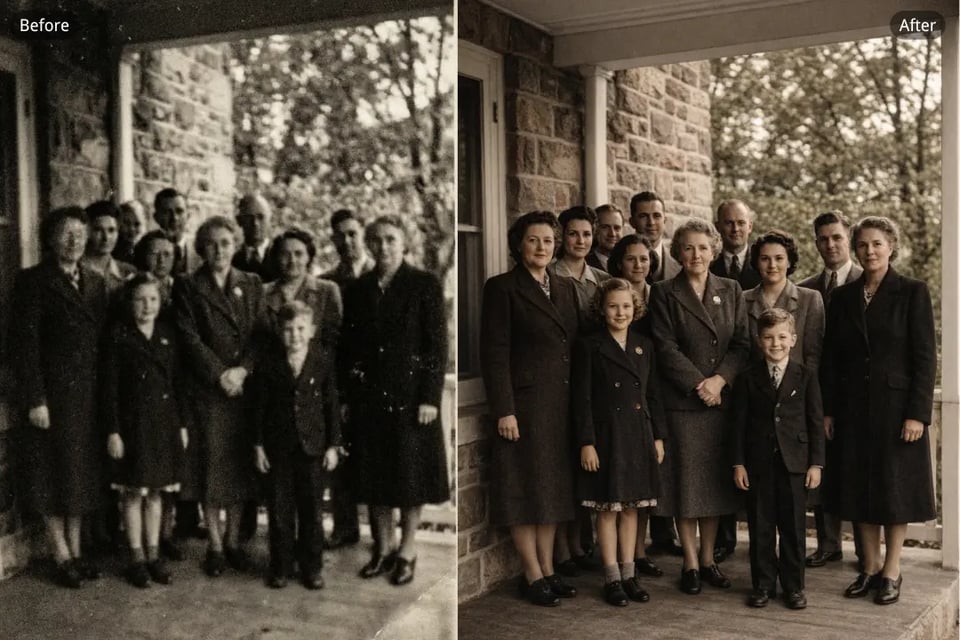
Reduce Grain in Scanned Old Photos
Scanned old photos often contain grain, faded textures, and digital noise that make them look even more worn over time. Our AI Image Denoiser helps reduce grain in these restored images while keeping important facial features, clothing details, and vintage character more intact.
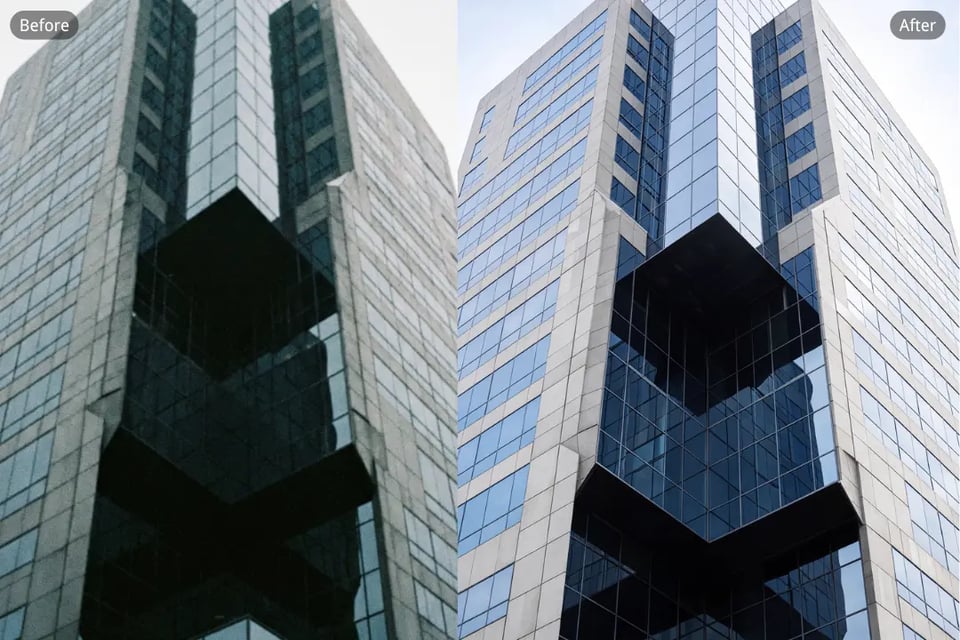
Denoise Architecture Photos with Fine Detail Preservation
Architecture images often rely on clean lines, surface textures, and structural detail, but image noise can weaken that precision. Bylo.ai’s AI Image Denoiser helps denoise architecture photos while preserving edges, patterns, and contrast, so buildings and interiors look clearer and more professionally presented.
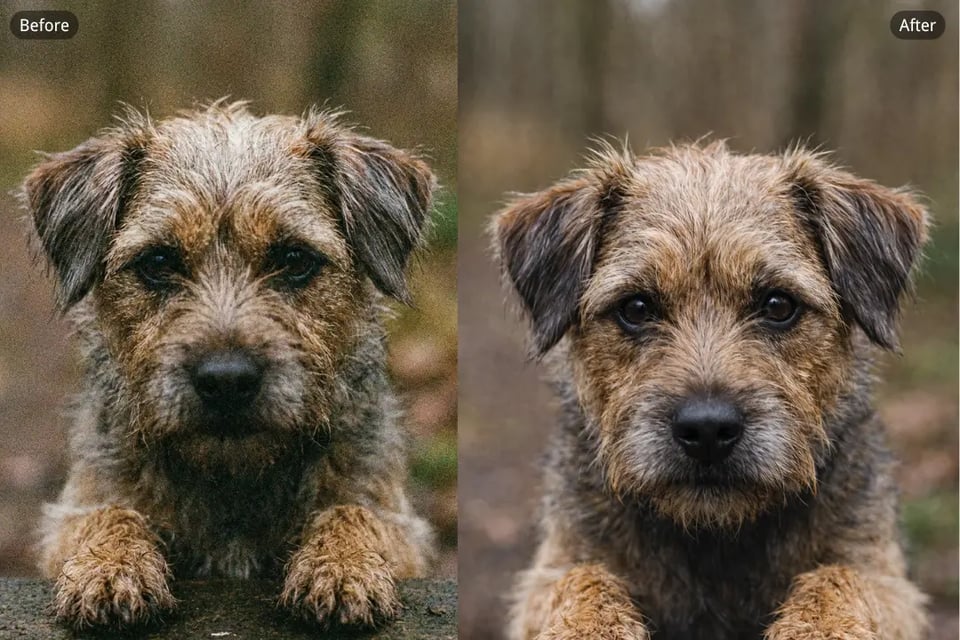
Remove Noise from Pet and Animal Photos
Pet and animal photos taken indoors or in motion can easily become noisy, especially around fur texture and darker backgrounds. Bylo.ai helps remove noise from image areas while keeping important texture and shape visible, so the final photo looks cleaner without losing charm or detail.
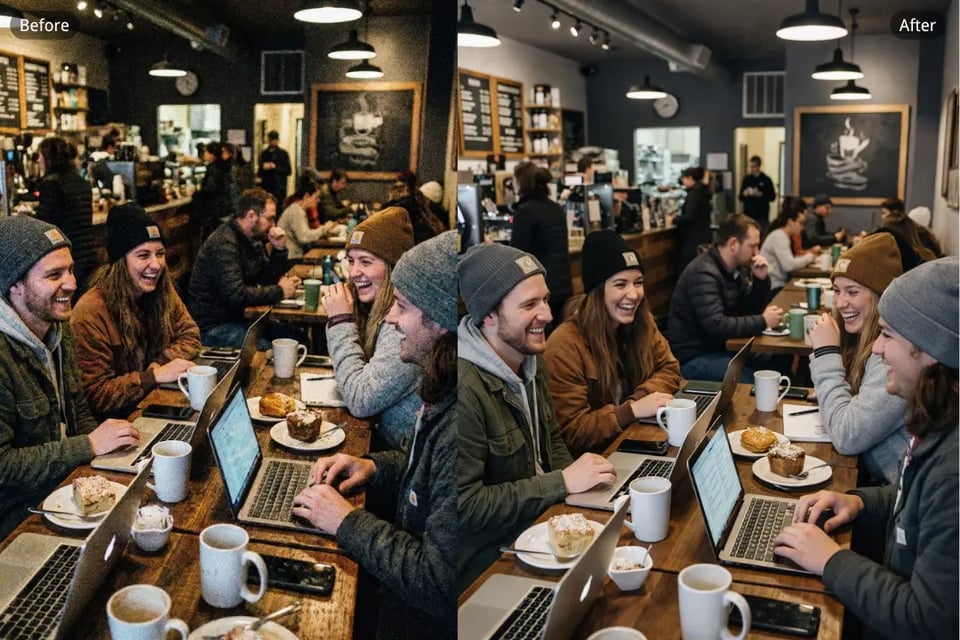
Clean Up Grainy Photos for Everyday Sharing
Not every noisy photo is a professional shot—sometimes it is just a casual image you want to keep or post. Our AI Image Denoiser makes it easy to clean up grainy photos for everyday sharing, helping ordinary snapshots look clearer, smoother, and more visually appealing.
Why Bylo.ai is the Best Choice for AI Image Denoiser
Free AI Image Denoiser Online for Quick Results
Start using Bylo.ai’s AI Image Denoiser completely free to clean up noisy and grainy images. Simply upload your photo, and within seconds, our tool removes unwanted noise and restores clarity, with no complex steps or editing experience required.
One-Click Noise Removal for Clearer Photos
With Bylo.ai’s AI Image Denoiser, you can remove noise from image areas in just one click. Whether you're dealing with grainy backgrounds or digital artifacts, this tool automatically detects and fixes those issues, leaving you with a cleaner, sharper image in moments.
AI-Powered Image Editing to Enhance Your Photos
Bylo.ai does more than just remove noise. After cleaning up grainy or rough-looking areas, you can continue refining your photo with other image editing tools like Darken Image to improve overall tone, along with brightness, contrast, and sharpness adjustments. This makes it easier to create a cleaner, more balanced, and more polished final image while keeping natural details intact.
Works Across Different Photo Types
Whether it’s a portrait, a product shot, or a travel photo, Bylo.ai’s AI Image Denoiser improves all kinds of noisy images with cleaner, more polished results. It helps reduce noise in low-light situations, smooth out grain from high-ISO photos, and restore clarity to compressed or older images. For outdoor shots affected by fog, mist, or atmospheric softness, you can also use Bylo.ai to Remove Haze from Photo and recover sharper details, better contrast, and more natural-looking color.