
Select the model you want to generate your image with.
Remove Makeup from Photo Online with No Makeup AI
Remove makeup from photos with AI and see a clean, natural look in seconds using Bylo AI.
Your Generated Images
Fun Ways to Remove Makeup from Celebrity Photos
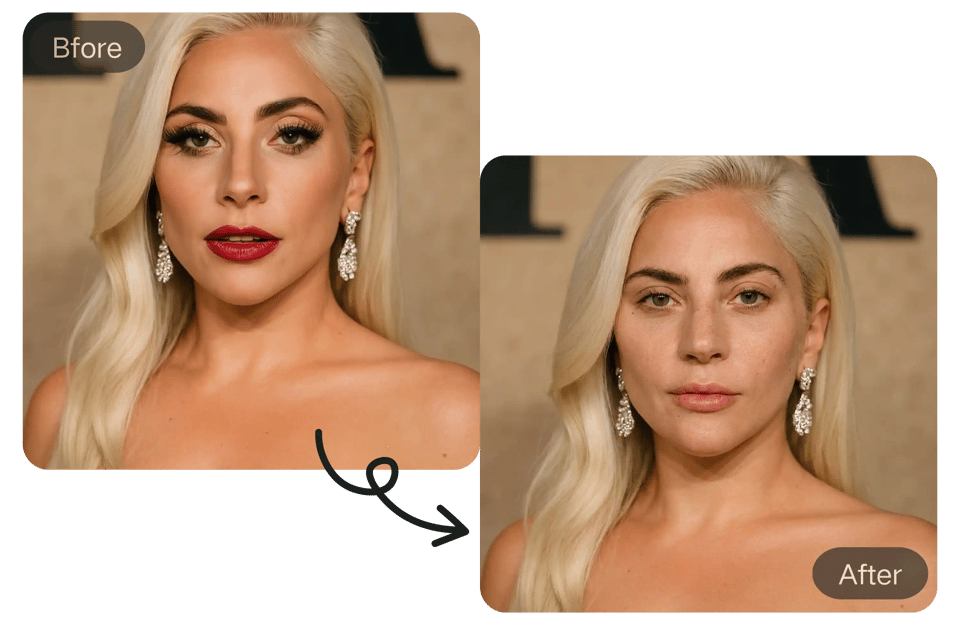
Take a Look at Celebrities Without Makeup
You can upload a celebrity photo and remove makeup to see a more natural version of the face. This is a simple way to look at familiar people without heavy makeup or styling, just for curiosity and comparison.
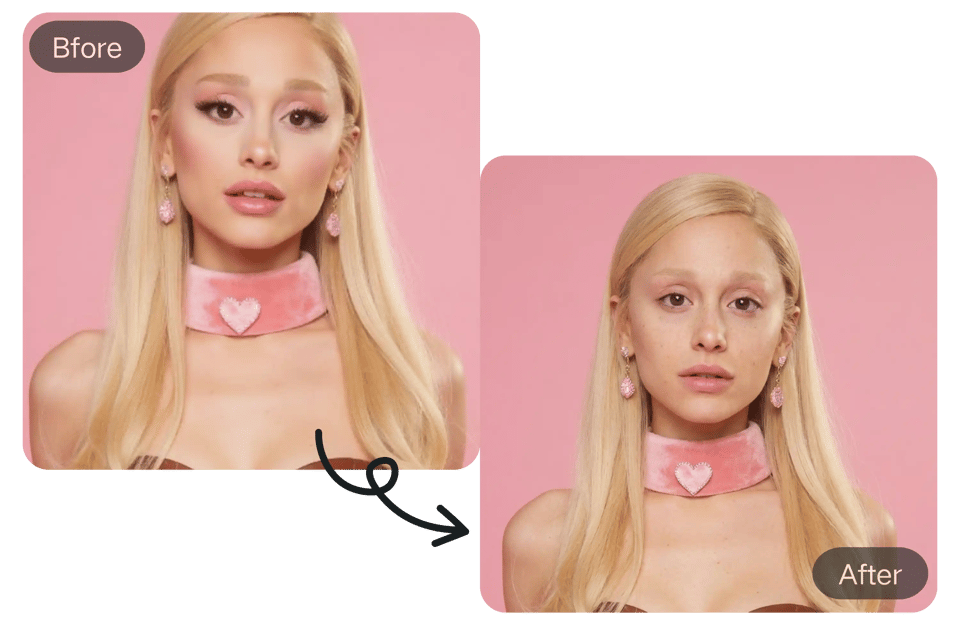
Compare Makeup vs No Makeup on the Same Face
Removing makeup lets you clearly see the difference makeup makes. You can compare before and after results to understand how cosmetics change appearance, lighting, and overall impression on a familiar face.
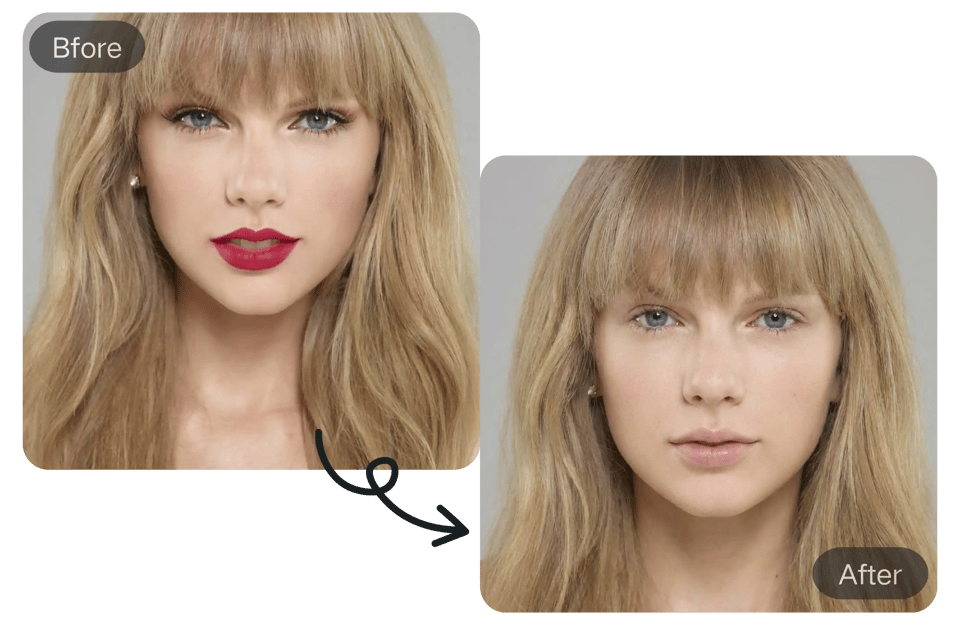
Explore Celebrity Photos in a More Natural Way
This is a simple and fun way to look at celebrity photos from a different angle. Instead of perfect styling and heavy makeup, you get a more natural version that feels closer to real life.
Key Features of the Bylo AI No Makeup Filter & AI Makeup Remover
AI No Makeup Filter with Natural Skin Preservation
Bylo AI’s no makeup filter is designed to remove makeup while preserving real skin texture, pores, and facial details. Unlike beauty filters that blur the face, our no makeup AI analyzes each facial area separately to ensure the skin looks natural, balanced, and realistic after makeup removal.
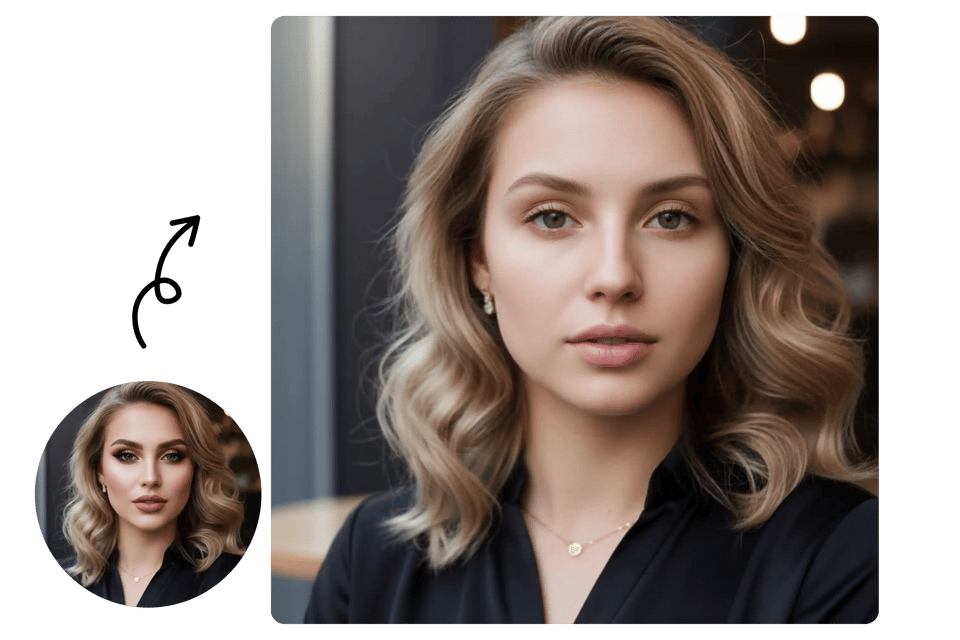
Remove Makeup from Photo with One Click Online
With Bylo AI, you can remove makeup from photo online in just one click. Upload your image, apply the no makeup filter online, and get instant results—no editing skills required. This fast remove makeup filter workflow is perfect for users who want clean, makeup-free images without extra steps.
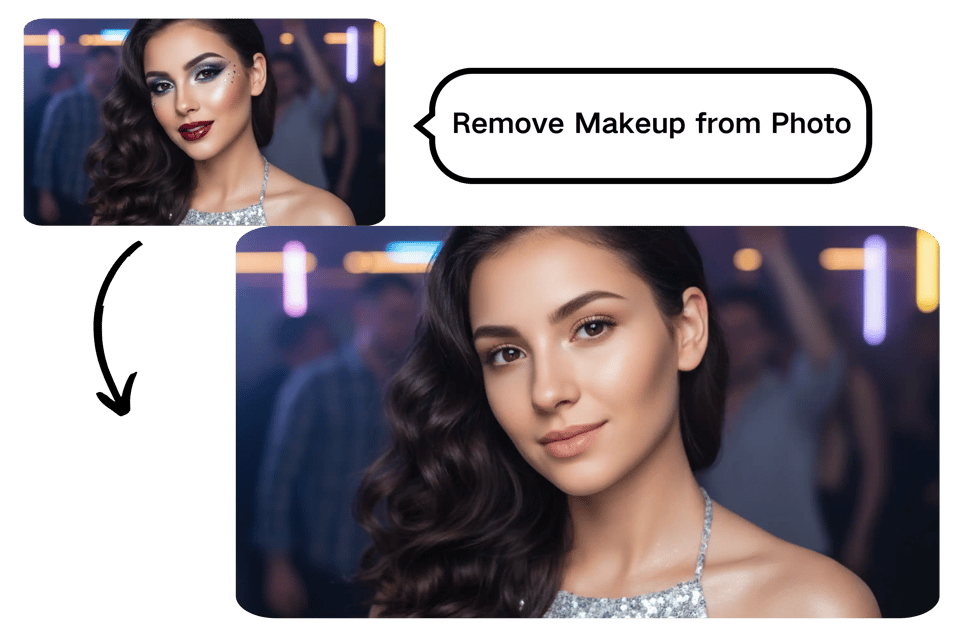
Face Makeup Remover That Works on All Makeup Styles
Our face makeup remover works on light makeup, heavy makeup, glam looks, and even photos enhanced by filters. The AI precisely detects foundation, blush, lipstick, and eye makeup, ensuring consistent results across different styles. This makes Bylo AI a reliable AI makeup remover for any portrait.
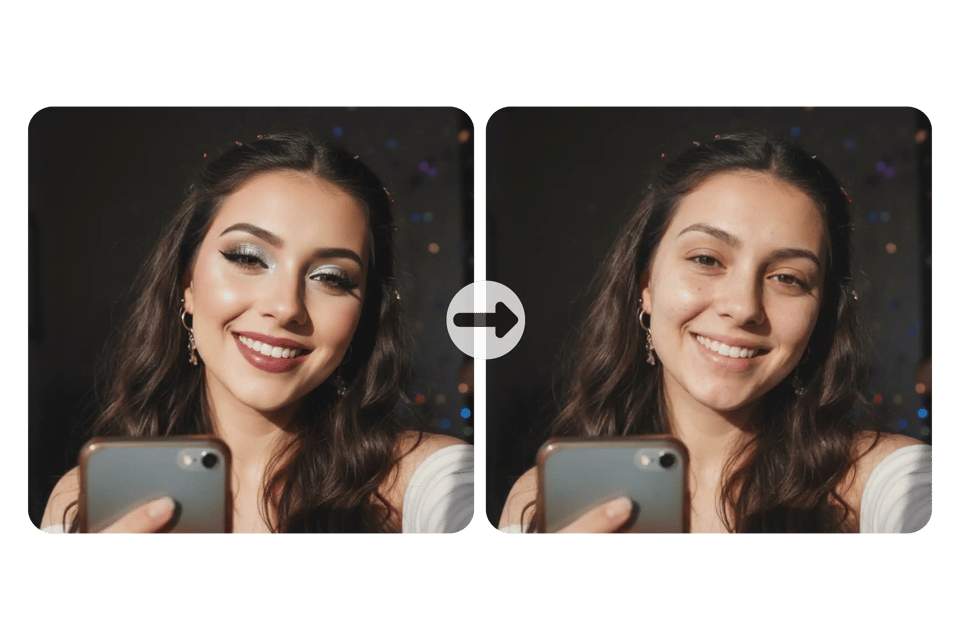
Smart AI Makeup Remover for Realistic Results
The AI makeup remover uses advanced facial recognition to avoid over-smoothing or artificial skin effects. Bylo AI’s no makeup filter keeps facial structure, eyes, and lips intact while removing makeup naturally. The result looks like a true makeup-free photo, not a retouched image.
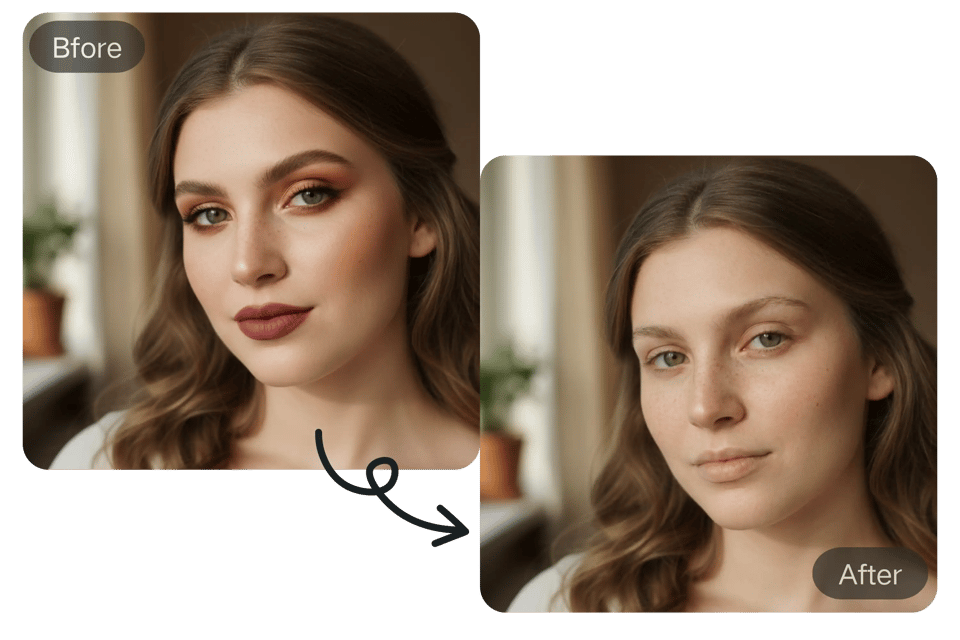
No Makeup Filter Free Online with No Login Required
Bylo AI offers a no makeup filter free experience with no account or login needed. You can try the no makeup filter online instantly, making it easy to remove makeup from photos anytime. This free, no-login access helps users quickly test our remove makeup from photo tool with zero friction.
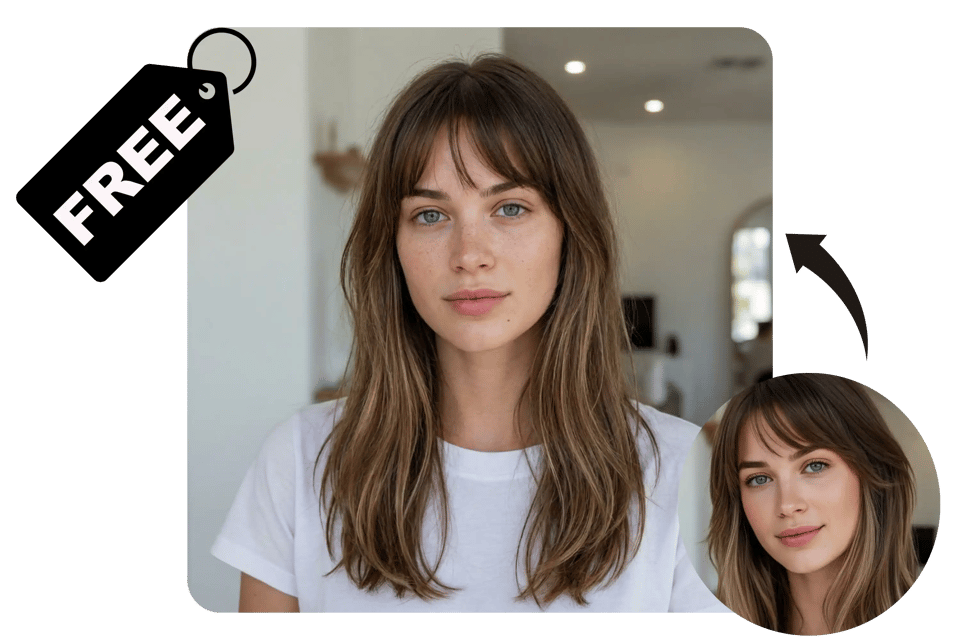
Face Makeup Remover for All Photo Types by Bylo AI
Remove Makeup from Selfies and Portrait Photos
Bylo AI’s face makeup remover is built for selfies and portrait photos. The no makeup filter removes makeup while keeping facial features and skin texture natural, making it easy to remove makeup from photo without changing the original look.
Works with Heavy Makeup Light Makeup and Filtered Photos
Bylo AI makeup remover handles light makeup heavy makeup and filtered images with ease. Bylo AI’s no makeup AI adjusts to different makeup levels and removes cosmetic effects while keeping results clean and realistic.
Suitable for Social Media Profile Photos and ID Images
Designed for social media profile photos and ID-style images, Bylo AI’s no makeup filter online helps users remove makeup filter effects and create clean natural photos that look authentic and professional.
How to Remove Makeup from Photo Online with Bylo AI
Step 1 Upload Your Photo
Open the Bylo AI tool and upload a selfie or portrait photo. Our system supports common image formats and works directly in your browser, making it easy to start using the remove makeup from photo feature without any setup.
Step 2 Apply the AI No Makeup Filter
Once your photo is uploaded, apply the AI makeup remover with a single click. Bylo AI automatically detects facial features and removes makeup using its no makeup AI, keeping skin texture and facial details natural.
Step 3 Download Your Makeup Free Image
Preview the result and download your makeup-free photo instantly. Bylo AI delivers clean and realistic results using its no makeup filter online, making the image ready for social media, profile photos, or professional use.
No Makeup Filter Online Use Cases for Real Photos
Remove Makeup Filter Effects from Beauty App Photos
Many photos edited with beauty apps still carry heavy makeup filters. Bylo AI helps users remove makeup filter effects and restore a natural look using no makeup AI, making edited images look clean, realistic, and closer to how the face appears in real life.
Create Natural Profile Photos with No Makeup AI
For social media and professional platforms, users often want a more authentic appearance. The no makeup filter online allows anyone to remove makeup from photos and create natural profile images that feel honest, modern, and suitable for platforms like LinkedIn or personal websites.
Explore the Best Makeup Style Using No Makeup AI
Bylo AI’s no makeup filter helps users explore which makeup styles truly suit their face. By starting with a makeup-free photo created by no makeup AI, users can better understand their natural features and make smarter choices about future makeup looks, styles, and levels of enhancement.
See Your Real Look Using a No Makeup Filter Online
Curious how you look without makeup or filters? Bylo AI’s no makeup filter online helps users quickly remove cosmetic effects and view a natural version of themselves. Powered by no makeup AI, it delivers realistic results for personal review and everyday use.
Why Choose No Makeup Filter Online by Bylo AI
No Makeup Filter Free to Try Online
You can try the no makeup filter free on Bylo AI before committing to anything. Upload a photo, remove makeup filter effects, and see how the no makeup AI works for your face. It’s designed for quick previews, everyday use, and exploring a natural look with zero pressure.
Fast Processing with High Resolution Results
You get fast processing without sacrificing image quality. Bylo AI removes makeup smoothly while keeping your photo sharp and detailed, so you can remove makeup from photo and use the result for social media, profiles, or everyday needs.
More Than Makeup Removal with More AI Tools
Bylo AI offers more than makeup removal. After creating a makeup-free photo, you can explore new looks using tools like the AI Makeup Generator. This lets you move from a natural base to creative makeup styles in one place.