
Select the model you want to generate your image with.
Free Formal Attire Editor Online
Turn everyday photos into polished formal portraits with Bylo.ai’s simple, AI-powered outfit editing experience.
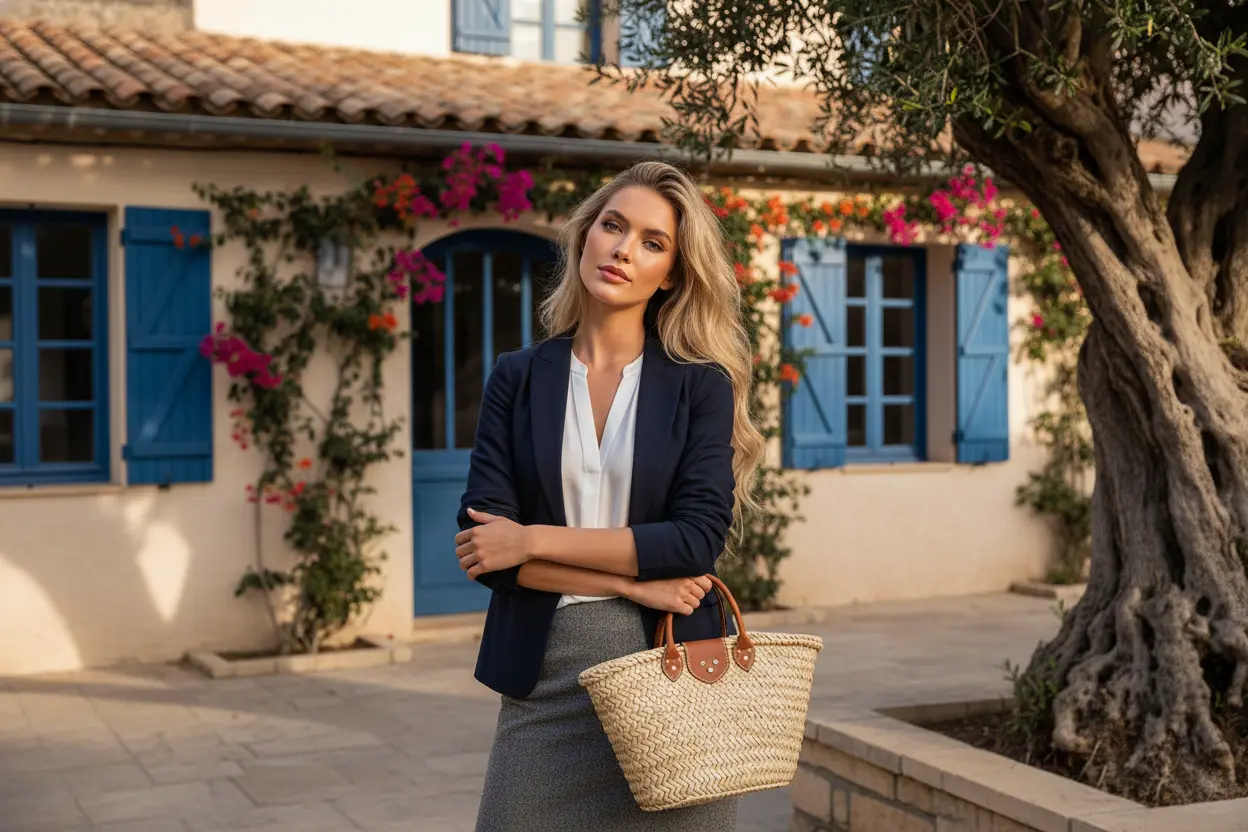
Your Generated Images
Create Professional Looks in Minutes with Bylo.ai’s Free Formal Attire Editor
Follow these simple steps to get started with our platform.
Step 1:Upload Your Original Photo to Begin the Edit
We begin by uploading the original image into Bylo.ai’s formal attire tool. A clear, front-facing photo with good lighting allows the editor to recognize facial features, body shape, and posture accurately, helping the formal outfit blend naturally instead of appearing artificial.
Step 2:Describe the Outfit or Upload a Formal Wear Reference
With Bylo.ai’s formal attire editor, users can either type a short description of the clothing they want to wear (such as “navy business suit, white shirt, professional portrait lighting”) or upload a reference image of formal attire. The system analyzes the clothing style and applies it intelligently while keeping identity and realism consistent.
Step 3:Generate, Preview, and Refine the Result
After clicking Generate, Bylo.ai’s free formal attire editor creates a realistic professional look within seconds. Users can preview the result and adjust details like colors, styles, or overall tone by refining the prompt, making the process intuitive and flexible rather than technical.
Core Features of Bylo.ai's Formal Attire Editor
One-Click Editing Made Simple with the Formal Attire Editor Free Online
Bylo.ai’s Formal Attire Editor removes the need for complex software or technical workflows by allowing users to turn simple text prompts into polished formal outfit photos in one step. Users only need to describe the desired suit style, color, or overall look, and the Formal Attire Editor automatically generates realistic professional attire that feels natural and visually consistent with the original image.
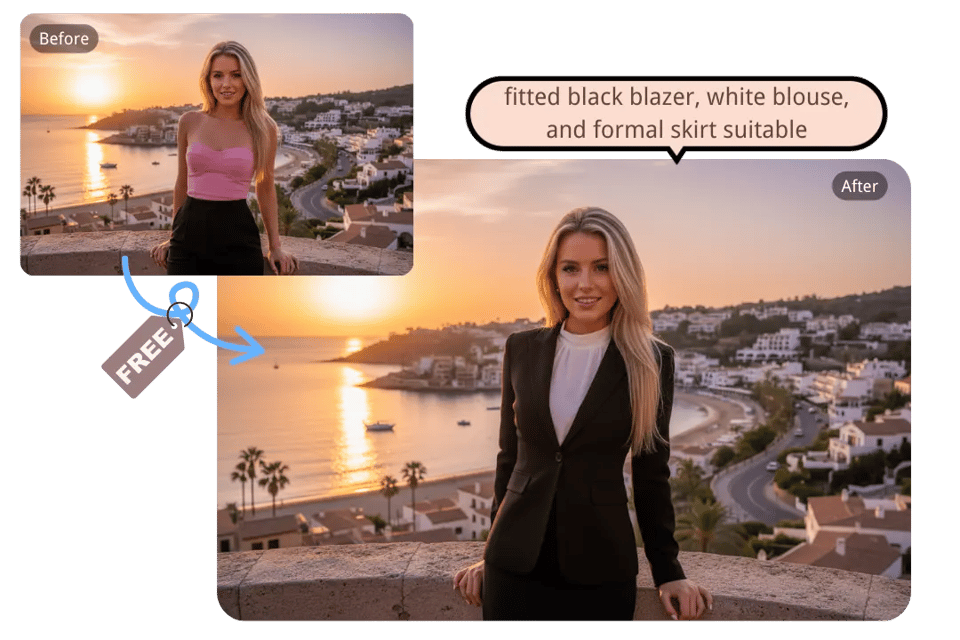
Add a Professional Suit to Any Portrait Using the Formal Attire Editor
The Formal Attire Editor makes it easy to apply a professional suit to an existing photo through either text descriptions or uploaded outfit references. Bylo.ai’s Formal Attire Editor blends the clothing with body proportions, lighting, and pose, so the final image looks cohesive and authentic while facial identity remains unchanged.
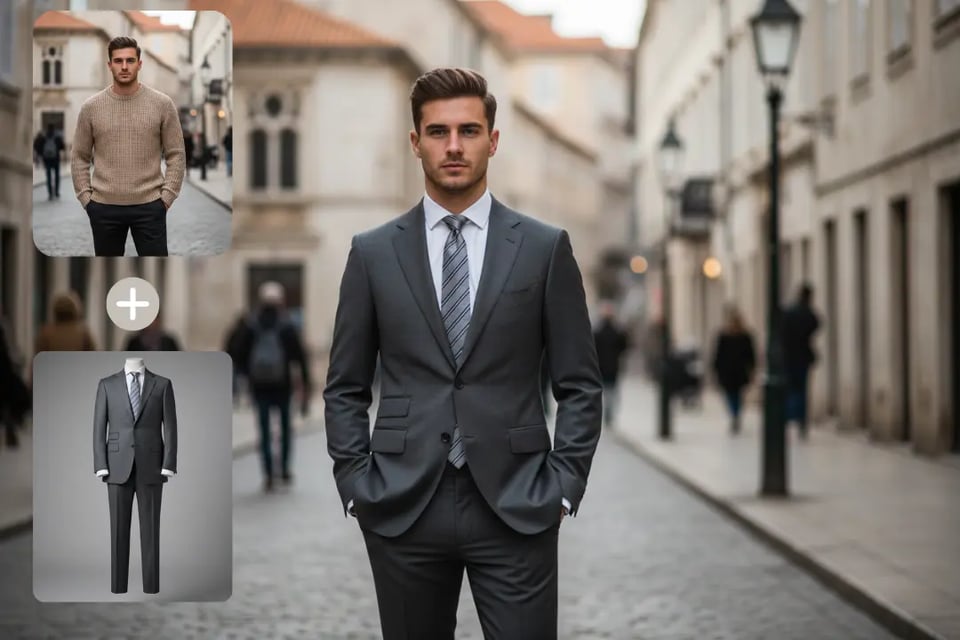
Personalize Styles, Colors, and Details Inside the Formal Attire Editor
Bylo.ai’s Formal Attire Editor allows users to refine suit styles, adjust colors, and control visual details so each image can better match different professional needs and aesthetic preferences. From classic business looks to more modern formal appearances, the Formal Attire Editor supports easy iteration through prompt adjustments rather than complex settings.
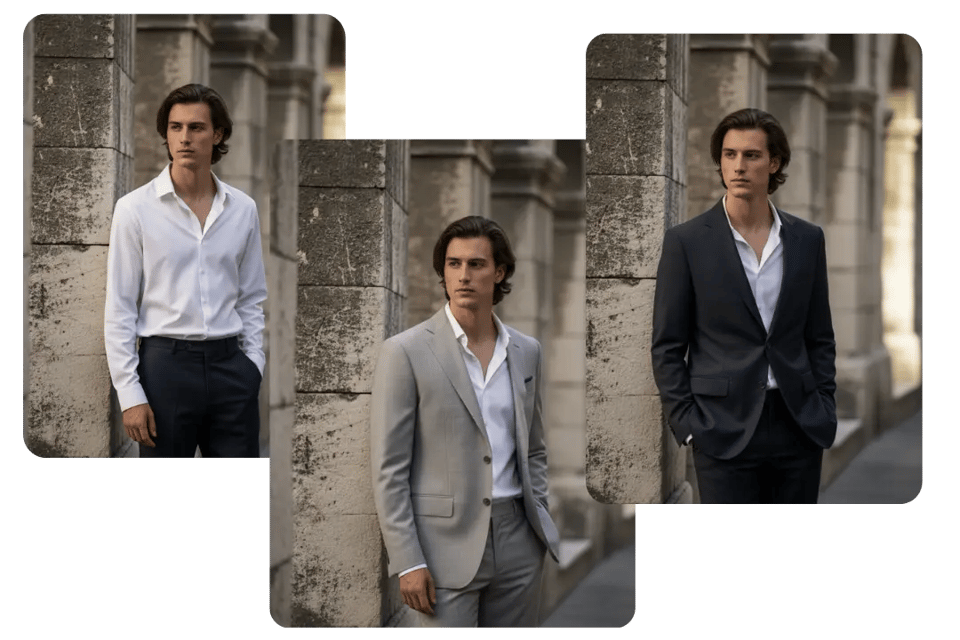
Create Half-Body and Full-Body Results Directly in the Formal Attire Editor
The Formal Attire Editor supports both portrait-style half-body outputs and full-body formal visuals simply by stating the preference in the prompt. Bylo.ai’s Formal Attire Editor automatically adapts composition and proportions, helping generated results feel balanced and visually appropriate for different presentation scenarios.
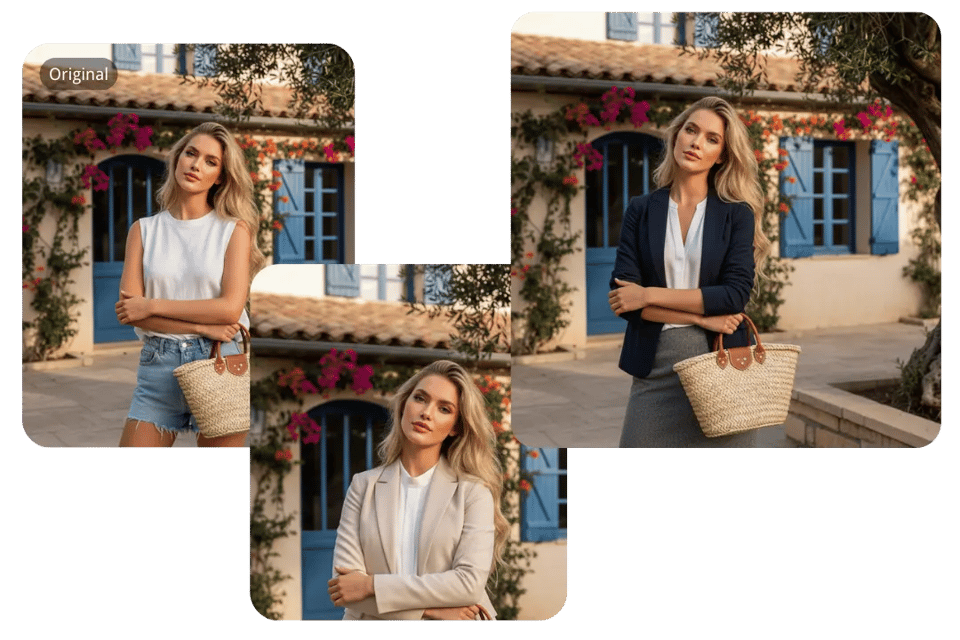
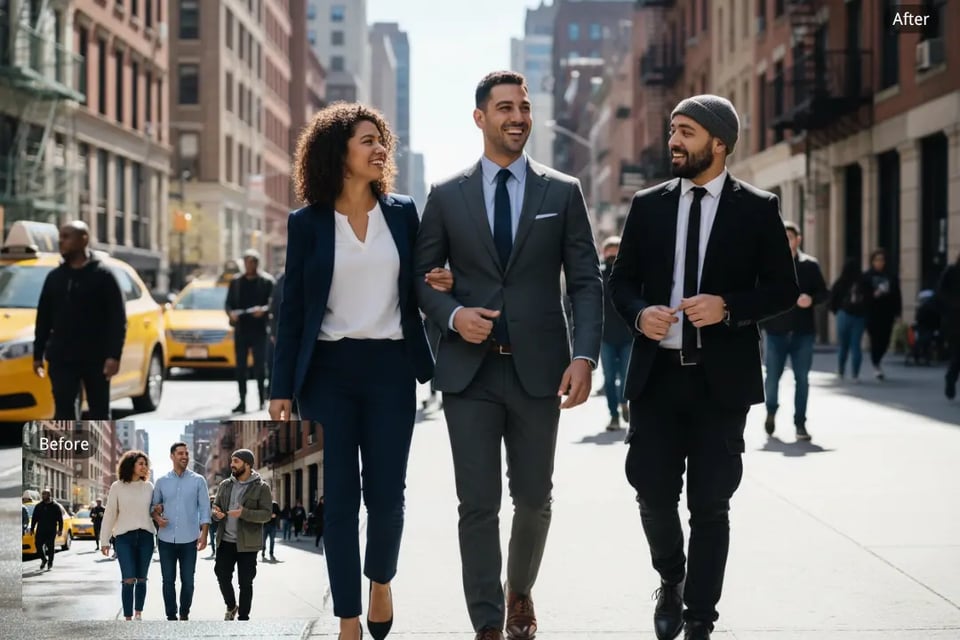
Keep Visual Consistency Across Individuals and Group Photos in the Formal Attire Editor
Bylo.ai’s Formal Attire Editor works smoothly for single portraits, couple images, and multi-person photos by preserving each person’s identity while maintaining consistent formal styling across the entire image. This makes group visuals feel cohesive instead of mismatched, even when multiple people are edited at once.
Explore Formal Attire Styles for Women Across Different Occasions
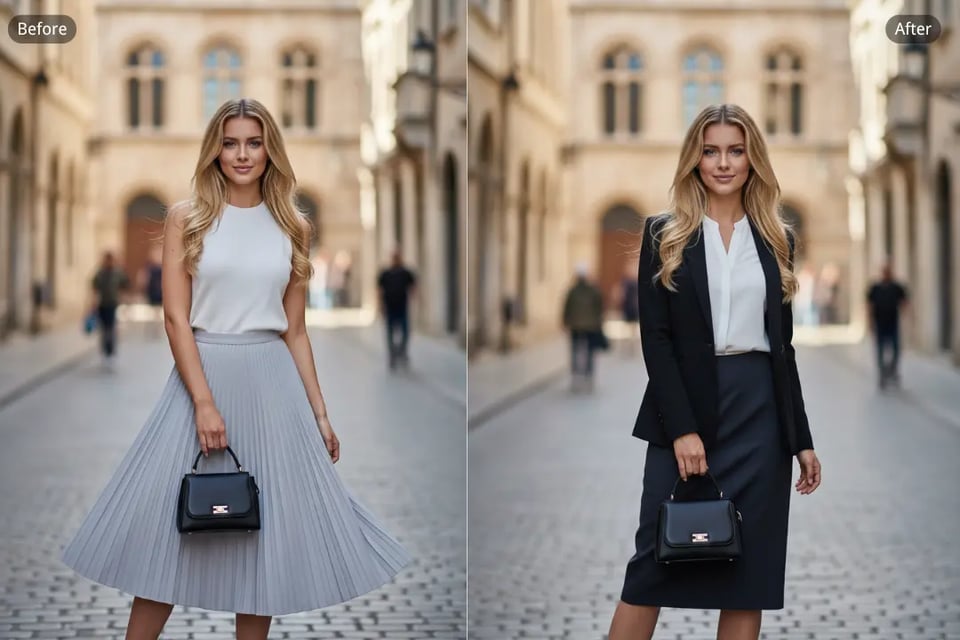
Work-Ready Formal Attire with Executive Presence
Structured blazers, clean tailoring, and balanced tones create a confident impression for offices, interviews, and leadership environments.
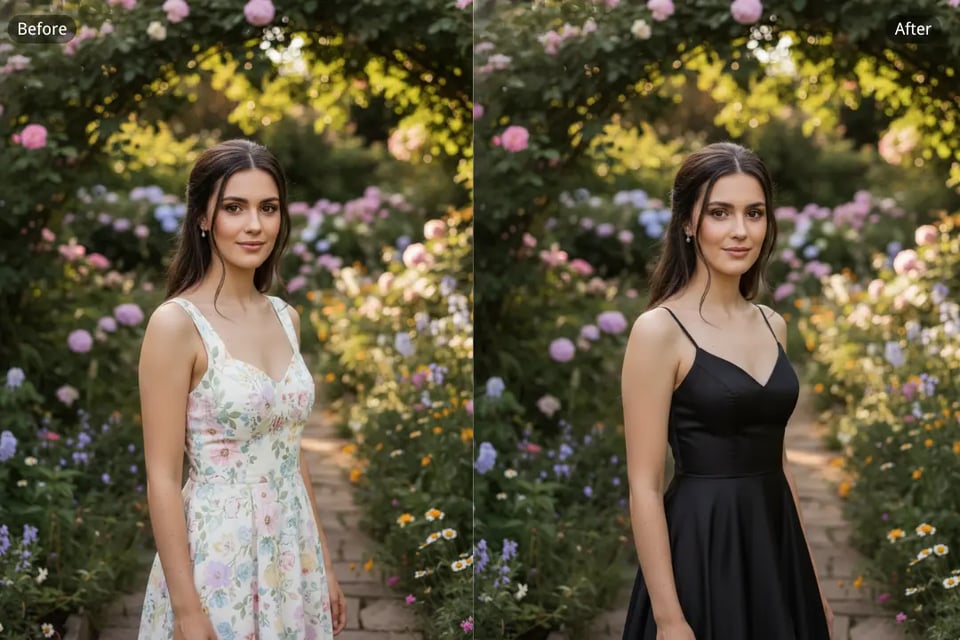
Evening Formal Attire for Refined Occasions
Elegant silhouettes, flowing fabrics, and graceful proportions suited to formal dinners, ceremonies, and special night events.
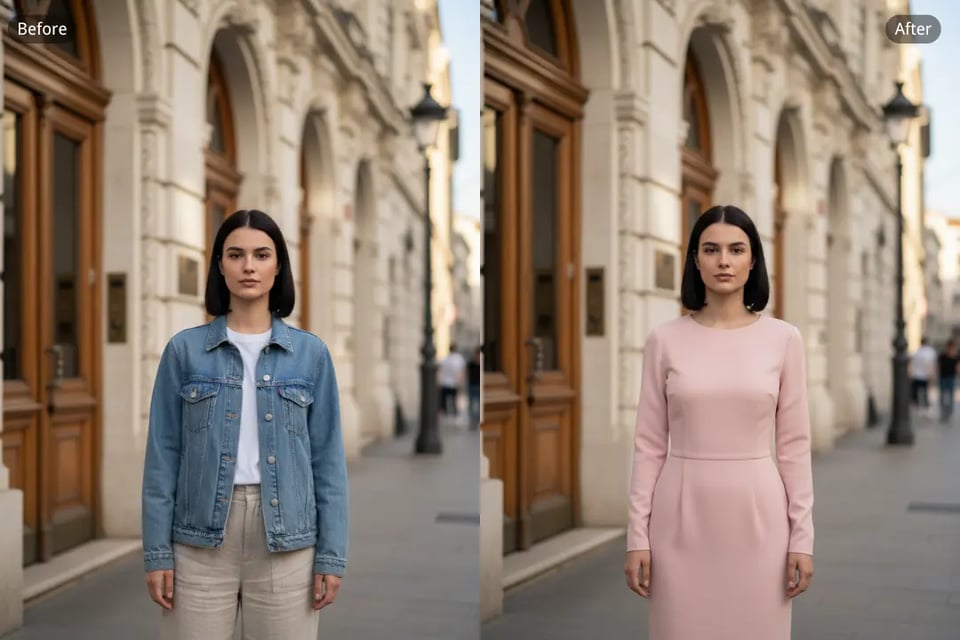
Cocktail-Inspired Formal Attire with Personality
Chic details and lighter silhouettes that feel polished yet expressive, commonly seen at receptions and stylish social gatherings.
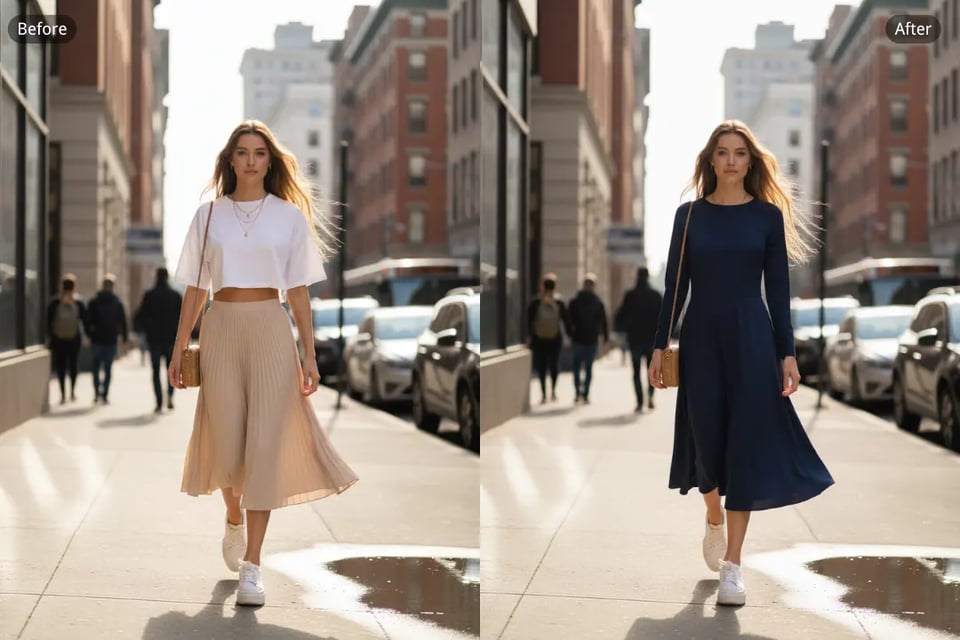
Academic Formal Attire for Professional Settings
Modest shapes and simple styling that feel appropriate for conferences, presentations, lectures, and formal academic environments.
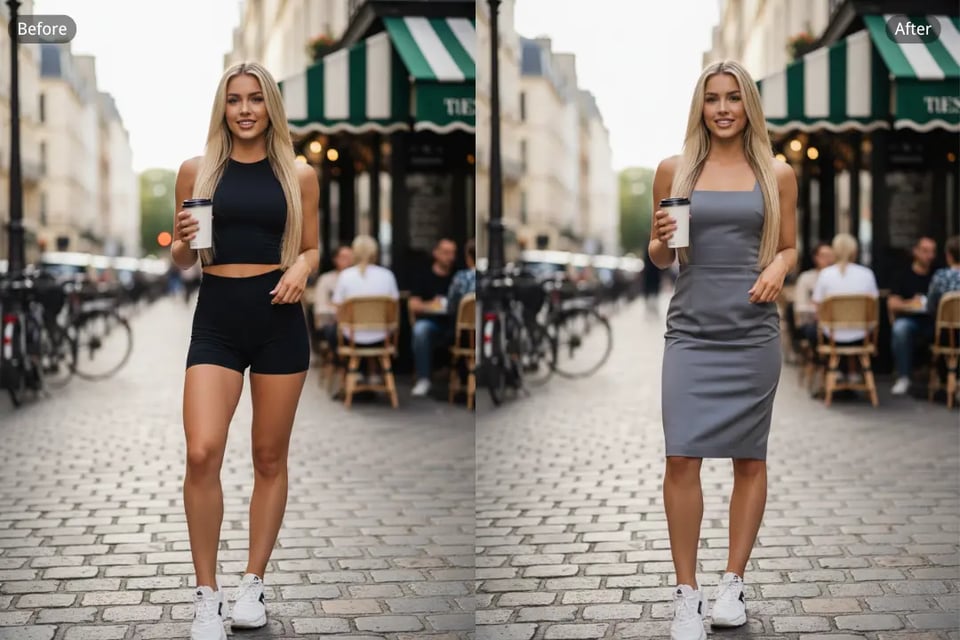
Fashion-Driven Formal Attire with Modern Edge
Contemporary cuts and trend-forward styling that bring individuality into formal dressing while maintaining a refined look.
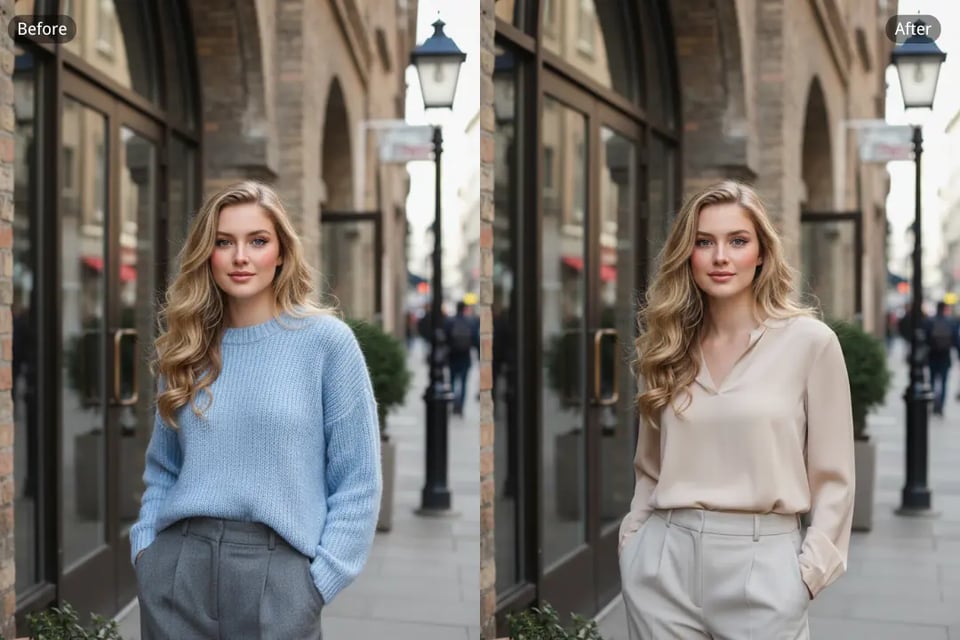
Relaxed Formal Attire for Semi-Formal Moments
Comfortable yet polished outfit combinations that work well for dinners, business-casual settings, and everyday formal situations.
Discover Formal Attire Styles for Men from Business to Evening Events
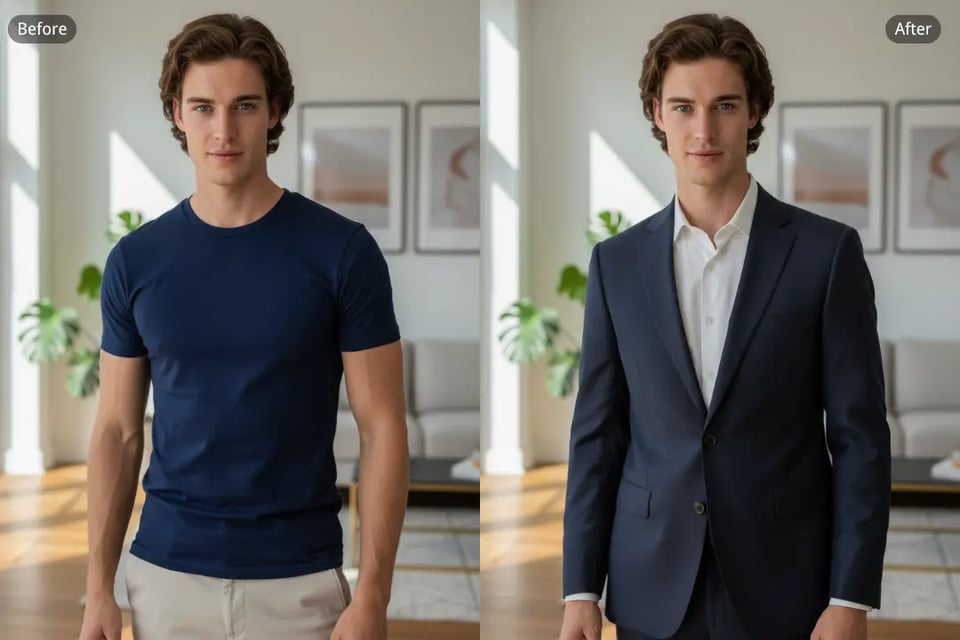
Professional Formal Attire for Office and Meetings
Clean tailoring, structured suits, and balanced proportions that communicate reliability in corporate and business environments.
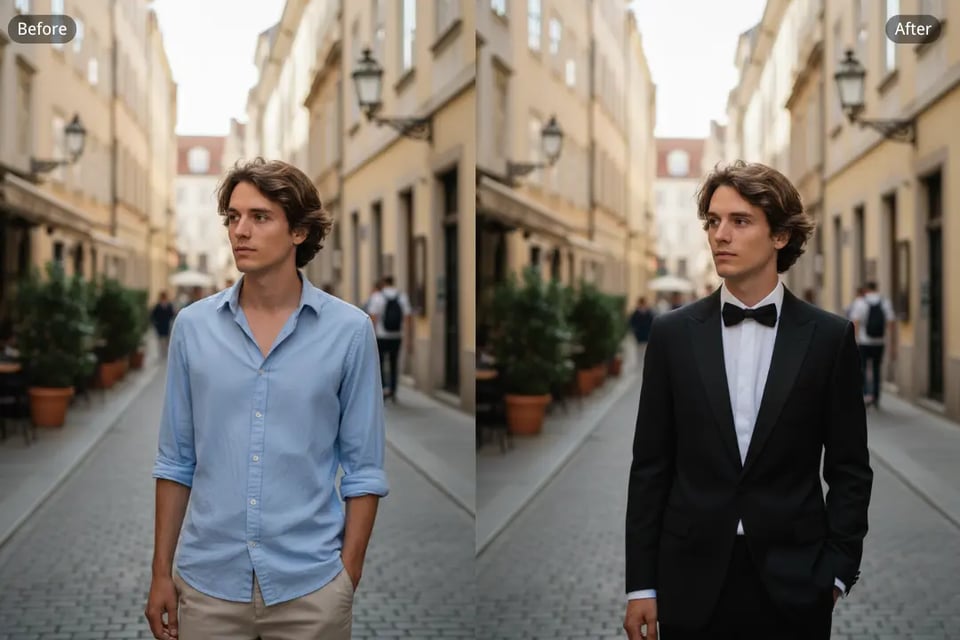
Evening Formal Attire for Elevated Events
Darker tones, tuxedo-inspired silhouettes, and refined details designed for formal dinners, ceremonies, and special occasions.
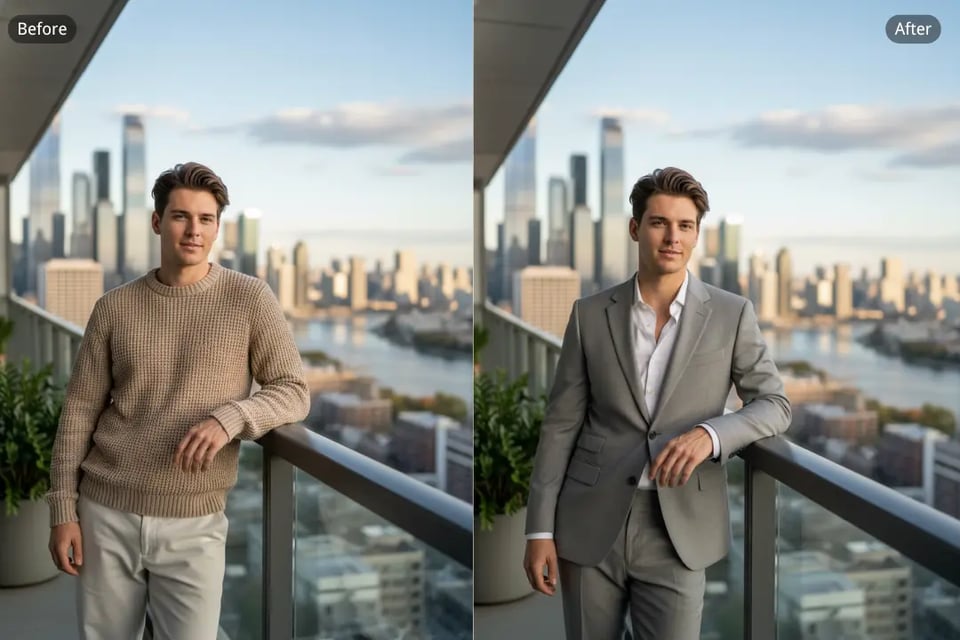
Social Formal Attire with a Cocktail Aesthetic
Modern tailoring and subtle styling choices that feel confident and well-dressed without appearing overly strict.
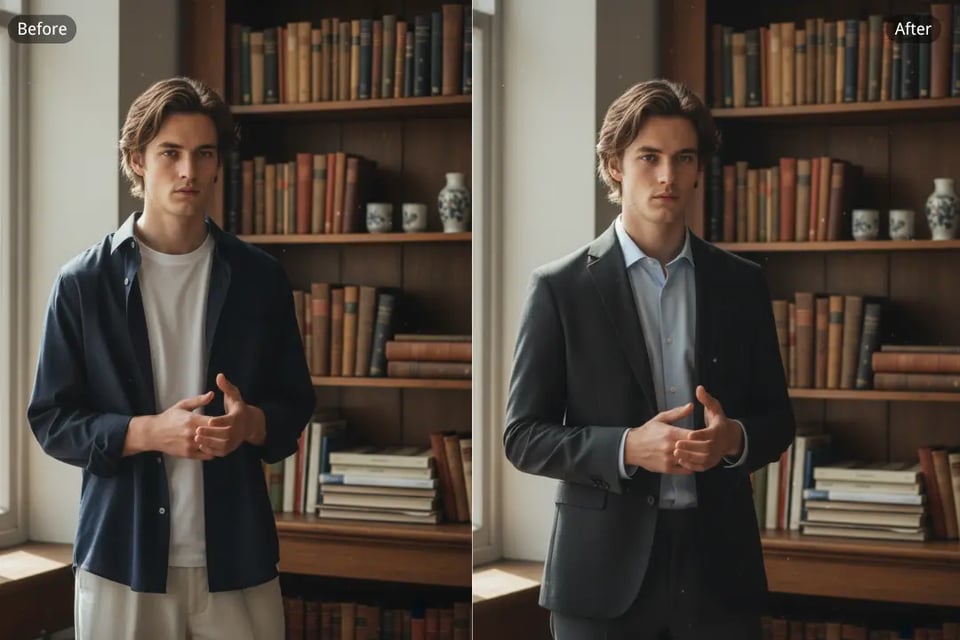
Academic Formal Attire for Presentations and Ceremonies
Understated combinations with classic structure, suitable for lectures, conferences, academic events, and formal speaking settings.
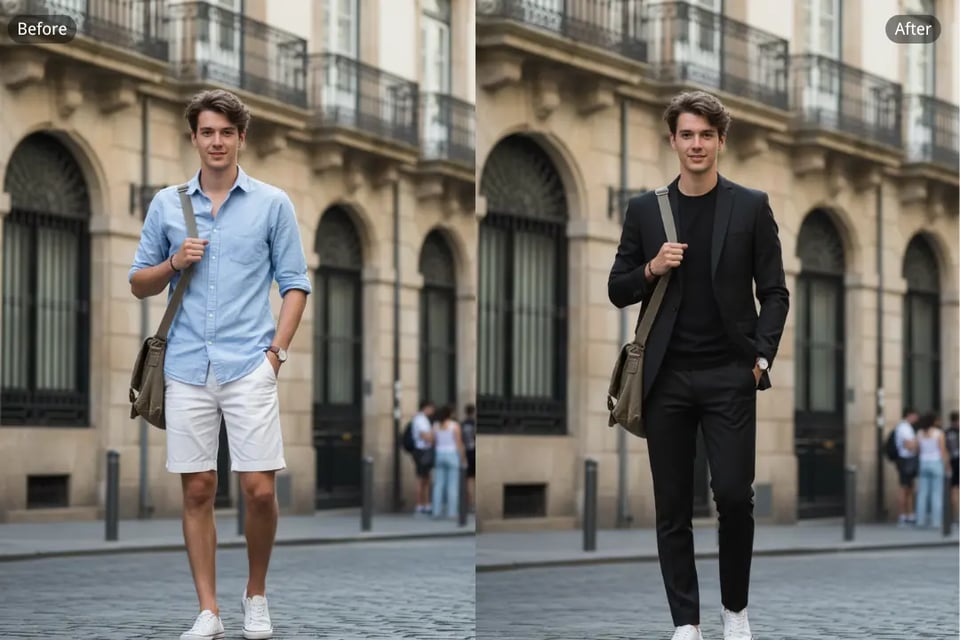
Contemporary Formal Attire with Fashion Influence
Updated silhouettes and creative details for those who prefer a more modern interpretation of formal dressing.
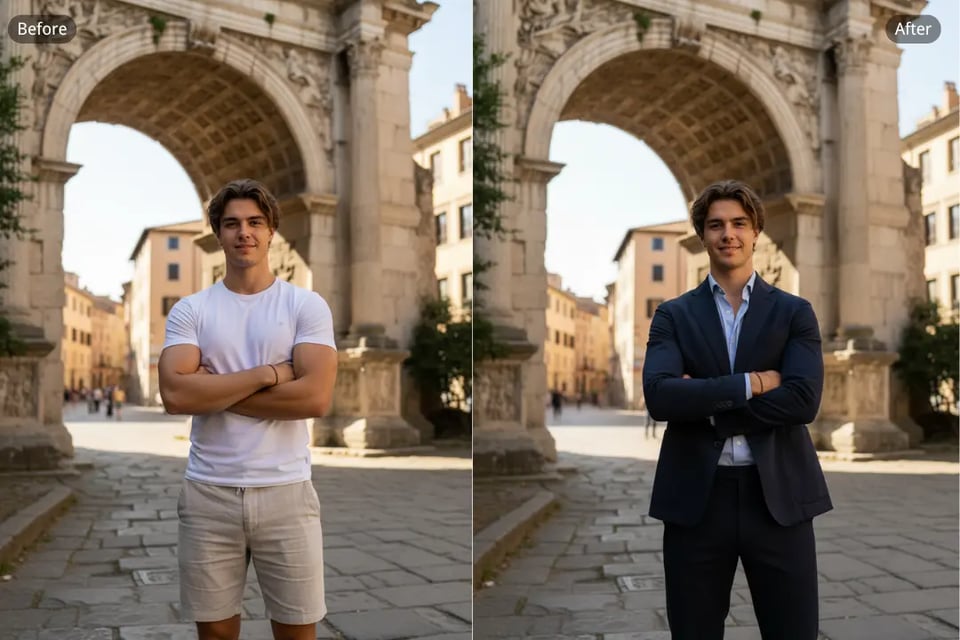
Balanced Formal Attire for Semi-Formal Scenarios
Blending relaxed elements with tailored pieces to create versatile looks across business-casual and social environments.
Everyday Situations Where the Formal Attire Editor Helps
Formal Attire for LinkedIn and Professional Profile Photos
A clean, formal look helps profile images feel more credible on LinkedIn and other professional platforms, especially for job seekers, founders, consultants, and corporate roles.
Formal Attire for Resumes, Portfolios, and Job Applications
When photos are used in resumes, CVs, or portfolios, appropriate formal attire can improve the overall impression and make the presentation feel more polished and intentional.
Formal Attire for Team Pages and Company Profiles
Consistent formal styling across team photos works well for About pages, startup websites, internal directories, and business presentations where visual cohesion matters.
Formal Attire for Personal Branding and Social Platforms
Creators, freelancers, and professionals often use formal portraits on social media and personal websites to communicate credibility and strengthen their personal brand image.
Why Bylo.ai Is a Leading Platform for the Formal Attire Editor
Formal Attire Editor Free Online to Experience Real Results
We offer the Formal Attire Editor free online so users can explore the experience before making any decision. The first interaction is intentionally simple: upload a photo, describe the outfit, and preview the result within seconds. Bylo.ai’s Formal Attire Editor makes it easy to understand the value of the tool through direct use rather than explanations.
Formal Attire Editor Designed for Simple, Practical Workflows
We focus on making the Formal Attire Editor feel natural to use instead of overwhelming. The process stays clear from start to finish, with minimal steps and no unnecessary controls. Bylo.ai’s Formal Attire Editor supports a smooth flow from photo upload to prompt input to visual output.
Formal Attire Editor Powered by Advanced AI Models Like Nano Banana
We rely on multiple advanced image generation models to support the Formal Attire Editor, including options such as Nano Banana. This foundation allows Bylo.ai’s Formal Attire Editor to handle lighting, fabric texture, facial detail, and overall realism more consistently across a wide range of photo types.
Formal Attire Editor Built to Adapt to Different Scenarios
We treat the Formal Attire Editor as a flexible tool rather than a single-purpose feature. Different goals such as business portraits, creative formal looks, or multi-person consistency can all be achieved through prompt refinement and iteration. Bylo.ai’s Formal Attire Editor supports ongoing adjustment instead of forcing fixed outcomes.