
Select the model you want to generate your image with.
Bylo AI Image Relighter for Changing Lighting on Photos
Change lighting on photos and correct exposure using AI lighting editor online.
Your Generated Images
Key Features of Bylo AI Image Relighter
Fix Lighting in Photo with AI Automatically
Bylo AI Image Relighter uses photo light editing AI to detect exposure problems, harsh shadows, and uneven brightness. Bylo AI’s AI lighting editor can fix lighting in photo automatically by rebalancing light and contrast in one step. Users can correct dark or overexposed images with a simple fix lighting in photo AI free workflow, without manual adjustments.
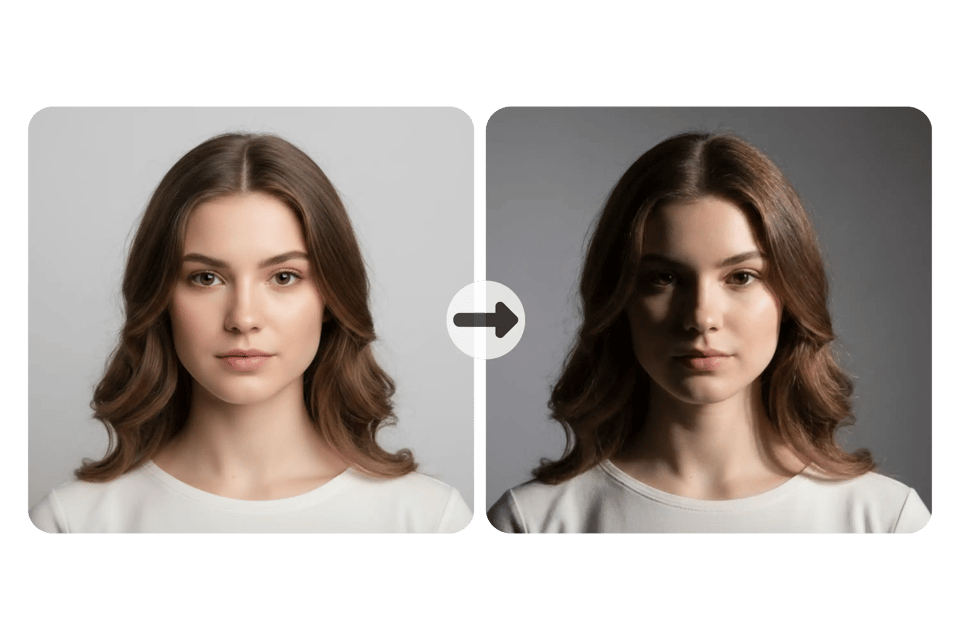
Change Lighting on Photos to Create Mood and Style
Bylo AI lets users change lighting on photos to shape mood and visual style, from soft warm light to dramatic high-contrast effects. This relight AI feature goes beyond basic image lighting editor tools by understanding depth and subject position. Users can relight photo free while keeping faces and objects clear and visually consistent.
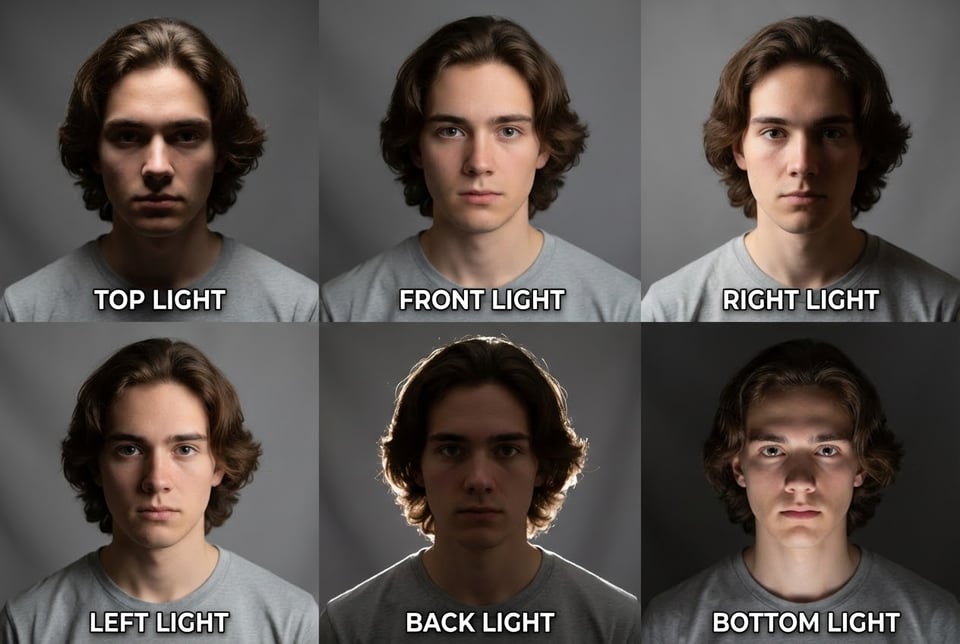
Enhance Details and Colors with Photo Light Editing AI
Bylo AI enhances highlights, recovers shadow details, and improves color balance with photo light editing AI while keeping results natural. When users relight image with AI, textures and edges stay clean without heavy filters. Compared with traditional image lighting editor methods, this relight AI process produces smoother light transitions and realistic colors.
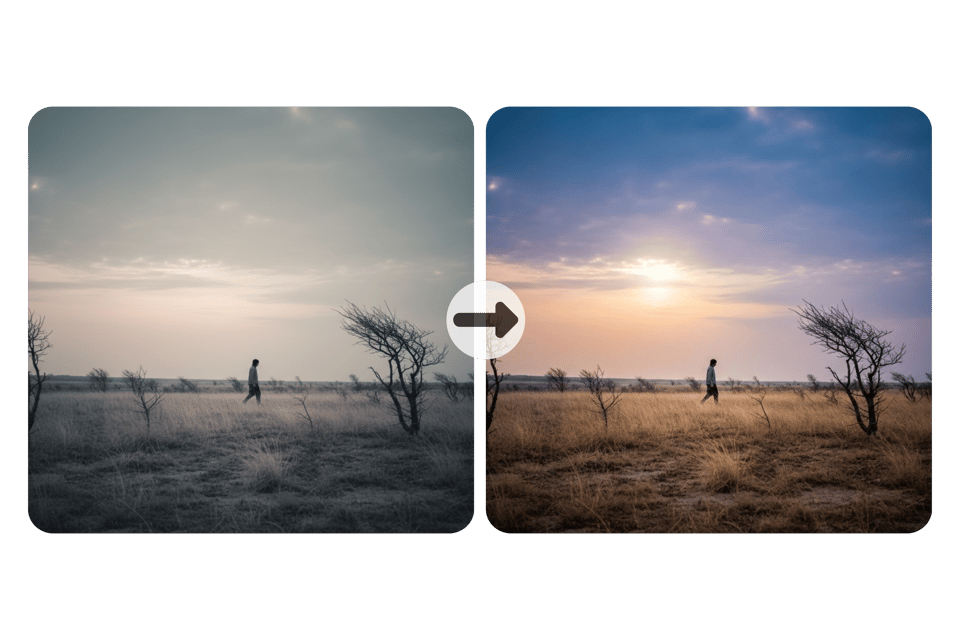
Relight Image with AI for Free Online
Bylo AI provides a free online AI image relighter that works directly in browser. Users can relight image with AI for free without installing software or learning complex tools. This fix lighting in photo AI free solution supports fast photo light editing AI for creators, sellers, and everyday users who want to relight photo free online.
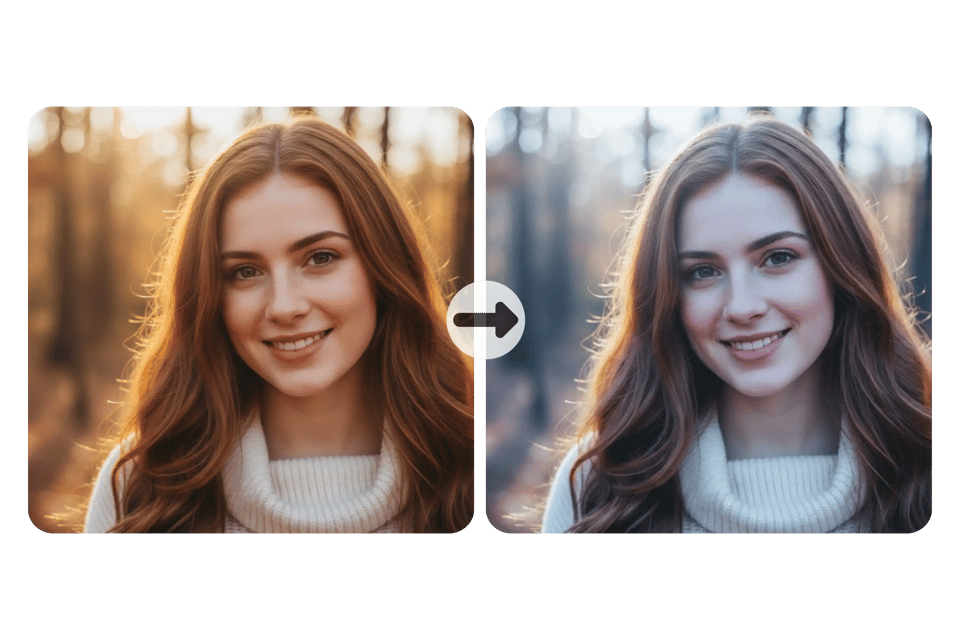
Lighting Styles You Can Try with Bylo AI Image Relighter
Fix Lighting in Photo with Soft Natural Light
Describe soft daylight or window light to create clean and natural lighting. This style helps fix lighting in photo while keeping skin tones and colors realistic. It works well for portraits, lifestyle images, and casual photos that need brighter and more even light. 💡 Prompt: change lighting to soft natural daylight with even brightness and gentle shadows
Change Lighting on Photos with Studio Lighting
Use descriptions like studio light or front light to simulate controlled lighting conditions. This option reduces harsh shadows and improves clarity. It is useful when you want to change lighting on photos for product images or profile photos using an AI lighting editor. 💡 Prompt: change lighting to studio lighting from the front with balanced exposure and soft shadows
Relight Image with AI Using Dramatic High-Contrast Light
Try dramatic lighting or side light to create stronger contrast and deeper shadows. This lighting style adds visual depth and mood, making it suitable for relight image with AI when you want a cinematic or artistic effect. 💡 Prompt: change lighting to dramatic side lighting with high contrast and deep shadows
Relight Photo Free with Warm Light Style
Describe warm light or sunset light to give photos a softer and more emotional look. This style is often used when users want to relight photo free and improve atmosphere instead of only fixing exposure with an image lighting editor. 💡 Prompt: change lighting to warm sunset light with soft glow and gentle highlights
How to Change Lighting in Any Photo for Free
Step 1: Choose Bylo AI Image Relighter
Open Bylo AI Image Relighter and upload the photo you want to edit. The tool runs in your browser and supports common image formats. Once uploaded, the image is ready for lighting analysis so you can start adjusting how light looks in the photo.
Step 2: Describe Lighting You Want
Enter a short description of the lighting style you want, such as soft daylight, studio lighting, or stronger contrast. You can also describe that you want to fix lighting automatically. Bylo AI reads your input and adjusts brightness, shadows, and light direction based on the image content.
Step 3: Relight Image with AI and Download Result
Click generate to relight image with AI. Bylo AI applies new lighting while keeping colors and details natural. You can preview result and download final image instantly. This relight photo free workflow lets you complete photo light editing AI in seconds without extra tools.
Why Choose Bylo AI Image Relighter
Fix Lighting in Photo AI Free with Online Relight AI
Bylo AI Image Relighter is available as a free online tool. You can fix lighting in photo AI free and relight photo free directly in browser without installing software. This makes it easy to correct dark or flat photos while keeping lighting natural and balanced.
Edit Photo Lighting Without Photoshop or Technical Skills
You do not need Photoshop or professional editing knowledge to use Bylo AI Image Relighter. Upload photo and describe lighting you want. Tool adjusts brightness, shadows, and contrast automatically, making change lighting on photos simple for everyday users.
Go Beyond Relighting with Free Photo Editor Tools
Bylo AI is more than an AI image relighter. It also provides free photo editor features such as AI Facial Expression Changer. You can refine lighting, adjust facial expression, and improve visual details in one place without switching platforms.