
Select the model you want to generate your image with.
Add Moustache to Photo Free Online
Use Bylo.ai’s AI Moustache Filter to try realistic, classic, or funny moustache styles without manual editing.
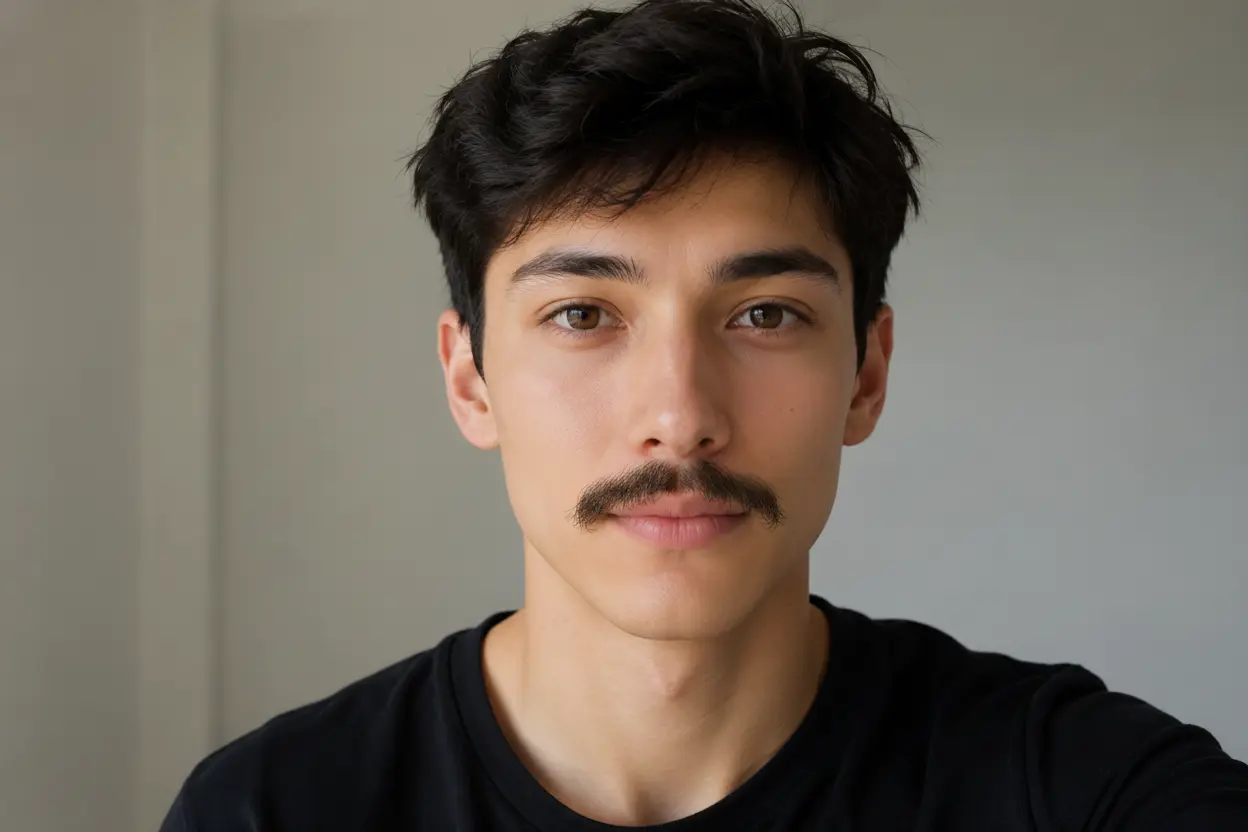
Your Generated Images
How to Add Moustache to Photo Free with Bylo.ai
Follow these simple steps to get started with our platform.
Step 1: Upload a Clear Portrait Photo
Choose a selfie, profile picture, or portrait with the face clearly visible. A front-facing image with good lighting usually works best because the AI can better detect the upper lip area, facial angle, and natural shadow direction before adding the moustache.
Step 2: Describe the Moustache Style You Want
Enter a short prompt that explains the moustache style, color, thickness, and mood you want. You can ask for a realistic chevron moustache, a thin pencil moustache, a curly handlebar moustache, or a funny exaggerated moustache depending on whether you want a natural style test or a playful photo edit.
Step 3: Generate and Save Your New Look
Click generate to let our AI Moustache Filter add the moustache to your photo. The result can match the subject’s face shape, lip contour, lighting, and original expression, helping the edited image look more natural instead of like a simple sticker placed on top.
Key Features of Bylo.ai’s AI Moustache Filter
Realistically Add Moustache to Photo with Natural Face Alignment
A good moustache edit should not look like a flat sticker. With Bylo.ai, the AI Moustache Filter can place facial hair along the natural upper-lip area while matching the subject’s face angle, lighting, hair color, and skin tone. This helps users add moustache to photo results that feel more believable for selfies, portraits, profile pictures, and before-and-after style tests.
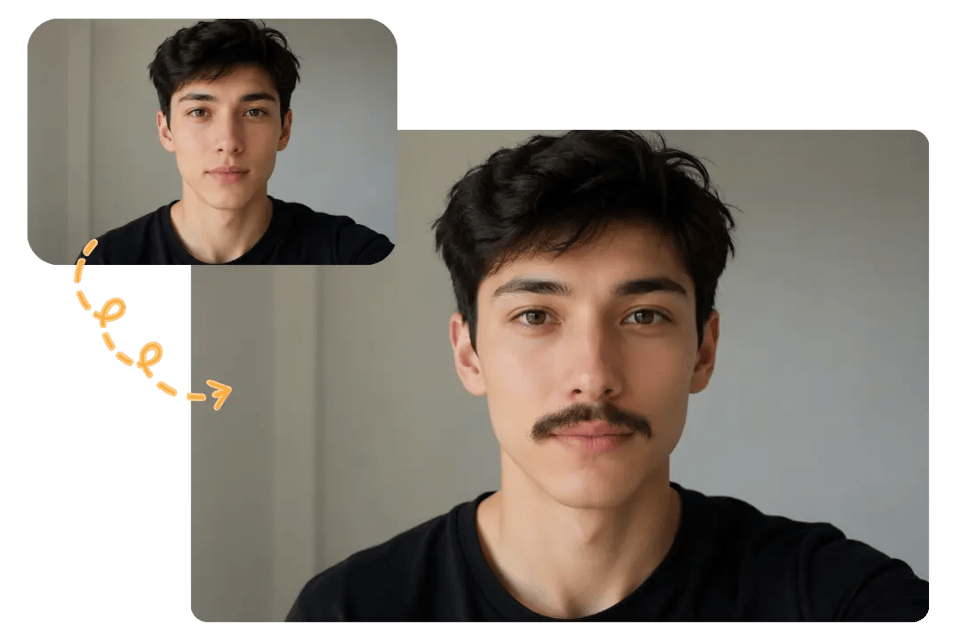
Try an AI Moustache Filter for Classic and Funny Styles
Different users want different moustache effects, from subtle grooming previews to exaggerated comedy edits. Bylo.ai’s AI Moustache Filter lets users describe the style they want, such as a chevron moustache, pencil moustache, handlebar moustache, walrus moustache, or funny party-style moustache, making the result easier to customize through simple prompts.
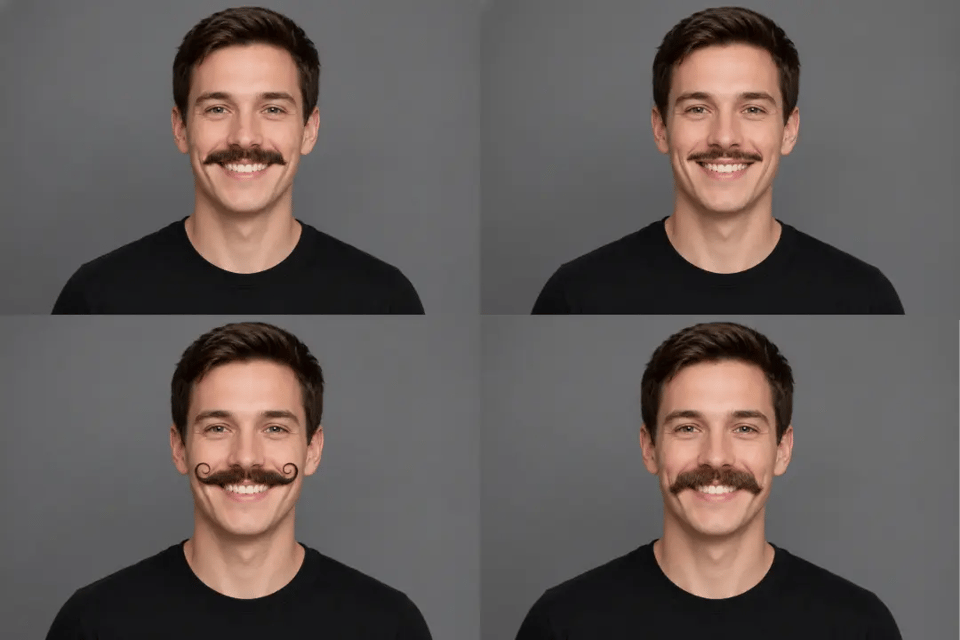
Add Moustache to Photo Online While Keeping the Original Look
When editing a portrait, the face, expression, clothing, background, and image composition should remain stable. Bylo.ai helps users add moustache to photo online without changing the subject’s identity or turning the image into an over-edited transformation. The moustache becomes the main change while the original portrait still feels familiar and clean.
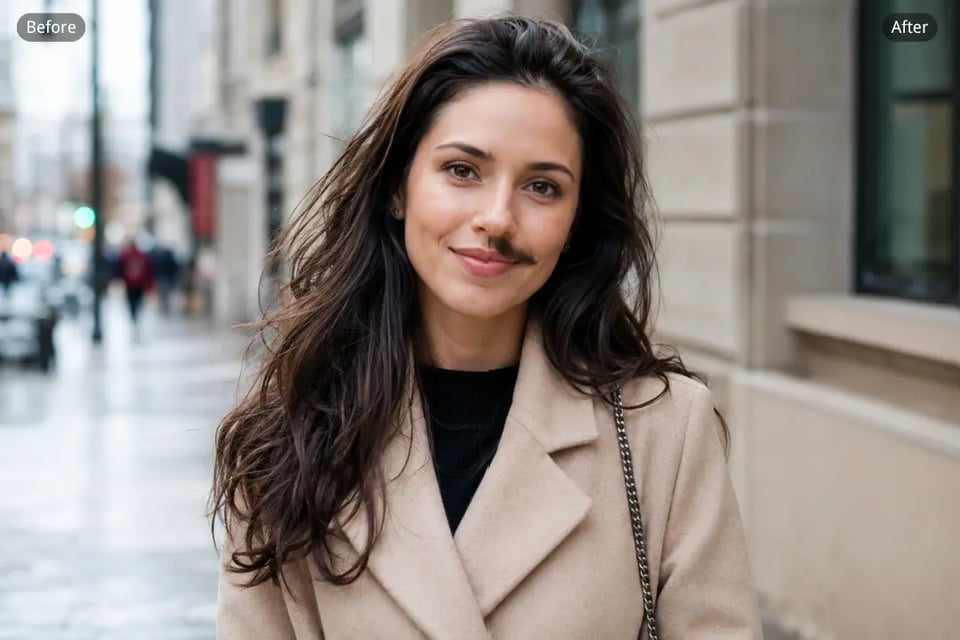
Create Shareable AI Moustache Filter Photos for Social Fun
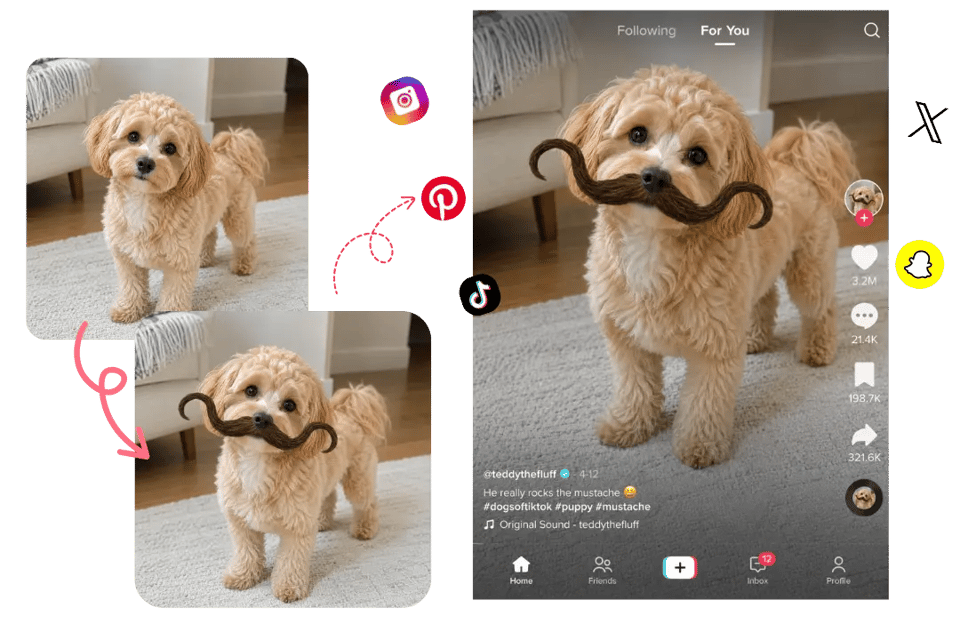
Moustache edits work especially well for playful social content, friend pranks, themed posts, Movember visuals, character ideas, and pet photos. With Bylo.ai, users can turn ordinary portraits into more memorable AI Moustache Filter photos that feel fun, quick to create, and ready for group chats, profile updates, or social media posts.
What Can You Create with Add Moustache to Photo
Compare Moustache Looks Before Changing Your Style
Users who are considering facial hair can preview different moustache styles before making a real grooming decision. Bylo.ai’s AI Moustache Filter can turn a clean portrait into a quick virtual try-on for chevron, pencil, handlebar, horseshoe, or more natural everyday moustache looks, making it easier to see which style suits the face.
Make Funny AI Moustache Filter Edits for Friends
A selfie, friend photo, or group portrait can become a playful moustache edit for chats, birthday jokes, reaction images, or casual social posts. With Bylo.ai, the AI Moustache Filter can add humorous facial hair while keeping the original face, expression, and pose recognizable, so the result feels funny without losing the person’s identity.
Create Themed Photos with Add Moustache to Photo Effects
Movember, No-Shave November, costume parties, vintage concepts, and retro campaign visuals can all benefit from quick moustache edits. Bylo.ai helps users add moustache to photo content for profile updates, awareness posts, event graphics, or themed portraits while keeping the image cleaner than basic sticker-style overlays.
Build Character Portraits with AI Moustache Filter Details
Writers, artists, roleplay users, and game creators can use moustache edits to test how facial hair changes a character’s age, mood, profession, or visual identity. Bylo.ai’s AI Moustache Filter helps add rugged, elegant, comedic, vintage, or dramatic moustache details to portraits without rebuilding the whole character image from scratch.
Why Choose Bylo.ai to Add Moustache to Photo
Free Add Moustache to Photo Trial for Quick Style Testing
Bylo.ai gives users a free trial to test moustache edits before moving into more advanced photo creation. You can upload a portrait, try realistic or funny moustache styles, and check how the final look fits your face without needing complex editing software.
Simple AI Moustache Filter for Effortless Editing
The AI Moustache Filter works through a straightforward upload-and-prompt workflow. Users only need to describe the moustache style they want, such as a pencil moustache, chevron moustache, or handlebar moustache, and Bylo.ai handles the facial placement, blending, and generation process.
Realistic Add Moustache to Photo Results That Fit the Face
A good moustache edit should match the upper lip area, face angle, lighting, skin tone, and natural hair color. Bylo.ai helps users add moustache to photo results that feel integrated with the original portrait instead of looking like a flat sticker or rough overlay.
More Face Editor Tools Beyond AI Moustache Filter
Bylo.ai also supports broader face editor workflows beyond moustache edits. After using the AI Moustache Filter, users can explore beard effects, hairstyle changes, makeup edits, portrait retouching, funny filters, and other AI-powered face transformations in one place.