
Select the model you want to generate your image with.
Verwandeln Sie jedes Foto in ein winterliches Schneezimmer mit dem KI-Schneefilter
Verwandeln Sie jedes Foto in eine winterliche Szene mit realistischen Schneeeffekten.
Your Generated Images
Hauptmerkmale des KI-Schneefilters von Bylo AI
Verwandeln Sie jedes Foto in ein realistisches KI-Winter-Schneefoto
Unser KI-Schneefilter verwandelt jedes Bild in Sekunden zu einer natürlichen Winterlandschaft. Er fügt schichtweisen Schnee, weiches Licht und saubere Wintertöne hinzu, um ein realistisches Ergebnis zu erzielen. Erstellen Sie KI-Schneefotos für Porträts, Landschaften oder Produktbilder ganz einfach.
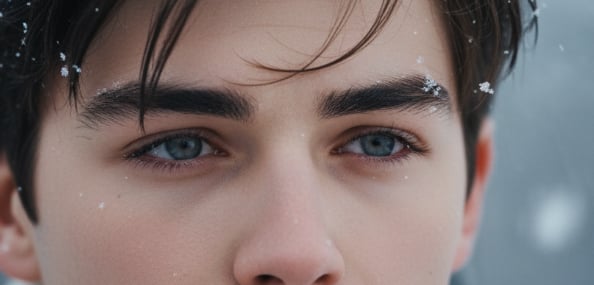
Kinoähnliche 3-Teil-Schneefotografie mit KI-Schneefoto-Effekten
Erstellen Sie mit einem Klick cinematographische 3-Teil-Schneefotografien. Bylo AI verbindet Bewegung, Tiefe und Schicht-Schneefall, um dramatische Winter-Effekte zu erzeugen – perfekt für Geschichten oder epische saisonale Bilder. Mit Unterstützung unseres KI-Social-Media-Post-Generators werden Ihre schneebezogenen Inhalte sofort in plattformreife, ansprechende Social-Media-Beiträge umgewandelt, die sich auf Instagram, TikTok und anderen Plattformen hervorragend durchsetzen.
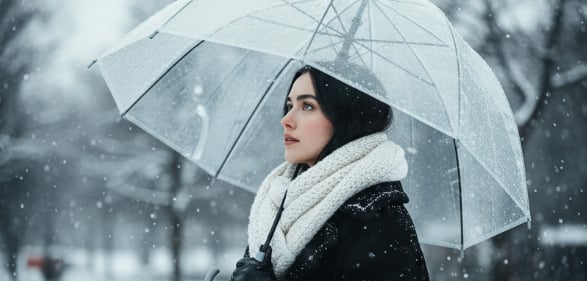
KI-Winter-Schneeeffekte mit Gemini AI – entwickelt von NanoBanana
Bylo AI verwendet Gemini NanoBanana, um Winterdetails mit präziseren Kanten, reichhaltigeren Tönen und natürlicheren Schneemustern zu verbessern. Der KI-Schneefilter passt sich Ihrer Szene an und erzeugt saubere, tiefe KI-Winterfotos mit hoher visueller Klarheit.
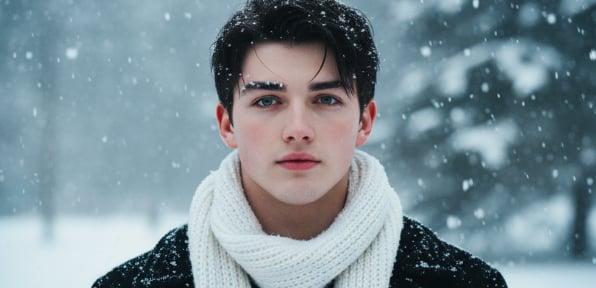
Kostenlos Schnee zu Ihren Fotos hinzufügen – online
Nutzen Sie den kostenlosen KI-Winterfilter von Bylo AI, um mit nur einem Klick Schnee zu Ihren Fotos hinzuzufügen – keine Registrierung nötig. Erhalten Sie schnelle, hochwertige Schnee-Effekte mit starkem Realismus. Perfekt, um KI-Schneefotos zu erstellen und Ihre Bilder für Social Media oder Feiertagsdesigns zu verbessern.
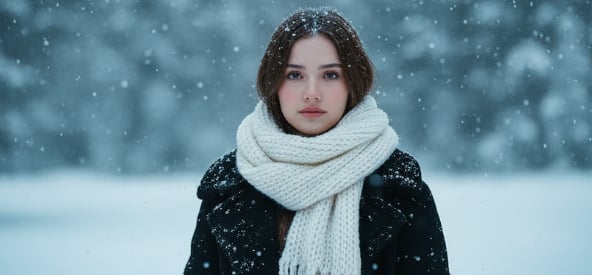
So erstellen Sie mit KI kostenlose Schneefotos online
Laden Sie Ihr Bild hoch, um mit der Erstellung von KI-Schneefotos zu beginnen
Wählen Sie ein Porträt, Landschaftsbilder oder Produktfoto und laden Sie es in Bylo AI hoch. Unser KI-Schneefilter-Tool unterstützt alle gängigen Formate und analysiert Ihr Bild sofort.
Wählen Sie Ihre KI-Schneefoto-Effekte und Ihren Stil
Erzählen Sie dem KI-Schneefilter, welchen Stil Sie wünschen – leichter Schneefall, starker Schneesturm, weiche Schneeflocken oder eine künstlerische Winterstimmung. Die KI interpretiert Ihre Anweisungen und wendet passende KI-Schneefoto-Effekte an, die zu Ihrer Szene passen. Das Ergebnis ist immer ein natürlicher, klarer KI-Winterfoto-Effekt.
Schritt 3 – Generieren und Herunterladen Ihres kostenlosen KI-Winterfilter-Ergebnisses
Klicken Sie auf „Generieren“, um innerhalb von Sekunden Schneefotos zu erstellen. Laden Sie Ihr winterbereites Bild in hoher Qualität herunter und verwenden Sie es für Social-Media-Beiträge, Weihnachtskarten oder kreative Bearbeitungen.
Warum den Bylo KI-Schneefilter online wählen?
Kostenloser KI-Winterfilter – Online ohne Anmeldung
Mit dem Bylo KI-Schneefilter können Sie online ohne Registrierung oder Download sofort KI-Schneebilder erstellen – mit schneller Verarbeitung und sauberen Effekten von jedem Gerät aus.
Erstellen Sie mit einem Klick KI-Winter-Schneebilder – einfach und schnell
Sie benötigen keine Designfähigkeiten oder Erfahrung im Bearbeiten. Die KI-Winter-Schneebild-Engine analysiert Ihr Bild automatisch und erzeugt natürliche Schneetexturen, saubere Beleuchtung und Winter-optimierte Effekte mit einem Klick.
Alle kostenlosen Filter an einem Ort – nicht nur KI-Schneeeffekte
Bylo AI bietet mehr als nur den kostenlosen KI-Winterfilter. Sie erhalten Zugriff auf weitere kreative Tools – wie unseren Sepia-Filter, Vintage-Effekte und vieles mehr – alle an einem Ort, um verschiedene Stilrichtungen zu wählen und einzigartige Bearbeitungen zu erstellen.
KI-Winter-Schnee-Prompts (Kopieren & Einfügen) für den Bylo KI-Schneefilter
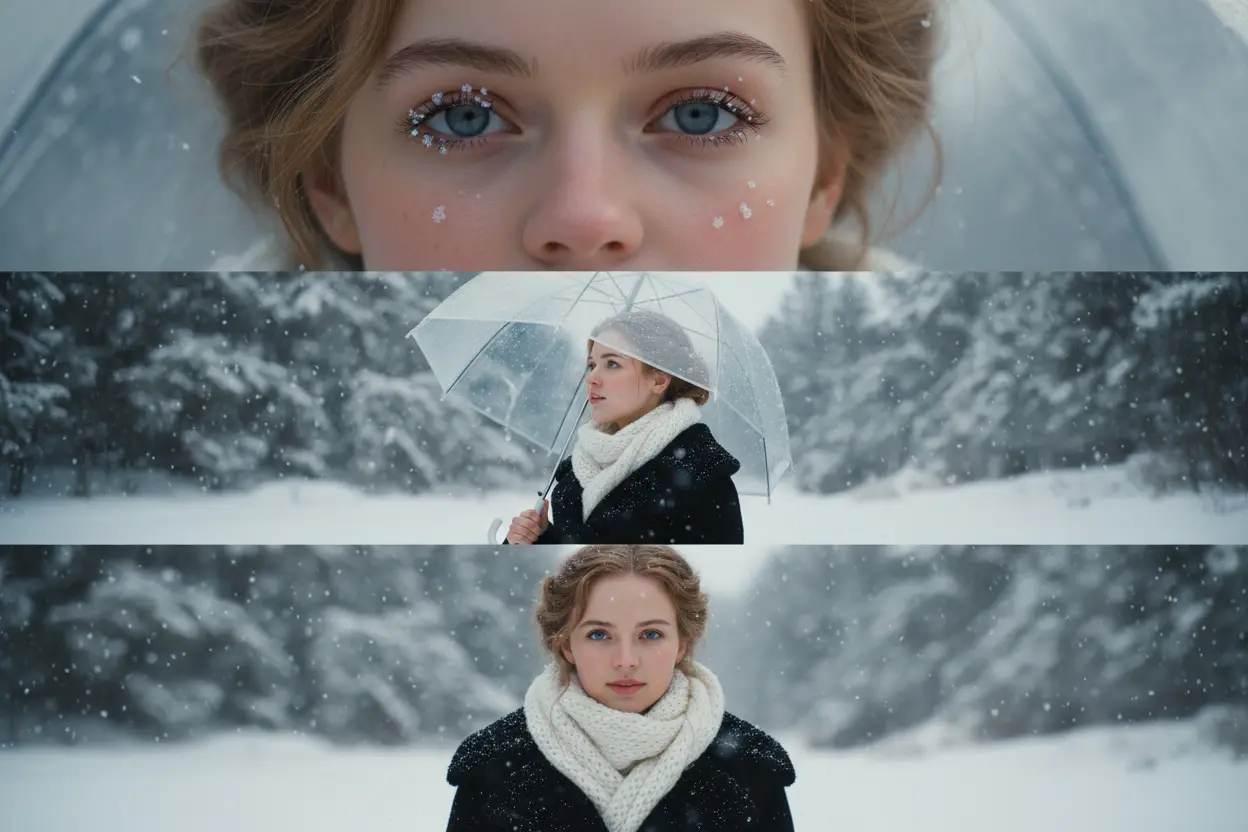
Erstellen Sie ein 3-Frames-Kinofilm-Winterporträt mit KI-Schneeeffekten
Use the ai snow filter online to turn a single photo into a cinematic 3-part snow exposure sequence. Perfect for storytelling posts or dynamic winter visuals with layered snowfall and depth. ❄️ Prompt: “Create a vertical 9:16 cinematic composite of me in winter snow, split into three stacked frames. Top: close-up of my eye and cheek with snowflakes on lashes and rosy skin. Middle: ¾ profile gazing upward, holding a clear umbrella as snow falls. Bottom: chest-up portrait facing camera with quiet melancholy. Lighting: soft daylight, HDR tone, shallow depth (85 mm f/1.2). Outfit: black wool coat, thick white scarf. Mood: emotional, calm winter romance.”
Verbessern Sie Landschaftsaufnahmen mit KI-Winter-Schneeeffekten
Transform mountain views, forests, lakes, and city streets using AI Snow Photo Effects that adapt to lighting, depth, and perspective. Ideal for travel edits and artistic winter scenes. ❄️ Prompt: “Wide mountain landscape covered in fresh snowfall, soft natural light, gentle drifting snowflakes, peaceful winter atmosphere.”
Erstellen Sie KI-Winter-Schneebilder im Feiertagsstil für Weihnachten & Neujahr
Generate warm holiday visuals for cards, banners, and social posts. The Free AI Winter Filter adds cozy lighting, seasonal charm, and natural snow for Christmas and New Year content. ❄️ Prompt: “Cozy Christmas street with warm lights, gentle snowfall, festive decorations, warm glow, peaceful holiday winter scene.”
Fügen Sie Produktbildern KI-Schneeeffekte hinzu, um saisonale Kampagnen zu erstellen
Give product images a clean winter look using ai snow filter online. Perfect for e-commerce, ads, and seasonal marketing with crisp lighting and subtle snow elements. ❄️ Prompt: “Minimal product photo on clean background, subtle snowflakes, soft winter light, crisp shadows, premium seasonal look.”