
Select the model you want to generate your image with.
Kostenloser Bold Glamour Filter online für natürliche und dennoch ausdrucksstarke Porträts
Mit Bylo.ai kannst du deinen Porträts einen Bold Glamour Make-up-Look verleihen. Lippen, Haut, Augen, Brauen und Gesichtskonturen werden in Sekunden verfeinert – deine Identität, die Beleuchtung und der Fotorealismus bleiben dabei vollständig erhalten.
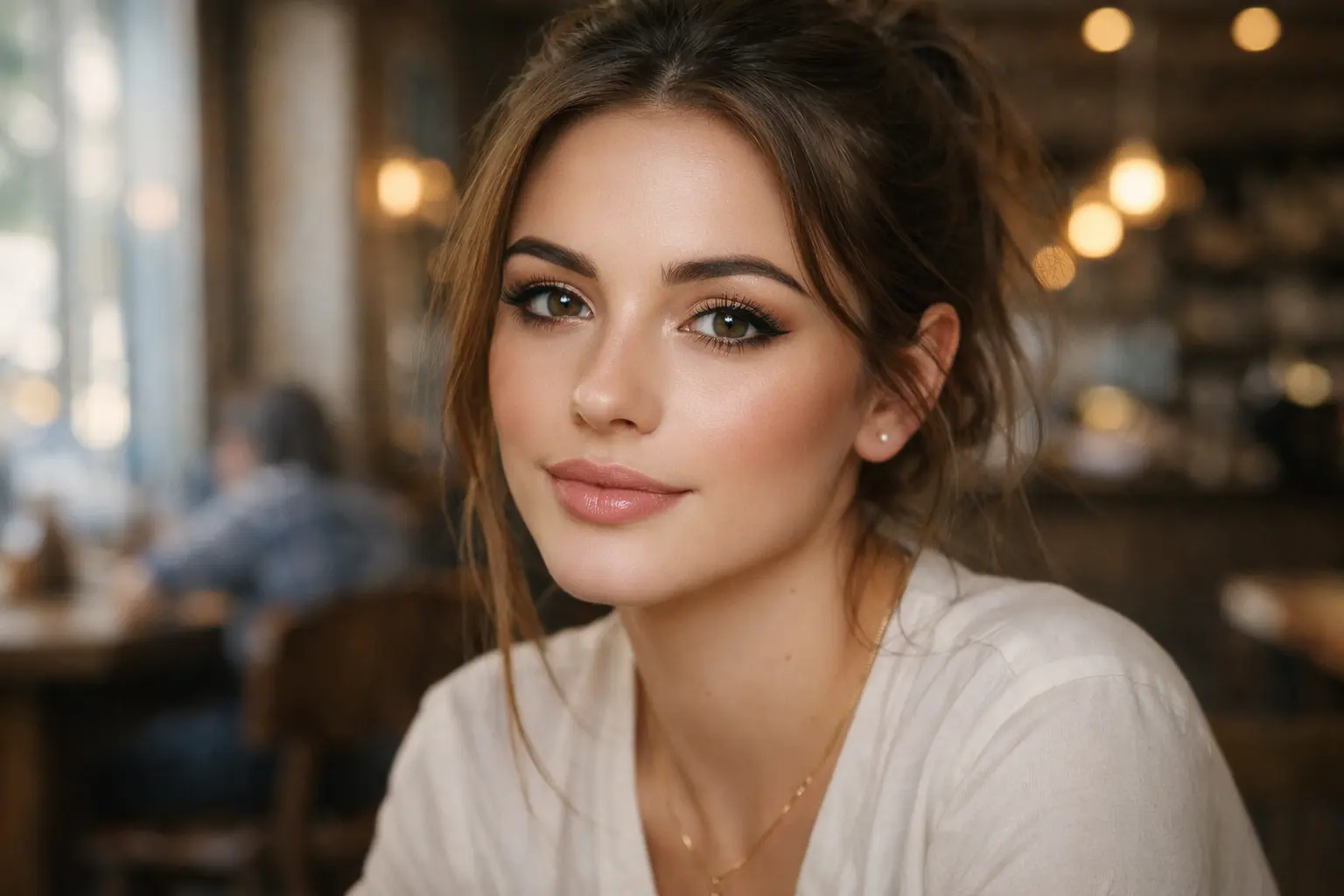
Your Generated Images
So wendest du den kostenlosen Bold Glamour Filter online mit Bylo.ai an
Folge diesen einfachen Schritten, um direkt loszulegen.
Porträtfoto hochladen
Lade ein klares Selfie oder Porträtfoto auf Bylo.ai hoch, um loszulegen. Gut beleuchtete Bilder mit sichtbaren Gesichtsdetails eignen sich am besten – so kann die KI den Bold-Glamour-Effekt präziser anwenden und ein natürlicheres Ergebnis erzielen.
Bold Glamour Filter online anwenden
Bylo.ai verleiht deinem Porträt in Sekunden einen auffälligen Glamour-Make-up-Look. Der Filter verfeinert das Hautbild, betont die Gesichtszüge und sorgt für einen makellosen, natürlich wirkenden Beauty-Look.
Bearbeitetes Porträt vorschauen und herunterladen
Sieh dir das Ergebnis in der Vorschau an und prüfe, wie der Glamour-Effekt auf deinem Foto wirkt. Bist du zufrieden, lad das bearbeitete Bild einfach herunter und nutze es für Social-Media-Posts, Profilbilder oder andere Porträtaufnahmen.
Hauptfunktionen des Bylo AI Bold Glamour Filters
Natürlich wirkender Bold Glamour Filter für Porträtfotos
Der Bold Glamour Filter von Bylo.ai verleiht Porträtfotos ein gepflegtes Beauty-Finish – ganz ohne künstlich oder übertrieben zu wirken. Statt das Bild übermäßig zu glätten, sorgt er für ein klareres Hautbild, eine ausgewogenere Gesichtsdefinition und einen verfeinerten Glamour-Effekt. Das Ergebnis wirkt gepflegt und ausdrucksstark – nie übertrieben – und ist ideal für alle, die einen starken Look ohne Realitätsverlust suchen.
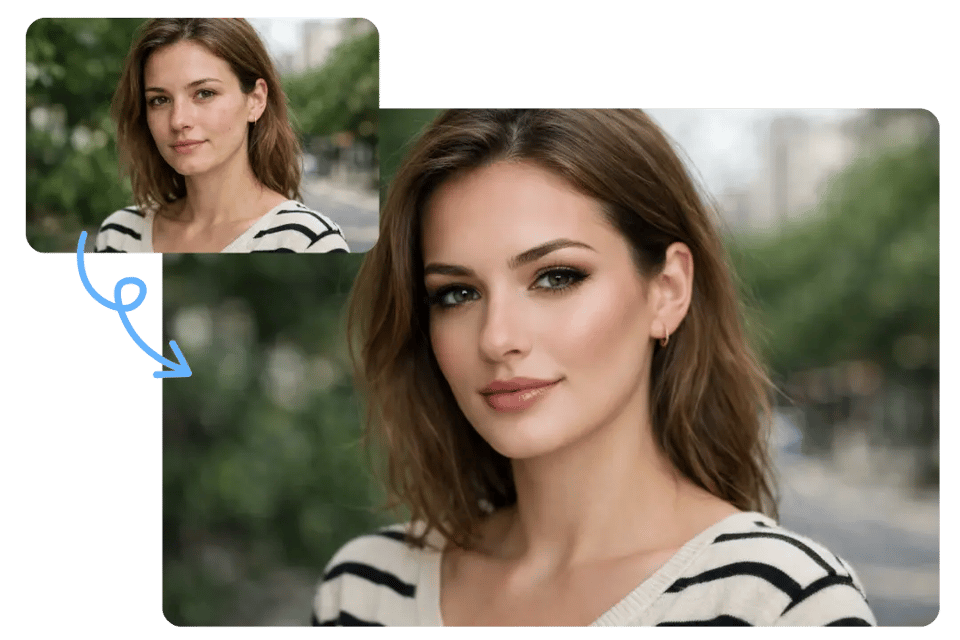
Bold Glamour Make-up Filter für definierte Gesichtszüge
Unser Bold Glamour Filter bringt mehr Struktur und Klarheit in wichtige Gesichtspartien wie Lippen, Augenbrauen, Augen und Konturen. So entsteht ein konturiertes, kamerataugliches Finish, das einem professionellen Glam-Make-up-Look ähnelt – und keinem gewöhnlichen Schönheitsfilter. Der Bold Glamour Filter von Bylo.ai eignet sich besonders für Porträts, die stärkere Gesichtsdefinition benötigen, ohne dabei die eigenen Gesichtszüge zu verlieren.
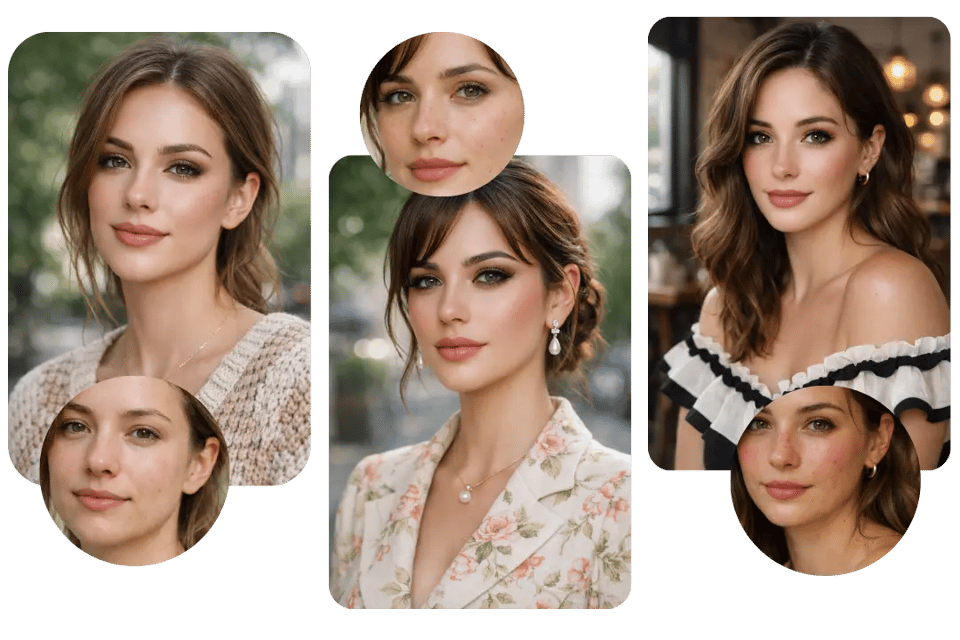
Kostenloser Bold Glamour Filter Online für Selfies und Profilbilder
Der Bold Glamour Filter von Bylo.ai eignet sich besonders gut für Selfies, Nahaufnahmen und Profilbilder, die eine gepflegtere Präsentation benötigen. Er verwandelt alltägliche Fotos in ansprechendere, stilvollere Bilder – ideal für Social-Media-Profile, Creator-Accounts und Personal Branding. Dank der schnellen Online-Verarbeitung lässt sich mit unserem Bold Glamour Filter mühelos ein glamouröses Ergebnis erzielen – ganz ohne aufwendige Nachbearbeitung.
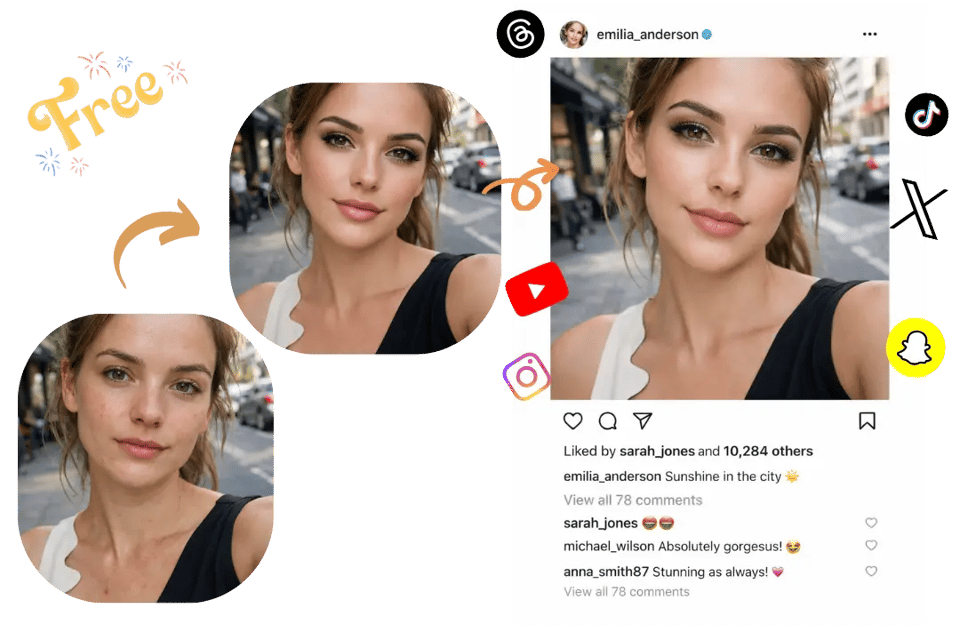
Realistischer Bold Glamour Filter, der deine Gesichtsidentität bewahrt
Viele Schönheitsfilter lassen das Gesicht unnatürlich und verfremdet wirken – besonders wenn die Haut zu glatt oder die Gesichtszüge zu stark betont werden. Der Bold Glamour Filter von Bylo.ai ist darauf ausgelegt, die Bearbeitung an deiner ursprünglichen Gesichtsstruktur, deinem Ausdruck und der Beleuchtung auszurichten – damit das Ergebnis immer noch wie du aussieht. Unser Bold Glamour Filter ist damit die bessere Wahl für alle, die einen deutlichen Glamour-Effekt mit realistischem Finish wünschen.
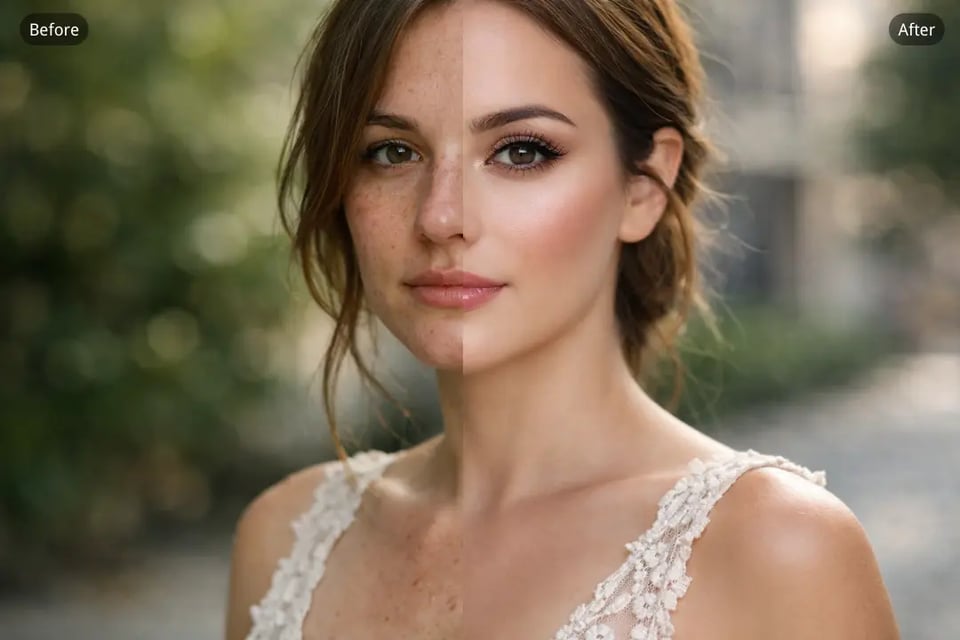
Von Selfies zu Beauty-Portraits – mit dem Bold Glamour Filter von Bylo.ai
Bold Glamour Filter für Selfies, die einen gepflegteren, professionelleren Look brauchen
Alltägliche Selfies wirken bei schlechtem Licht oft flach oder unausgewogen. Der Bold Glamour Filter von Bylo.ai verfeinert diese Aufnahmen mit glatterer Haut, ausgeprägteren Gesichtszügen und einem makellosen Beauty-Finish – für einen gepflegten Look, ohne dabei übertrieben bearbeitet zu wirken.
Bold Glamour Filter für Profilbilder und Personal Branding
Profilbilder auf Social-Media-Plattformen, Creator-Seiten und persönlichen Accounts sollten klar, selbstbewusst und einprägsam wirken. Unser Bold Glamour Filter verleiht Porträtfotos eine verfeinerte, camera-ready Ausstrahlung – bei voller Wiedererkennbarkeit. Mit dem Bold Glamour Filter von Bylo.ai entstehen professionell wirkende Profilbilder ganz ohne aufwendiges Retuschieren.
Bold Glamour Filter für Beauty-Porträts mit ausdrucksstärkeren Gesichtszügen
Beauty-Porträts profitieren oft von einer stärkeren Definition der Gesichtszüge – besonders bei Lippen, Augen, Brauen und Konturen. Der Bold Glamour Filter von Bylo.ai verleiht diesen Bereichen mehr Struktur und visuelle Klarheit für ein ausdrucksstarkes, glamouröses Ergebnis. Das Ergebnis: ein wirkungsvolles Beauty-Bild, das Mimik, Licht und Natürlichkeit dabei vollständig erhält.
Bold Glamour Filter für Social-Media-Fotos mit mehr Wirkung
Fotos in sozialen Medien brauchen oft einen stärkeren visuellen Eindruck, um in überfüllten Feeds aufzufallen. Unser Bold Glamour Filter verwandelt gewöhnliche Portraits in ausdrucksstarke Bilder – mit einem gepflegteren, stilvollerem und Social-Media-tauglichen Look. Der Bold Glamour Filter von Bylo.ai macht es einfacher, glamouröse Social-Media-Inhalte zu erstellen, die trendig und durchgestylt wirken und dabei im finalen Post natürlich aussehen.
Warum der Bold Glamour Filter von Bylo.ai die bessere Wahl ist
Kostenloser Bold Glamour Filter online – Zuerst ausprobieren, dann bearbeiten
Bylo.ai’s Bold Glamour Filter is easy to try without starting with a complicated workflow or committing to heavy manual retouching. Users can test the glamour effect on their own portrait photos first, making it easier to explore different beauty styles and see whether the final look matches their preferences before doing more edits.
Einfach zu bedienender Beauty-Filter – kein Fachwissen nötig
Our Bold Glamour Filter is designed for a simple online editing experience. Just upload a portrait photo, apply the effect, and generate a more polished look in moments. There is no need for professional retouching knowledge, manual masking, or advanced beauty editing skills to create a refined glamour portrait with Bylo.ai.
Realistischer Glamour Filter für natürlich wirkende Portraits
Many glamour filters can make portraits look overly artificial, with skin that appears too smooth or facial features that feel disconnected from the original image. Bylo.ai’s Bold Glamour Filter focuses on a more realistic finish by enhancing facial details, beauty balance, and overall polish while keeping the original identity, expression, and lighting consistency intact.
Bold Glamour Filter mit mehreren Gesichtsbearbeitungs-Tools an einem Ort
Bylo.ai offers more than just a single glamour effect. In addition to the Bold Glamour Filter, users can explore multiple face editor tools to refine portraits in various ways, whether for beauty enhancement, facial retouching, or a more customized editing workflow. This provides greater flexibility to create the exact portrait style you desire, all on one platform. Plus, with the Blush Effect , you can easily add a natural, glowing blush to your portraits for that perfect, radiant finish.