
Select the model you want to generate your image with.
FLUX.1 Kontext Dev: Open-Source Editing by Black Forest Labs
Unleash Your Creativity with FLUX.1 Kontext Dev: Precision Image Editing, Open-Source, and Accessible.

Your Generated Images
What is FLUX.1 Kontext Dev?
FLUX.1 Kontext Dev is an open-source image editing model developed by Black Forest Labs, designed for non-commercial use under the FLUX.1 Non-Commercial License. With 12 billion parameters, it offers near-proprietary-level performance, rivaling models like GPT 4o and surpassing open-source competitors such as Bytedance Bagel and HiDream-E1-Full. Unlike text-to-image generation models, FLUX.1 Kontext Dev focuses on precise image editing tasks, maintaining character consistency and enabling both local and global modifications. Download it from Hugging Face at FLUX.1 Kontext Dev and start editing today.
Key Features of FLUX.1 Kontext Dev
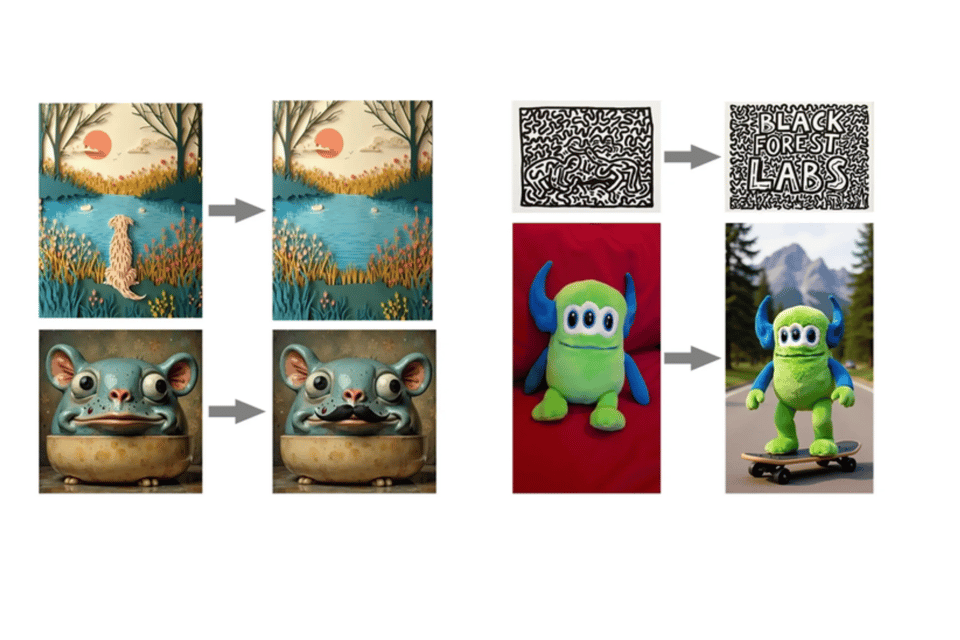
Precision Editing
Perform targeted edits like adding a hat to a character or changing a background landscape with high accuracy.
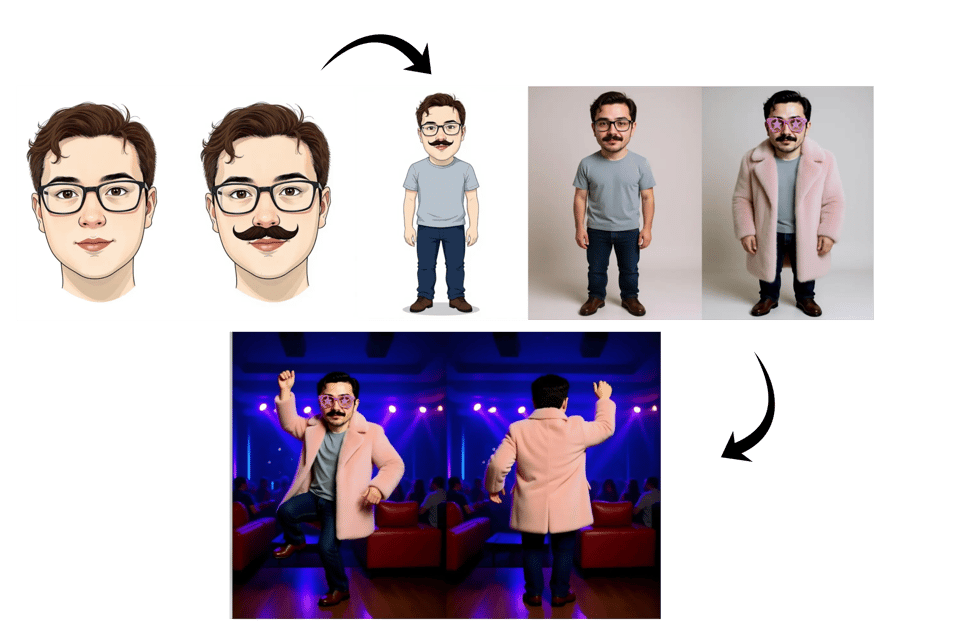
Character Consistency
Preserves the identity and details of subjects, like facial features or poses, across multiple edits for seamless results.
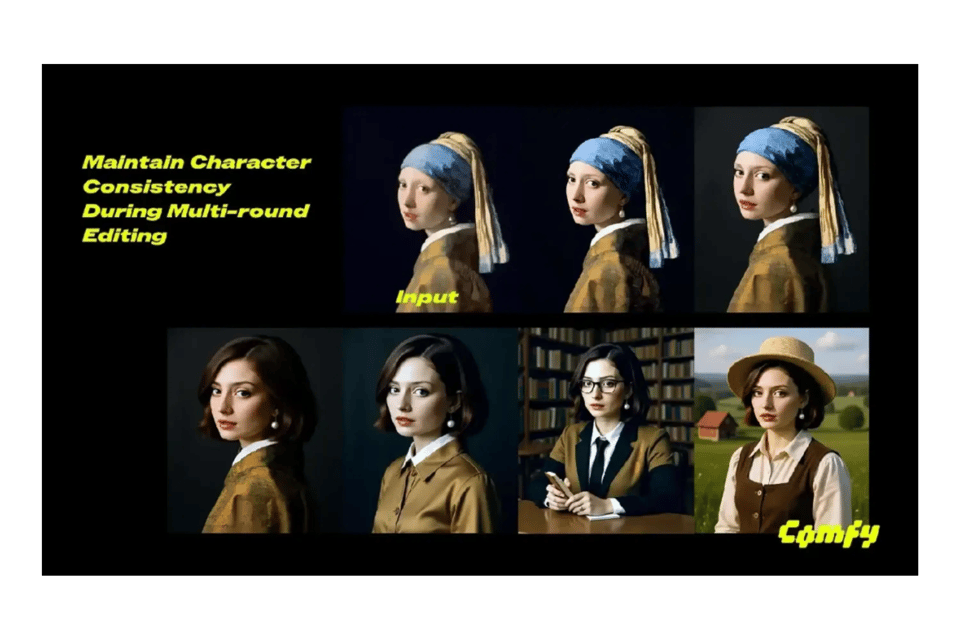
Multi-Step Editing
Enables multi-step modifications without losing image quality, perfect for complex creative workflows.
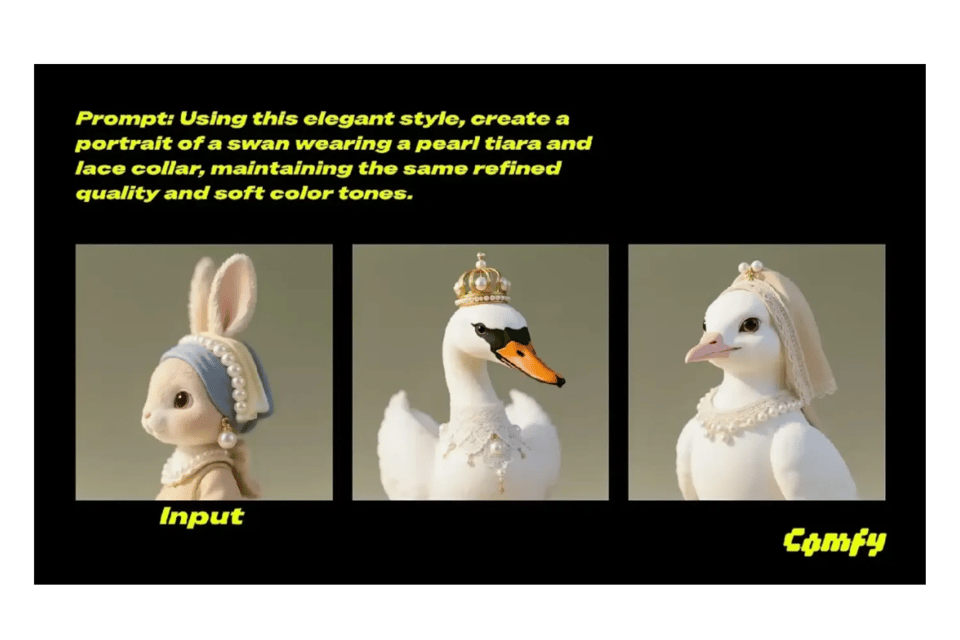
Style Transfer
Seamlessly transfer the artistic style of one image (e.g., 1960s pop art) to another while preserving the target image’s content.
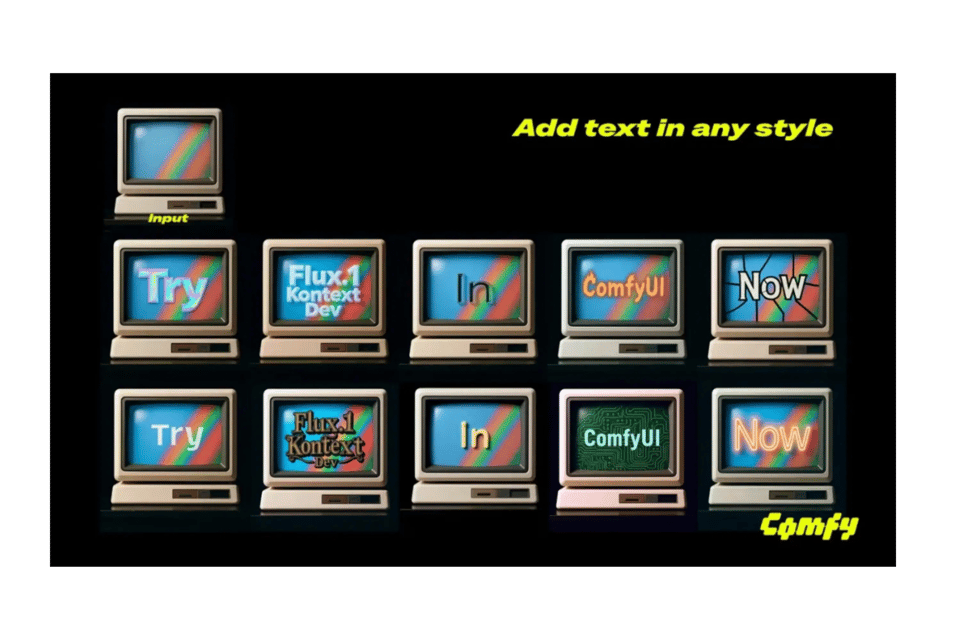
Text Editing
Modify text within images, such as adding ASCII-style text or altering existing text.

Multiple image input
Combine multiple images as inputs to create cohesive edits or fusions, such as blending elements from different photos into a single scene while maintaining visual consistency.
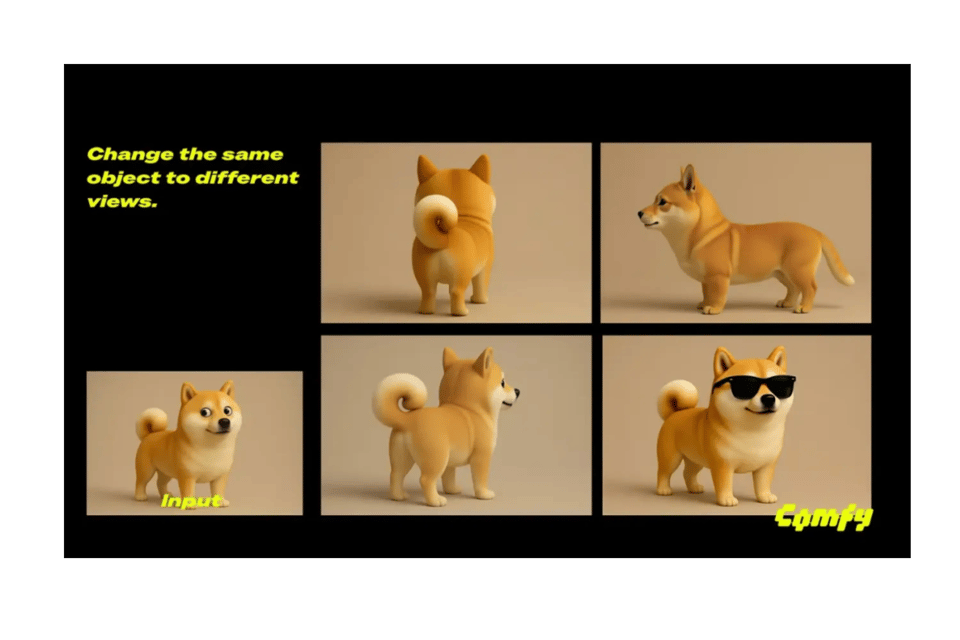
Change Perspective
Adjust the viewpoint of an image, like rotating the camera 180 degrees to show a subject’s back, while maintaining the original style.
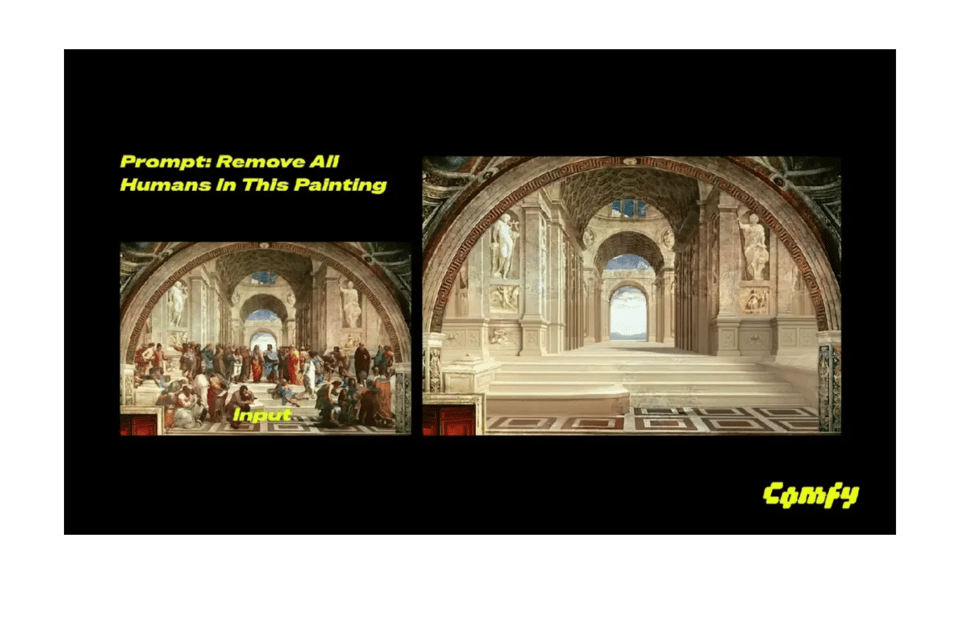
Remove Objects
Effortlessly remove unwanted objects from images, such as erasing a dog while preserving the background’s integrity.

Adjust Lighting
Alter lighting conditions, such as converting a scene to a soft golden sunrise with morning mist, while keeping composition intact.
Comparison with Other Models
FLUX.1 Kontext Dev stands out in the image editing landscape, as validated by the KontextBench benchmark:
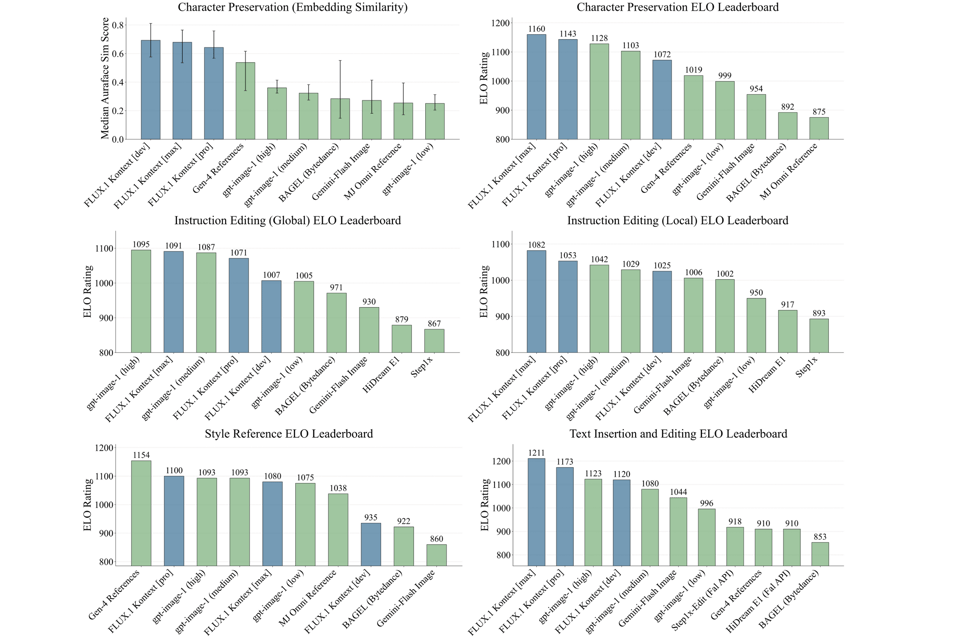
Vs. Open-Source Models:
Bytedance Bagel: Mixed text-to-image and editing model, less precise in iterative edits compared to FLUX.1 Kontext Dev. HiDream-E1-Full: Strong open-source competitor but lags in character consistency and multi-scene adaptability.
Vs. Closed-Source Models:
Google's Gemini-Flash Image: FLUX.1 Kontext Dev outperforms in human preference scores for editing precision and character preservation. GPT 4o: While GPT 4o excels in multimodal tasks, FLUX.1 Kontext Dev matches its image editing capabilities with open-source accessibility.
How to Access FLUX.1 Kontext Dev
Step 1:Download from Hugging Face
Get the model weights from Hugging Face. Install via https://huggingface.co/black-forest-labs/FLUX.1-Kontext-dev for local setup.
Step 2:ComfyUI Integration
Update ComfyUI to the latest version, navigate to Workflow → Browse Templates → Flux → Flux.1 Kontext Dev, and select a template to start editing.
Step 3:Cloud Inference
Use platforms like FAL, Replicate, Runware, DataCrunch, or TogetherAI for cloud-based processing.
FAQ about FLUX.1 Kontext Dev
Q: What is the difference between FLUX.1 Kontext Dev, Pro, and Max?
A: FLUX.1 Kontext Dev is open-source for non-commercial use, while Pro and Max are proprietary, offering enhanced features for commercial applications.
Q: Can I run FLUX.1 Kontext Dev on my laptop?
A: Yes, it’s optimized for consumer hardware, especially with NVIDIA Blackwell architecture, using low-precision weights (FP16, BF16, FP8, FP4) for efficiency.
Q: Is FLUX.1 Kontext Dev free?
A: It’s free for non-commercial use. Commercial licensing is available through Black Forest Labs’ Self-Serve Portal.
Q: How does it compare to GPT 4o?
A: FLUX.1 Kontext Dev matches GPT 4o in image editing precision and consistency while being open-source, making it more accessible.
Q: How do I integrate with ComfyUI?
A: Update ComfyUI, go to Workflow → Browse Templates → Flux → Flux.1 Kontext Dev, and select a template to begin.