
Select the model you want to generate your image with.
自动识别红眼、保留原图细节、采用先进AI图像模型
打造逼真自然效果,无需手动调整
Your Generated Images
免费在线修复红眼照片 - Bylo.ai
只需几步操作,即可轻松上手我们的平台。
步骤一:上传照片
打开 Bylo.ai 的免费红眼消除器,上传您要编辑的图片。上传后将立即开始处理。
步骤二:AI自动识别并修复红眼
上传后,我们的AI会分析图像,自动识别因闪光灯导致的红眼,并进行修正。无需手动选择,自然瞳孔外观得以恢复,同时保持原有的虹膜颜色、光线和面部细节不变。
步骤三:预览并下载
预览修复后的效果,然后以高清质量下载更新后的图像。红眼被自然地移除,照片依然真实自然、视觉平衡。
Bylo AI 红眼修复工具的主要功能
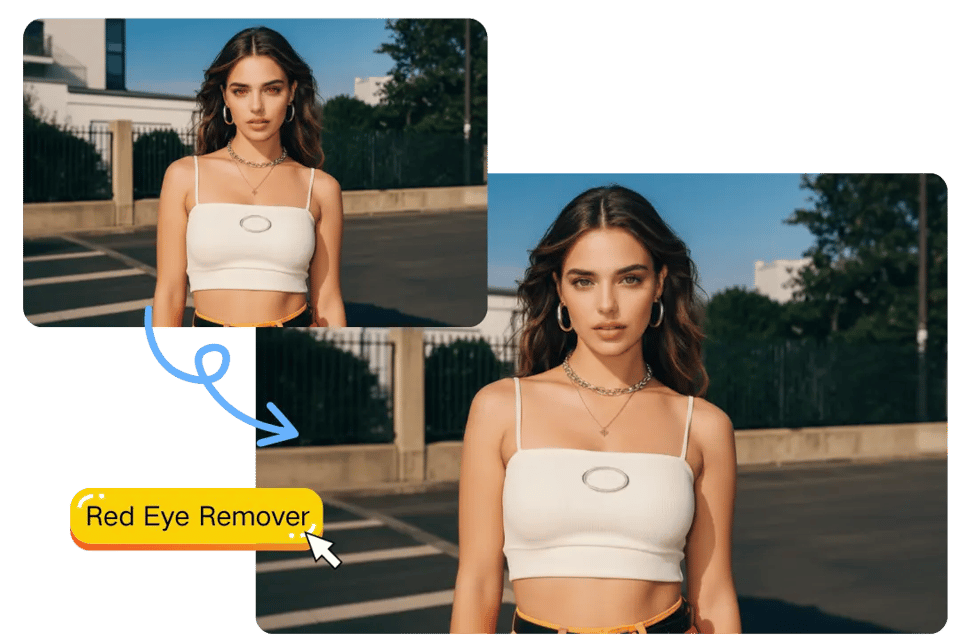
即时修正红眼,还原自然神态
闪光灯拍摄导致的红眼现象会让肖像显得生硬或不自然。Bylo.ai 的红眼修复器可在数秒内自动检测并修正红瞳,恢复自然外观,同时保持光线、肤色和面部细节不变。
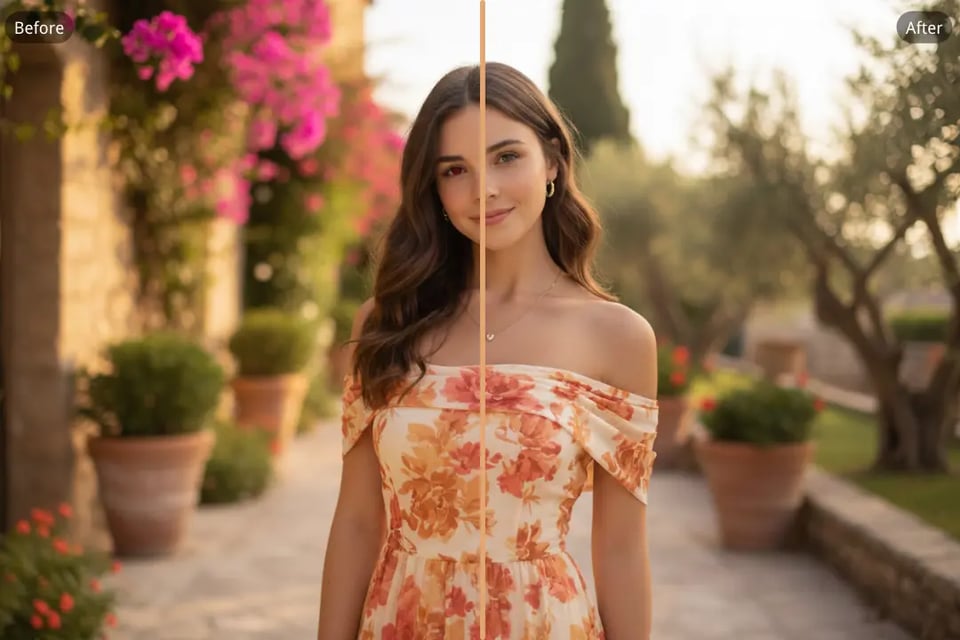
自然修复红眼,还原真实肖像质感
哪怕是很小的红眼反光也可能影响照片的整体美感。我们的AI红眼编辑工具精准修正问题,保留虹膜颜色、高光与纹理,使修复后效果真实自然,而非人工加深。
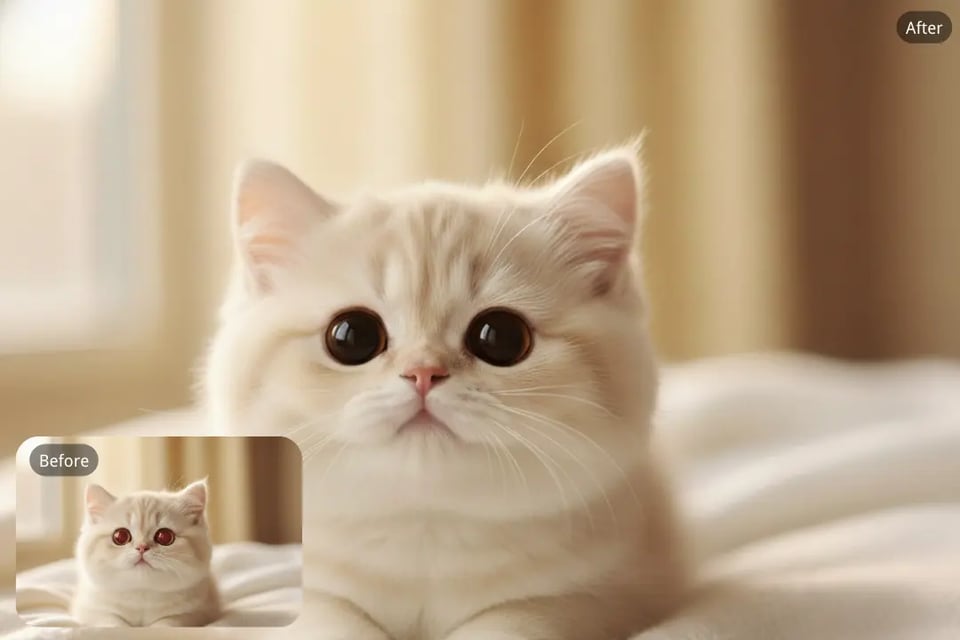
精准修复宠物眼部反光
使用闪光灯拍摄时,宠物的眼睛常出现绿色、黄色或红色反光。Bylo.ai 能自动识别这些红眼反光,并在不模糊毛发纹理或面部细节的前提下还原自然眼神。适用于单人肖像及包含宠物的合照。
多种照片类型均支持无缝红眼修复
无论是室内人像、活动摄影还是生活照,红眼修复都能快速且一致地完成。单张图像中多个面部也可准确处理,确保整体效果自然统一。
这些日常照片需要红眼修复
修复闪光灯拍摄的人像和自拍红眼
Flash photography in low light often creates red-eye reflections that distract from facial expression. With Bylo.ai’s AI Red Eye Remover, you can fix red eyes in portraits and selfies while keeping natural iris color, highlights, and skin tones intact.
多人合照也能快速去除红眼
Group photos make manual editing difficult, especially when several people have red-eye at once. This Red Eyes Photo Editor automatically detects and corrects each affected eye, ensuring consistent and natural-looking results across the entire image.
宠物照片中绿色或黄色眼睛的修复
Pets often show green, yellow, or red reflections due to flash. Bylo.ai accurately removes these reflections while preserving eye brightness and fur detail, helping your pet photos look lifelike instead of artificial.
适合夜景、室内和活动照片的红眼修复
Party photos, indoor celebrations, and evening snapshots frequently suffer from red-eye artifacts. Use the AI Red Eye Remover to restore a clean, natural eye appearance without altering the atmosphere or lighting of the original photo.
为什么选择Bylo.ai的AI红眼修复工具
免费在线红眼修复工具,AI智能快速修正
立即使用免费在线红眼修复工具,快速高效地去除照片中的红眼,同时保持自然的瞳色和图像清晰度。
智能红眼识别与图像扫描
先进的AI技术自动扫描每张照片,精准识别闪光灯造成的红眼反射,无需手动选择。适用于人像、合照及宠物照片的红眼修复。
修复红眼时保持面部特征一致
修复红眼不应影响人物特征。瞳色、高光反射、光线方向和面部比例均保持一致,确保修复后自然真实,避免过度暗化或变形。
多种AI图像模型供你选择
Bylo.ai支持多种先进的AI图像模型,可对比不同模型的修复风格、还原精度和视觉一致性,适用于各类照片类型,提供更灵活的红眼修复方案。