
Select the model you want to generate your image with.
使用 Bylo AI 为照片添加白色背景 – 简易背景去除工具
用 Bylo AI 快速去除背景并添加白色背景,无需编辑经验。

Your Generated Images
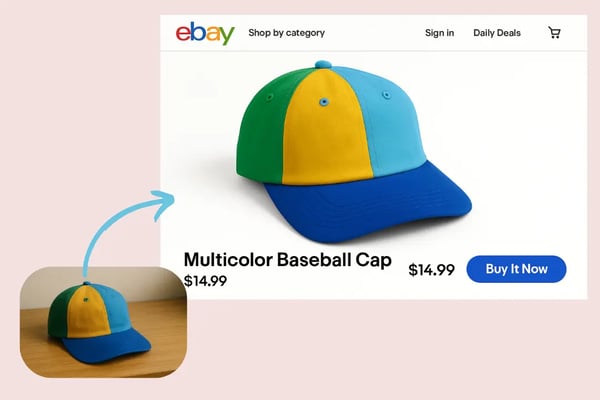
一键去除背景并设置白色背景
Bylo AI的智能算法可自动识别照片主体,并将背景替换为干净清晰的白色背景。非常适合电商产品图、社交媒体图片等。
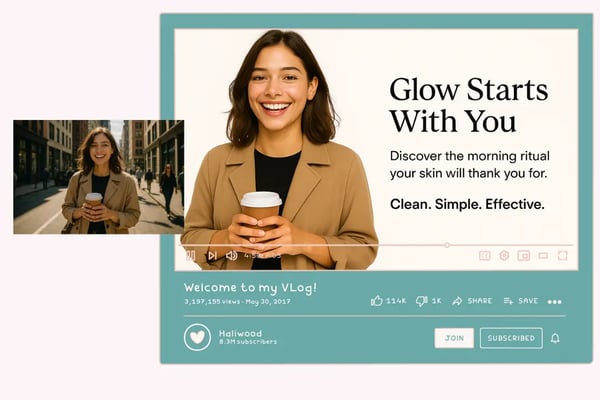
免费使用,无需注册登录
无需注册或登录即可立即开始编辑。Bylo AI提供便捷体验——只需上传照片即可开始使用。完全免费使用背景去除和白色背景功能,非常适合快速任务和随时随地使用的人群。
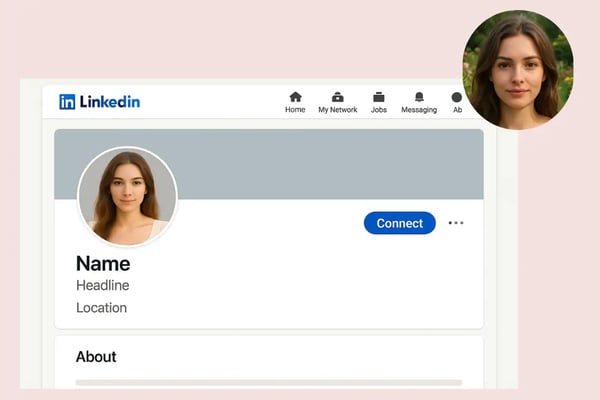
适用于各种用途的高质量输出
支持高清PNG或JPG格式导出,适用于打印、网站上传或演示文稿。Bylo AI确保图像质量始终处于最佳状态。
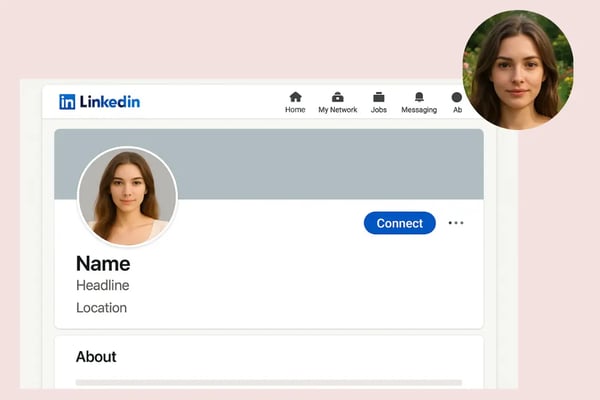
AI 精准识别
Bylo AI 的先进人工智能技术能精准处理发丝、图案和边缘等复杂细节,即使面对具有挑战性的主体也能确保完美结果。
如何用 Bylo AI 给照片加白底
步骤一:上传照片
Simply upload the photo you want to edit. Bylo AI supports various formats, making it easy to get started.
步骤二:让 AI 自动处理照片
Once uploaded, Bylo AI will automatically detect the main subject of your image and remove the background with its intelligent processing algorithm.
步骤三:下载编辑后的照片
After the background has been removed and replaced with white, you can preview the result and download the high-quality photo in PNG or JPG format.
谁可以从为照片添加白色背景中受益?
电商平台卖家
If you sell products online, a clean white background is essential for your product listings. Bylo AI helps you quickly create professional images for platforms like Amazon, eBay, and Shopify.
社交媒体创作者
Enhance your social media posts on platforms like Instagram, LinkedIn, and Facebook with photos that have a consistent, clean white background to highlight your subject.
需要证件照或头像照的专业人士
For resumes, social profiles, or official documents, a white background can make your ID or profile photo appear polished and professional in just a few clicks.
平面设计师
If you need to create presentations, posters, or marketing materials, Bylo AI provides you with perfectly cropped images on a white background, ready for your next creative project.
用户使用 Bylo AI 为照片添加白色背景后的反馈
Bylo AI 让我仅用手机就能拍出专业的产品照片,省时又省钱。
Sebastian Pilch
eBay 二手卖家
我经常在杂乱的环境中拍照,Bylo AI 帮助我把杂乱的背景都清理掉,让照片看起来干净又专业。
Sue Darte
小企业主
我已经使用 Bylo AI 编辑 Instagram 内容两年了。操作简单,效果特别好。
Jacob P.
内容创作者
我经常需要为客户的头像照片添加白色背景。Bylo AI 节省了我大量时间,一键处理真的很方便。
Michael L.
自由职业者
我很喜欢 Bylo AI 的精准度——即使是珠宝或头发这样复杂的主题也能处理得非常到位。它让我在不花大价钱的情况下获得专业级的效果。
Arjun M.
自由摄影师
我用 Bylo AI 为简历和 LinkedIn 资料创建了白色背景的肖像照。瞬间就获得了专业的外观。
Daniel K.
求职者
关于为照片添加白色背景的常见问题解答
我必须注册账户才能使用 Bylo AI 吗?
不,Bylo AI 完全免费使用,无需注册账户或登录。
我可以选择其他背景颜色,而不一定是白色吗?
可以,Bylo AI 支持自定义背景颜色,也支持使用透明背景。
Bylo AI 支持哪些图片格式?
Bylo AI 支持所有常见的图片格式,如 PNG、JPG 和 JPEG,确保与您的照片兼容无误。
背景去除的效果怎么样?
Bylo AI 使用先进的 AI 技术,能精准处理复杂边缘,比如头发和复杂图案,确保背景去除效果高质量。
我可以一次处理多张图片吗?
当然可以,Bylo AI 支持批量处理功能,能同时处理多张图片,节省大量时间。
图像质量适合打印吗?
完全不需要!Bylo AI 提供高分辨率输出,无论是在线使用还是打印,都完全适用。