
Select the model you want to generate your image with.
Remove BG in Seconds with Bylo.ai’s Green Screen Remover
Remove green screen backgrounds in seconds — free to use, no login required
Your Generated Images
Key Features of Bylo.ai's Green Screen Remover
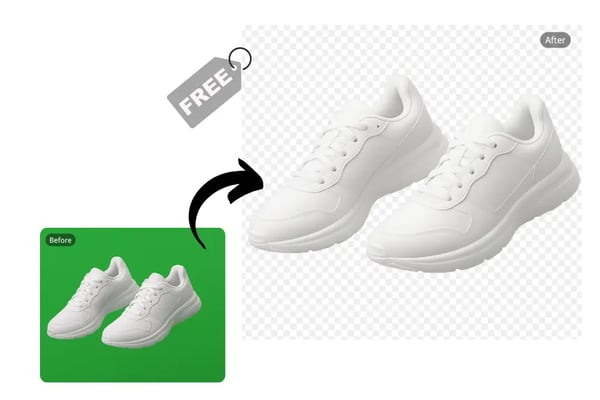
Free Green Screen Remover for Creative Projects
Effortlessly remove green screen backgrounds from cosplay or product photos at no charge, making professional-grade editing accessible to everyone.
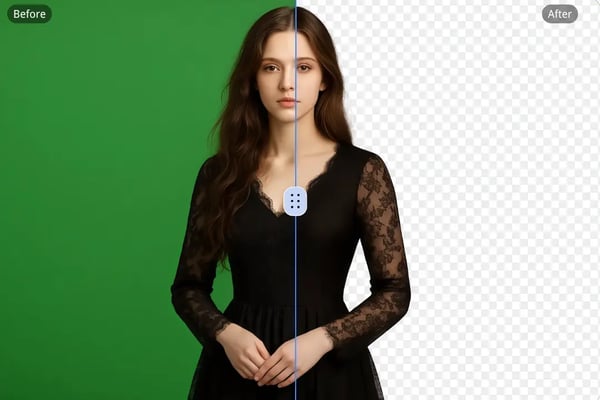
Precision Greenscreen Remover with AI Accuracy
Our AI-powered greenscreen remover preserves fine details like hair or intricate props, ensuring flawless results for studio portraits or detailed designs.
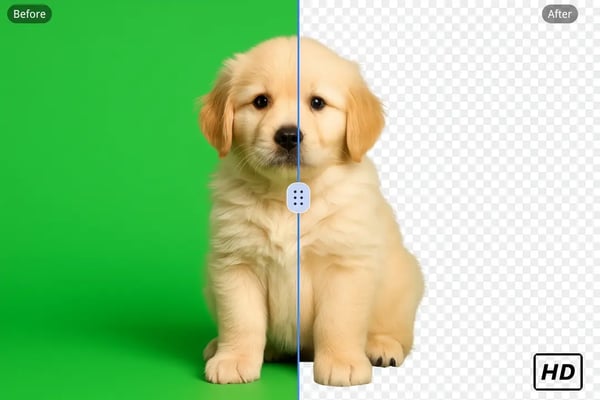
Instant Remove BG for Quick Turnarounds
Remove green screen backgrounds in seconds, perfect for creators needing fast, high-quality visuals for social media campaigns or video production.
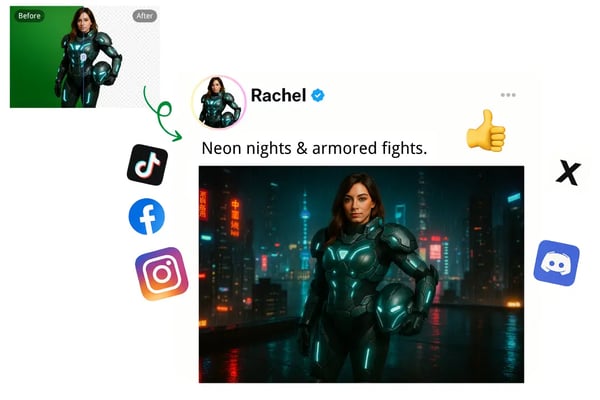
Green Screen Background Remover with Custom AI Backdrops
After background removal, use our AI background generator to create tailored backdrops, ideal for e-commerce visuals or creative storytelling.
How to Remove Green Screen from Images On Bylo.ai
1.Upload Your Image
Drag and drop your green screen image (JPG, PNG, WEBP) or browse files from your device to start the process.
2.AI Removes Green Screen
Our AI automatically detects and removes the green screen background in seconds, delivering a clean result.
3.Customize or Save
Use our AI background generator to create a custom backdrop or save your image for further use.
Application Scenarios for Green Screen Removal
Video Production
Remove green screen backgrounds from video stills to create seamless transitions or add dynamic backdrops for film and TV projects.
Graphic Design
Create versatile assets by removing green screens for posters, banners, or digital art with custom-generated backgrounds.
Virtual Events
Enhance virtual event visuals by replacing green screen backgrounds with branded or thematic environments for webinars or streams.
Educational Content
Produce engaging tutorials or presentations by removing green screens and adding relevant backgrounds for online courses.
What Our Users Say About Bylo's Greenscreen Remover
Bylo.ai’s green screen remover made my product photos look professional for my online store. So easy to use!
Sarah
E-commerce Seller
The AI precision is amazing! My cosplay photos blend perfectly with new backgrounds.
Alex
Cosplayer
I created stunning Instagram posts in minutes with seamless green screen removal.
Mia
Social Media Influencer
Perfect for my movie poster designs. The results are clean and professional!
James
Graphic Designer
My studio headshots look flawless with custom backgrounds generated in seconds.
Emily
Photographer
This tool is a lifesaver for my YouTube thumbnails. Fast and accurate!
Ryan
YouTuber
Frequently Asked Questions About Green Screen Removal
How does Bylo.ai’s green screen remover work?
Our AI-powered green screen remover automatically detects and removes green backgrounds from images, delivering a clean result in seconds.
Do I need to log in to use the green screen background remover?
No, Bylo.ai’s green screen background remover requires no login or registration, allowing instant access to the tool.
What image formats can I use with the green screen remover?
Our greenscreen remover supports JPG, PNG, and WEBP formats for seamless green screen removal.
Will the green screen remover affect green clothing or props?
Our AI distinguishes between green screen backgrounds and green elements in clothing or props, ensuring only the background is removed.
What can I do after I remove the green screen?
After removing the green screen, you can use our AI background generator to create a custom backdrop or continue editing.
Is the remove green screen tool suitable for professional use?
Yes, our tool delivers high-quality results ideal for professional applications like product photography or graphic design.
How precise is the green screen background remover?
Our AI ensures precision by preserving fine details like hair or intricate props during green screen background removal.
Can I edit images further after using the greenscreen remover?
Yes, after removing the green screen, you can add custom backgrounds, text, or filters using our editing tools.