
Select the model you want to generate your image with.
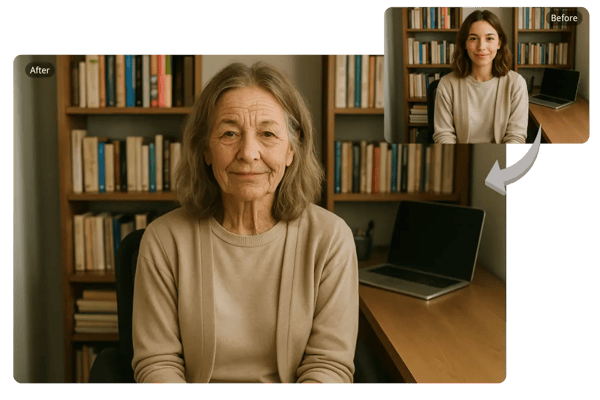
Transform Your Face to Elderly Instantly With Bylo.ai's Old Filter
Unlock Your Future Look Today: Experience Bylo.ai's Free Old Age Filter Online – No Login Required, Just Upload and Transform Instantly for Fun and Nostalgia!
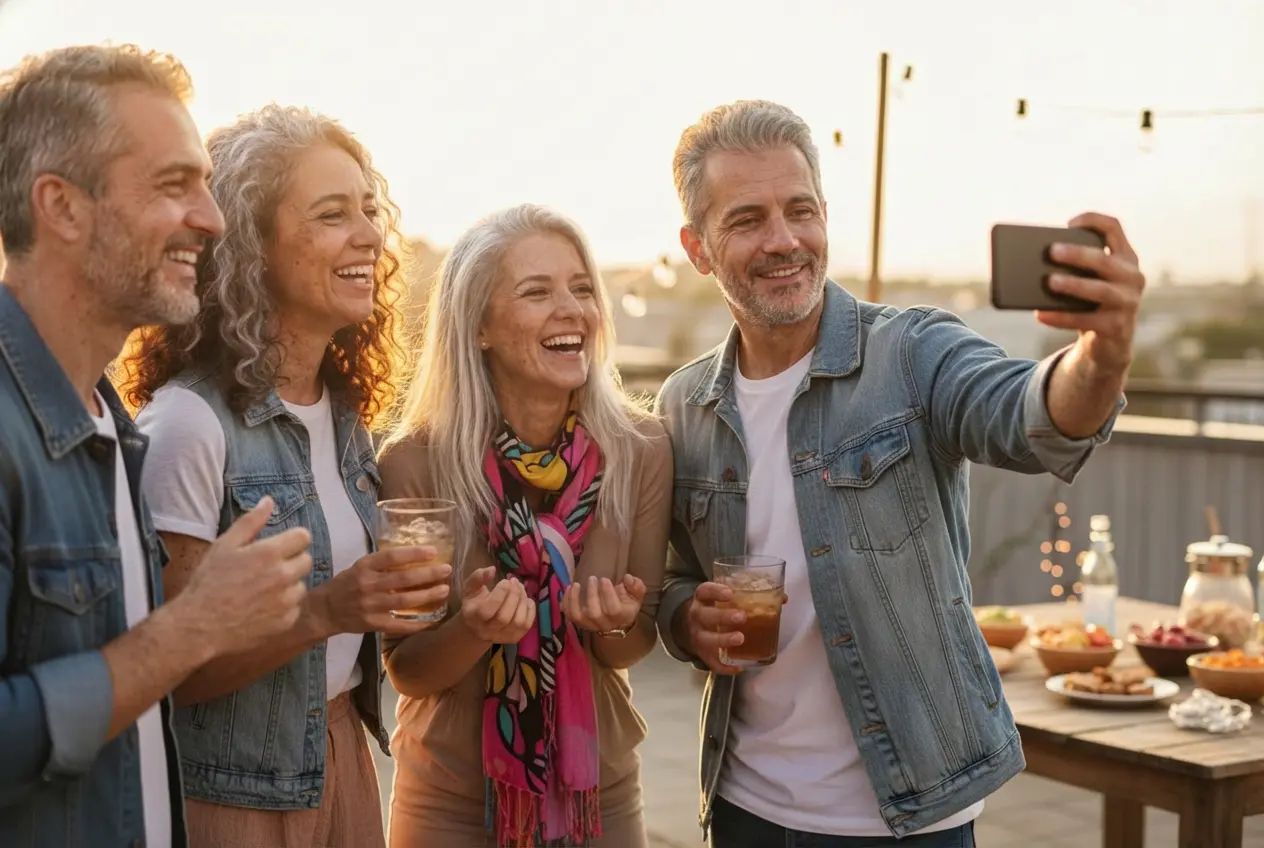
Your Generated Images
How to Transform Your Face with Bylo.ai's Free Old Age Filter
Get started in just three simple steps with our intuitive old age filter.
Upload Your Photo
Access Bylo.ai's old filter tool from any browser and upload a full-face portrait. Supports JPG, PNG, and WEBP—no login needed.
Apply Our Old Filter
With one click, our AI old face filter generates a realistic elderly transformation in seconds.
Download and Share
Preview your aged photo, then download it to share on social media or with friends.
Key Features of Bylo.ai's Old Filter
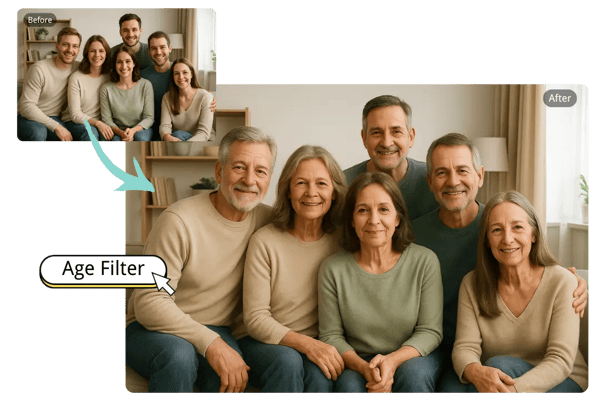
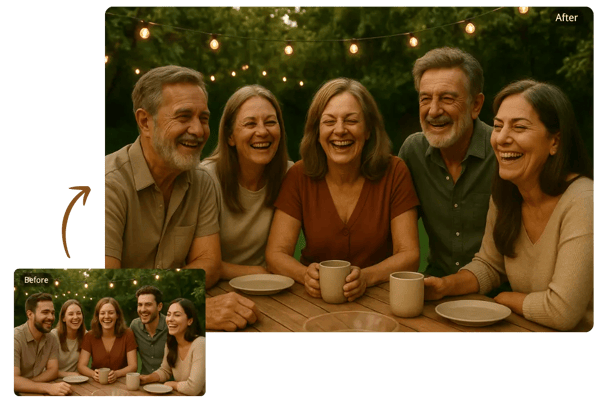
Instant Old Face Filter for Family Reunions
At family reunions, use Bylo.ai's old face filter to instantly age group photos, turning current snapshots into "future family heirlooms" that evoke laughter and discussions about shared histories, all achieved with a single click via our intuitive old filter.
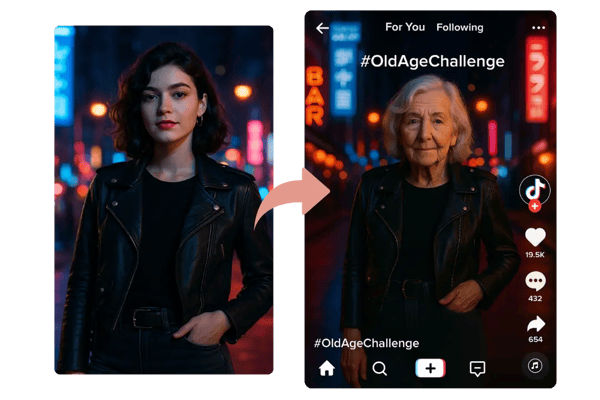
One-Click Old Age Filter Online for Social Media Challenges
Participate in viral social media challenges by applying Bylo.ai's old age filter online with just one tap; convert a youthful selfie into an elderly portrait to captivate followers, fostering engagement around themes of personal evolution and time's impact.
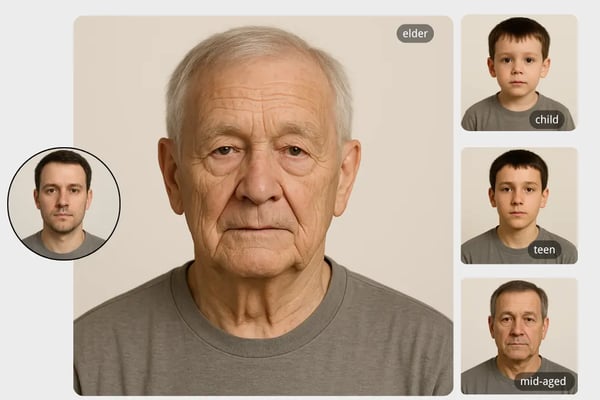
Realistic Age Filter for Educational Projects
In educational settings, educators leverage Bylo.ai's age filter to realistically age images of historical figures, illustrating biological aging processes in science classes and making abstract concepts tangible for students through our precise old filter free tool.
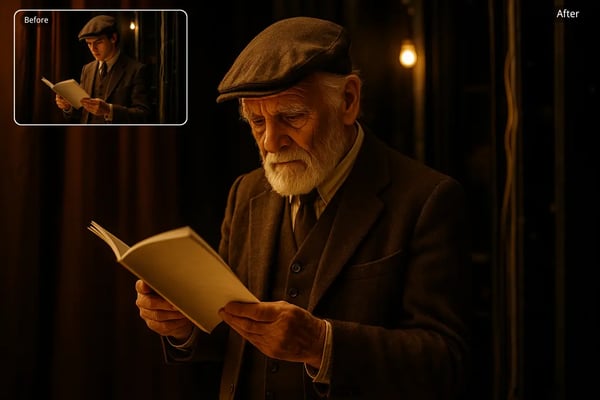
Versatile Old Filter for Creative Storytelling
Creative professionals employ Bylo.ai's old filter to one-click age characters in visual narratives, enhancing storyboards for films or novels by previewing aged appearances that add depth to plots involving time progression and character development.
Spark Your Imagination with Bylo.ai's Old Age Filter
Old Age Filter Online for Genealogy Research Visualization
Apply Bylo.ai's old age filter online to current family photos, simulating how descendants might appear in future generations to aid in visualizing and documenting family histories during genealogy explorations.
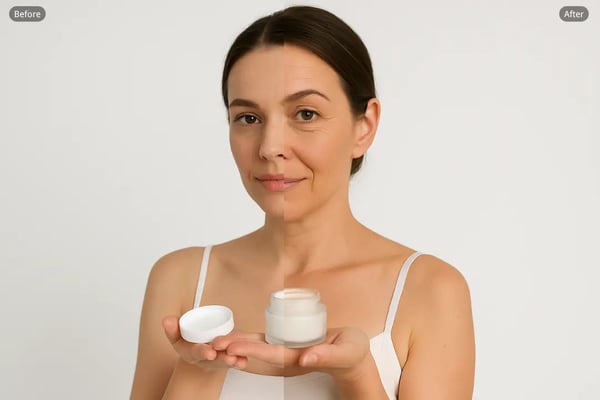
Anti-Aging Product Demonstrations With Old Face Filter
Utilize Bylo.ai's old face filter to create striking contrasts in skincare marketing, showing untreated "aged" versions alongside youthful ones to demonstrate potential product efficacy in promotional campaigns.
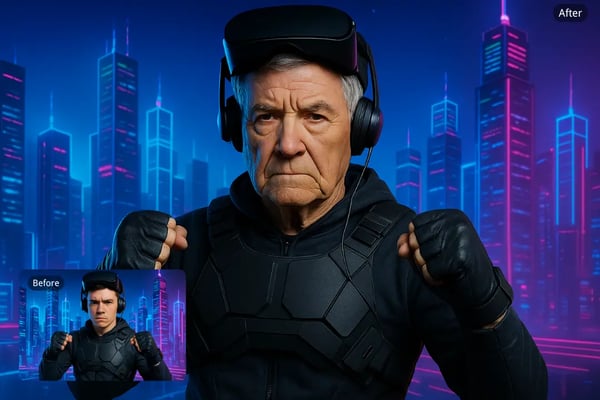
Age Filter for Virtual Reality Avatar Customization
Incorporate Bylo.ai's age filter into VR development by transforming user photos into elderly avatars, enabling immersive experiences where players navigate stories as older personas in gaming environments.
Old Filter for Privacy Protection in Online Forums
Leverage Bylo.ai's old filter to alter profile images into aged variants, helping users maintain anonymity and safeguard personal information while engaging in discussions on sensitive topics across digital communities.
Hear From Satisfied Users Who Love Our Old Face Filter
I used Bylo.ai's old filter for a fun office prank, and the realistic results had everyone laughing—it's quick and no sign-up hassle!
Emma Lee
Office Manager
As a content creator, Bylo.ai's old age filter transformed my videos with aged effects, skyrocketing my views on YouTube.
Jordan Patel
YouTuber
Bylo.ai's age filter helped me visualize my retirement look for financial planning motivation—accurate and user-friendly!
Alex Kim
Financial Advisor
The old face filter on Bylo.ai is a game-changer for my graphic design work; it adds authentic aging to client mocks effortlessly.
Sara Nguyen
Graphic Designer
I recommended Bylo.ai's old filter to friends for party games—the group aging feature created unforgettable memories!
Liam Foster
Event Planner
Bylo.ai's old age filter respected my facial features perfectly, making it ideal for professional photo edits in my portfolio.
Olivia Ramirez
Photographer
FAQs About Bylo.ai's Old Filter
What is the old filter that ages your face realistically?
Bylo.ai's old filter is an AI-driven tool that realistically ages your face by analyzing facial features and applying natural effects such as wrinkles, age spots, and hair changes, delivering a believable preview of your elderly appearance in just one click.
How do I access the old age filter online without downloading?
You can access Bylo.ai's old age filter online directly through your web browser by visiting our site, uploading your photo, and applying the filter instantly—no need for any software downloads or app installations, making it convenient for on-the-go use.
Is Bylo.ai's old face filter accurate for different ethnicities?
Yes, Bylo.ai's old face filter is designed with inclusive AI algorithms that accurately handle a wide range of ethnicities and skin tones, preserving unique facial structures while applying aging effects to ensure natural and respectful results for all users.
Can I use the age filter for group photos?
Certainly, Bylo.ai's age filter works seamlessly on group photos, detecting multiple faces and applying realistic aging transformations to each one individually, which is great for creating fun, collective "future" images of friends or family gatherings.
Is the old filter safe to use?
Bylo.ai's old filter prioritizes user safety by processing images securely without storing your data long-term, ensuring privacy through encrypted uploads and immediate deletions after transformation, so you can enjoy the tool with peace of mind.
How does the old age filter online handle video thumbnails?
For video thumbnails, simply extract a frame as a static image and upload it to Bylo.ai's old age filter online; the tool will apply aging effects to create a retro-styled thumbnail that enhances the visual appeal of your video content.
What file formats does the old face filter support?
Bylo.ai's old face filter supports popular formats including JPG, PNG, and WEBP, allowing you to upload high-quality photos from various sources without compatibility issues, ensuring smooth processing for your aging transformations.
Can I adjust the intensity of the age filter?
While Bylo.ai's age filter applies a standard elderly transformation with one click for simplicity, it focuses on delivering balanced, realistic results; for variations, you can experiment with different input photos to achieve subtle differences in the output.