
Select the model you want to generate your image with.
Free AI Photo Straightener to Correct Tilted Images Online
Automatically detect and correct image tilt with precise angle alignment, restoring visual balance while preserving original composition and clarity.
Your Generated Images
How to Straighten Photo Online with Bylo.ai’s Free AI Photo Straightener
Follow these simple steps to get started with our platform.
Step 1:Upload Your Photo
Upload the tilted image that needs correction. The image is prepared for automatic angle analysis and alignment.
Step 2:Let Our AI Photo Straightener Correct the Tilt
Our AI Photo Straightener analyzes horizontal balance and vertical alignment, then calculates the precise correction angle. Only the tilt is adjusted. Subject details, lighting, and composition remain unchanged.
Step 3:Download the Straightened Photo
Preview the aligned result and download your corrected image instantly. The original clarity and structure are preserved, with the angle accurately leveled.
Key Features of Bylo AI Photo Straightener
Straighten Photo Online Like a Professional with AI Photo Straightener
A tilted horizon or subtle framing imbalance can reduce visual credibility and compositional stability. Bylo.ai’s AI Photo Straightener applies calculated angle correction to restore horizontal balance with measured precision, allowing you to straighten photo online to a professional standard without manual adjustment. The correction focuses strictly on tilt alignment, preserving subject placement, lighting consistency, and structural integrity while delivering clean and visually stable results.
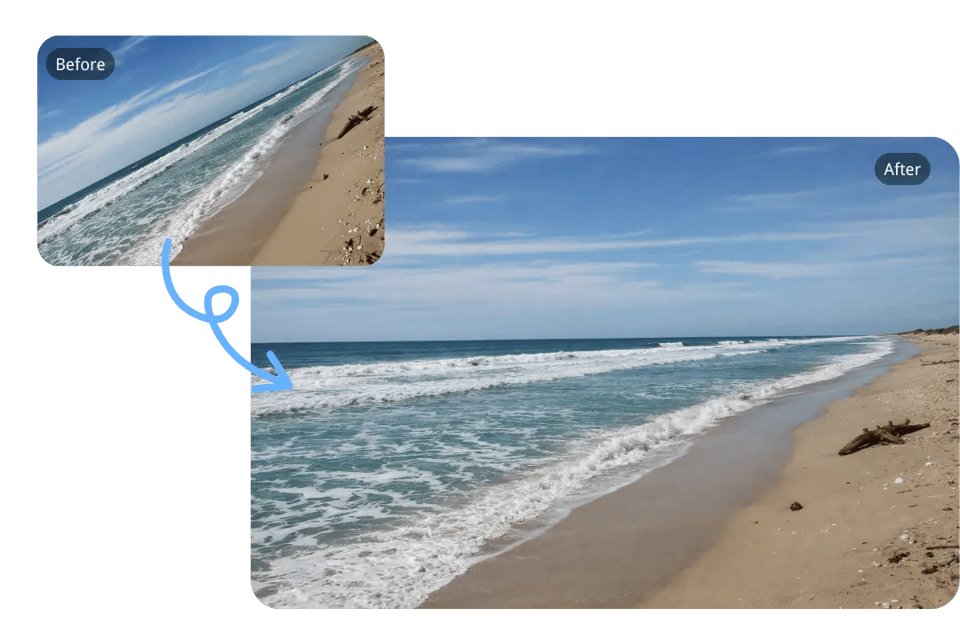
One-Click AI Photo Straightener to Fix Tilted Images Online Instantly
Manual rotation often leads to uneven correction or over-adjustment. Bylo.ai’s one-click AI Photo Straightener detects angle deviation automatically and corrects tilt in a single step, enabling you to fix tilted images online without sliders or guesswork. The AI calculates the optimal leveling angle based on horizontal reference detection, ensuring that straighten image online results appear naturally aligned and compositionally balanced.
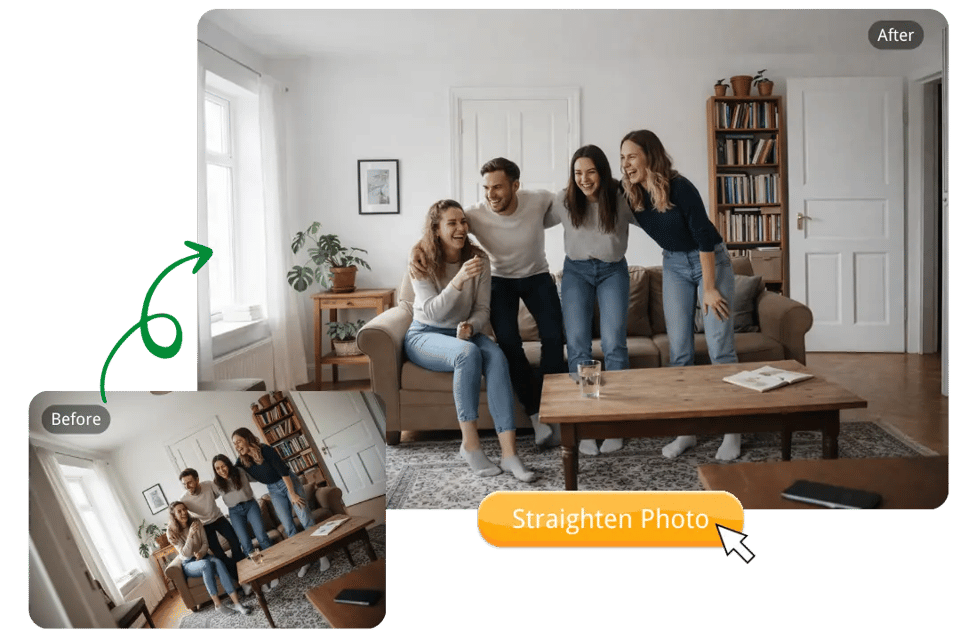
Free Photo Straightener to Straighten Image Online with Accurate Alignment
Bylo.ai provides a free photo straightener designed specifically for precise tilt correction. You can straighten image online quickly and efficiently without installing software or navigating complex editing tools. The adjustment targets angle imbalance only, maintaining original resolution, detail clarity, and proportional consistency while restoring proper horizontal alignment for a clean and stable composition.
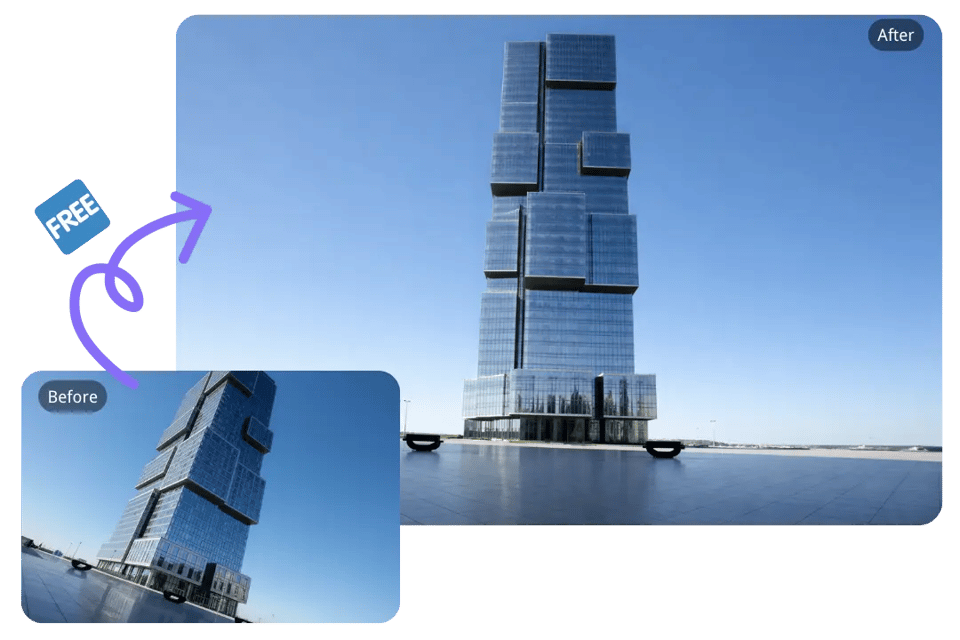
Edit Image Perspective and Adjust Angle Easily with AI Photo Straightener Online
Even minor perspective imbalance can affect visual harmony and perceived structure. Bylo.ai’s AI Photo Straightener allows you to edit image perspective and adjust angle easily through controlled tilt stabilization, focusing exclusively on alignment rather than distortion or reshaping. When you straighten photo online, the correction recalibrates horizontal balance while preserving original framing and natural proportions, resulting in a visually accurate and professionally leveled image.
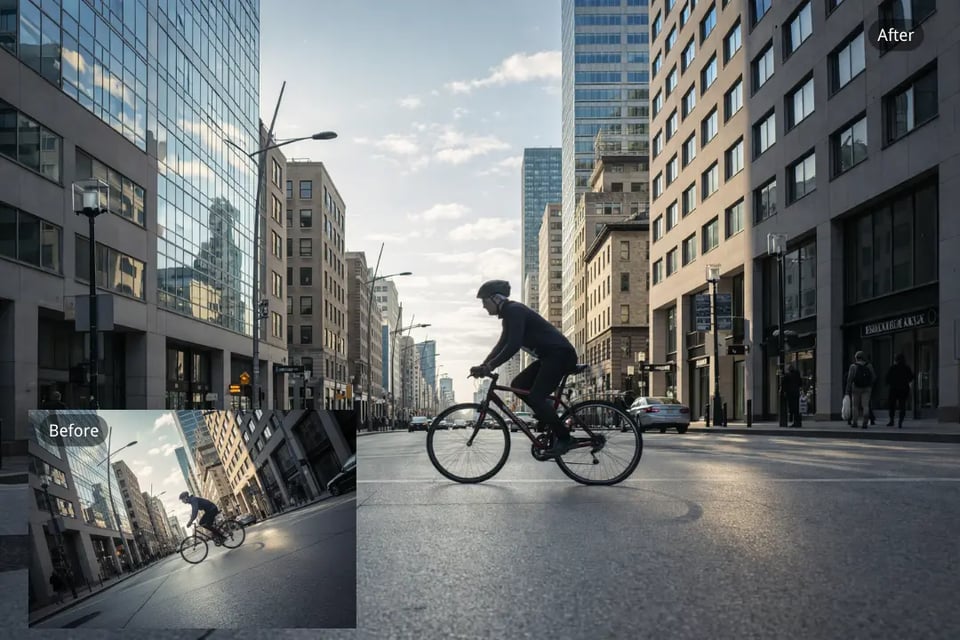
When Straightening Photo Online Improves Visual Balance
Even a slight tilt can make an image feel subtly unstable. Using an AI photo straightener to straighten image online helps restore clean horizontal and vertical alignment while keeping the original composition intact. Below are common everyday situations where simple angle correction makes a noticeable difference.
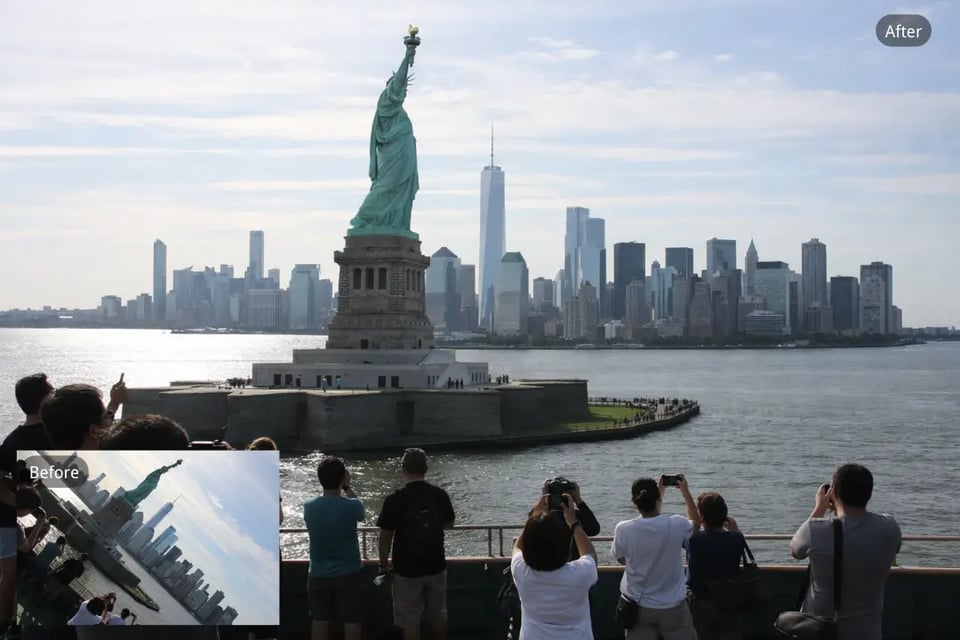
Landscape Horizon Correction Using AI Photo Straightener Online
In landscape photography, even a small tilt can make the horizon look uneven. Straighten photo online to restore proper horizontal alignment in beach scenes, mountains, or city skylines, ensuring the image feels grounded and visually stable.
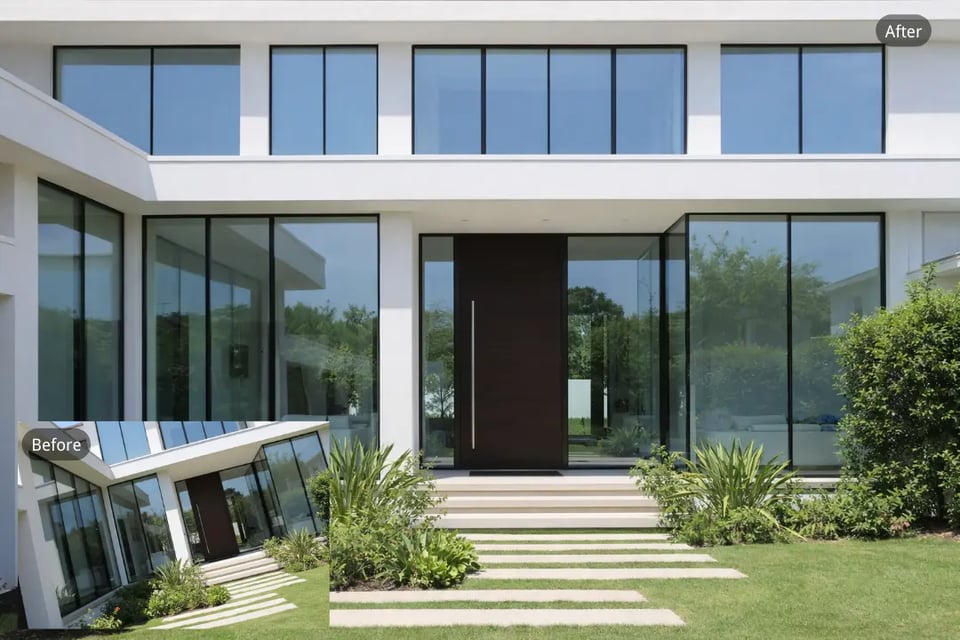
Real Estate Image Alignment with Free Photo Straightener
Architectural photos rely on clean vertical and horizontal structure. Straighten image online when walls, windows, or building edges appear slightly tilted, helping maintain structural accuracy and professional presentation in property listings.
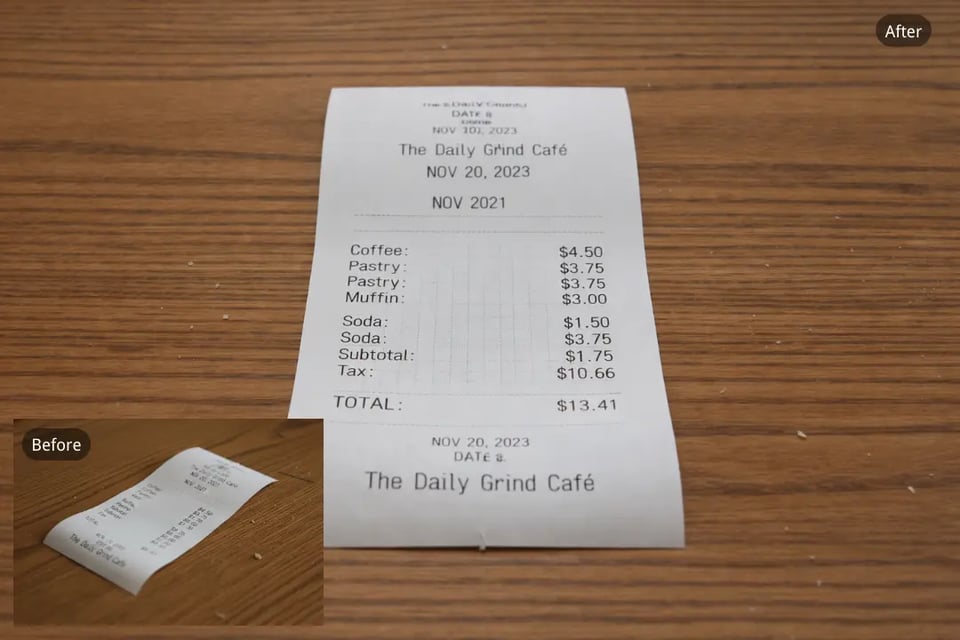
Document and Receipt Re-Capture with Straighten Image Online
When photographing documents or printed photos, small shooting angle differences can cause skewed edges. A free photo straightener corrects tilt and restores rectangular balance, improving readability and clarity.

Product Photography Stabilization Through AI Photo Straightener
In e-commerce product images, slight tilt can affect perceived quality. Using an AI photo straightener ensures product edges align cleanly while preserving lighting, proportions, and overall composition.
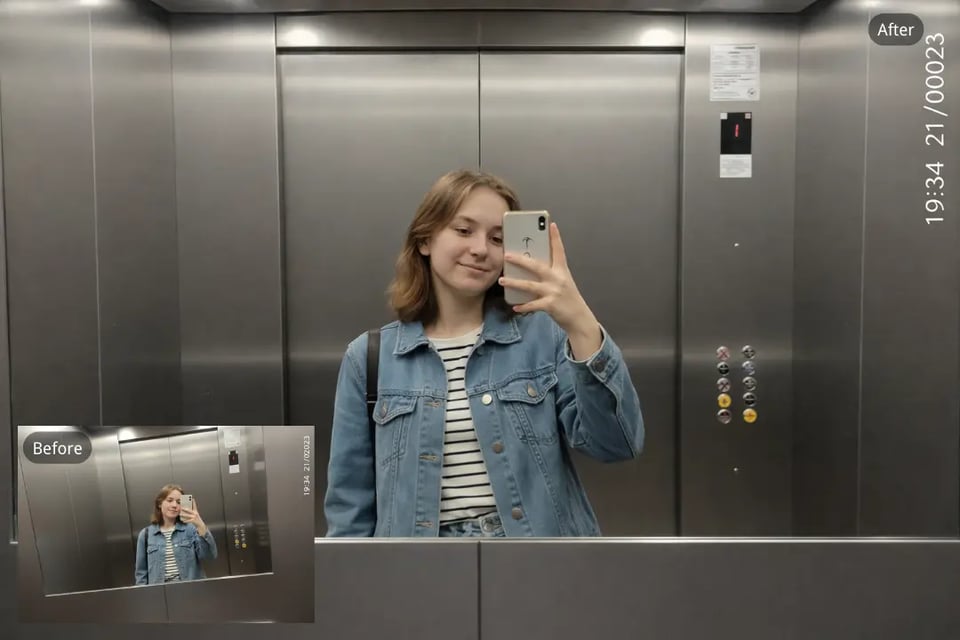
Portrait and Street Photo Alignment with Straighten Photo Online
Background reference lines such as poles, brick walls, or window frames may appear subtly tilted in portraits or candid shots. Straighten photo online to realign these elements and restore compositional stability without altering the subject.

Family and Group Photo Balance Using Free Photo Straightener Online
Group photos taken quickly during events often contain slight tilt that becomes noticeable afterward. Straighten image online to correct uneven background lines while preserving faces, lighting, and natural expressions.
Why Bylo.ai Is a Practical Choice to Straighten Photo Online
Straightening an image should be accurate, efficient, and reliable. Bylo.ai combines precise angle correction with access to advanced AI image models, allowing users to straighten photo online within a stable and flexible processing environment. Rather than operating as a basic rotation utility, it supports model-level image handling to maintain structural consistency and visual balance.
Free AI Photo Straightener with Immediate Access
Bylo.ai offers a free AI photo straightener that allows tilt correction without complicated setup. You can straighten image online quickly while preserving original clarity, framing, and composition. This makes it suitable for both everyday use and more structured visual tasks.
Access to Advanced AI Image Models Including Nano Banana and Seedream
Bylo.ai provides direct access to advanced AI image models such as Nano Banana and Seedream. Users can select different underlying engines for image processing, depending on alignment precision, structural stability, and detail retention preferences. This flexibility ensures consistent results when correcting tilt across various photo types.
Simple and Efficient Straighten Image Online Workflow
The straighten image online process is streamlined to focus strictly on angle correction. Upload the image, allow automatic tilt detection, and download the leveled result. The interface avoids unnecessary controls, making the correction process clear and efficient.
Access to Additional Image Editing Models Such as Photo Angle Change
Beyond basic tilt correction, Bylo.ai includes additional image editing models such as Photo Angle Change and other structural adjustment tools. After straightening a photo, users can continue refining orientation or applying controlled visual adjustments within the same platform, maintaining workflow continuity.