
Select the model you want to generate your image with.
Create Viral Sports Broadcast Screenshots from Your Photo
Upload your photo and turn it into a realistic AI sports broadcast screenshot that looks captured from a live game, from baseball crowd cams and F1 pit wall moments to basketball courtside shots and stadium fan reactions.
Your Generated Images
Make Your Photo Look Like a Viral Sports Broadcast Screenshot On Bylo.ai
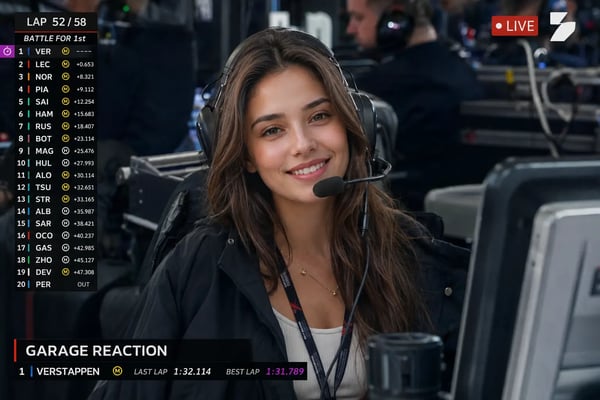
Ever wondered what it would look like if a live TV camera caught you in the middle of a packed stadium? With Bylo.ai’s AI Sports Broadcast Screenshot Generator, users can upload a portrait, selfie, pet photo, or fan-style image and turn it into a realistic AI Sports Broadcast Screenshot with stadium lights, blurred crowds, broadcast-style framing, and candid game-day energy. From baseball crowd cams and NBA courtside reactions to F1 grandstand shots and dramatic football fan moments, Bylo.ai helps make personal photos look like authentic AI Live TV Broadcast Screenshots ready for social sharing.
How to Create Free AI Sports Broadcast Screenshots with Bylo.ai
Follow these simple steps to get started with our platform.
Upload Your Photo
Start by uploading a portrait, selfie, pet photo, couple photo, or fan-style image you want to transform. A clear front-facing or half-body photo works best because it helps the AI keep the subject recognizable while preparing the image for a realistic sports broadcast scene.
Choose Your Sports Broadcast Screenshot Style
Describe the live TV moment you want to create, such as a baseball crowd cam, NBA courtside reaction, F1 grandstand shot, soccer stadium fan moment, tennis match spectator scene, or hockey arena screenshot. You can also add details like stadium lighting, blurred crowds, broadcast framing, team colors, or a candid fan reaction.
Generate Your AI Live TV Broadcast Screenshot
Let the AI turn your uploaded image into a polished AI Sports Broadcast Screenshot with realistic crowd depth, game-day atmosphere, motion blur, and live camera composition. Once the result is ready, you can download the image and use it for social posts, fan edits, profile visuals, memes, or sports-themed creative content.
Key Features of Bylo AI Sports Broadcast Screenshot Generator
Make Personal Photos Feel Like Real AI Sports Broadcast Screenshots
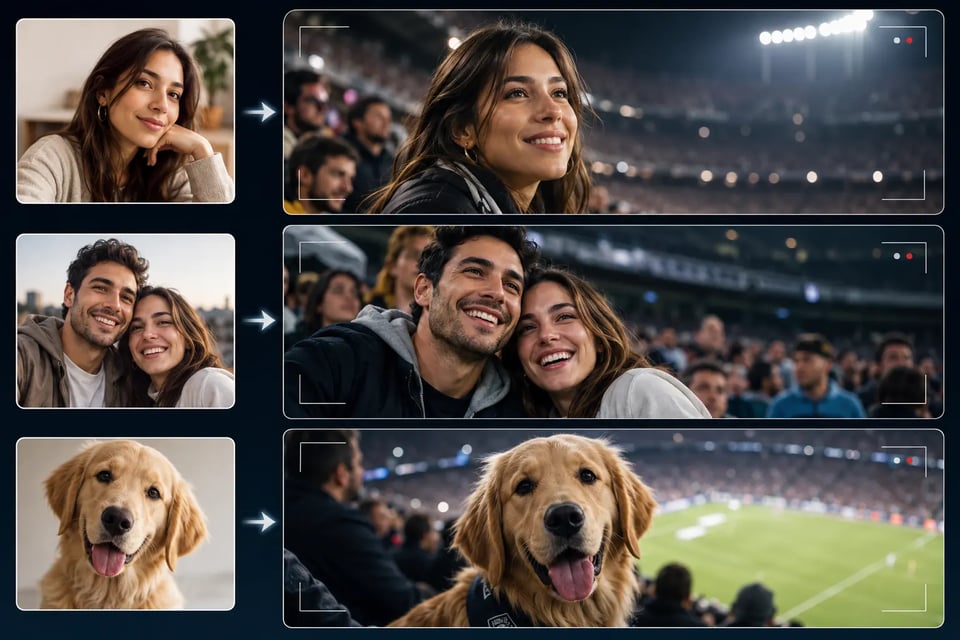
A strong broadcast-style image starts with keeping the uploaded subject recognizable. Bylo.ai helps turn portraits, selfies, pet photos, couple shots, or fan-style images into realistic AI Sports Broadcast Screenshots with natural expressions, stadium depth, live-camera framing, and game-day atmosphere instead of making the result feel like a generic sports poster.
Bring Stadium Crowd Energy into Every AI Stadium Broadcast Screenshot
The stadium background is what makes the image feel alive. With the AI Sports Broadcast Screenshot Generator on Bylo.ai, users can add packed seats, blurred cheering crowds, arena lighting, team-color details, and candid fan reactions to create an AI Stadium Broadcast Screenshot that feels captured during a real match.
Guide Each Scene with a Sports Broadcast Screenshot Prompt
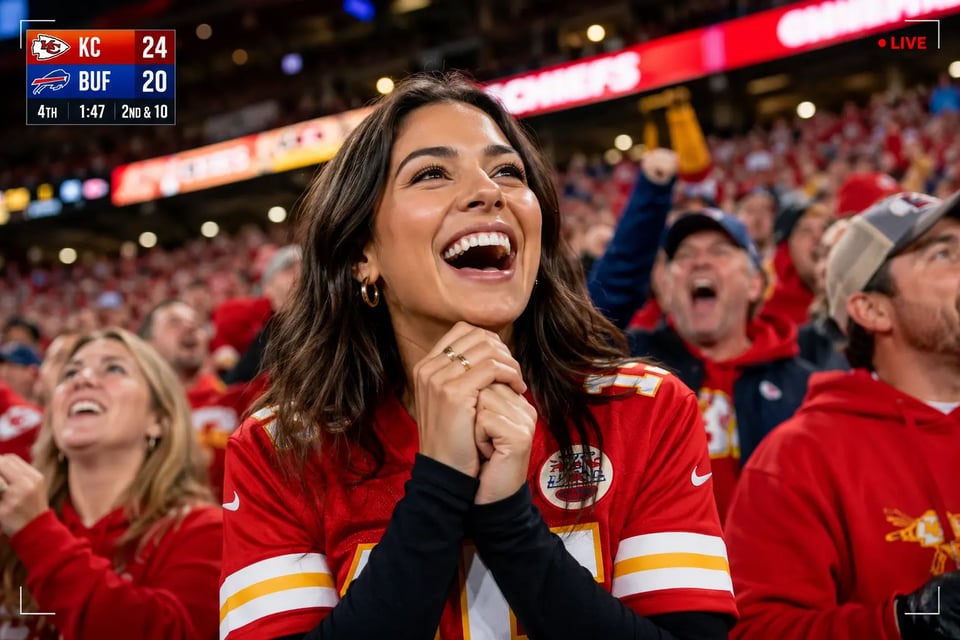
Different sports need different broadcast details. Users can guide Bylo.ai with a Sports Broadcast Screenshot Prompt for baseball crowd cams, NBA courtside reactions, F1 grandstand shots, soccer stadium moments, tennis match scenes, hockey arenas, or pet fan screenshots, making each result match the exact live TV moment they want.
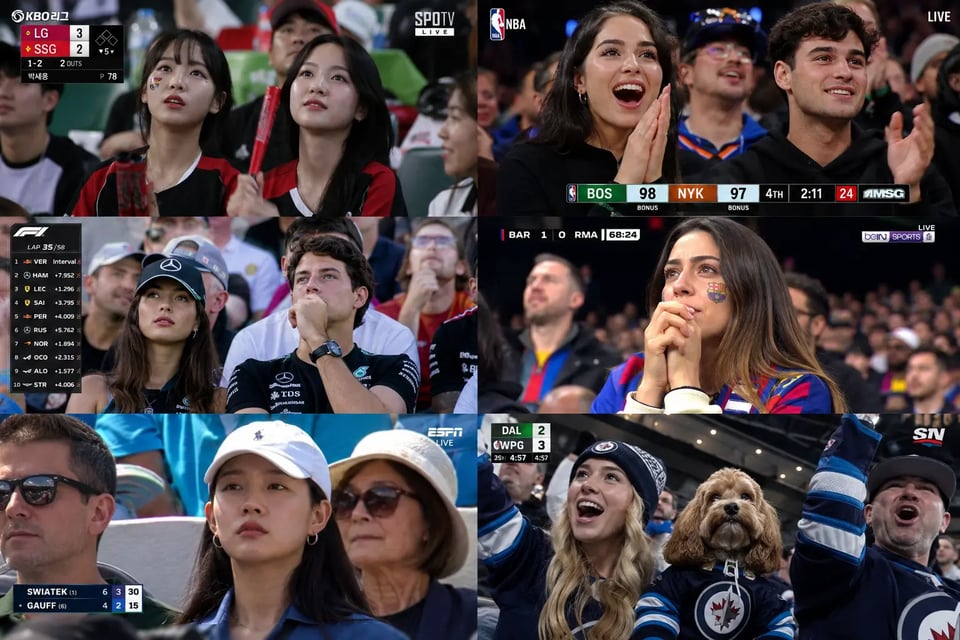
Make AI Live TV Broadcast Screenshots Ready for Social Media
Sports broadcast edits are made to feel instant, candid, and easy to post. Bylo.ai helps create AI Live TV Broadcast Screenshots with TV-style composition, realistic motion blur, crowd atmosphere, and polished visual quality, making them suitable for TikTok posts, Instagram edits, fan pages, memes, thumbnails, and sports-themed social content.
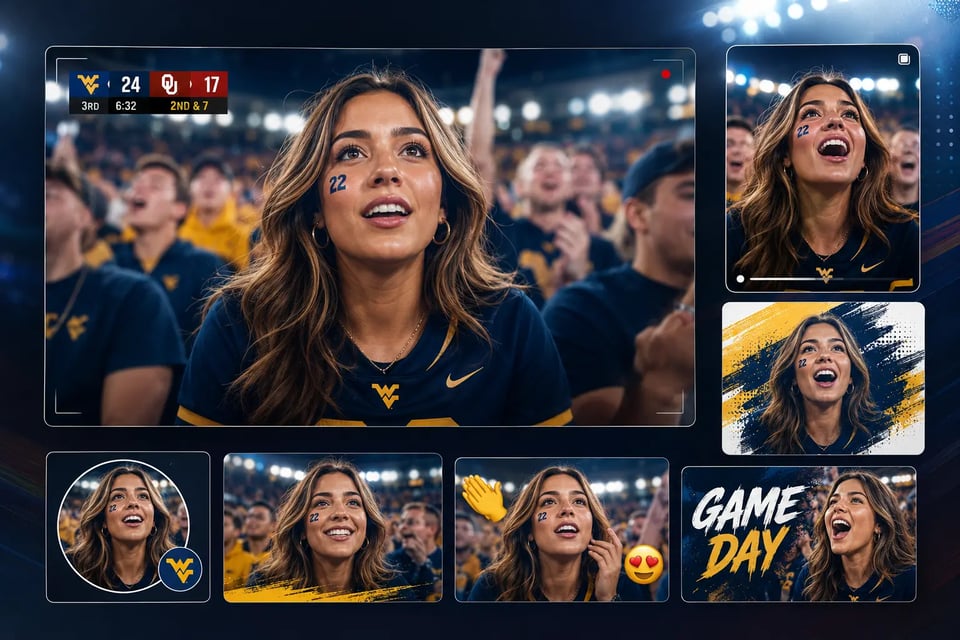
Create Different Game-Day Looks with Sports Broadcast Screenshot Prompt Ideas
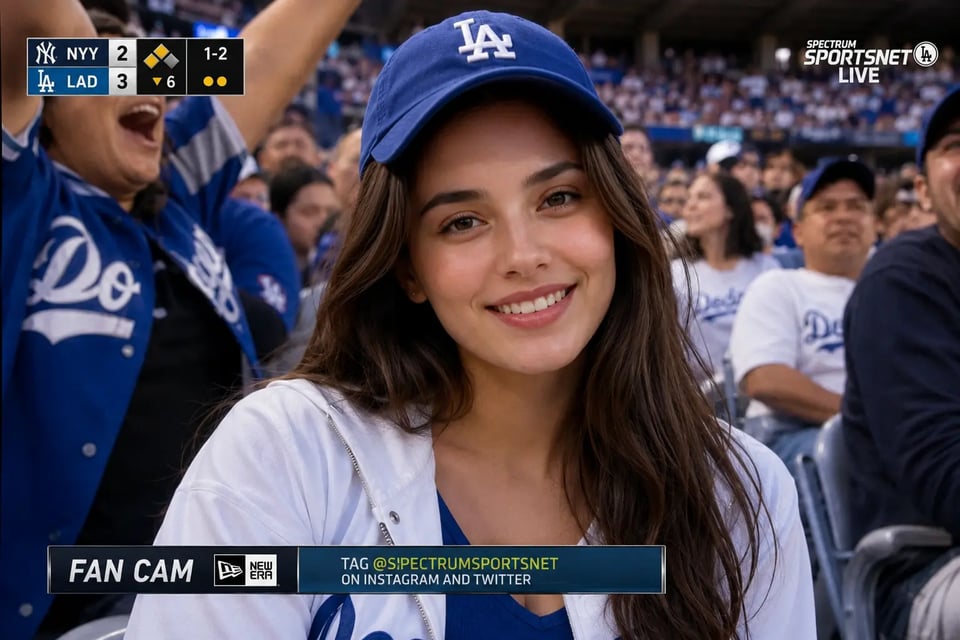
⚾ Baseball Crowd Cam Broadcast Screenshot
Turn an uploaded photo into a candid baseball crowd cam moment with team-style clothing, stadium seating, and a live TV feel. This type of image works well for casual fan reactions, snack moments, and viral game-day edits. Sports Broadcast Screenshot Prompt: Transform the uploaded person into a realistic baseball crowd cam broadcast screenshot captured during a live game. Keep the person’s face, identity, hairstyle, and key features recognizable. Dress them in baseball fan clothing such as a team-style jersey, cap, or casual stadium outfit. Place them seated in the audience section of a packed baseball stadium with blurred cheering fans around them, visible field atmosphere in the distance, and bright stadium lights. Use a front-facing live-broadcast crowd camera angle that points directly toward the stands, with the subject facing the camera, not shown from the side or from behind. Add a realistic generic baseball TV overlay with team abbreviations, current score, inning, pitch count, and small lower-third graphics. Include slight motion blur, subtle TV compression, and a candid game-day expression so the final image looks like a real live baseball broadcast screenshot.
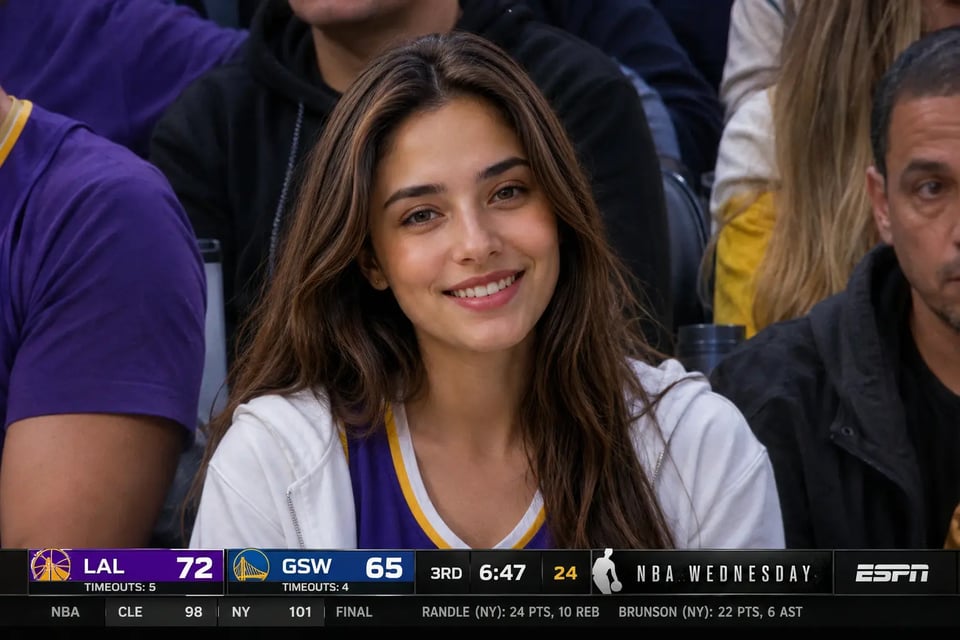
🏀 Basketball Courtside Broadcast Screenshot
Create a courtside sports moment that feels captured by a live arena camera. This style is great for NBA-inspired reactions, celebrity-seat vibes, and high-energy fan content. Sports Broadcast Screenshot Prompt: Transform the uploaded person into a realistic basketball broadcast crowd screenshot during a live game. Preserve the person’s facial identity, hairstyle, natural expression, and overall appearance. Dress them in basketball fan clothing such as a team-style jersey, hoodie, bomber jacket, or stylish arena outfit. Place them in the audience area near the court with arena lighting, hardwood court atmosphere, blurred spectators nearby, and strong live-game energy. Use a front-facing broadcast camera angle aimed directly at the crowd section, with the subject facing the camera, not shown in profile or from a side angle. Add a realistic generic basketball TV overlay with team abbreviations, score, quarter, game clock, and small lower-third broadcast graphics. Include natural crowd energy, slight motion blur, and live TV framing so the final image feels like a real basketball broadcast screenshot.
🏎️ F1 Pit Wall Sports Broadcast Screenshot
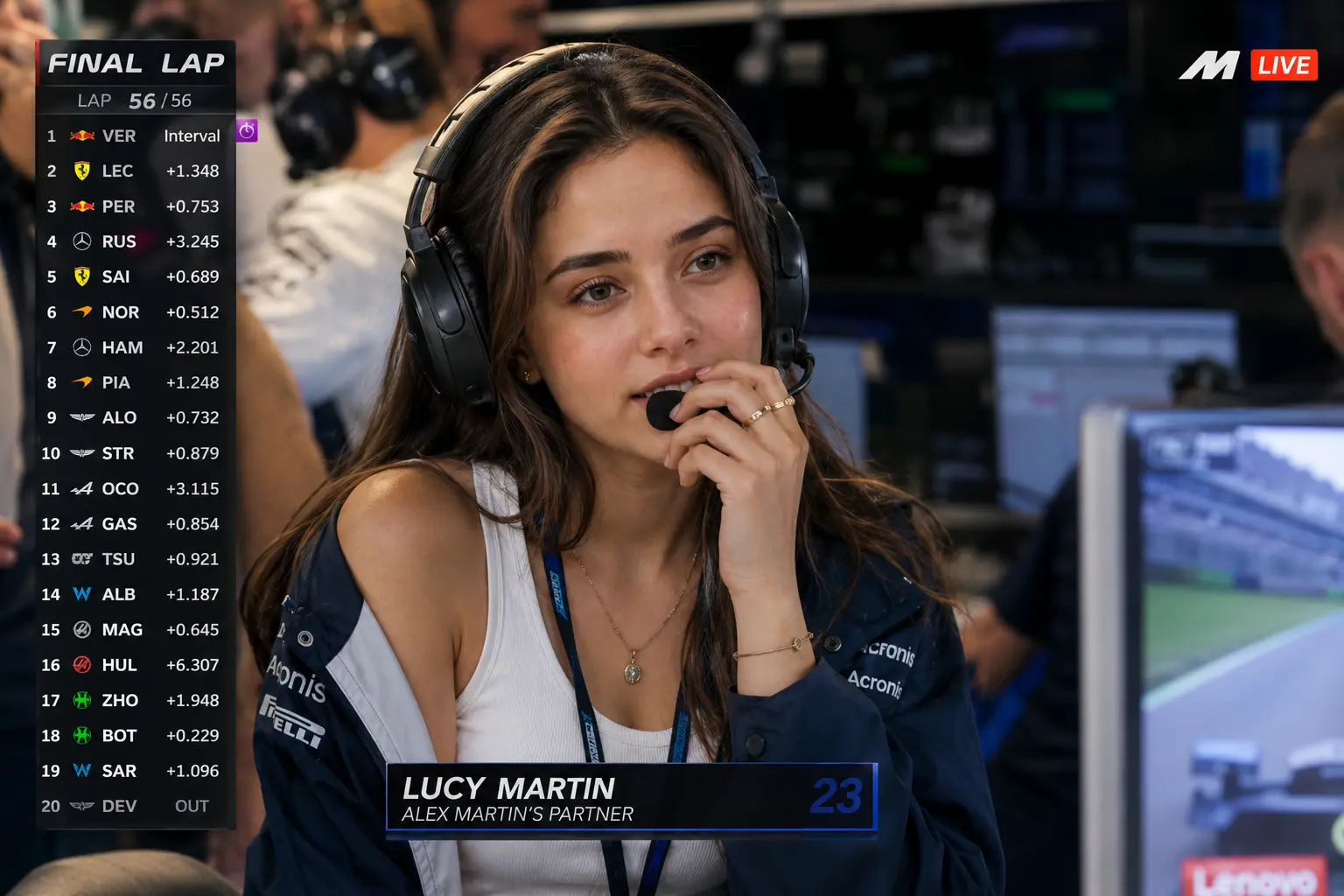
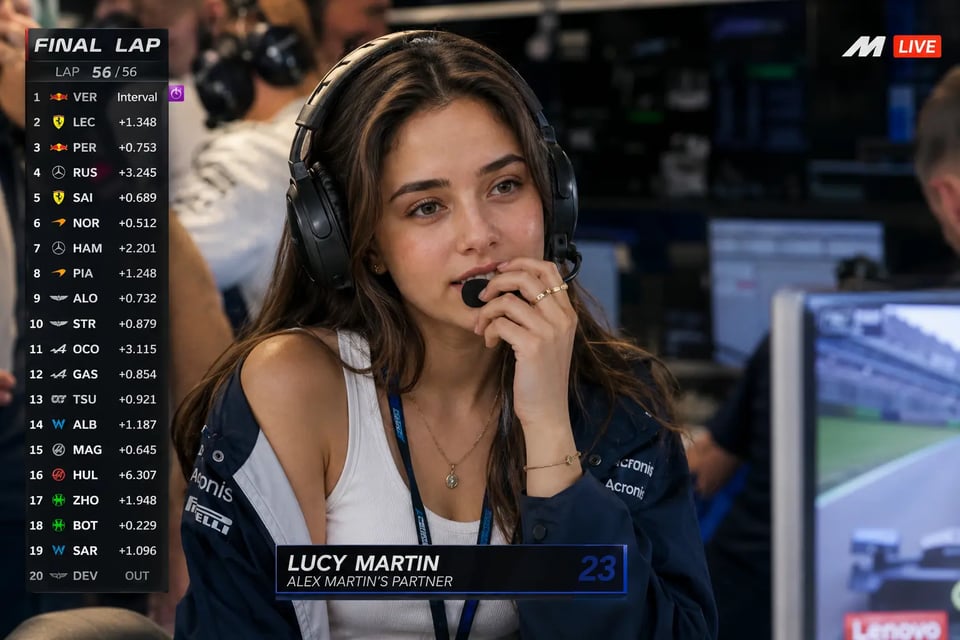
Place the uploaded subject inside a tense Formula 1 team-garage moment, as if they were captured during a decisive race broadcast. This style should feel similar to a final-lap pit wall screenshot, with headset communication, race control energy, and a visible leaderboard overlay. Sports Broadcast Screenshot Prompt: Transform the uploaded person into an ultra-realistic F1 live TV broadcast screenshot while preserving the subject’s identity exactly from the reference image. Show a young woman sitting inside the VIP paddock or team garage during a Formula 1 race, appearing on the live race broadcast as the girlfriend or partner of an F1 driver. It is the final lap, and she is listening to the team radio through a professional racing headset while watching the garage monitors nervously. Pose her leaning slightly forward with one hand near her mouth, showing a proud yet tense expression. Dress her in a fitted white tank top, an oversized racing team jacket draped naturally over her shoulders, a large black team-radio headset with a boom mic, subtle gold jewelry, and soft glam makeup. Add a slim paddock pass hanging naturally from her neck. Surround her with a realistic team garage environment, including blurred team staff, mechanics, headsets, race screens, garage monitors, and racing equipment in the background. Add realistic F1 live broadcast graphics, including a “FINAL LAP” banner, a lap counter showing the final lap, a driver timing tower on the left side, a small F1-style logo bug, a “LIVE” indicator, and a lower-third identifying her as a driver partner or paddock guest. Use a telephoto broadcast camera angle from across the garage, not a selfie angle, and avoid any oversized fake badge. Include subtle compression artifacts, slight digital noise, bright paddock lighting, natural skin texture, and no over-smoothing so the final image looks like a real Formula 1 live broadcast screenshot.
⚽ Soccer Stadium Fan Reaction Screenshot
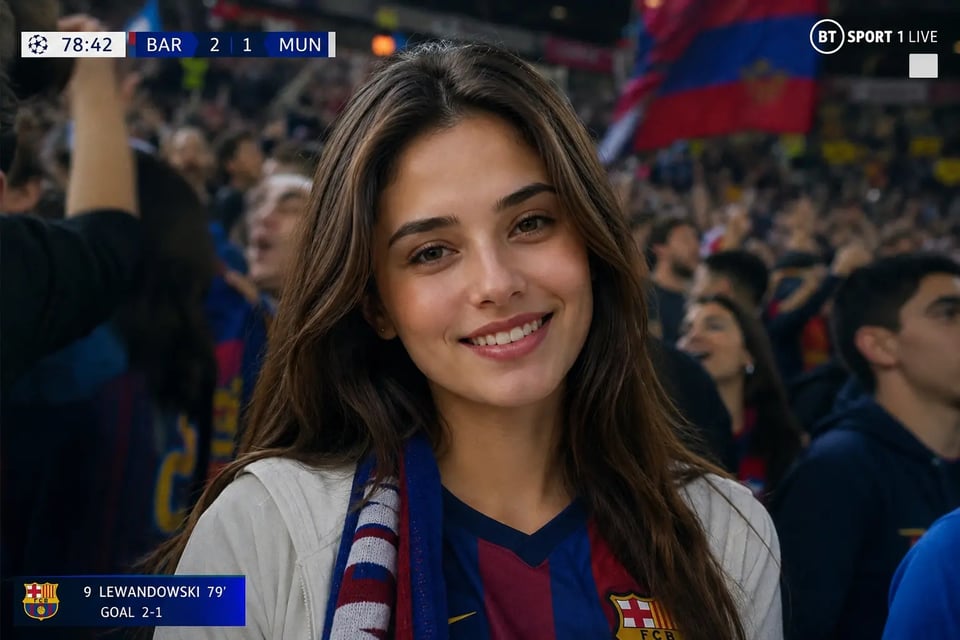
Turn a personal image into a dramatic football fan reaction caught in the middle of a tense match. This style is ideal for packed-stand moments, scarves, flags, and emotional crowd energy. Sports Broadcast Screenshot Prompt: Transform the uploaded person into a realistic soccer stadium fan reaction screenshot captured by a live TV broadcast camera. Preserve the person’s face, identity, hairstyle, and key features. Dress them in soccer fan clothing such as a team-style jersey, scarf, jacket, or match-day outfit. Place them seated in a packed football stadium with blurred supporters around them, bright stadium lights, waving flags, and visible pitch atmosphere in the distance. Use a front-facing live-broadcast crowd camera angle aimed directly at the audience section, with the subject facing the camera, not shown from the side, back, or in a distant angled shot. Add a realistic generic football TV overlay with team abbreviations, current score, match clock, and small broadcast lower-third graphics. Use natural motion blur, emotional fan energy, and authentic live-broadcast framing so the result feels like a true soccer broadcast screenshot.
🎾 Tennis Match Spectator Broadcast Screenshot
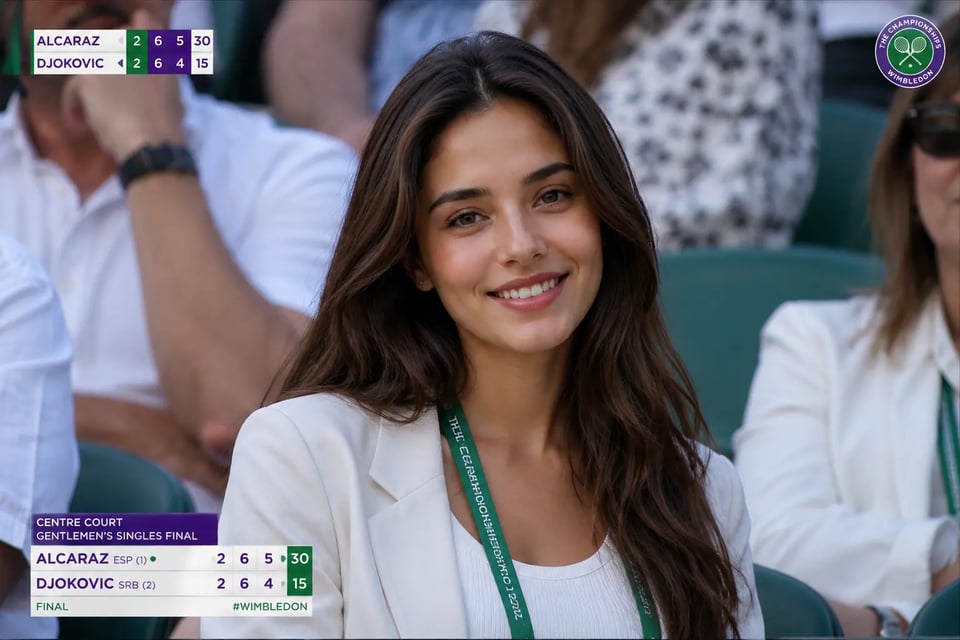
Create a clean tennis broadcast moment with refined spectator styling and calm match-day atmosphere. This direction works well for elegant sports visuals that still feel like live TV coverage. Sports Broadcast Screenshot Prompt: Transform the uploaded person into a realistic tennis match spectator broadcast screenshot. Keep the person’s face, identity, hairstyle, and natural features recognizable. Dress them in tennis spectator clothing such as a light blazer, summer dress, polo shirt, sunglasses, cap, or polished match-day outfit. Place them seated in the stands near a tennis court with soft daylight, blurred spectators nearby, shallow depth of field, and a calm match-day atmosphere. Use a front-facing broadcast camera angle aimed directly at the spectator section, with the subject facing the camera, not shown from a side-angle or profile view. Add a realistic generic tennis broadcast overlay with player initials, set score, game score, and small match info graphics. Include subtle broadcast texture, natural colors, and a composed spectator expression so the final image feels like an authentic tennis broadcast screenshot.
🏒 Hockey Arena Broadcast Screenshot
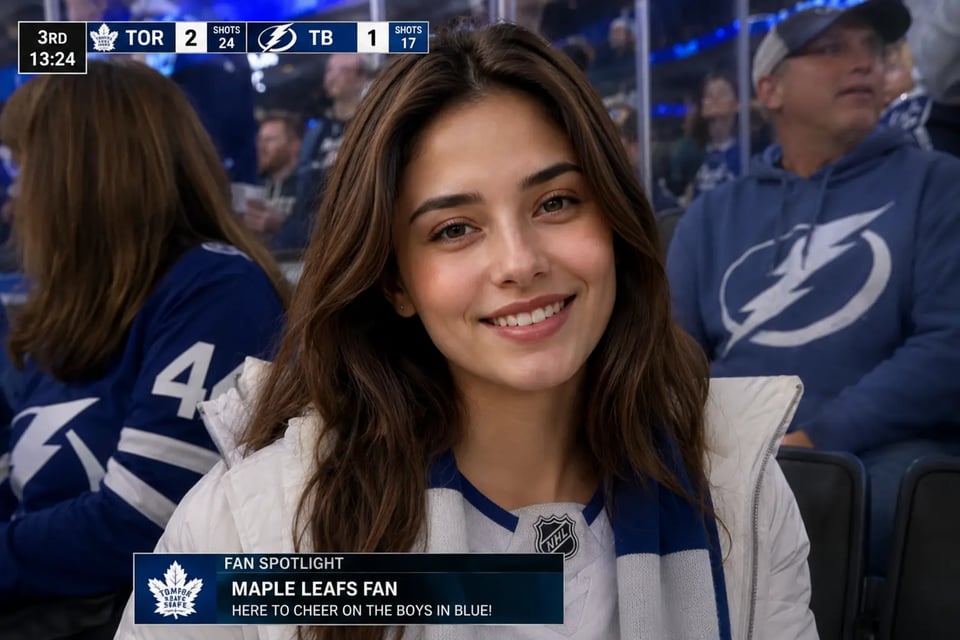
Turn an uploaded photo into a cold, high-energy hockey arena moment with ice-rink reflections and crowd movement. This style is especially suitable for winter sports fans and dramatic indoor live-broadcast visuals. Sports Broadcast Screenshot Prompt: Transform the uploaded person into a realistic hockey arena broadcast screenshot captured during a live game. Preserve the person’s identity, facial features, hairstyle, and natural appearance. Dress them in hockey fan clothing such as a team-style jersey, winter jacket, scarf, or arena outfit. Place them seated in the audience section of a bright indoor hockey arena with blurred fans around them, cool-toned stadium lighting, rink reflections, and boards or glass visible in the distance. Use a front-facing broadcast camera angle aimed directly at the crowd, with the subject facing the camera, not shown from a side-angle, back-view, or profile shot. Add a realistic generic hockey TV overlay with team abbreviations, current score, period, game clock, and small lower-third graphics. Include slight motion blur, broadcast-style contrast, and a candid fan reaction so the final image looks like a real hockey live TV screenshot.
Why Create AI Sports Broadcast Screenshots with Bylo.ai
Try Free AI Sports Broadcast Screenshots Before You Create More
Bylo.ai lets users start with Free AI Sports Broadcast Screenshots and test how their personal photo looks inside a live TV sports scene. Upload a portrait, selfie, pet photo, or fan-style image, then preview different broadcast looks such as baseball crowd cam, basketball courtside, F1 pit wall, soccer stadium reaction, or hockey arena moment.
Create Sports Broadcast Screenshots with a Simple Workflow
No advanced editing experience is needed. Users only need to upload an image, choose or enter a sports broadcast style, and generate a realistic result. Bylo.ai keeps the process direct, so anyone can turn a personal photo into a broadcast-style sports screenshot without manual compositing or complex design tools.
Get Realistic AI Stadium Broadcast Screenshot Results
A believable sports TV screenshot needs more than a stadium background. Bylo.ai helps create realistic AI Stadium Broadcast Screenshot results with matching fan outfits, blurred crowds, stadium lighting, score-style TV overlays, motion blur, and live-camera framing, making the final image feel closer to an actual broadcast capture.
Explore More Fun AI Photo Tools on Bylo.ai
After creating an AI Sports Broadcast image, users can keep exploring more entertainment-focused AI tools on Bylo.ai. From portrait effects and social media edits to trend filters, meme-style visuals, fashion transformations, and creative image generators, Bylo.ai gives users more ways to turn everyday photos into shareable visual content.