
Select the model you want to generate your image with.
Remove Glasses from Photo Online Free
Remove glasses from photo AI free with Bylo AI. Automatically remove spectacles and sunglasses in seconds.

Your Generated Images
Key Features of Bylo AI Glasses Remover
One-Click AI to Remove Glasses from Photo
Bylo AI lets you remove glasses from photo in one click using an advanced AI Glasses Remover. The system automatically detects eyeglasses, sunglasses, and lens glare, then removes them cleanly. Upload a photo and let AI remove glasses instantly—no manual tools, no setup, just fast results.
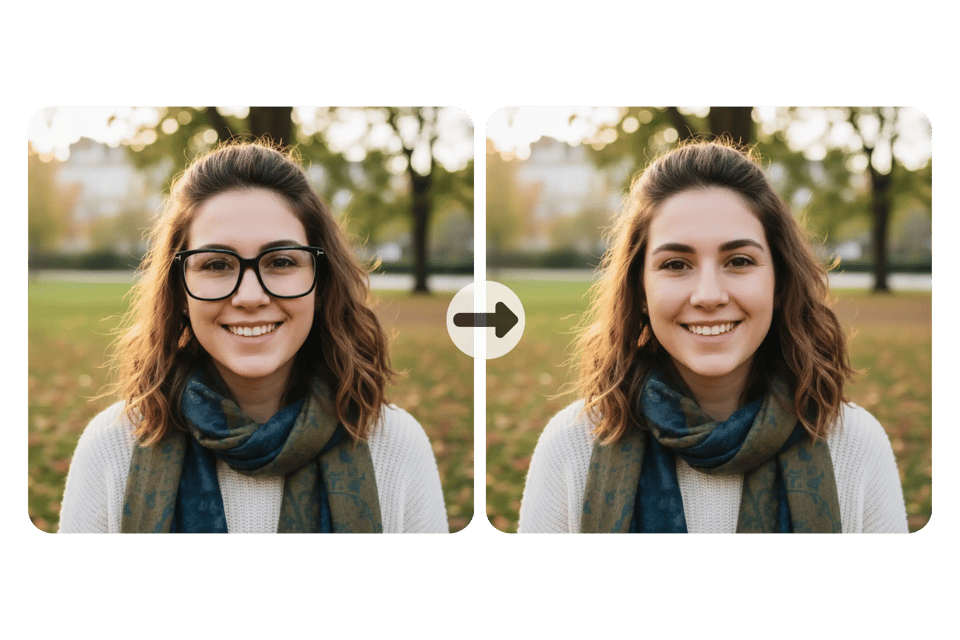
Natural and Realistic Face Repair After Glasses Removal
When you remove glasses from photo with Bylo AI, realism comes first. Our AI remove glasses engine rebuilds eyes, skin texture, and facial details with care, so results look natural. The photo appears as if glasses were never there, avoiding blur, artifacts, or artificial retouching.
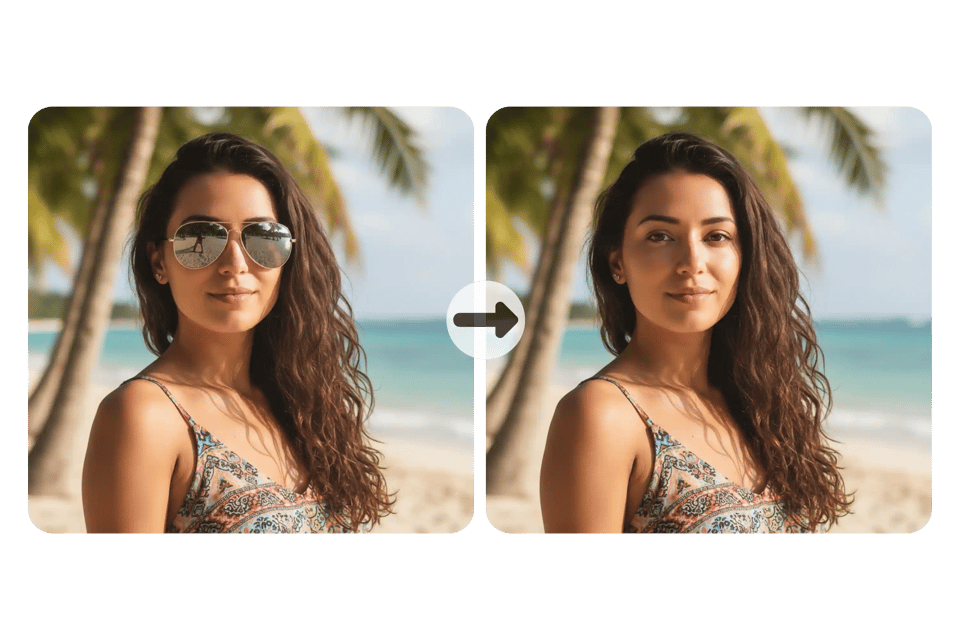
Remove Spectacles from Photo Across All Glasses Types
Bylo AI removes glasses from photos across a wide range of styles, from thick frames and thin metal glasses to sunglasses and clear lenses. The AI Glasses Remover adapts to different lighting conditions, reflections, and face angles, delivering consistent results across portraits, selfies, and profile photos.Once the glasses are removed, users can further explore their facial structure and proportions using the Golden Ratio Face Calculator , making it easier to analyze facial balance and symmetry on a clear, unobstructed image.
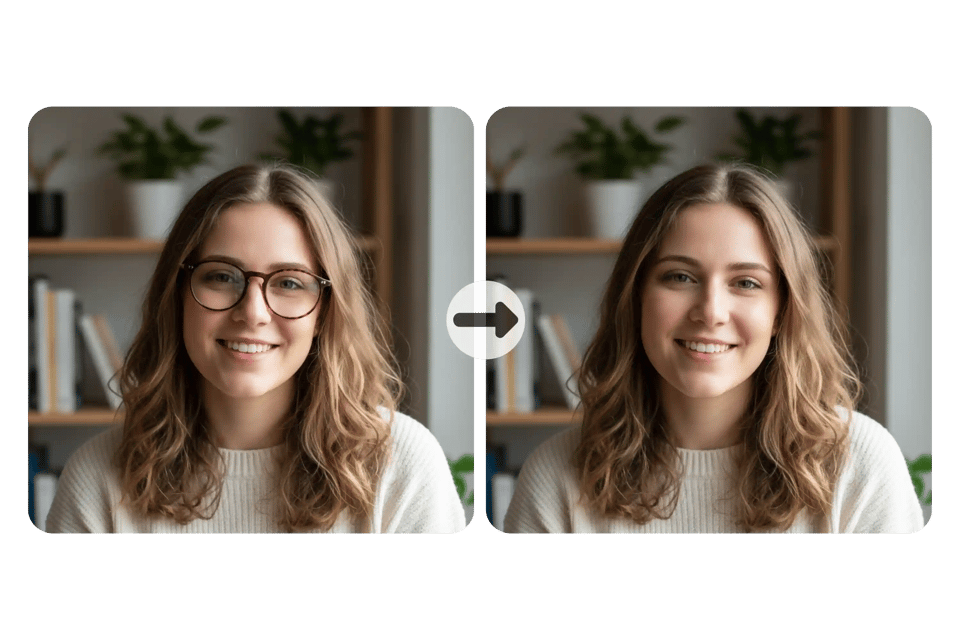
Free Online AI Glasses Remover by Bylo AI
You can remove glasses from photo AI free with Bylo AI directly in your browser. No downloads, no software, and no learning curve. Our free online AI remove glasses tool lets you preview results instantly, making it ideal for quick edits, profile photos, and everyday use.

Remove Glasses from Photo for All Glasses Types with Bylo AI
Remove Sunglasses from Photo AI with Accurate Eye Recovery
Bylo AI can remove sunglasses from photo AI with high precision, even when lenses are dark or reflective. The AI Glasses Remover analyzes shadows and lens opacity, then rebuilds eye details naturally. This allows you to remove glasses from photo without losing facial expression or realism.
Remove Spectacles from Photo with All Frame Styles
Whether you want to remove spectacles from photo with thin metal frames, thick plastic frames, or rimless glasses, Bylo AI handles them all. Our ai remove glasses system adapts to different face shapes and angles, ensuring the glasses removal blends smoothly with surrounding skin.
AI Remove Glasses Including Clear Lenses and Reflections
Clear lenses and glare can be difficult to edit manually, but Bylo AI makes it simple to remove glasses from photo using AI. The model detects reflections and light distortion, then removes glasses cleanly while preserving skin texture, lighting balance, and overall image quality.
How to Remove Glasses from Photo with Bylo AI
Upload Your Photo to the AI Glasses Remover
Start by uploading your image to Bylo AI. Our AI Glasses Remover supports portraits, selfies, and profile photos. Once uploaded, the system prepares the image so AI can remove glasses from photo accurately, without requiring any manual selection or editing.
Let AI Automatically Remove Glasses from Photo
After upload, Bylo AI instantly applies its ai remove glasses technology. The AI detects glasses, spectacles, or sunglasses and removes them automatically. This remove glasses from photo AI process also rebuilds eye details and facial texture for a natural result.
Preview and Download Your Glasses-Free Photo
Review the final image and make sure the result meets your needs. You can remove glasses from photo AI free to preview the output before downloading. Once satisfied, download your high-quality glasses-free photo directly from Bylo AI.
How Bylo AI Helps Remove Glasses from Photo in Real Situations
AI Remove Glasses for Profile Photos and Avatars
Many users choose to remove glasses from photo to create clean profile images. With Bylo AI, you can use ai remove glasses to produce natural-looking avatars for social media, forums, and messaging apps. The AI Glasses Remover keeps facial features sharp while removing visual distractions.
Remove Glasses from Photo AI Free for ID and Resume Photos
When preparing ID photos, resumes, or professional profiles, glasses can cause reflections or shadows. Bylo AI lets you remove glasses from photo AI free, helping you meet photo requirements while keeping your appearance natural and polished for official or career-related use.
Remove Spectacles from Photo for Professional Headshots
For business portraits and personal branding, a glasses-free look can appear more open and approachable. Use Bylo AI to remove spectacles from photo without retouching skin or changing facial structure. The result looks professional, clean, and suitable for LinkedIn or company websites.
Remove Glasses from Photo for Cartoon Characters and Fan Creations
Many users use Bylo AI to remove glasses from photo when working with cartoon characters or their favorite fictional figures. Whether you’re editing fan art, experimenting with AI-generated characters, or just having fun out of curiosity, the AI Glasses Remover makes it easy to try different looks without glasses.
Why Choose Bylo AI to Remove Glasses from Photo
Remove Glasses from Photo AI Free with No Login Required
Bylo AI lets you remove glasses from photo AI free without creating an account. You can start instantly using free credits and test the AI Glasses Remover online. This lowers the barrier for first-time users and makes it easy to try ai remove glasses before deciding to upgrade.
AI Remove Glasses Automatically with No Manual Editing
With Bylo AI, there is no need to draw masks or adjust settings by hand. Our ai remove glasses system automatically detects glasses and removes them in one step. This hands-free workflow saves time and delivers consistent results for anyone who wants to remove spectacles from photo quickly.
More Than Remove Glasses from Photo with AI Tools
Bylo AI is more than a tool to remove glasses from photo. In addition to the AI Glasses Remover, you can explore visual effects like the AI Glasses Filter and other AI image editor features. This gives you more creative control beyond simple glasses removal, all in one platform.