
Select the model you want to generate your image with.
Free AI Double Chin Remover Online
Use Bylo.ai’s Free AI Double Chin Remover to refine your jawline and remove double chin from photos instantly while keeping natural skin texture, lighting, and facial proportions.

Your Generated Images
How to Remove Double Chin from Photo Free with Bylo AI Double Chin Remover
Follow these simple steps to get started with our platform.
Step 1: Upload Your Photo
Upload a clear selfie or portrait to Bylo.ai where the chin and jawline area is visible; a well-lit image with a natural angle helps the AI Double Chin Remover analyze facial contours more accurately and prepare the image for automatic chin refinement.
Step 2: AI Automatically Removes the Double Chin
Once the photo is uploaded, Bylo.ai’s AI Double Chin Remover analyzes the facial structure and automatically refines the chin-to-neck transition, helping remove double chin appearance while preserving natural proportions, lighting consistency, and skin texture.
Step 3: Preview and Download
After processing, preview the refined portrait with a smoother jawline and balanced facial contour, then download the updated image to use for social media profiles, personal photos, or professional portraits.
Key Features of Bylo AI Double Chin Remover
Easy AI Double Chin Remover for Instant Jawline Refinement
Bylo.ai’s AI Double Chin Remover makes it simple to remove double chin from photos without complex editing tools. Just upload your portrait and the AI automatically analyzes facial contours and refines the chin area, creating a cleaner and more balanced jawline in seconds.
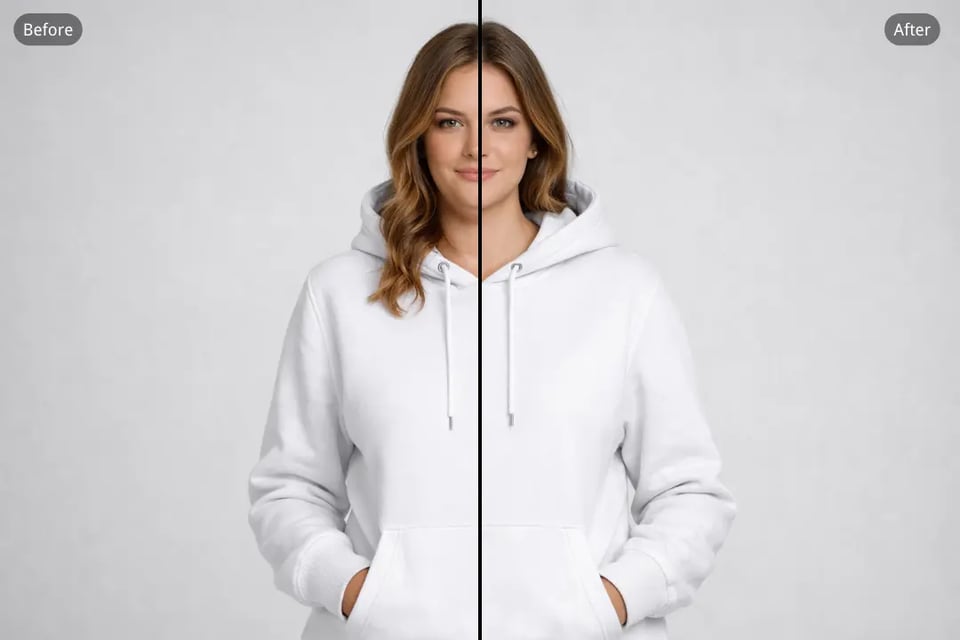
Remove Double Chin from Photo While Keeping a Natural Look
Our AI focuses on subtle contour correction rather than aggressive reshaping. When you remove double chin from a photo using Bylo.ai, the system carefully adjusts the chin-to-neck transition while preserving natural facial proportions and realistic skin texture.

AI Double Chin Remover for Selfies, Portraits, and Profile Photos
Whether you are editing casual selfies, professional headshots, or social media portraits, Bylo.ai’s AI Double Chin Remover adapts to different photo types. The tool refines the jawline while keeping facial identity, lighting, and expression consistent.
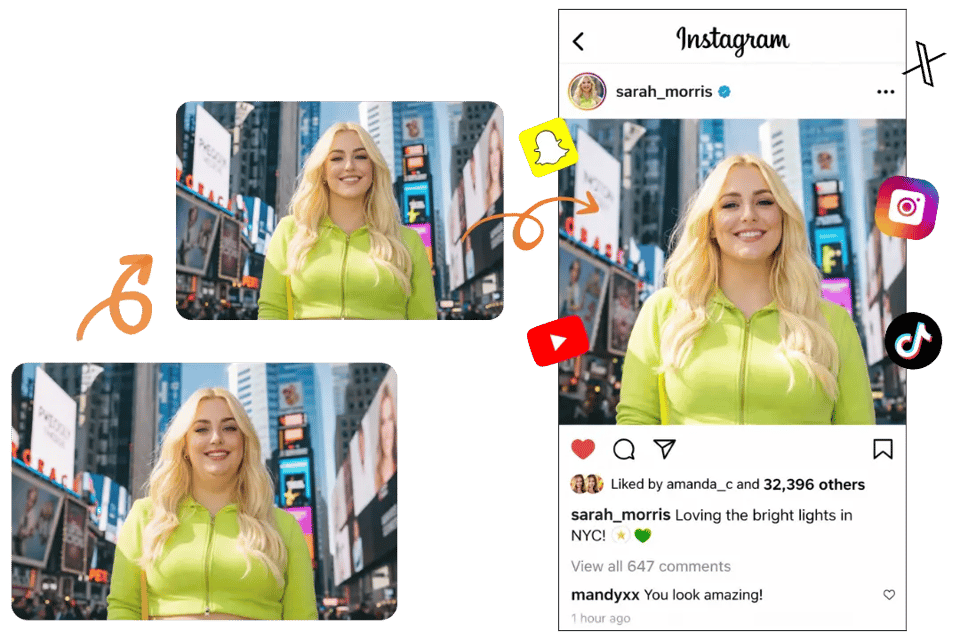
Smart AI Tool to Remove Double Chin Without Complex Editing
Traditional photo editors require manual retouching and detailed adjustments to remove double chin. Bylo.ai simplifies the process with automatic AI detection that identifies the chin area and refines it instantly, allowing anyone to achieve a cleaner portrait without editing experience.
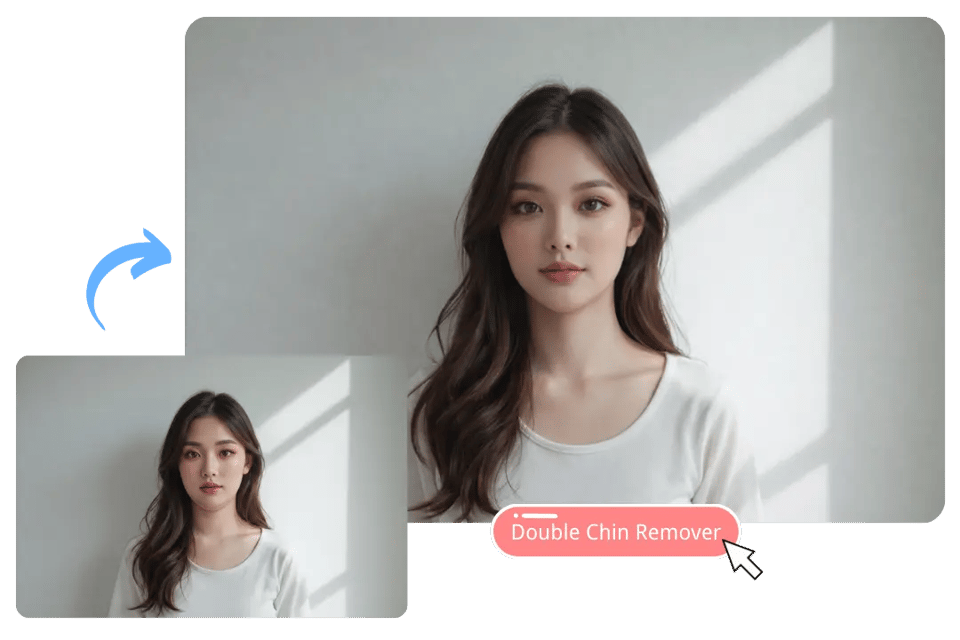
Free AI Double Chin Remover Online with Simple Photo Upload
You can start using the AI Double Chin Remover free directly in your browser on Bylo.ai. Upload a photo and let the AI handle the chin refinement automatically, making it easy to improve portraits for social profiles, personal photos, or everyday sharing.

Common Scenarios to Remove Double Chin from Photo with Bylo AI
Remove Double Chin from Selfies for Social Media Profiles
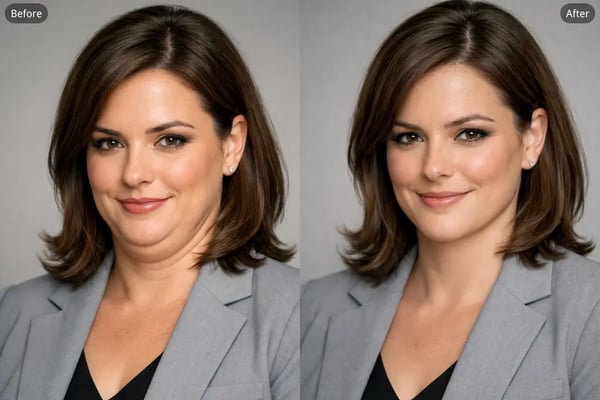
Selfies taken with a phone camera often exaggerate the chin area due to perspective and lighting. Using an AI Double Chin Remover for selfies helps refine the jawline and reduce unwanted fullness under the chin, creating a more sculpted appearance. By combining this with our Bold Glamour Filter , you can further enhance your profile photos and social media posts, improving not only the jawline but also giving your skin a polished, radiant finish while keeping facial identity, lighting, and texture natural.
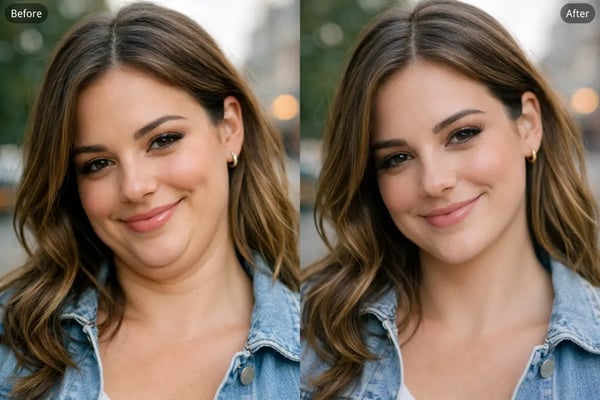
Remove Double Chin from Professional Headshots and Business Portraits
A well-defined jawline can improve the appearance of professional portraits such as LinkedIn headshots, resume photos, and corporate profile images. Bylo.ai allows you to remove double chin from headshot photos while maintaining realistic facial proportions and a natural expression.
AI Double Chin Remover for Wedding and Event Portrait Photos
Special event photos like weddings, celebrations, or group portraits may capture angles that create the appearance of a double chin. Using an AI Double Chin Remover for portrait photos helps refine the chin contour and produce a more balanced look while keeping the moment authentic.

Remove Double Chin from Modeling and Portfolio Photography
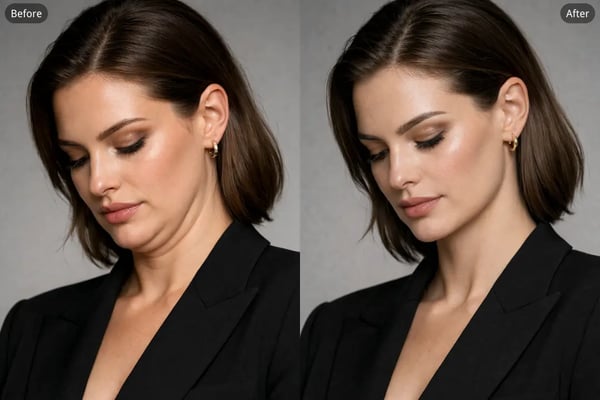
In fashion or portfolio photography, subtle jawline refinement can make portraits appear more structured and visually polished. The AI Double Chin Remover for model photos smooths the chin area and improves facial contour while preserving skin details, lighting, and overall image realism.
Why Use Bylo.ai for AI Double Chin Removal
Free AI Double Chin Remover to Try Instantly
Bylo.ai provides a free AI Double Chin Remover that lets you quickly test the tool online without installing software or learning complex editing workflows. Simply upload your portrait and the AI automatically detects the chin area and refines the jawline, making it easy to remove double chin from photo in just a few seconds.
Easy to Use with Realistic and Identity-Consistent Results
Bylo.ai is designed for effortless editing while keeping portraits authentic. When you remove double chin from photo with AI, the system refines the chin-to-neck transition while preserving natural skin texture, lighting consistency, and facial proportions so the final result still looks like the same person.
Multiple AI Face Editor Tools in One Platform
In addition to the AI Double Chin Remover, Bylo.ai offers a variety of AI face editor tools for portrait refinement. You can combine features such as AI Jawline Editor, Eye Bag Remover, Dark Circle Removal, and other facial editing tools to improve portraits and create a more balanced facial appearance.
Access Multiple Advanced AI Image Models
Bylo.ai provides access to several advanced AI image models, including the Nano Banana series and ChatGPT-Image-1.5, giving users more flexibility for image generation and editing. These models help support accurate facial analysis and high-quality image processing, allowing portraits to be refined while maintaining realistic texture, lighting, and facial structure.