
Select the model you want to generate your image with.
Try On Pixie Cut Online Free with Bylo AI Pixie Cut Filter
See how a pixie cut looks on you instantly with AI-powered hairstyle preview and natural short hair results.

Your Generated Images
Try On Different Pixie Cut Styles with Bylo AI
Try On Long Pixie Cut with Natural AI Styling
Preview a long pixie cut with soft layers and natural flow using AI Pixie Haircut Filter.
Try On Short Pixie Cut for a Clean Modern Look
Try a short pixie cut with Pixie Cut Filter to preview a sharp, clean, modern hairstyle.
Try On Curly Pixie Cut with Added Texture
Test a curly pixie cut with natural volume and texture using AI Short Hair Filter.
Try On Shaggy Pixie Cut for an Effortless Style
Explore a shaggy pixie cut with layered texture and relaxed shape using pixie cut ai generator.




Key Features of Bylo AI Pixie Cut Filter
AI Pixie Haircut Filter with Face-Aware Matching
Bylo AI Pixie Cut Filter detects facial structure and applies face-aware styling for natural results. AI Pixie Haircut Filter output blends smoothly with facial proportions, making pixie cut styles look realistic and well-balanced.
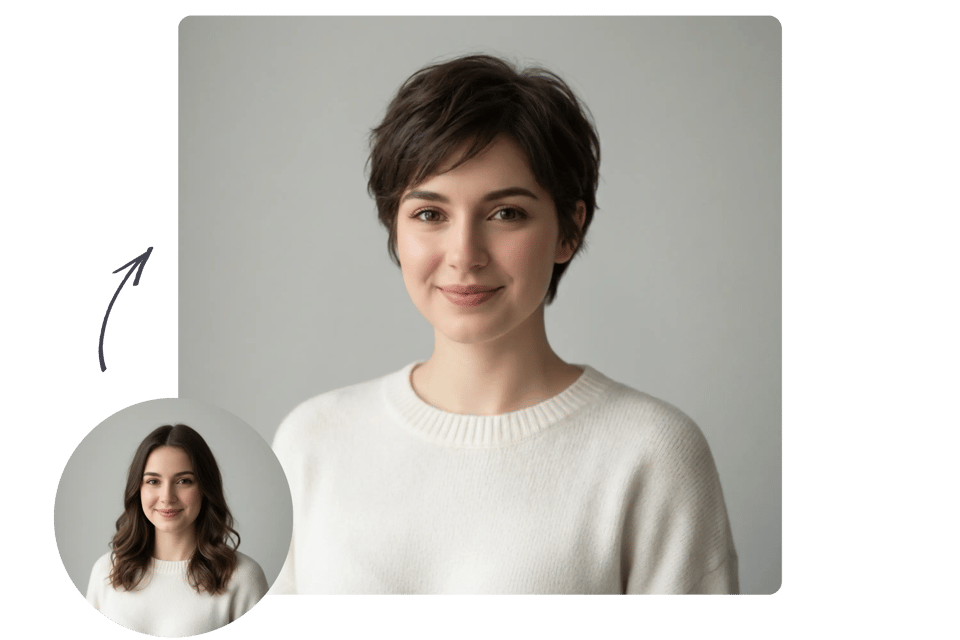
Try On Pixie Cut Instantly Before Real Haircuts
Bylo AI lets users try on pixie cut styles online in seconds. This AI Hairstyle Changer provides clear visual previews, helping users explore short hair looks confidently before making haircut decisions.

Multiple Pixie Cut Hairstyles and Color Variations
Explore classic, modern, or edgy pixie cut hairstyles with flexible prompt adjustments. Pixie cut ai generator supports different lengths, textures, and hair colors, creating a versatile AI Short Hair Filter experience.
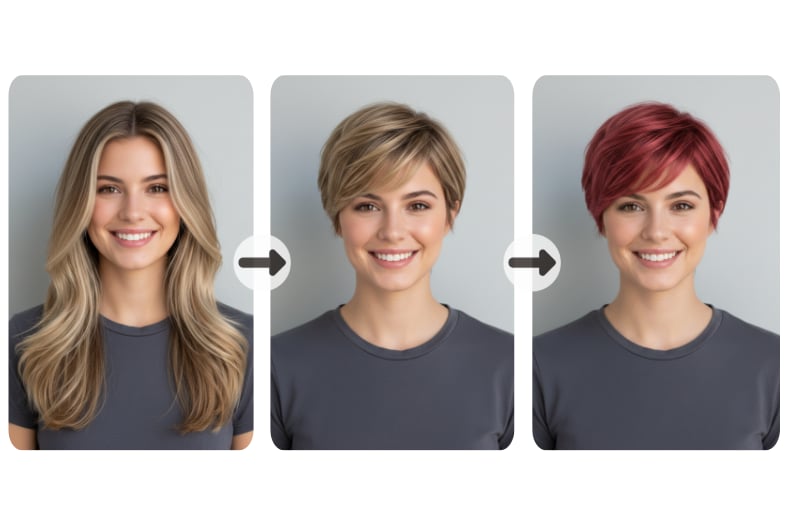
AI Short Hair Filter That Keeps Facial Identity
AI Short Hair Filter changes hairstyle only while preserving facial features and expression. Pixie Hair Cut Filter results stay natural and recognizable, ensuring realistic previews without altering core identity.
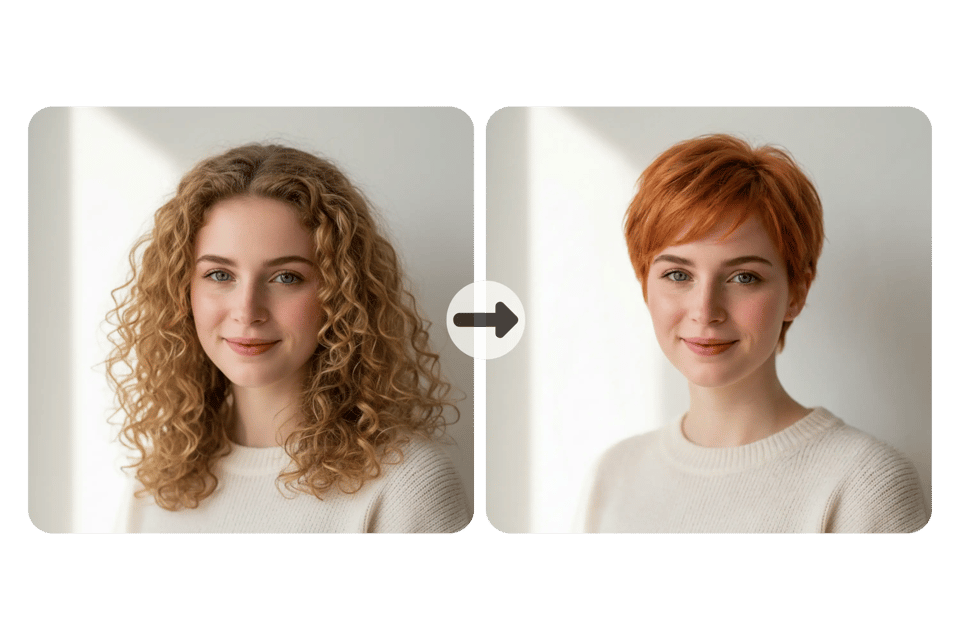
Pixie Cut Filter Free Online with Fast Results
Pixie cut filter free online experience allows instant generation with minimal steps. Bylo AI delivers fast AI Pixie Haircut Filter previews, making hairstyle testing simple, efficient, and easy to share.
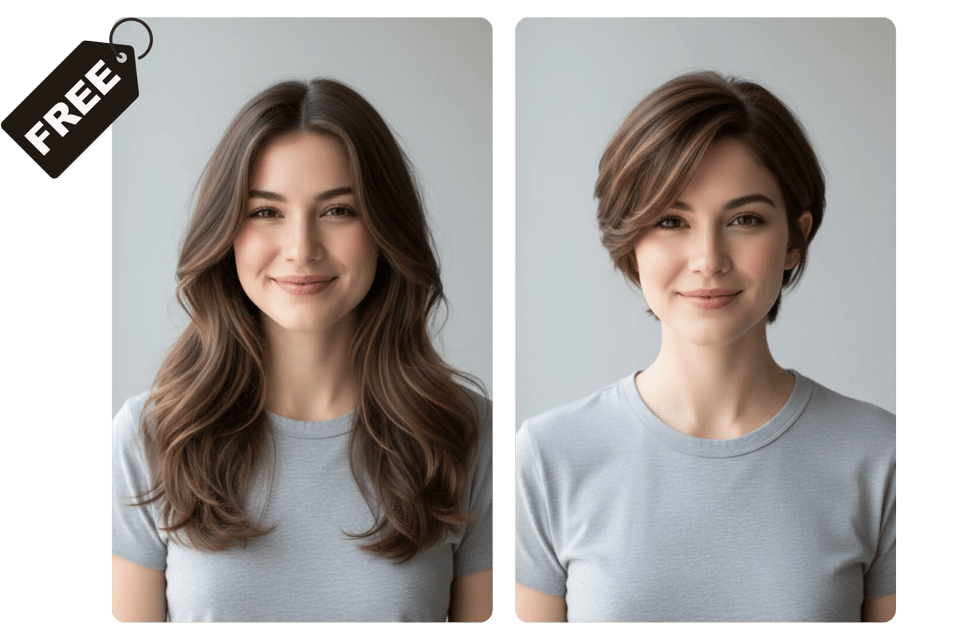
How to Use Bylo AI Pixie Cut Filter Online
Step 1 Upload a Clear Photo to Start the AI Pixie Haircut Filter
Upload a clear front-facing photo to begin using the AI Pixie Haircut Filter. Bylo AI detects facial structure automatically to prepare accurate pixie cut filter results with natural short hair alignment.
Step 2 Describe Pixie Cut Hairstyles or Adjust Style Prompts
Describe pixie cut hairstyles such as long pixie cut, short pixie cut, curly pixie cut, or shaggy pixie cut. You can also describe color preferences or refine prompts inside the pixie cut ai generator to try on pixie cut styles that match personal taste.
Step 3 Generate and Preview Pixie Cut Filter Results Instantly
Click generate to preview realistic results using the pixie cut filter free online. Bylo AI instantly applies the AI Short Hair Filter so users can compare looks, download images, or share new styles easily.
Use Cases of Bylo AI Pixie Haircut Filter
Try On Pixie Cut Before Getting a Real Haircut
Use the AI Pixie Haircut Filter to try on pixie cut styles before visiting a salon. Preview short hair safely and reduce uncertainty by seeing how different pixie looks fit facial features in advance.
Explore Pixie Cut Hairstyles with a Pixie Cut AI Generator
Experiment with classic, modern, or edgy pixie cut hairstyles using the pixie cut ai generator. Test multiple styles and variations quickly to find a look that matches personal taste and daily styling needs.
Try On Pixie Cut to Communicate Better with Your Hairstylist
Use the Pixie Cut Filter to preview and save preferred styles before a salon visit. Showing clear AI Pixie Haircut Filter results helps communicate hairstyle expectations more accurately with hairstylists.
Test New Looks with an AI Hairstyle Changer Online
Use AI Hairstyle Changer features to switch from long hair to short pixie styles instantly. This use case helps users explore bold style changes without real commitment or professional editing skills.
Why Choose Bylo AI Pixie Cut Filter
Face-Aware AI Pixie Haircut Filter for Natural Results
Bylo AI Pixie Cut Filter uses face-aware technology to create realistic short hair previews that match facial structure. Results look natural and balanced, helping users confidently try on pixie cut styles online.
Fast AI Hairstyle Changer with Multiple Pixie Variations
Bylo AI works as an AI Hairstyle Changer that supports multiple pixie cut hairstyles, colors, and prompt adjustments. Users can quickly explore different looks with smooth generation and simple workflow.
Pixie Cut Filter Free Online for Easy Style Exploration
Pixie cut filter free online experience allows users to test AI Short Hair Filter results without complex editing or commitment. Bylo AI makes hairstyle exploration fast, accessible, and beginner-friendly.