
Select the model you want to generate your image with.
Free AI Jawline Editor for Natural & Controlled Face Reshaping
Define it. Soften it. Reshape your jawline with precision — naturally and effortlessly.

Your Generated Images
How To Use Bylo.ai’s Free AI Jawline Editor to Reshape Your Jawline Instantly
Follow these simple steps to get started with our platform.
Step 1:Upload Your Photo to Begin AI Jawline Reshaping
Upload your photo to Bylo.ai’s Free AI Jawline Editor online. The system instantly detects the jawline and lower facial structure for precise, localized jaw reshaping without affecting the rest of your face.
Step 2:Automatic Jawline Reshape and Double Chin Adjustment
Our AI automatically performs jawline enhancement and double chin adjustment using intelligent facial modeling. It can sharpen, soften, or round the jaw contour while preserving your identity, makeup, and natural proportions.
Step 3:Download Your High-Resolution Jawline Edited Photo
Preview the refined result and download your high-resolution jawline edited image. The final output maintains realistic skin texture and seamless contour blending, suitable for profile pictures, headshots, or social media.
Advanced Features of Bylo AI Jawline Editor
One-Click AI Jawline Reshaping Tool for Instant Lower Face Refinement
Bylo.ai’s AI Jawline Editor delivers one-click jawline reshaping that instantly refines the lower face without sliders or manual liquify adjustments. Facial analysis isolates the jawline and submental region, allowing contour reshaping while preserving identity, makeup details, and lighting consistency. The workflow is streamlined, enabling professional-grade jaw enhancement within seconds.
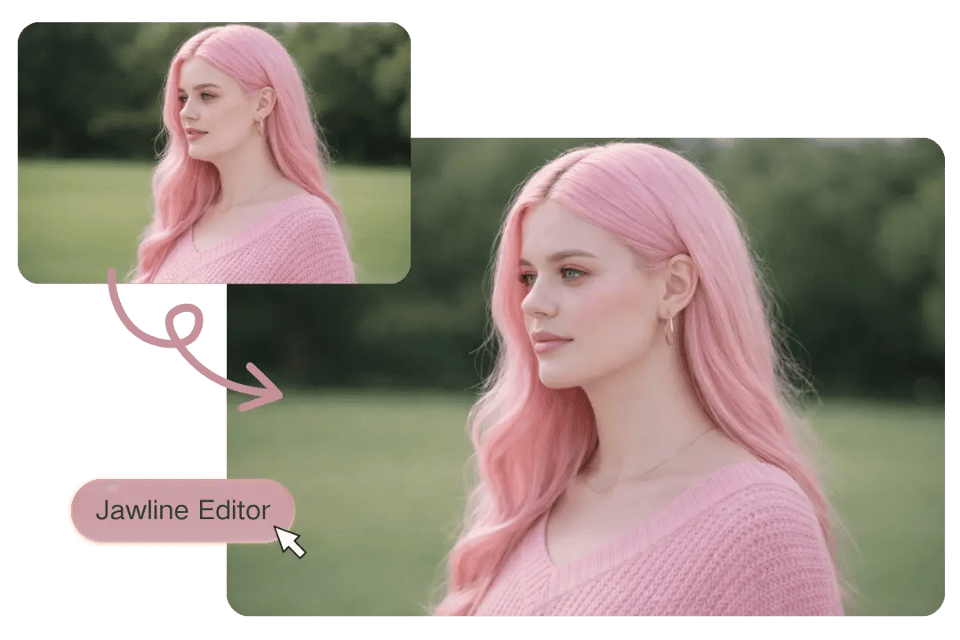
Free AI Jawline Editor with Double Chin Removal and Soft Contour Control
Bylo.ai provides a Free AI Jawline Editor that supports natural double chin removal and soft jaw contour adjustment. Soft tissue volume is redistributed along the lower face to create smoother cheek-to-neck transitions without distorting upper facial features or altering overall proportions. Results remain structured, realistic, and anatomically balanced.
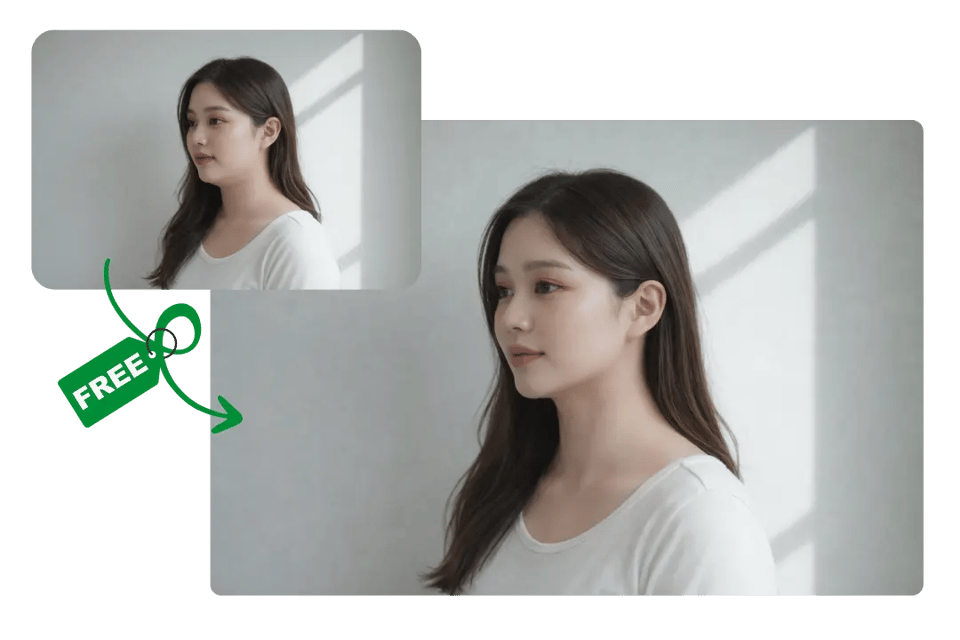
AI Jawline Editor for Sharp or Round Face Shape Enhancement
Bylo.ai’s AI Jawline Editor adapts to different aesthetic directions, from defined jaw contours to softer facial silhouettes. Skin texture, symmetry, and facial proportions remain consistent while the lower-face contour is refined with subtle structural adjustment. The result feels natural and cohesive rather than exaggerated.Because facial harmony is not defined by one feature alone, under-eye refinement can also play an important role. Eye Bag & Dark Circle Removal helps balance the eye area by reducing puffiness and shadow, ensuring the refreshed jawline aligns with a brighter, more rested overall appearance.
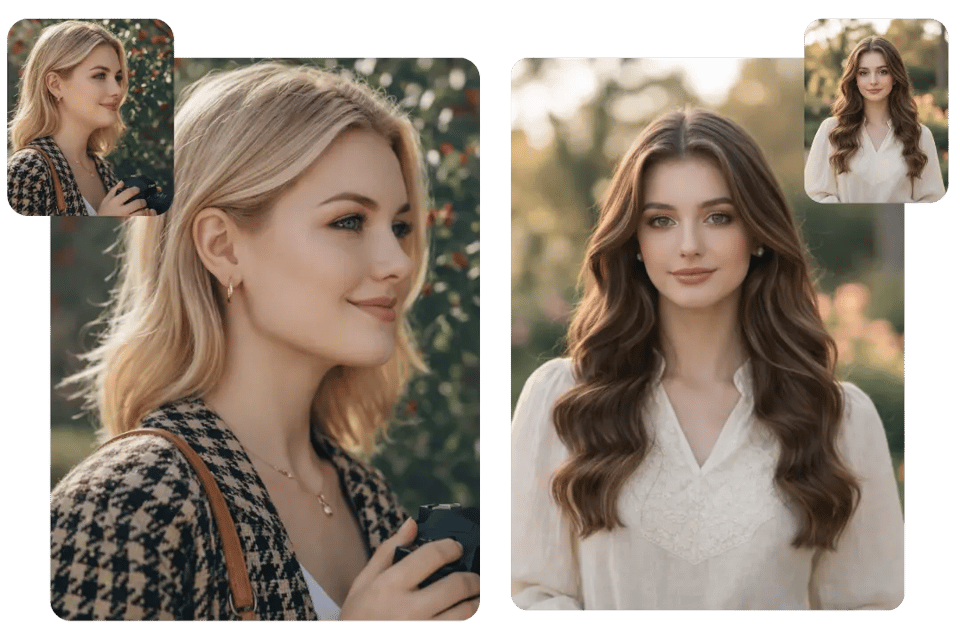
High-Resolution Jawline Editor for Profile Pictures and Professional Headshots
Designed for digital profiles and business portraits, Bylo.ai maintains high-resolution clarity after jawline enhancement. Facial structure and lighting logic remain consistent, ensuring the refined image looks polished across professional platforms and social media use cases.
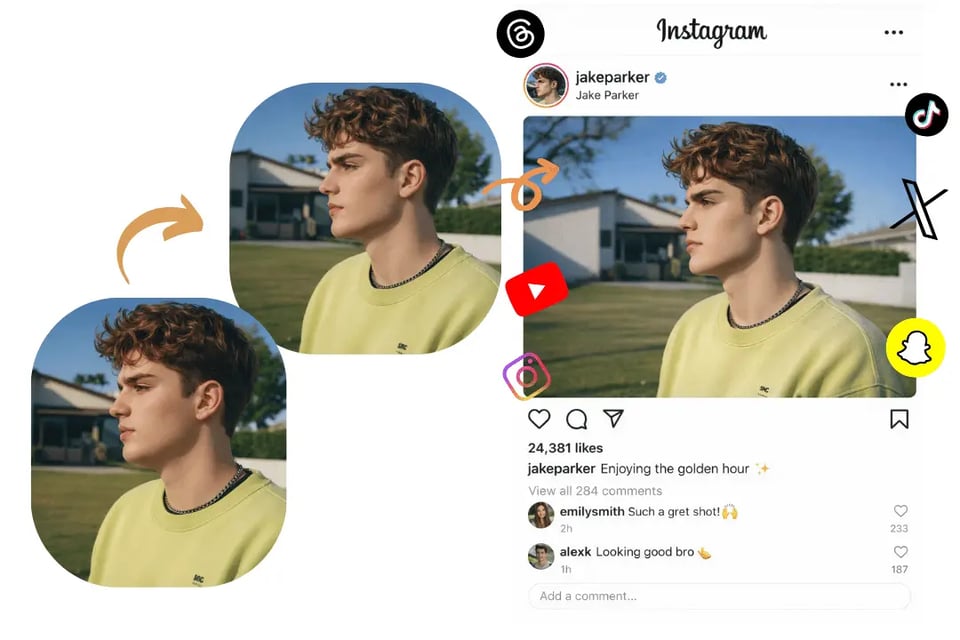
Real-World Use Cases for Bylo.ai’s AI Jawline Editor in Portrait Retouching and Face Reshaping
Fix an Overly Sharp Jawline in Portrait Photos with Soft Jawline Editing
Harsh lighting, contour makeup, or camera angles can exaggerate mandibular edges and create an overly chiseled look. Bylo.ai’s AI Jawline Editor allows soft jawline editing that smooths angular contours and blends the cheek-to-neck transition naturally. This is ideal when a portrait appears too severe and needs a more balanced, rounded lower-face silhouette.
Reduce or Enhance Double Chin with AI Jawline and Submental Adjustment
Submental fullness often becomes more noticeable in side or three-quarter portraits, where lighting and perspective can emphasize the chin-to-neck area. Bylo.ai’s Double Chin Remover helps refine this region by using AI-based facial analysis to adjust lower-face volume and reduce visible fullness. The enhancement focuses only on the jawline and submental area, keeping upper facial features, identity, and overall proportions consistent while creating a cleaner and more balanced profile.
Improve Facial Balance with AI Jawline Refinement for Professional Headshots
Uneven jaw definition can subtly affect facial symmetry in business portraits. AI jawline refinement helps create a more proportionate lower-face contour while preserving skin texture and lighting consistency. This is especially useful for resumes, portfolio photos, and corporate headshots where subtle structural balance matters.
Experiment with Sharp vs. Round Face Shape Using AI Jawline Reshaping
When deciding between a defined jawline and a softer rounded face shape, AI jawline reshaping allows controlled aesthetic experimentation. Compare a chiseled contour with a smoother, fuller silhouette before publishing a profile photo or branding image, all while maintaining natural realism and facial identity.
Real User Reviews on Bylo.ai’s AI Jawline Editor for Natural Jawline
I needed to soften a harsh jawline in one of my portrait photos without changing the rest of my face. Bylo.ai’s AI Jawline Editor handled it naturally. The lower face looked smoother, but my features and makeup stayed exactly the same.
Emily R.
Social Media Content Creator
For professional headshots, subtle changes matter. I used the AI Jawline Editor to refine my jaw contour and slightly reduce shadow under my chin. The result looked realistic and polished, not over-edited.
Daniel M.
Corporate Consultant
I tested both sharp and round face options before posting a campaign photo. The ability to reshape just the jawline while keeping skin texture and lighting consistent made a huge difference.
Sophia L.
Beauty Blogger
As a photographer, I’m careful about facial proportions. Bylo.ai allowed localized jawline refinement without warping the eyes or cheekbones. It saved time compared to manual retouching.
Marcus T.
Photographer
I adjusted my jawline slightly for a new profile picture. The edit maintained my identity while improving balance in the lower face. It looked like a better photo, not a filtered one.
Olivia K.
LinkedIn Career Coach
I experimented with a more defined jaw and then tried a softer look. Both versions stayed realistic, and the double chin adjustment blended smoothly into the neck area. The control felt precise and reliable.
Ethan W.
Fitness Enthusiast