
Select the model you want to generate your image with.
Kostenloser Online-Doppelkinn-Entferner mit KI
Verwenden Sie den kostenlosen KI-Doppelkinn-Entferner von Bylo.ai, um Ihren Kinnansatz zu verfeinern und Doppelkinn aus Fotos sofort zu entfernen, wobei natürliche Hauttextur, Beleuchtung und Gesichtsproportionen erhalten bleiben.
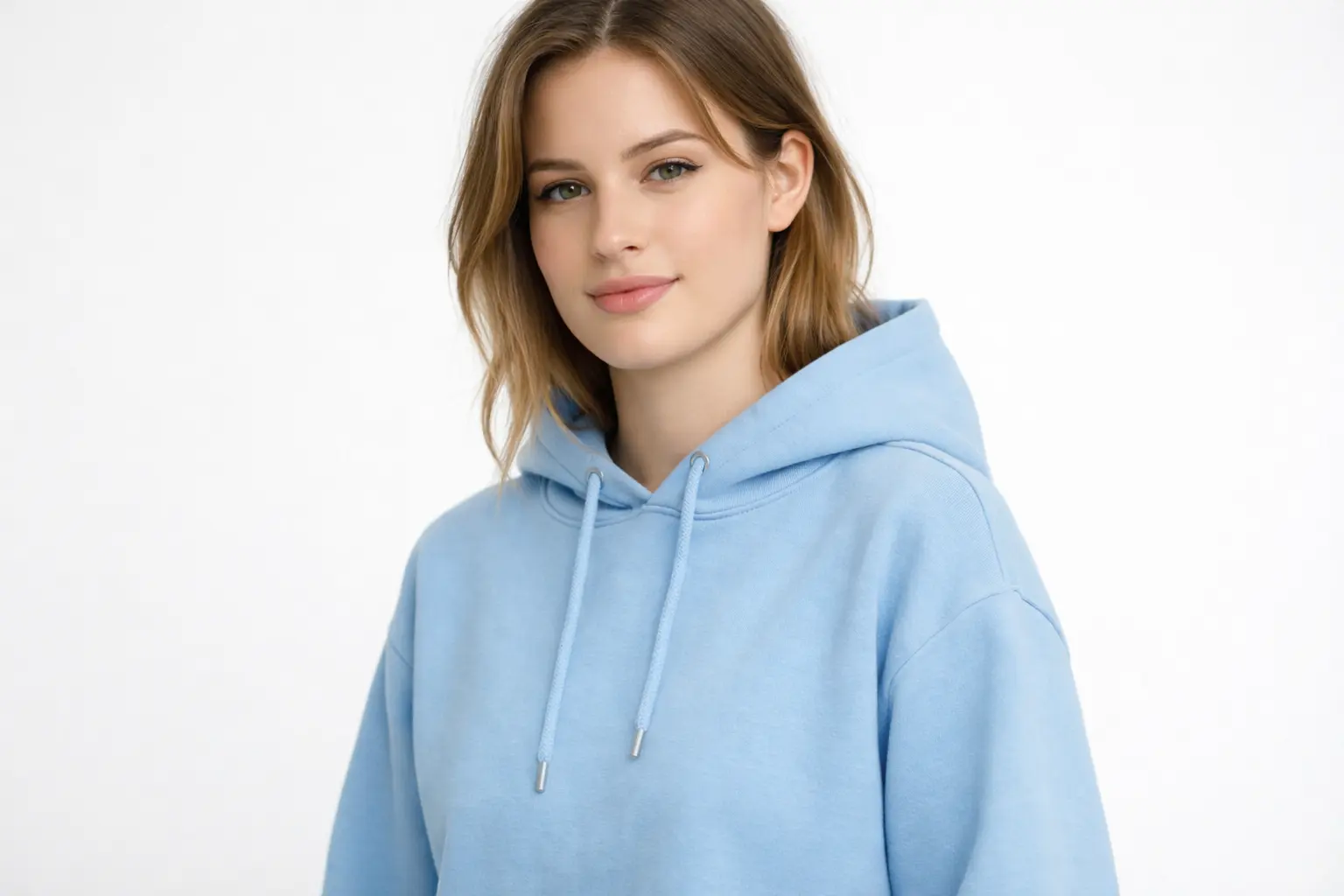
Your Generated Images
So nutzen Sie das KI-Tool von Bylo.ai kostenlos, um ein Doppelkinn aus Ihrem Foto zu entfernen
Führen Sie diese einfachen Schritte aus, um mit unserer Plattform zu beginnen.
Schritt 1: Laden Sie Ihr Foto hoch
Laden Sie ein klares Selfie oder Porträt auf Bylo.ai hoch, bei dem der Kinn- und Kieferbereich sichtbar ist. Ein gut beleuchtetes Bild mit natürlicher Winkel hilft der KI, das Gesichtsprofil genauer zu analysieren und das Bild für die automatische Kinnverfeinerung vorzubereiten.
Schritt 2: Die KI entfernt automatisch das Doppelkinn für Sie
Sobald das Foto hochgeladen wurde, analysiert Bylo.ai’s KI-Doppelkinn-Entferner die Gesichtsstruktur und verfeinert automatisch den Übergang vom Kinn zum Hals, um das Doppelkinn zu entfernen, wobei natürliche Proportionen, Lichtverhältnisse und Hauttextur erhalten bleiben.
Schritt 3: Vorschau und Download
Nach der Verarbeitung können Sie eine Vorschau Ihres bearbeiteten Porträts mit einem glatteren Kinn- und Gesichtsprofil ansehen. Laden Sie das aktualisierte Bild herunter, um es für Social-Media-Profilen, persönliche Fotos oder professionelle Porträts zu nutzen.
Hauptfunktionen des Bylo AI-Doppelkinn-Entferners
Einfaches KI-Tool zur Doppelkinn-Entfernung für sofortige Kinnverfeinerung
Das KI-Tool von Bylo.ai zur Doppelkinn-Entfernung macht es einfach, ein Doppelkinn aus Fotos zu entfernen – ohne aufwändige Bearbeitungswerkzeuge. Laden Sie einfach Ihr Porträt hoch, und die KI analysiert automatisch die Gesichtsform und verfeinert den Kinnbereich – in Sekundenschnelle wird ein saubereres und ausgeglicheneres Kinnprofil erstellt.
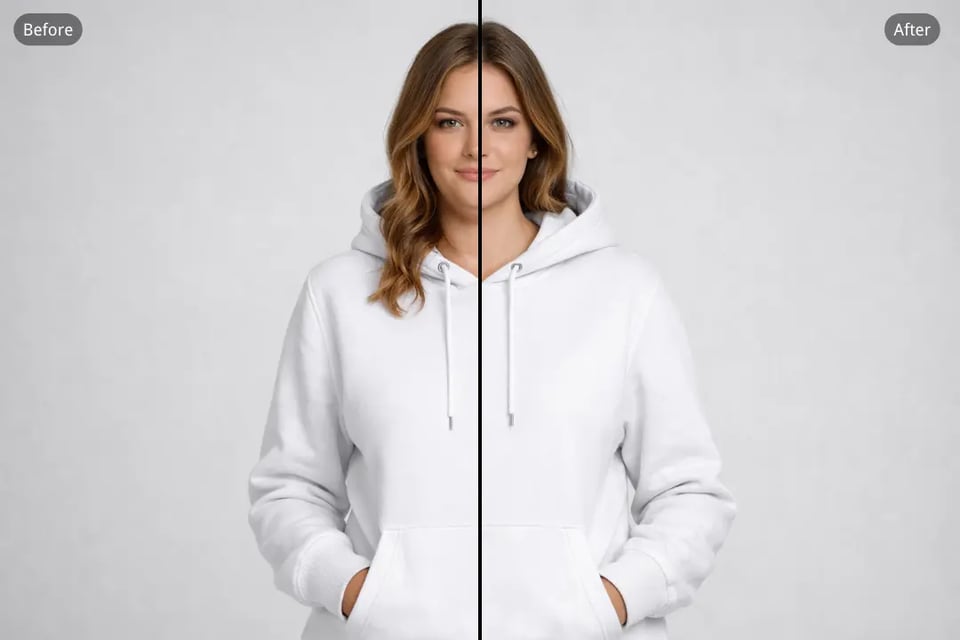
Doppelkinn aus dem Foto entfernen – einen natürlichen Eindruck beibehalten
Unsere KI konzentriert sich auf subtile Konturkorrekturen, nicht auf extreme Veränderungen. Beim Entfernen eines Doppelkinn mit Bylo.ai passt das System den Übergang vom Kinn zum Hals sorgfältig an, während es natürliche Gesichtsproportionen und realistische Hauttextur bewahrt.
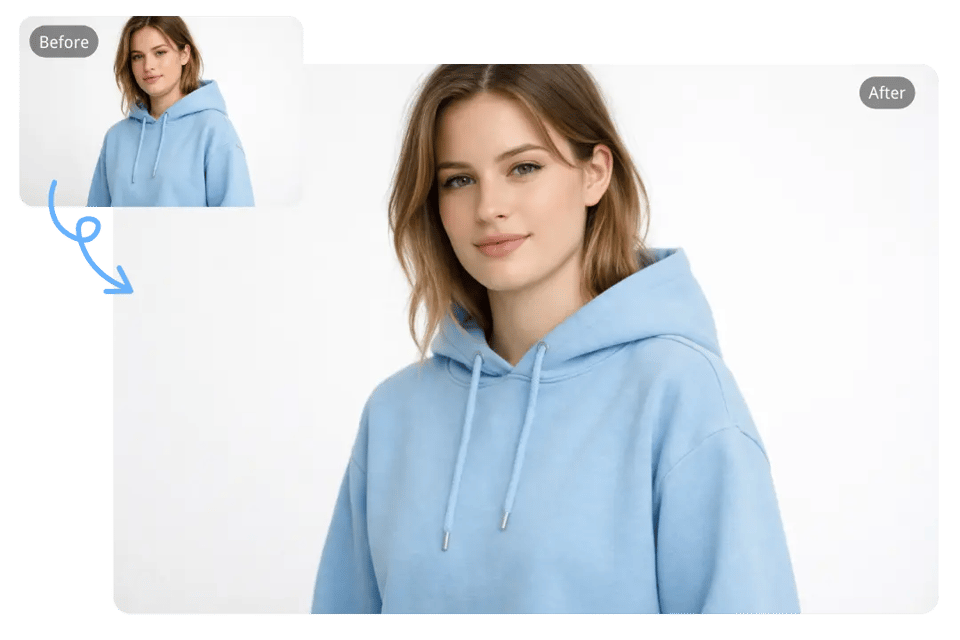
KI-Tool zur Doppelkinn-Entfernung für Selfies, Porträts und Profilfotos
Egal, ob Sie zufällige Selfies, professionelle Headshots oder Social-Media-Porträts bearbeiten – das KI-Tool von Bylo.ai zur Doppelkinn-Entfernung passt sich verschiedenen Bildtypen an. Es verfeinert die Kinnlinie und behält dabei die Gesichtsidentität, Beleuchtung und Mimik bei.
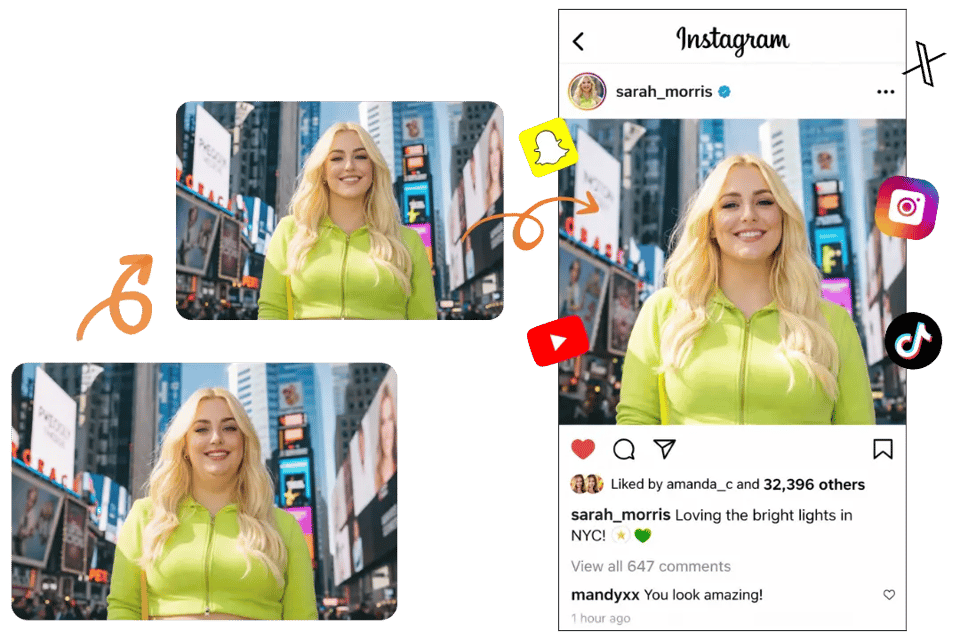
Intelligente KI-Lösung zur Doppelkinn-Entfernung ohne aufwändige Bearbeitung
Traditionelle Bildbearbeitungsprogramme erfordern manuelles Retuschieren und detaillierte Anpassungen, um ein Doppelkinn zu entfernen. Bylo.ai vereinfacht den Prozess durch automatische KI-Erkennung, die den Kinnbereich identifiziert und sofort feinjustiert – ohne Erfahrung in der Bildbearbeitung.
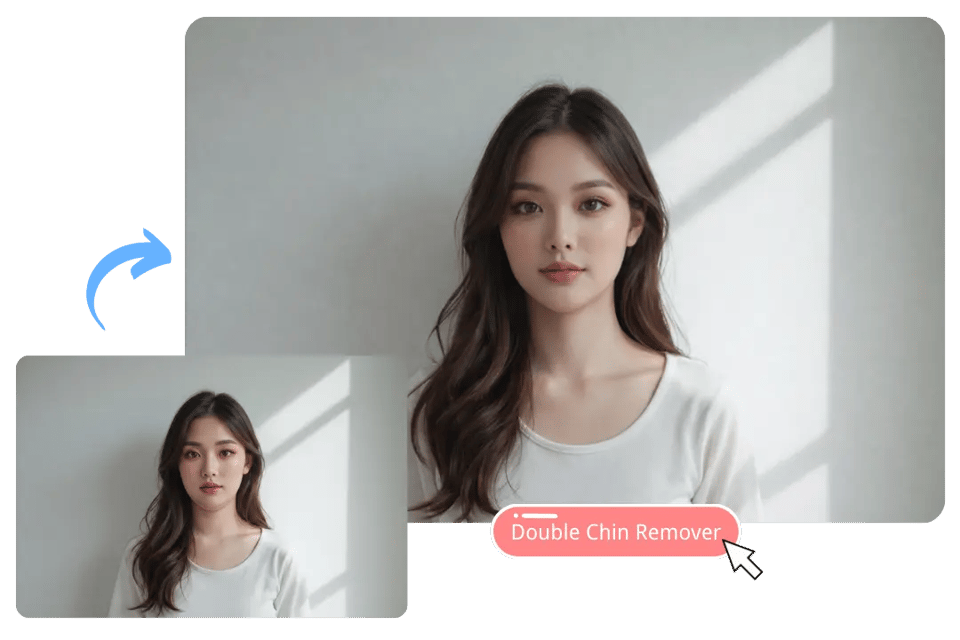
Kostenloser Online-KI-Doppelkinn-Entferner mit einfacher Foto-Upload
Sie können den KI-Doppelkinn-Entferner von Bylo.ai direkt im Browser nutzen. Laden Sie ein Foto hoch, und die KI übernimmt automatisch die Feinjustierung des Kinnbereichs – ideal für verbesserte Profilebilder, persönliche Fotos oder den täglichen Austausch.
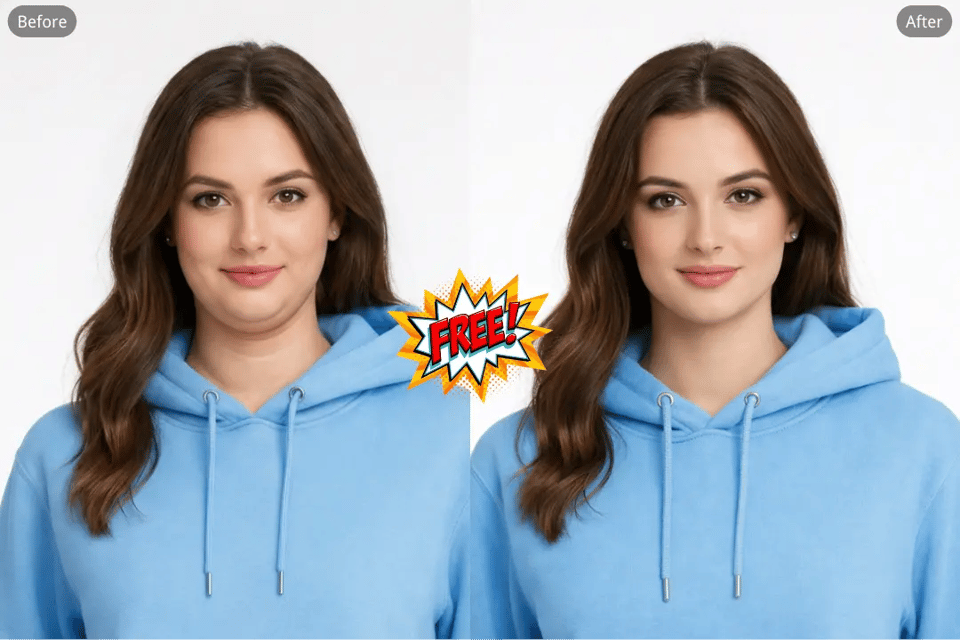
Häufige Szenarien, in denen das Doppelkinn mit Bylo AI entfernt werden kann
Doppelkinn aus Selfies für Social-Media-Profile entfernen
Selfies taken with a phone camera often exaggerate the chin area due to perspective and lighting. Using an AI Double Chin Remover for selfies helps refine the jawline and reduce unwanted fullness under the chin, creating a more sculpted appearance. By combining this with our Bold Glamour Filter , you can further enhance your profile photos and social media posts, improving not only the jawline but also giving your skin a polished, radiant finish while keeping facial identity, lighting, and texture natural.
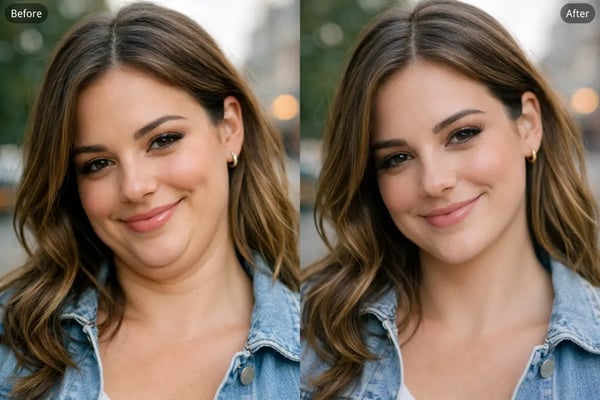
Doppelkinn aus professionellen Headshots und Business-Fotos entfernen
A well-defined jawline can improve the appearance of professional portraits such as LinkedIn headshots, resume photos, and corporate profile images. Bylo.ai allows you to remove double chin from headshot photos while maintaining realistic facial proportions and a natural expression.
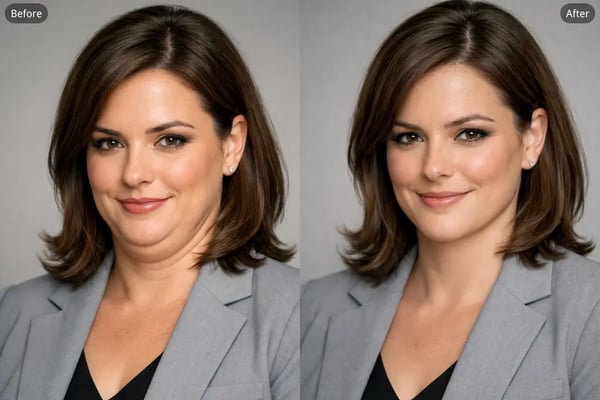
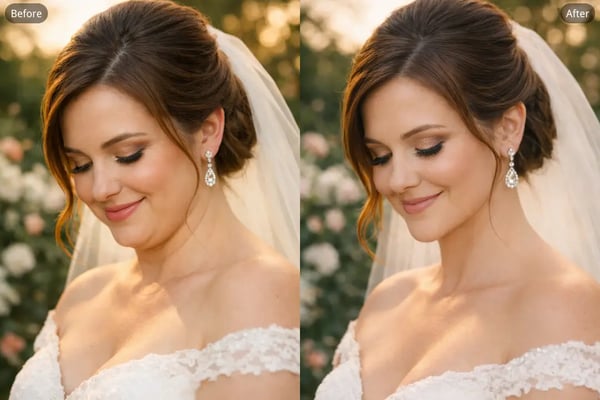
KI-Doppelkinn-Entferner für Hochzeits- und Eventfotos
Special event photos like weddings, celebrations, or group portraits may capture angles that create the appearance of a double chin. Using an AI Double Chin Remover for portrait photos helps refine the chin contour and produce a more balanced look while keeping the moment authentic.
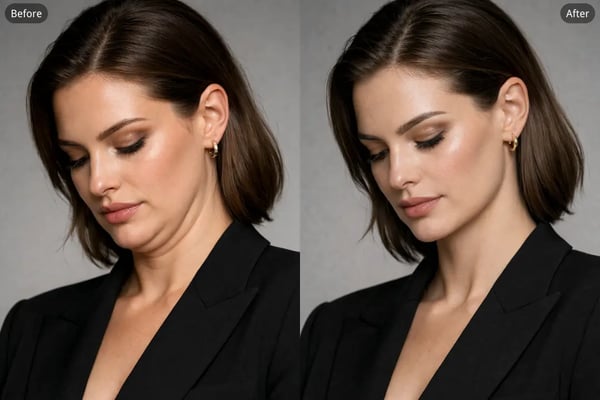
Doppelkinn aus Modellbildern und Portfoliofotos entfernen
In fashion or portfolio photography, subtle jawline refinement can make portraits appear more structured and visually polished. The AI Double Chin Remover for model photos smooths the chin area and improves facial contour while preserving skin details, lighting, and overall image realism.
Warum Bylo.ai für die KI-gestützte Doppelkinn-Entfernung?
Kostenloser KI-Doppelkinn-Entferner – sofort testbar
Bylo.ai bietet einen kostenlosen KI-Doppelkinn-Entferner, mit dem Sie das Tool sofort online testen können, ohne Software installieren oder komplexe Bearbeitungsabläufe lernen zu müssen. Laden Sie Ihr Portrait hoch und lassen Sie die KI automatisch den Kinnbereich erkennen und die Kinnlinie verfeinern – so lässt sich das Doppelkinn innerhalb weniger Sekunden entfernen.
Einfach zu bedienen mit realistischen und identitätsgetreuen Ergebnissen
Bylo.ai ist für unkomplizierte Bildbearbeitung konzipiert, bei der Porträts authentisch bleiben. Beim Entfernen eines Doppelkinn mit KI optimiert das System den Übergang vom Kinn zum Hals, während natürliche Hauttextur, Lichtverhältnisse und Gesichtsproportionen erhalten bleiben – das Ergebnis sieht immer noch wie dieselbe Person aus.
Viele KI-Face-Editor-Tools in einer Plattform
Neben dem KI-Doppelkinn-Entferner bietet Bylo.ai eine Reihe weiterer KI-Face-Editor-Tools zur Porträtfinierung. Sie können Funktionen wie den KI-Kinnlinien-Editor, den Eye-Bag-Entferner, die Reduzierung dunkler Ringe sowie weitere Gesichtsbearbeitungstools kombinieren, um Porträts zu verbessern und ein harmonischeres Gesichtsprofil zu erzeugen.
Zugriff auf verschiedene fortschrittliche KI-Bildmodelle
Bylo.ai bietet Zugriff auf verschiedene fortschrittliche KI-Bildmodelle, darunter die Nano Banana-Reihe und ChatGPT-Image-1.5, um Benutzern mehr Flexibilität bei der Bildgenerierung und -bearbeitung zu bieten. Diese Modelle ermöglichen präzise Gesichtsanalyse und hochwertige Bildverarbeitung, wodurch Porträts feinjustiert werden können, ohne dass natürliche Textur, Beleuchtung oder Gesichtsstruktur verloren gehen.