
Select the model you want to generate your image with.
Kostenloser Portrait zu Landscape Image Converter
Portrait-Bild in Querformat ohne Zuschneiden konvertieren. KI erweitert den Hintergrund natürlich und erhält das Motiv sowie die Bildqualität.
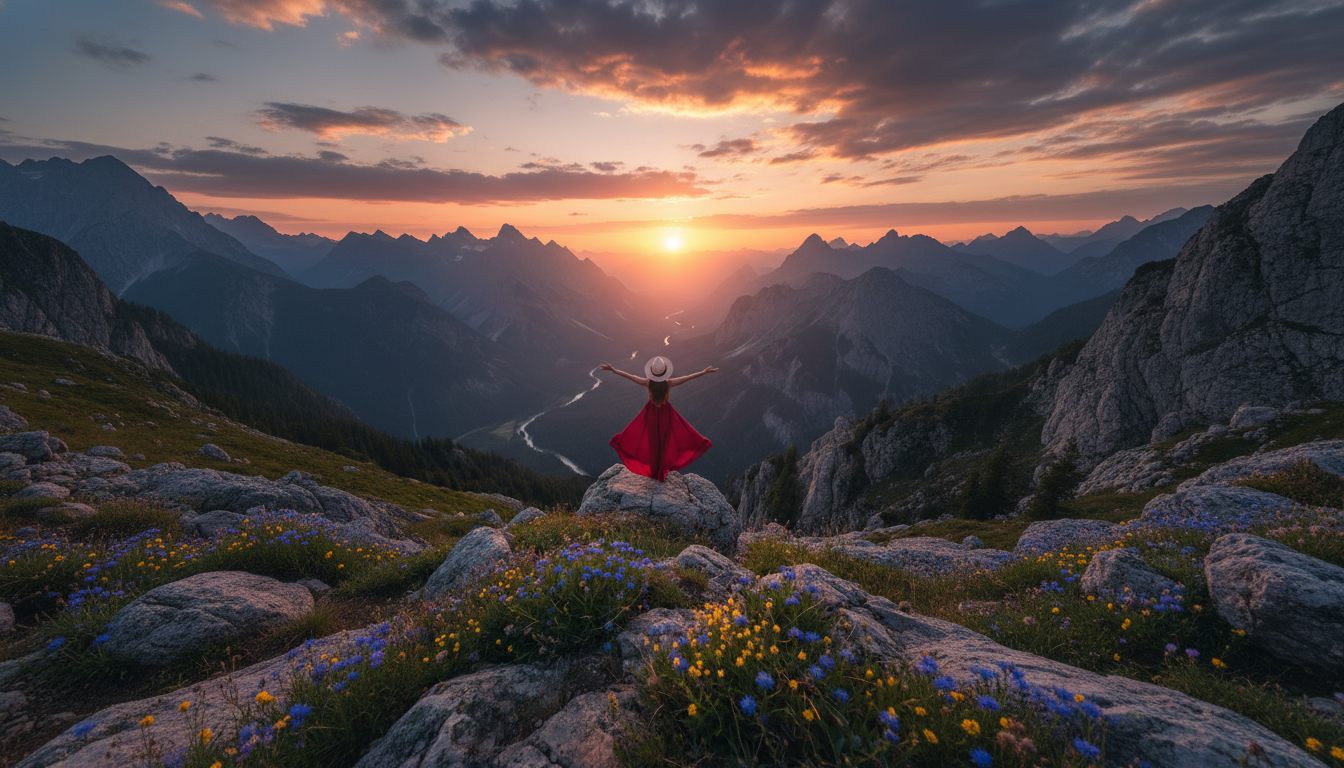
Your Generated Images
Portrait in verschiedene Formate konvertieren
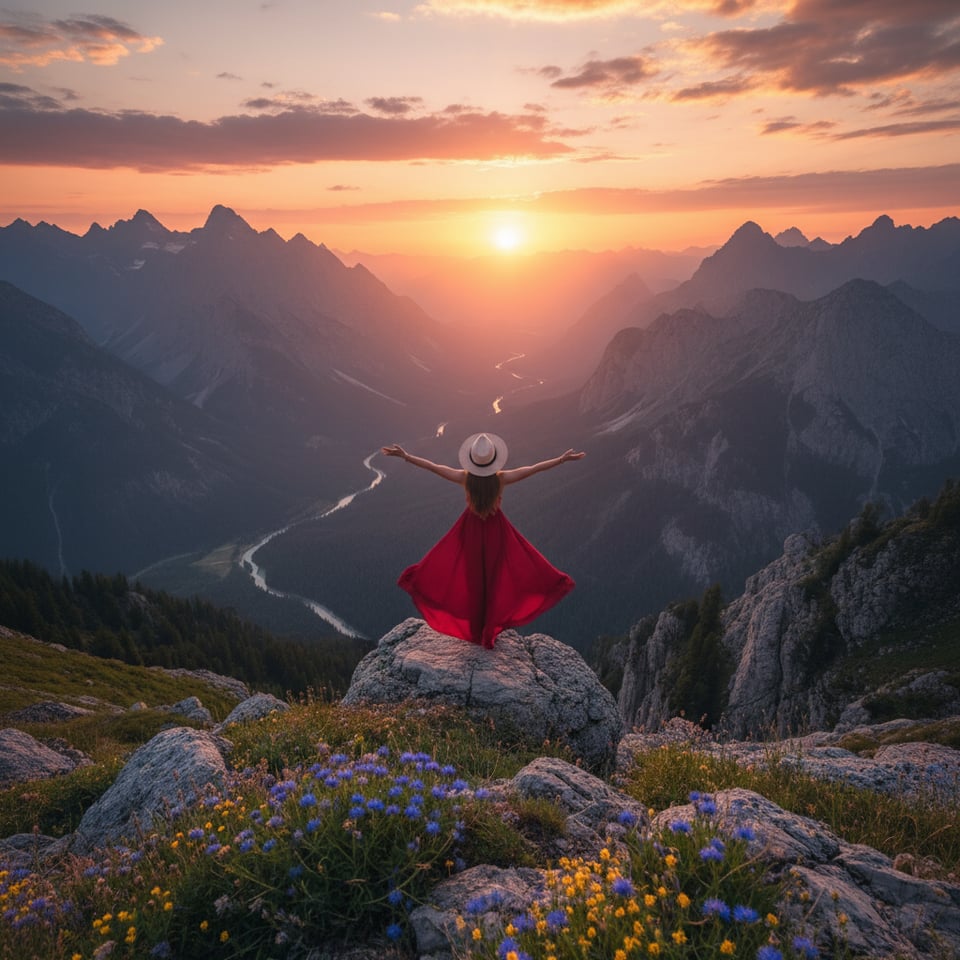
Portrait in 1:1 Quadrat konvertieren
Konvertiere Portrait-Bilder in das 1:1-Quadratformat für Instagram-Beiträge, Profilbilder und Produktanzeigen.
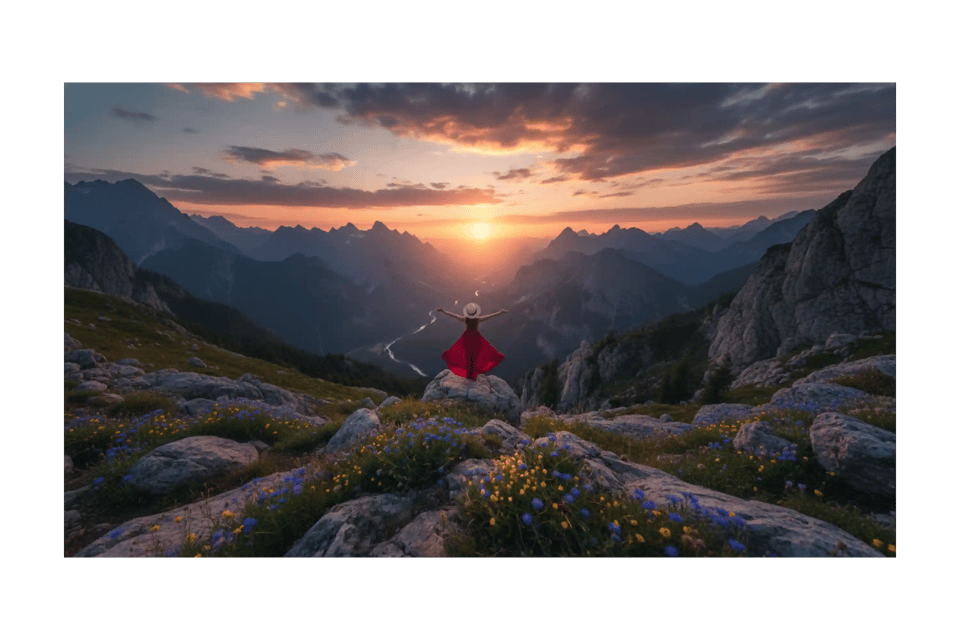
Portrait in 16:9 Querformat konvertieren
Konvertiere Portrait-Bilder in das 16:9-Querformat für YouTube-Vorschaubilder, Website-Banner und Präsentationen.
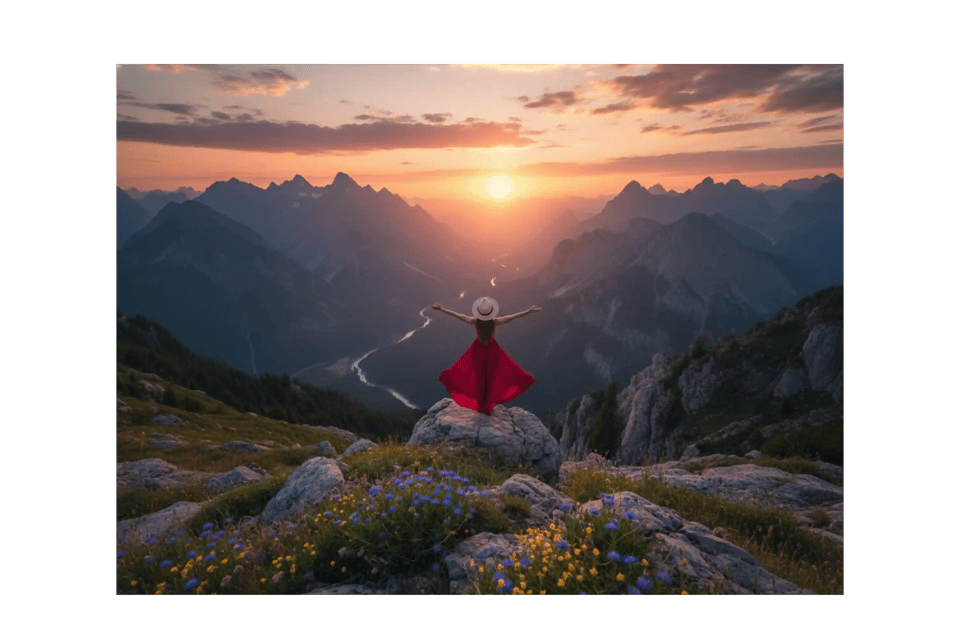
Portrait in 4:3 Querformat konvertieren
Konvertiere Portrait-Bilder in das 4:3-Querformat für Blogs, Artikel und klassische Webseitenlayouts.
Portrait in 3:2 Fotoformat konvertieren
Konvertiere Portrait-Bilder in das 3:2-Seitenverhältnis für Fotografie-Portfolios und druckfertige Bilder.
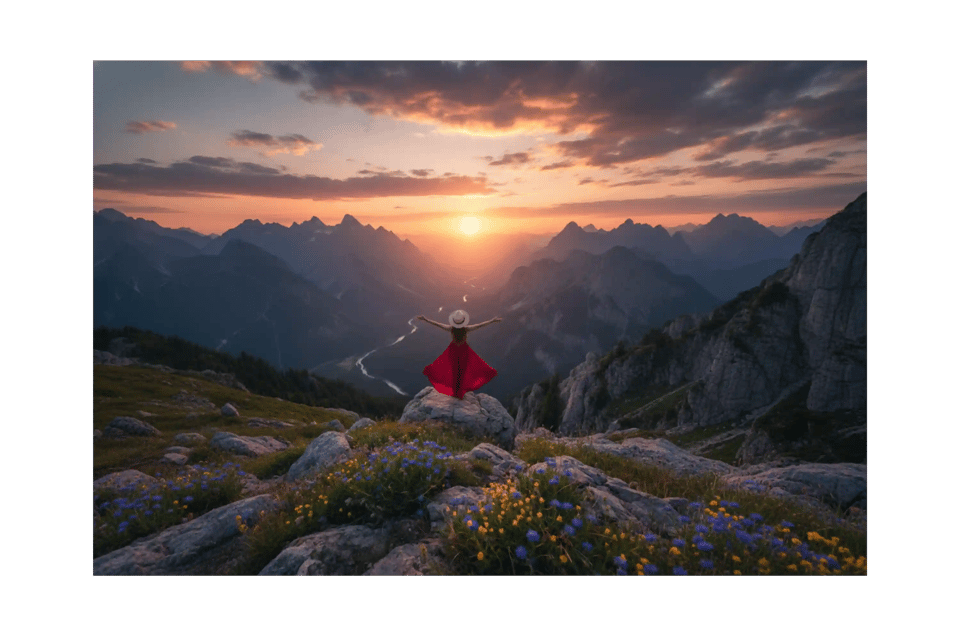
Kernfunktionen des Bylo AI Portrait zu Landscape Bildkonverters
Portrait ohne Zuschneiden mit KI-Outpainting in Querformat konvertieren
Der Bylo AI Portrait-zu-Querformat-Konverter nutzt fortschrittliche KI-Outpainting-Technologie, um das Bild zu erweitern, anstatt es zu beschneiden. Beim Umwandeln von Portrait zu Querformat generiert die Software realistischen Hintergrundraum, während Gesichter, Objekte und die Komposition erhalten bleiben. Dieser KI-Konverter sorgt dafür, dass das Hauptmotiv unverändert bleibt – ideal für Kreative, die ein sauberes Querformat ohne Detailverlust benötigen.
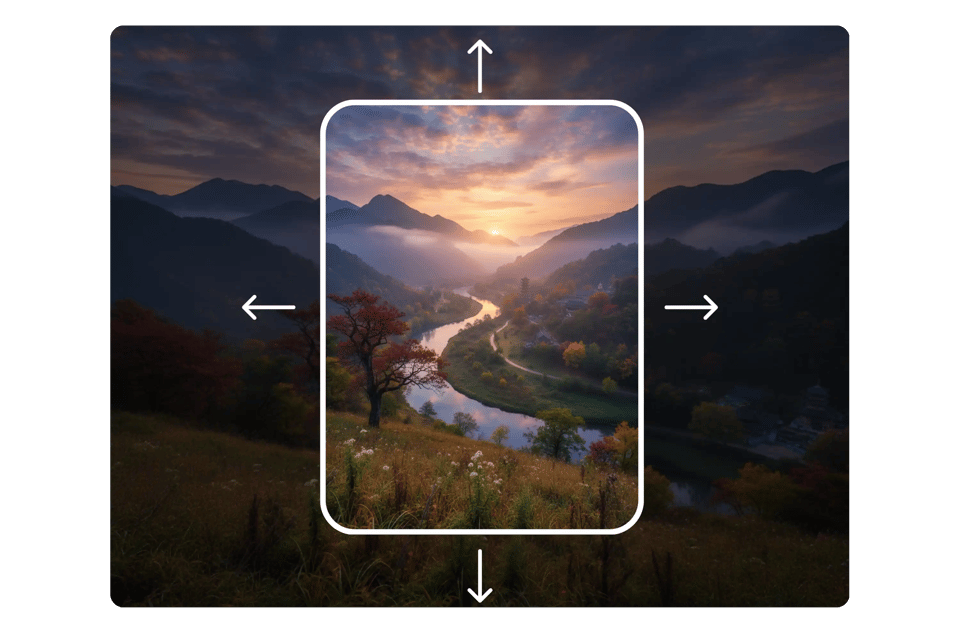
KI-Portrait-zu-Querformat-Konverter mit hochauflösendem Ergebnis
Der KI-Portrait-zu-Querformat-Konverter behält die Schärfe des Bildes von Rand zu Rand bei. Bevor der Konverter den Rahmen erweitert, analysiert er Licht, Schatten und Texturen, um ein natürliches und konsistentes Ergebnis zu gewährleisten. Beim Umwandeln von Portrait-Bildern in Querformat vermeidest du Dehnung, Verzerrung oder Pixelverlust – und erhältst immer professionelle Ergebnisse.
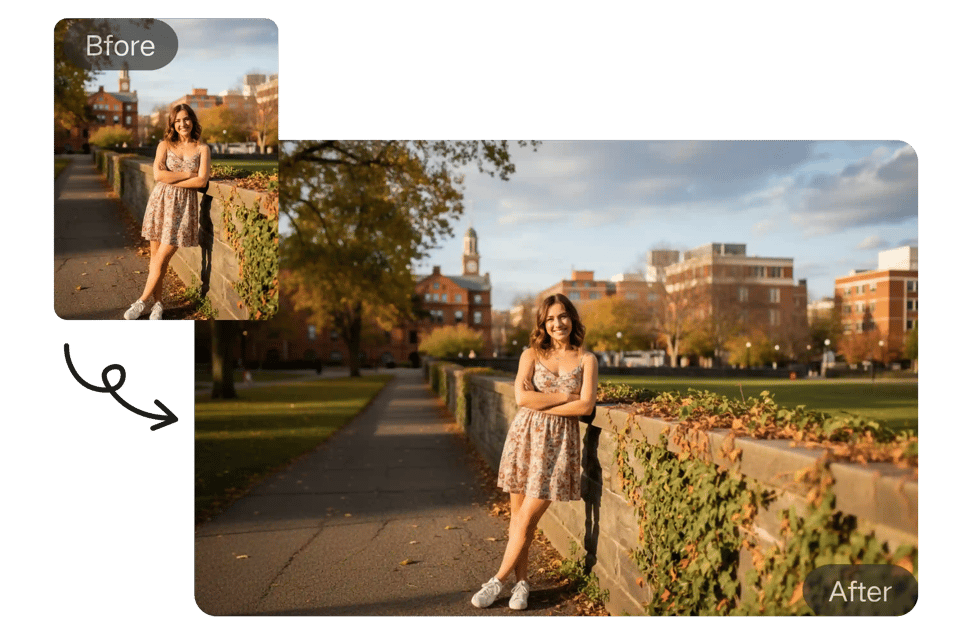
Portrait-Bilder in verschiedene Seitenverhältnisse konvertieren
Der Portrait-zu-Querformat-Konverter unterstützt gängige Querformat-Verhältnisse wie 16:9, 4:3 und 3:2. Du kannst Portrait-Bilder schnell in verschiedene Querformate konvertieren, z. B. für Website-Banner, YouTube-Thumbnail, Werbung oder Präsentationen. Der KI-Konverter passt automatisch die Komposition an jedes Seitenverhältnis an und liefert innerhalb von Sekunden plattformgerechte Querformat-Bilder.
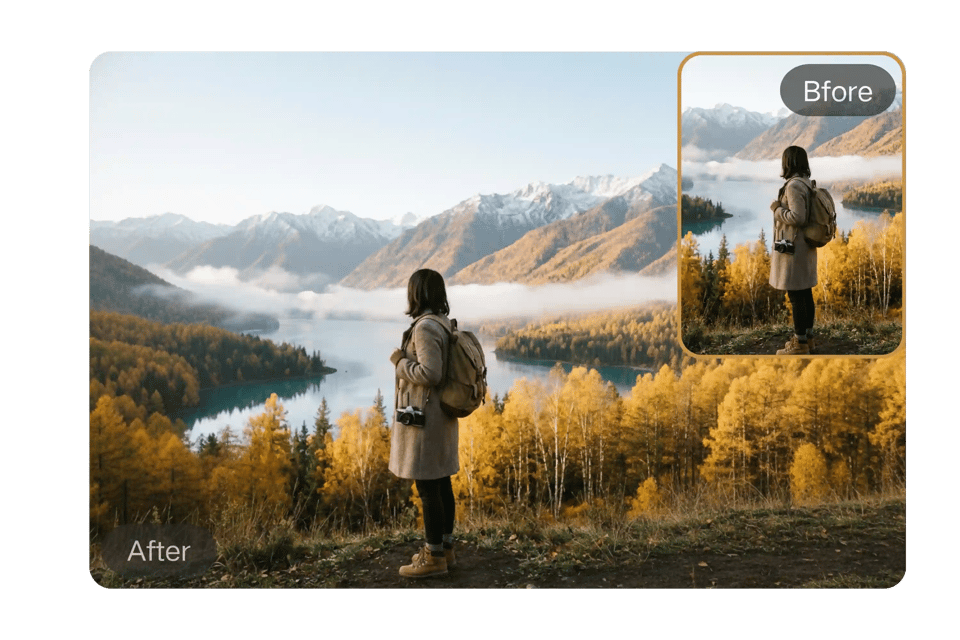
Kostenloser Online-Bildumwandler von Bylo AI
Bylo AI bietet einen kostenlosen Online-Konverter zum Umwandeln von Portrait-Bildern in Querformat, der direkt im Browser funktioniert. Keine Downloads, keine Tools – nur das Hochladen und Umwandeln. Laden Sie einfach ein Portrait-Bild hoch, wandeln Sie es mit Hilfe von KI in Querformat um und laden Sie das hochwertige Ergebnis sofort herunter. Schnell, zugänglich und entwickelt für moderne Content-Ersteller.
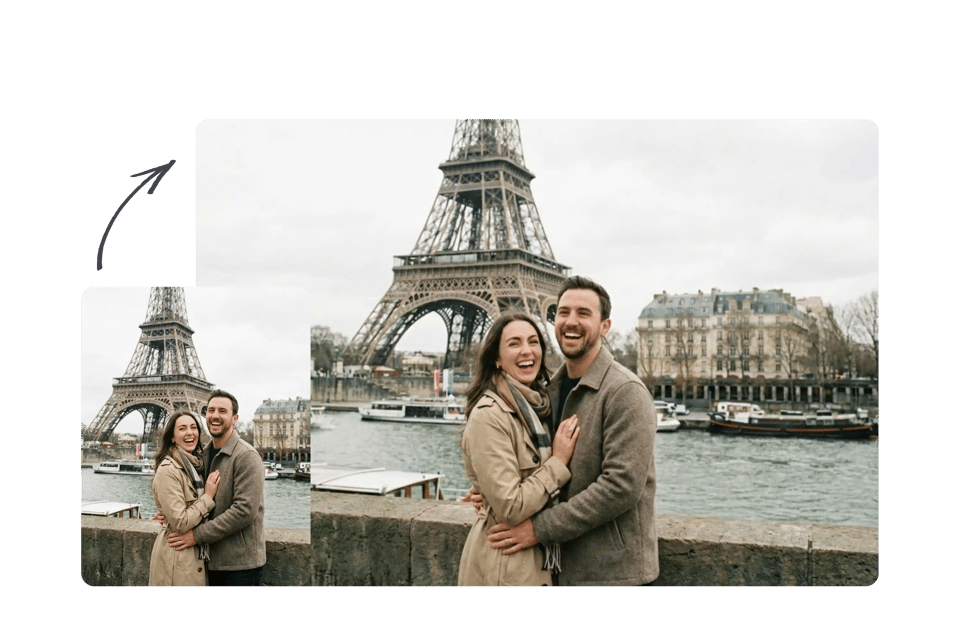
So wandeln Sie mit Bylo AI ein Portrait-Bild in Querformat um
Schritt 1 – Laden Sie Ihr Portrait-Bild hoch
Laden Sie zunächst Ihr Portrait-Bild in den Bylo AI Portrait zu Landscape Bildkonverter hoch. Das Tool unterstützt gängige Formate wie JPG und PNG. Nach dem Hochladen erkennt die KI das Bild und passt es an, um eine präzise Umwandlung von Portrait zu Querformat ohne Beschneidung wichtiger Inhalte vorzubereiten.
Schritt 2 – Ein Seitenverhältnis auswählen, um ein Portrait-Bild in Querformat umzuwandeln
Wählen Sie ein bevorzugtes Querformat-Seitenverhältnis wie 16:9, 4:3 oder 3:2. Dieser Schritt sorgt dafür, dass das Portrait-Bild optimal für Web-Banner, YouTube-Vorschaubilder oder Social-Media-Covers genutzt werden kann. Der Bylo AI Portrait zu Landscape Konverter passt die Bildkomposition automatisch an, um das zentrale Element zentriert und visuell ausgewogen zu halten.
Schritt 3 – Querformat-Bild generieren und herunterladen
Klicken Sie auf „Konvertieren“, und lassen Sie den Bylo AI Portrait zu Landscape Konverter den Hintergrund natürlicherweise erweitern. In Sekundenschnelle erhalten Sie ein hochauflösendes Querformat-Bild. Sehen Sie sich das Endergebnis an und laden Sie das fertige Bild zum Veröffentlichen oder Marketing-Zwecken herunter.
Wo kann man den KI-Portrait-zu-Landscape-Konverter einsetzen?
Portrait-Bild in Querformat umwandeln für Website-Hero-Bereiche
Website hero banners require wide 16:9 visuals, but many photos are taken in portrait format. Use Portrait to Landscape Image Converter AI to convert portrait photo to landscape without cropping faces or key subjects. Perfect for landing pages, SaaS headers, and brand storytelling visuals.
KI-basierte Portrait-zu-Landscape-Konverter für YouTube-Thumbnails
YouTube requires 16:9 landscape thumbnails, while creators often shoot portrait photos. Convert portrait to landscape instantly with AI background expansion. This AI Portrait to Landscape Converter keeps subject centered and generates clean, clickable thumbnail-ready images.
Portrait zu Landscape für Social-Media-Cover
LinkedIn, Facebook, and X (Twitter) use horizontal cover images. Convert portrait photo to landscape format to fit platform headers without stretching or losing composition. Portrait to Landscape Image Converter ensures natural background extension for professional profiles and business pages.
KI-Bildkonverter für Portrait-zu-Landscape in Marketing & Werbung
Marketing materials often require landscape visuals for ads, presentations, and product showcases. Convert portrait to landscape while maintaining high resolution and visual consistency. Ideal for digital ads, ecommerce banners, and promotional creatives.
Warum Bylo AI als KI-Portrait-zu-Landscape-Konverter wählen?
Kostenloser Online-Konverter für Portrait-zu-Landscape-Bilder
Mit Bylo AI können Sie ein Hochformat-Bild sofort in Querformat umwandeln. Der Portrait-zu-Landscape-Bildkonverter liefert hochwertige Bilder online – ohne Software und ohne komplizierte Arbeitsabläufe.
Ein Portrait in Landscape umwandeln – ohne Zuschneiden oder manuelle Bearbeitung
Im Gegensatz zu einfachen Größenanpassungstools erweitert dieser KI-Portrait-zu-Landscape-Konverter den Hintergrund, anstatt wichtige Inhalte zu schneiden. Sie können ein Portrait automatisch in Landscape umwandeln, ohne manuelles Maskieren, Ziehen von Elementen oder Kenntnisse in Photoshop. Die KI kümmert sich in Sekundenschnelle um Komposition, Beleuchtung und Rahmen.
Mehr als ein KI-Portrait-zu-Landscape-Konverter – Ein umfassender KI-Bildeditor
Bylo AI bietet mehr als nur einen Portrait-zu-Landscape-Bildkonverter. Nutzen Sie leistungsstarke KI-Bildbearbeitungstools wie Hintergrundentferner, Bildverlängerung, Seitenverhältniswechsel und kreative Verbesserungsfunktionen. Bearbeiten, skalieren und optimieren Sie Bilder in einem umfassenden KI-Arbeitsbereich.