
Select the model you want to generate your image with.
Kostenloses Umriss-Tool – Weißer Rand hinzufügen
Automatischer Umriss mit intelligenter Kantenerkennung. Erstelle professionelle Umriss-Effekte ohne manuelle Bearbeitung.
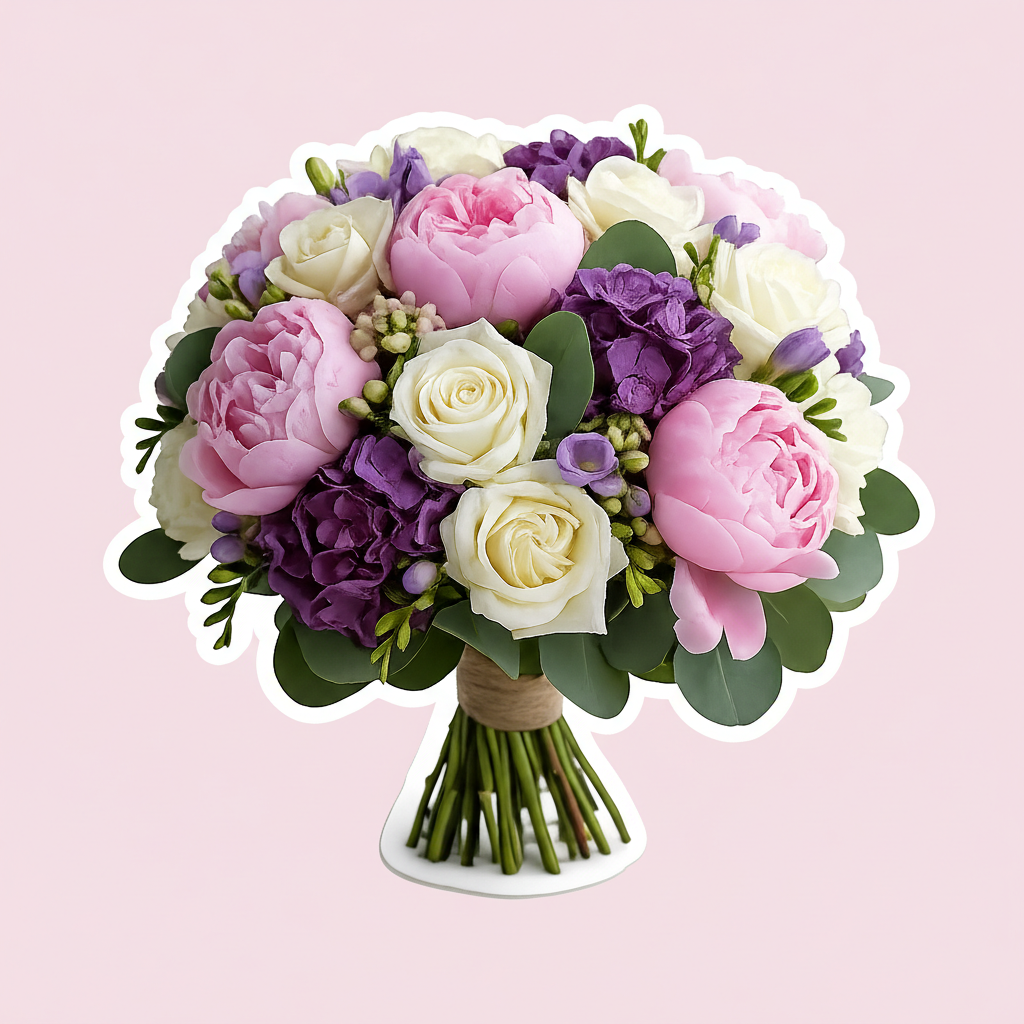
Your Generated Images
Was macht den Bylo AI Bildumriss-Generator besonders?
KI-basierter Umriss-Generator – Kein manuelles Hintergrundentfernen erforderlich
Mit Bylo AI’s Umriss-Tool wird dein Motiv automatisch erkannt und ein sauberer Rand innerhalb von Sekunden hinzugefügt. Du kannst ohne Photoshop oder manuelles Maskieren Bilder mit professionellen Rändern erstellen. Dieses Umriss-Tool funktioniert nahtlos bei Porträts, Produkten und Grafiken – ideal, um jedes Bild mit konsistenten, professionellen Konturen zu versehen.
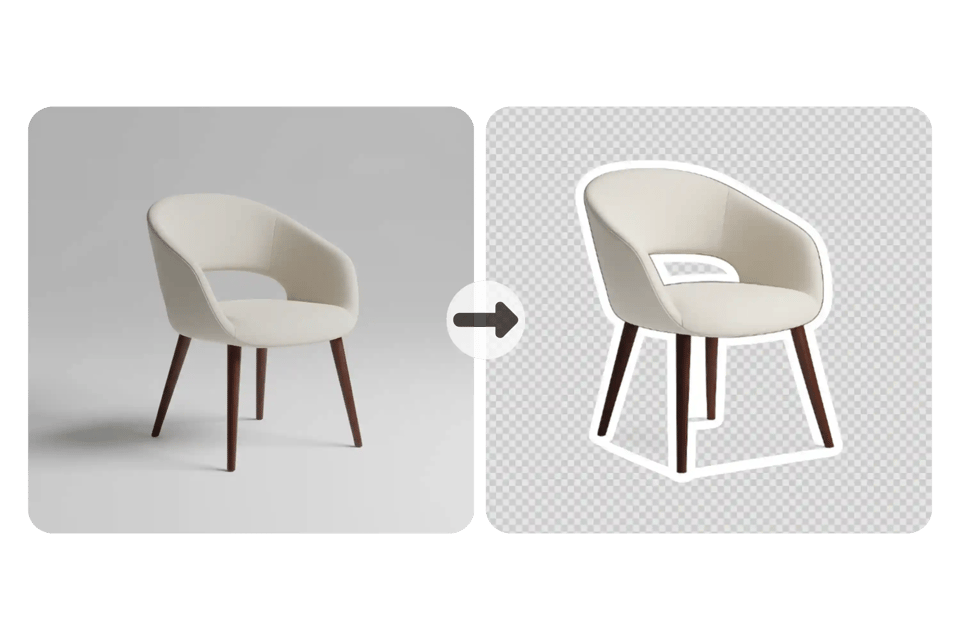
KI-Kantenerkennung für präzise Umriss-Erstellung
Unser Bildkontur-Generator nutzt fortschrittliche KI-Edge-Detektion, um mit hoher Präzision Bildkontur-Effekte zu erzeugen. Dabei werden feine Details wie Haare, Kurven und komplexe Formen perfekt erfasst – so dass du Bilder ohne Qualitätsverlust mit einer Kontur versehen kannst. Das Ergebnis ist eine natürliche, saubere Bildkontur, bereit für den praktischen Einsatz.
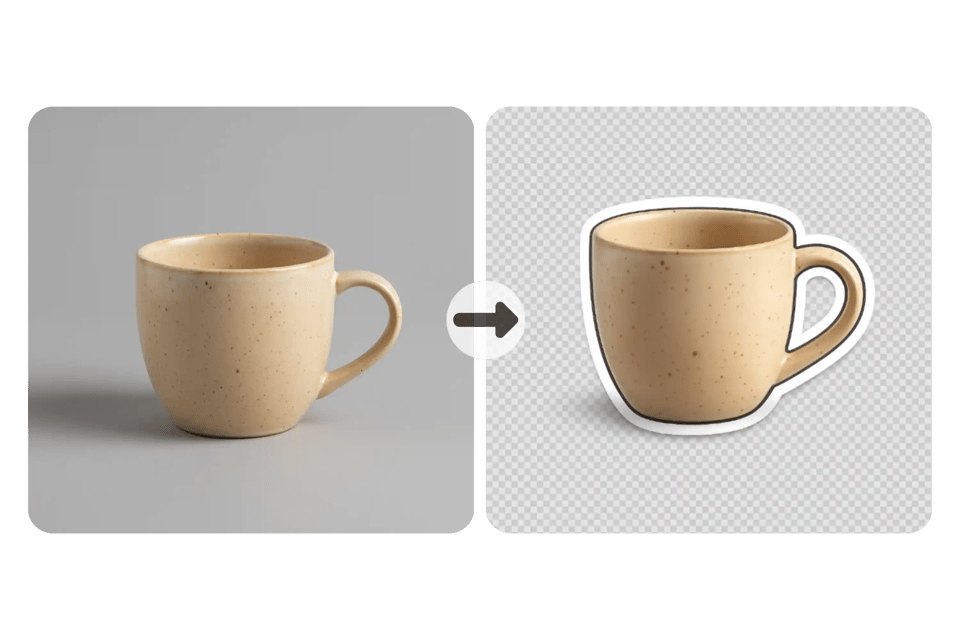
Weißer oder schwarzer Rand für Fotos – einfach auswählen
Mit diesem **Bildumriss-Tool** kannst du deinen Bildern weiße Umrisse hinzufügen, um moderne Thumbnails zu erstellen, oder einen fetten schwarzen Rahmen für Fotos anzuwenden. Gib einfach die gewünschte Rahmenfarbe in deiner Anfrage an. Egal ob du einen weißen Rahmen für Fotos oder einen grafischen Rand benötigst – dieses **Bildumriss-Programm** sorgt für saubere, glatte Kanten und ein professionell ausgewogenes Erscheinungsbild.
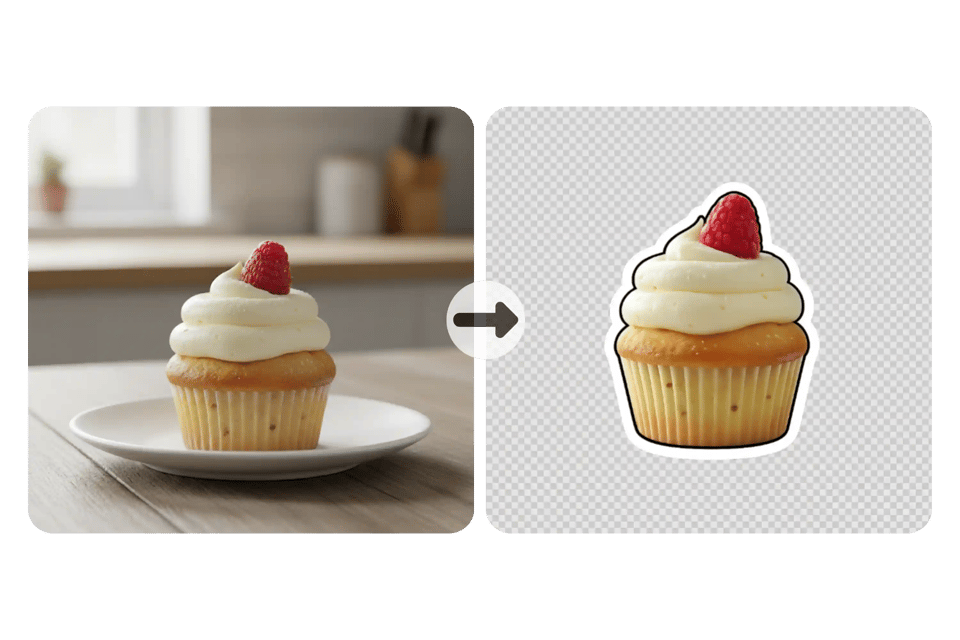
Transparenter Hintergrund exportieren – **Bildumriss-Tool für Aufkleber**
Mit dem **Bylo AI Bildumriss-Generator** kannst du PNG-Dateien mit transparentem Hintergrund mit einem Klick herunterladen. Lege jeden beliebigen Rahmen um dein Bild und exportiere es als **Bild für Aufkleber** für E-Commerce, YouTube oder Social Media. Dieses **Bildumriss-Tool** macht es einfach, saubere und klar abgegrenzte Grafiken zu erstellen.
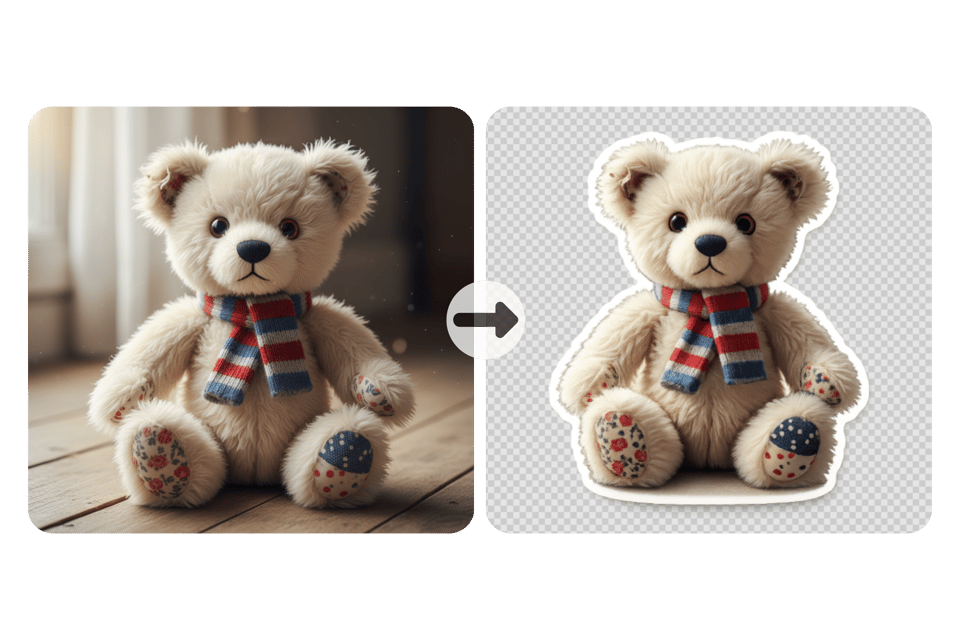
Kostenloses Online-Bildumriss-Tool mit schneller KI-gestützter Verarbeitung
Nutze das kostenlose **Bildumriss-Tool** direkt im Browser – ohne Software-Installation. Lade dein Foto hoch und füge innerhalb von Sekunden einen Rahmen hinzu, präzise durch KI-Technologie. Lade deinen sauberen Bildumriss-Effekt in hoher Auflösung herunter – bereit für Thumbnails, E-Commerce und Social Media.
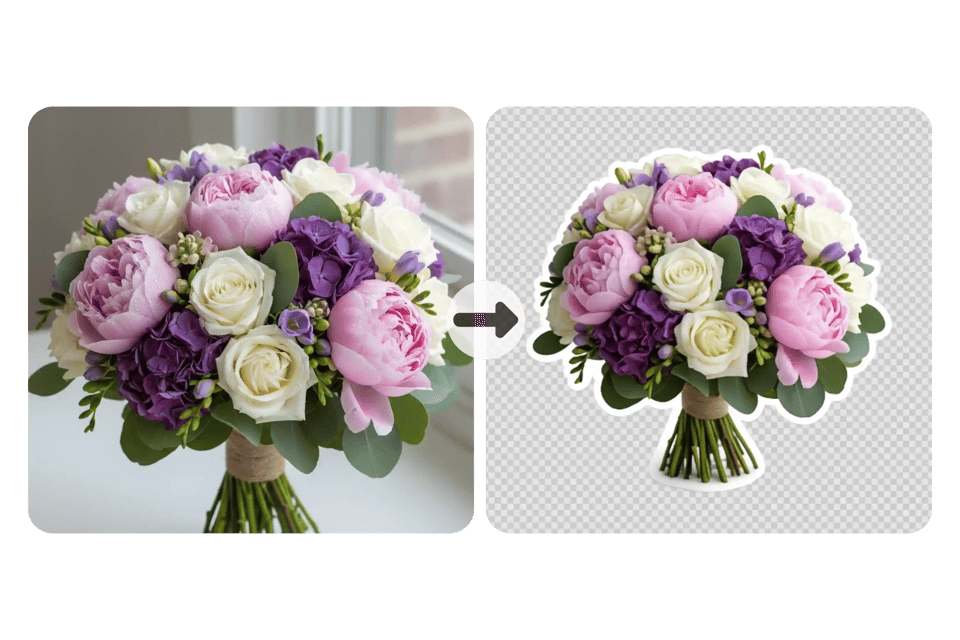
Beispiele für Bildumrisse-Generator-Prompts – Weiß und Schwarz
Weißer Sticker-Outline-Vorlage
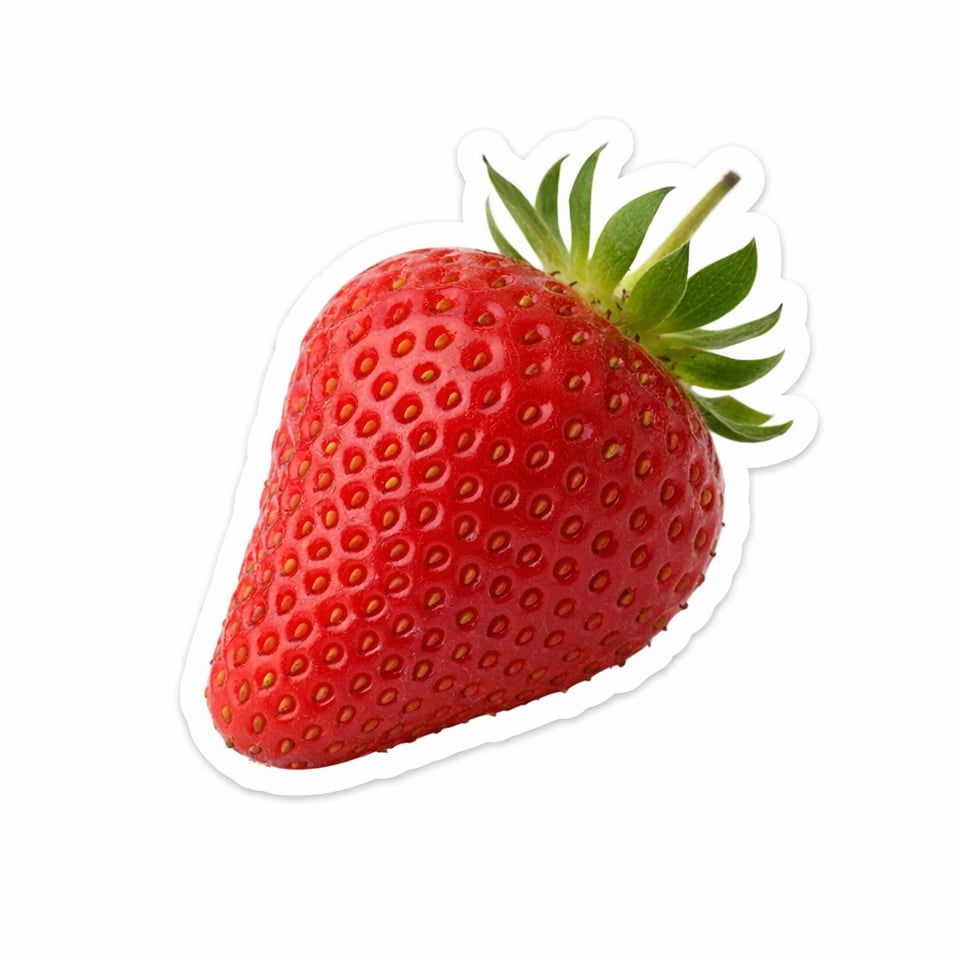
Verwende diesen Bildumrisse-Generator-Prompt, um einen rein weißen Sticker-Stil-Rahmen zu erstellen. Dieser Stil eignet sich am besten für Vorschaubilder, E-Commerce-Visuals und saubere weiße Umrisse für Fotos, die einen sanften, modernen Kontrast benötigen. ✨ Verwandelt das Objekt in einen Sticker-Ausschnitt. Fügt einen starken weißen Rand um die gesamte Kontur hinzu. Erstellt glatte organische Kanten mit klarer Subjekt-Trennung. Fügt einen sanften Außen-Glow und subtile Schatten hinzu, um einen fließenden Effekt zu erzeugen. Behält das Licht natürlich und realistisch.
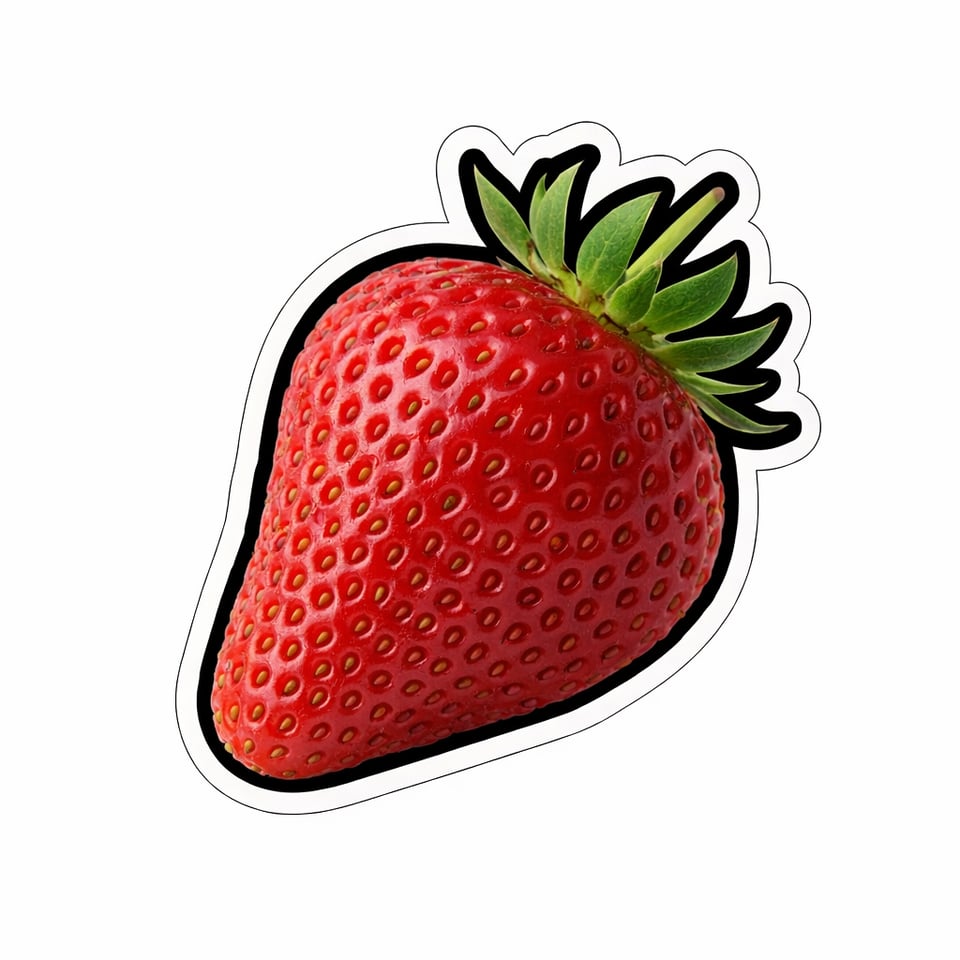
Schwarze Kontur mit weißem Sticker-Rand-Prompt
Verwende diesen Bildumrisse-Generator-Prompt, um eine kräftige schwarze Kontur mit einem weißen Sticker-Rahmen zu generieren, der über der Kontur liegt. Diese Methode erzeugt starken Kontrast und hilft, jedes Bild klar gegen komplexe Hintergründe hervorzuheben. ✨ Verwandelt das Objekt in einen sauberen Schnitt mit starker Subjekt-Trennung. Fügt eine kräftige schwarze Kontur nach der exakten Silhouette hinzu. Fügt einen äußeren weißen Sticker-Stil-Rahmen für geschichteten Kontrast hinzu. Behält die Kanten glatt und abgerundet mit hoher Klarheit. Behält realistisches Licht und einen professionellen Produktstil bei.
So fügst du mit dem Bylo AI Bildriss-Generator einfach einen Umriss zu deinem Bild hinzu
Schritt 1 – Foto hochladen zum Bildumrisse-Tool
Lade ein Porträt, Produktbild oder Grafik in das Bildumrisse-Tool hoch. Das Tool erkennt automatisch das Subjekt und bereitet eine saubere Kanten-Auswahl vor, sodass du jedes Bild ohne manuelles Maskieren oder Bearbeitungskenntnisse umranden kannst.
Schritt 2 – Weiße oder schwarze Konturvorlage anwenden
Gib in deinem Prompt direkt an, ob du einen weißen Umriss oder einen schwarzen Rand möchtest. Das Bildkontur-Tool erkennt automatisch die Kanten und generiert saubere, glatte Ränder mit klarer Trennung des Hauptobjekts und konsistentem Umriss-Effekt.
Schritt 3 – Lade deinen Umriss-Effekt in hoher Auflösung herunter
Klicke auf „Generieren“, um einen Umriss zu deinem Bild hinzuzufügen und lade die transparente PNG-Datei herunter. Verwende die Ergebnisse für Thumbnails, E-Commerce-Listings, Sticker-Designs oder Social-Media-Visuals.
Anwendungsfälle des Bildumriss-Tools für reale Projekte
Erstelle weiße Umrisse für Fotos in YouTube-Thumbnail-Bildern
Use image outline maker to add white outline for photos and make subjects stand out in crowded thumbnails. Clear separation improves visibility on small screens and helps boost click-through rate on YouTube and short-form video platforms.
Erstelle Umrissbilder für E-Commerce-Produktbilder
Outline any image to improve product clarity in online stores. Photo outline maker helps isolate items from background, making listings look cleaner and more professional across Amazon, Shopify, and marketplace platforms.
Füge deinen Bildern Umrisse hinzu, um sie für Social-Media-Grafiken zu verwenden
Add outline to image files to create eye-catching Instagram posts, TikTok covers, and Pinterest pins. Subtle photo outline effect improves contrast and ensures subject remains clear even with colorful or textured backgrounds.
Bildkontur-Tool für Sticker- und digitale Asset-Designs
Use photo outline maker to create sticker-ready PNG files with transparent background. Perfect for digital sticker packs, printable designs, brand merchandise, and creative marketing materials.
Warum Bylo AI als Online-Bildumrisstool wählen?
Kostenloses Online-Tool zur Erstellung von Umriss-Effekten für Fotos
Bylo AI bietet ein kostenloses Online-Tool zum Hinzufügen von Umrissen zu Bildern – ohne zusätzliche Softwarekosten. Erstelle weiße Umrisse für Fotos oder kräftige Randeffekte direkt im Browser und lade hochwertige Ergebnisse herunter, die sofort für Projekte einsatzbereit sind.
Keine Designkenntnisse erforderlich – Erstelle mit dem Bildumriss-Tool Umrissbilder
Dieses Bildriss-Tool nutzt KI, um manuelle Bearbeitung oder komplexe Tools zu vermeiden. Du kannst jedes Bild innerhalb von Sekunden umranden – ohne Photoshop oder handgezeichnete Masken. Die intelligente Kantenerkennung macht das Bildkontur-Tool sowohl für Einsteiger als auch für Profis einfach zu bedienen.
Mehr als nur ein Bildkontur-Tool – Ein vollständiges Kreativ-Toolkit für Design und Grafik
Bylo AI geht über die grundlegenden Funktionen eines Bildriss-Generators hinaus. Nachdem Sie einen Umriss zu Ihrem Bild hinzugefügt haben, können Sie Bildinhalte mit weiteren KI-basierten Bearbeitungstools verbessern, was das Erstellen von Vorschaubildern, E-Commerce-Grafiken und Social-Media-Designs in einem einzigen Workflow erleichtert.