
Select the model you want to generate your image with.
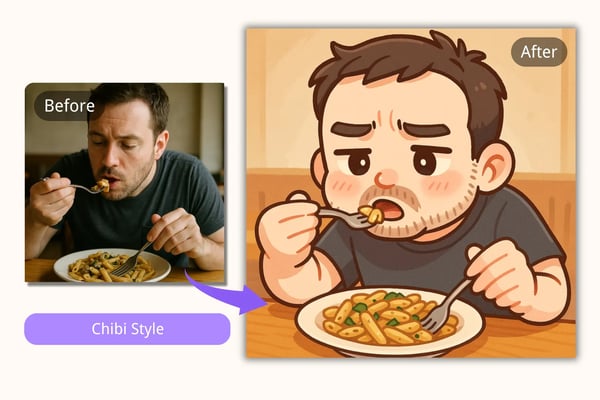
Create Kawaii Chibi Art with Bylo’s AI Chibi Style Generator
Transform your photos or text into cute, expressive chibi characters — instantly and free!
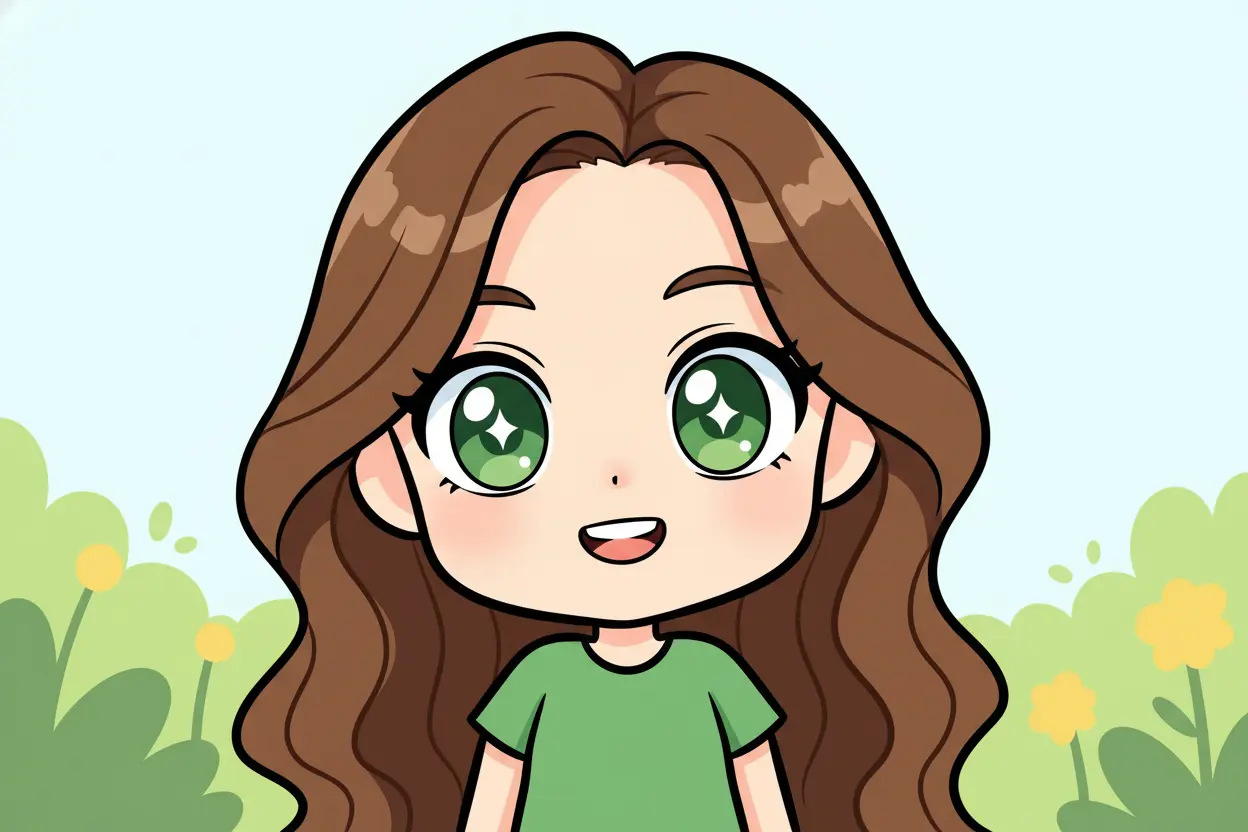
Your Generated Images
Key Features of Bylo’s AI Chibi Art Style Generator
Free Trial Available
Start creating chibi art with zero commitment. Bylo offers a free trial so users can experience the magic of our AI chibi art style generator without upfront costs.
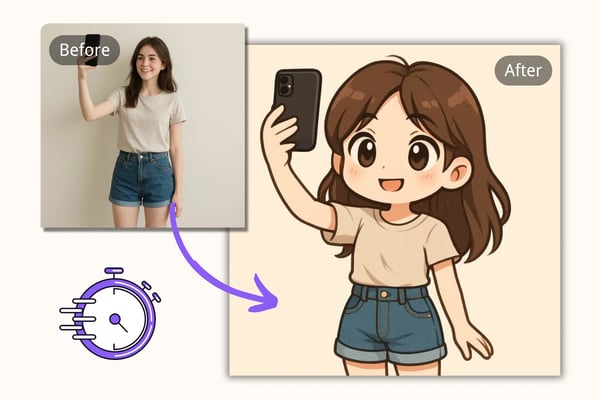
Fast, High-Quality Generation
Our AI chibi art generator delivers quick results without compromising quality. Generate vibrant, detailed chibi art in seconds using cutting-edge image-to-image and text-to-image technology.
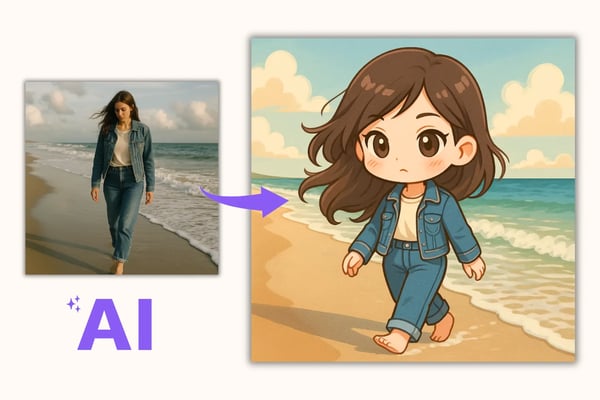
Powered bt GPT4o Image Generator
Powered by GPT-4o technology, Bylo’s chibi art style generator can accurately depict charming kawaii-style chibi images, whether you upload a photo or provide a text prompt.
Customizable Image Size and Style
Adjust the output size and artistic elementsChibi Art Page Content to suit your preferences. Bylo lets you tailor the chibi art style to better match your personal or brand aesthetic.
How to Use Bylo’s Chibi Art Style Generator
Step 1: Upload an Image and Enter a Prompt
Begin by uploading a photo and writing a short text prompt describing the character or scene you want to turn into chibi art.
Step 2: Customize Style and Size
Select your desired image size and make style adjustments if needed to personalize your kawaii chibi art style output.
Step 3: Generate and Download
Click ‘Generate’ to let Bylo’s AI chibi art generator create your artwork. Download or share your image instantly.
Who Can Benefit from the AI Chibi Art Style Generator
Social Media Creators
Content creators on platforms like Instagram, TikTok, and X can use chibi art for engaging avatars, stickers, or content thumbnails to enhance brand identity and fan interaction.
Artists and Designers
Use the AI Chibi Art Generator to create your own 3D figurine characters, then bring them to life inside immersive cube-shaped scenes using our 3D Miniature Isometric Room Generator — a perfect workflow for storytelling and creative visualization.
Educators and Writers
Teachers and authors can design unique educational materials or story illustrations using the kawaii chibi art style to capture student attention and reader interest.
Entrepreneurs and Merch Sellers
Small business owners and Etsy sellers can turn chibi art into merchandise like stickers, pins, T-shirts, or keychains with minimal design time.
What Users Say About the AI Chibi Art Generator
Bylo made it super easy to create a chibi version of my cosplay photos — they turned out so cute and got tons of likes on Instagram!
Emily Tan
Anime Fan & Cosplayer
I used Bylo’s AI chibi art style generator to design NPCs for my indie game. The process saved hours of work and sparked new ideas.
Carlos Mendez
Game Developer
I transformed pet photos into chibi art and sold them as stickers — my customers love the kawaii style, and I love how easy it is!
Sarah Liu
Etsy Shop Owner
Using chibi characters in my lesson slides made my students more engaged. It’s fun and educational at the same time!
Raj Patel
Teacher
This tool gives me a quick way to create adorable fanart sketches — perfect for conventions and zines!
Nina Schwartz
Fan Artist
I’m building a collection of NFT chibi characters with Bylo’s generator — it’s a fun way to explore digital creativity.
Leo Kim
Digital Collector
Frequently Asked Questions About Chibi Art Generation
How to make chibi art with AI?
Simply upload a photo and input a detailed prompt describing your desired chibi's appearance, and let the AI work its magic. Bylo.ai utilize advanced algorithms to analyze your input and generate high-quality chibi illustrations in minutes.
Who invented chibi style?
The chibi style originated in Japan as a form of caricature in anime and manga. While there's no single inventor, the style gained prominence in the 1980s through its use in popular series like 'Dragon Ball' and 'SD Gundam.' These portrayals featured characters with exaggerated proportions—large heads and small bodies—to emphasize humor and emotional expression.
Is Bylo’s chibi art generator free?
Yes, Bylo offers a free trial that allows users to try out the chibi art generator with no upfront cost.
Can I use my own photo?
Absolutely. You can upload your own images and transform them into chibi art using our AI generator.
Do I need drawing skills?
No artistic skills are required. Just upload a photo or enter a prompt — Bylo’s AI handles the rest!
What image formats are supported?
You can upload common image formats such as JPG and PNG for conversion into chibi style.
How long does it take to generate a chibi image?
Typically, the generation process takes only a few minutes thanks to our high-speed AI backend.
Can I customize the chibi style?
Yes, you can adjust size and tweak style options to better suit your aesthetic or intended use.